Building an AI Research Assistant with Python + LangChain: Eliminating Academic Hallucinations via MCP

Build a hallucination-free AI research assistant with Python + LangChain + Consensus MCP
This article addresses the hallucination problem where LLMs fabricate fake paper citations in academic research, presenting a complete solution using Python, LangChain, and Consensus MCP. It uses Pydantic for structured outputs to ensure controllable data formats, builds a CLI prototype and Flask web interface to validate logic, then connects to the Consensus MCP server for real-time retrieval of genuine peer-reviewed literature, fundamentally eliminating academic hallucinations.
Why We Need an AI Research Assistant: LLM Hallucination Is the Biggest Obstacle
When writing academic or thesis papers, literature search and trend analysis are often the most time-consuming tasks. If AI could automatically search for relevant papers, extract key formulas, and analyze research trends, research productivity would improve dramatically. However, using LLMs directly for academic research has one fatal flaw — Hallucination: the model may fabricate papers and citations that simply don't exist.
The root cause of hallucination lies in the fundamental working mechanism of language models. An LLM is a probabilistic prediction system that learns statistical patterns from massive text corpora to predict the next token, rather than truly "understanding" or "memorizing" facts. When asked to generate paper citations, the model generates format-compliant content based on what it learned about "what paper citations should look like" from training data — author names, journal names, years, and titles all follow reasonable distributions, but the combined result may never have actually existed. This phenomenon is particularly dangerous in academic contexts because the fabricated citations often have an extremely high "appearance of credibility," enough to fool careless readers or even peer reviewers.
This article provides a detailed walkthrough of building an AI research assistant with Python + LangChain in three steps: first building a CLI prototype, then adding a web interface, and finally connecting to real academic literature through a Consensus MCP server to fundamentally solve the hallucination problem.
Tech Stack and Architecture Design
The technology choices for this project are as follows:
- LangChain: Agent framework responsible for orchestrating model calls and tool usage
- OpenAI GPT-5: Provides core reasoning capabilities
- Pydantic: Defines structured output models to ensure predictable response data formats
- Consensus MCP: Connects to a real peer-reviewed academic literature database
Why do we need structured output? Because when the frontend displays results, it must ensure the model returns data with fixed fields — paper titles, authors, years, formulas, trend analysis, etc. Relying on free-form text generated arbitrarily by the model makes stable UI parsing impossible.
From an architectural perspective, the core approach of this project is Retrieval-Augmented Generation (RAG): combining the model's "parametric knowledge" (reasoning abilities learned during training) with "non-parametric knowledge" (real literature retrieved in real-time). The former handles understanding research questions and organizing analytical frameworks, while the latter provides verifiable factual evidence. Traditional RAG requires developers to build their own vector databases and retrieval logic, but the MCP protocol encapsulates this complexity on the server side, significantly lowering the integration barrier.
Step 1: Defining Structured Output Models with Pydantic
First, install the dependencies:
pip install langchain[openai] pydantic python-dotenv
The core idea is to first define the structures for individual papers (Paper), formulas (Formula), and trends (Trend), then compose them into a complete report (Report):
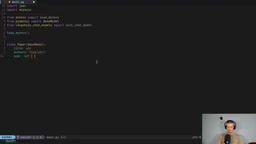
from pydantic import BaseModel, Field
from typing import List, Optional

class Paper(BaseModel):
    title: str
    authors: List[str]
    year: int
    venue: Optional[str] = None
    url: Optional[str] = None
    relevance: str = Field(description="Why this paper is relevant to the topic or research questions")
Pydantic structured output solves the "last mile" problem at the engineering level. LLMs return free-form text by default, and frontend parsing relies on regular expressions or string matching, which easily breaks due to minor changes in model output format. Through the with_structured_output method, LangChain converts the Pydantic model into a JSON Schema under the hood and injects it into the model's system prompt or function calling parameters, forcing the model to generate output according to predefined field types and constraints. OpenAI's Structured Outputs feature (launched in 2024) provides syntax-level guarantees at the API level — model output undergoes constrained decoding to ensure 100% Schema compliance, rather than relying on prompt-guided "best effort."
The formula model includes name, LaTeX code, description, and source citation; the trend model includes title, description, and references. The final Report model combines these together:
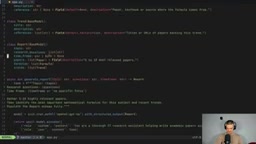
class Report(BaseModel):
    topic: str
    research_questions: str
    timeframe: str
    papers: List[Paper] = Field(description="5 to 10 most relevant papers")
    formulas: List[Formula]
    trends: List[Trend]

Step 2: Building the CLI Prototype and Web Interface
Core Logic of the CLI Version
When initializing the chat model, the with_structured_output method forces the model to return data in the Report schema:
from langchain.chat_models import init_chat_model

model = init_chat_model("openai:gpt-5").with_structured_output(schema=Report)

result = await model.ainvoke([
    {"role": "system", "content": "You are a thorough research assistant..."},
    {"role": "user", "content": task}
])
After the user inputs a research topic, research questions, and timeframe, the model returns a complete JSON object containing a list of papers, formulas, and trend analysis.
Building a Web Interface with Flask
Here, Claude Code was used to quickly generate a Flask application frontend, including an input form and results display page. The focus isn't on frontend design but on verifying whether the backend structured output logic works correctly.
Testing Reveals Serious Problems
The test results were alarming: when searching for "recommendation system papers from 2026," the paper links returned by the model were almost entirely invalid — some pointed to 404 pages, others redirected to shopping websites. These papers likely don't exist at all and are purely hallucination products. The formula section was also imprecise — for example, it returned cosine similarity, which isn't a "beyond accuracy" metric.
This is precisely the fatal flaw of using pure LLMs for academic research: it cannot distinguish between real knowledge in its memory and content it fabricates. When the model generates "plausible-looking" paper citations, it has no internal mechanism to verify whether these citations actually exist — it's merely doing statistically "reasonable continuation."
Step 3: Connecting Consensus MCP to Eliminate Academic Hallucinations
What Is Consensus MCP?
Consensus is a search engine built on peer-reviewed academic literature. Through an MCP (Model Context Protocol) server, AI Agents can directly call its API to search for real papers. MCP is a standardized protocol proposed and open-sourced by Anthropic in late 2024, designed to solve the integration fragmentation problem between AI models and external tools/data sources. Before MCP, every AI application needed to write custom integration code for different external services, resulting in extremely high maintenance costs. MCP defines a unified client-server communication specification that allows any MCP-supporting AI framework to plug-and-play with any MCP server — similar to how the USB interface standardized hardware connections. Currently, hundreds of MCP servers cover scenarios including file systems, databases, search engines, and academic databases.
Connecting to Consensus MCP means the model no longer relies on its own parametric memory but retrieves from real academic databases in real-time, eliminating hallucinations at the source.
Three Key Steps in Code Refactoring
First, install the MCP adapter:
pip install langchain-mcp-adapters
There are three critical changes:
- Upgrade from a simple chat model to a LangChain Agent: Because we now need to call the search tool provided by MCP
- Configure the MCP client: Use
mcp-remoteto handle authentication and communication - Use tool_strategy instead of with_structured_output: Allow the Agent to maintain structured output while using tools
LangChain Agents are built on the ReAct (Reasoning + Acting) paradigm, allowing the model to dynamically decide during reasoning whether to call external tools and which ones to call. The workflow cycle is: model receives task → thinks about whether tools are needed → calls tools to get results → incorporates results into context to continue reasoning → repeats until generating the final answer. Unlike simple chain calls, Agents have conditional branching capabilities and can decide the next action based on intermediate results, making them particularly suitable for
Related articles
 Tutorials
ChatGPT Plus Subscription Guide: Are GPT-5.5, image-2, and Codex Worth the Upgrade?
A detailed look at ChatGPT Plus features — GPT-5.5, image-2, and Codex — with a Plus vs Pro comparison and a complete step-by-step subscription guide for users outside the US.
 Tutorials
Harness AI Engineering in Practice: Using Claude Code to Master Enterprise-Level E-Commerce Development
Deep dive into Harness AI Engineering: master enterprise e-commerce development with Claude Code using the Rules, Skills, Wiki, and Changes framework.
 Tutorials
Cursor + Codex Dual-IDE Collaboration: A Practical Methodology for Open-Source Project Customization
A complete methodology for open-source project customization based on real-world experience, detailing the Cursor+Codex dual-IDE workflow, seven-stage process, MVP validation, and AI source code reading techniques.