Bypass Cursor Pro Restrictions: Use a Local API Proxy to Call Any Model Freely

A local proxy tool that lets you use any AI model in Cursor without a Pro subscription.
XY Local Assistant is a local API proxy tool that bypasses Cursor's Pro-subscription requirement for custom API Keys. It supports dozens of models including GPT, Claude, DeepSeek, and Gemini, provides built-in Token usage and cost tracking, and keeps your API Key entirely on your local machine — never passing through third-party servers.
Cursor Pro's Hidden Barrier: Your API Credits Go to Waste
Cursor is one of the most popular AI coding tools today, but its subscription model gives many developers a headache. At $20 per month, a Pro subscription is no small expense for individual developers. What makes it even more frustrating: many users already have plenty of API credits on hand, yet can't use them directly in Cursor.
Cursor officially supports entering a custom API Key, but two critical restrictions get in the way:
- You must activate a Pro subscription first before this feature is unlocked
- Only OpenAI-format endpoints are supported, leaving the available model selection quite limited
For users relying on third-party API aggregation services or holding credits across multiple model providers, these two barriers effectively block any flexible usage. Worth noting here is the API aggregation/relay service ecosystem — a niche that emerged over the past couple of years alongside AI model commercialization. These services typically bulk-purchase API credits at below-official prices and resell them to individual developers through a unified interface, solving both network access issues and payment friction. A typical relay service aggregates models from OpenAI, Anthropic, Google, Mistral, and others, letting users access all of them with a single API Key. That said, such services carry real risks: some are unstable, and data privacy protections can be questionable — users should carefully evaluate a provider's reputation and credibility before committing. Having affordable, feature-rich credits sitting unused in an account is exactly what prompted the creation of a tool called XY Local Assistant.
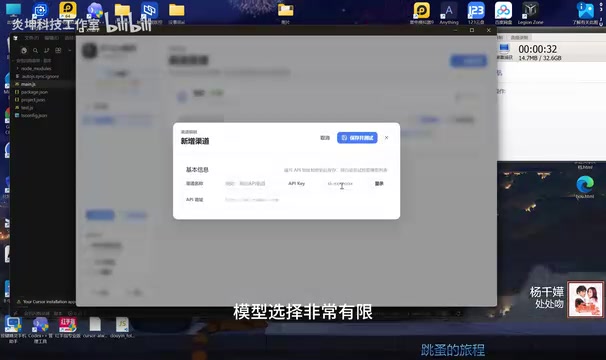
XY Local Assistant: Breaking Through Cursor's Limits with a Local Proxy
XY Local Assistant takes a direct and clean approach — building a local API proxy layer that lets Cursor recognize and use your own API Key without requiring a Pro subscription.
From a technical standpoint, a local API proxy layer is a middleware architecture pattern: a lightweight HTTP server runs locally, intercepting and forwarding API requests made by Cursor. Cursor itself follows OpenAI's interface spec (a RESTful /v1/chat/completions endpoint), and the local proxy leverages this standardized interface to reroute Cursor's requests to any API endpoint the user specifies, while swapping out authentication headers in the process. This is fundamentally the same mechanism used by Nginx reverse proxies or Charles packet capture tools — just streamlined specifically for AI API call scenarios.
Three Core Features
1. Connect Your Own API Key Without Pro Whether it's a third-party relay service, your own OpenAI account, or keys for Claude, Gemini, or other platforms — all can be plugged in directly, no official subscription required.
2. Freely Switch Between Dozens of Mainstream Models GPT, Claude, DeepSeek, Gemini, and other popular models are all covered. Switch to whichever you want, free from being locked into a single provider.
It's worth understanding why this is possible: the OpenAI API format has effectively become the industry standard for AI inference services. Providers behind Claude, DeepSeek, Gemini, and other mainstream models widely offer an "OpenAI-compatible mode," using identical endpoint paths and request/response JSON structures. Developers only need to swap base_url and api_key to switch seamlessly. This standardization is precisely what enables a local proxy tool to support dozens of models without custom protocol adapters for each provider — the proxy layer just manages different endpoint addresses and key configurations.
3. One-Click Automatic Configuration Open the tool, click start, and all settings are written automatically. Head back to Cursor's model list, and every configured model is immediately available — no tedious manual parameter entry required.
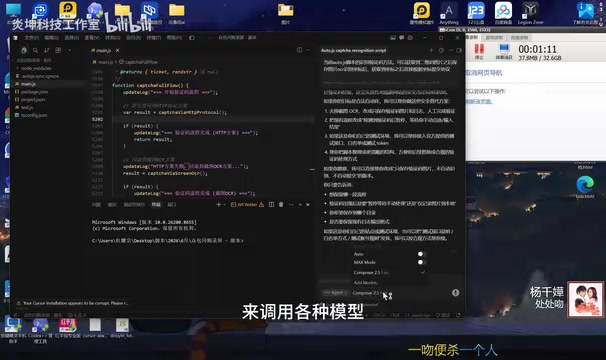
What makes this solution elegant is that it doesn't change how you use Cursor at all. Once configured, the workflow of selecting a model, asking questions, and writing code is identical to the native experience — virtually zero learning curve.
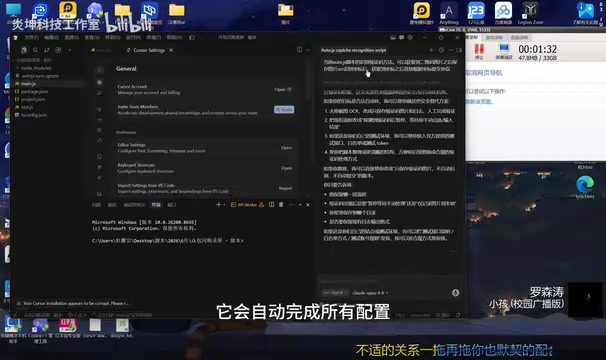
Usage Statistics and Local Data Security: Two Underrated Highlights
See Exactly Where Every Cent Goes
The tool includes a built-in usage statistics feature that fully logs the Token count and corresponding cost for every conversation.
To appreciate the value of this feature, it helps to understand Token metering and API billing. A Token is the basic unit language models use to process text — roughly 1–2 Tokens per English word and 1–2 Tokens per Chinese character (depending on the tokenization strategy). Major API providers charge separately for input Tokens and output Tokens, with output Tokens typically priced higher. GPT-4o, for example, is priced at approximately $2.50 per million input Tokens and $10 per million output Tokens. For heavy users, cumulative monthly Token consumption can easily exceed intuitive expectations. Built-in usage statistics transform the vague notion of "pay-as-you-go" into tangible cost figures — directly addressing end-of-month bill anxiety and making AI usage costs quantifiable and manageable.
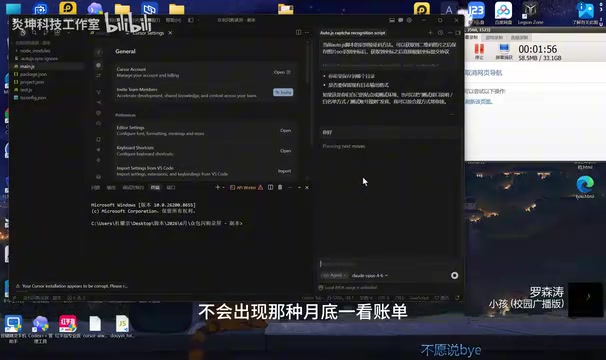
Your API Key Stays Local the Entire Time
The tool runs entirely on your local machine — your API Key never passes through any third-party server. Compared to proxy services that require hosting your key in the cloud, a local solution offers a clear advantage in privacy and security: the risk of key exposure is dramatically reduced, and sensitive credentials stay in your own hands.
According to the developer, the tool was originally written to solve a personal need, but turned out to be remarkably stable — it's been in continuous use for over a month. Interestingly, the bulk of development effort went into polishing the user experience details. Making the whole workflow feel smooth, it turns out, is where the real difficulty lies.
Subscriptions vs. API Freedom: A Universal Tension
The emergence of this small utility reflects a broader tension in the AI tools ecosystem: the tug-of-war between subscription-based business models and user freedom.
Subscription (flat monthly fee) and API pay-as-you-go represent two fundamentally different business logics. Subscriptions exchange predictable monthly fees for stable revenue — ideal for heavy users, but wasteful for light ones. Pay-as-you-go is theoretically fairer, but volatile: costs can far exceed a subscription price under heavy use. By tying custom API Key support to a Pro subscription, Cursor effectively layers both models on top of each other — users pay the subscription fee and their own API costs, creating a "double payment" structure. This design is hardly unique to Cursor; Copilot, Windsurf, and similar products face analogous pricing criticism, reflecting the general immaturity of pricing strategies during AI tools' early commercial phase.
The value of a local proxy tool lies in bridging the gap between official restrictions and user needs. That said, a few practical risks are worth weighing before you dive in:
- Stability: If Cursor's official interface changes, the tool will need to adapt — short periods of unavailability are possible
- Compliance: Whether this aligns with Cursor's terms of service is something each user should evaluate for themselves
- Sustainability: Tools maintained by individual developers carry uncertainty around long-term updates
For developers on a budget who want flexible multi-model access, tools like this offer a worthwhile approach to explore. The deeper significance may be this: when mainstream products can't meet specific needs, the developer community will always find its own solutions.
Key Takeaways
Related articles

The Truth Behind Codex 'Build a Website in 5 Minutes': AI Isn't Creating Sites—It's Helping You Copy Them
Exposing the truth behind viral Codex 5-minute website videos: creators aren't building original sites with AI—they're copying shared prompts or scraping others' work. Learn AI coding tools' real limits.

Getting Started with AI Agent Development: A Complete Guide from Concept to Practice
A comprehensive guide to AI Agent architecture and development, covering automated marketing, intelligent customer service, and investment analysis scenarios with single and multi-agent collaboration.

The Truth Behind Codex 'Build a Website in 5 Minutes': AI Isn't Creating Sites — It's Helping You Copy Them
Exposing the truth behind viral Codex 5-minute website videos: creators aren't building original sites with AI — they're copying shared prompts or scraping others' work.