Claude Code Deep Dive: Why It's the Most Powerful AI Coding Tool

Claude Code redefines AI coding with agentic automation, full project context, and best-in-class accuracy.
Claude Code by Anthropic is an agentic coding tool that reads entire project files, auto-fixes errors, and delivers production-ready code — a major leap beyond conversational AI tools like ChatGPT. This article compares it against Cursor, Trae, and Codex, explaining why Claude Code leads on accuracy, how it integrates as a plugin rather than a standalone IDE, and what developers in China need to know before installing.
What Is Claude Code?
Claude Code is an AI coding assistant developed by Anthropic. Its biggest differentiator from other tools on the market: no browser login required — install it locally and you're ready to go. Once installed, you can call it directly from your existing development environment. The setup is clean and the learning curve is low.
Many beginners underestimate its capabilities, but Claude Code is genuinely formidable. It's fundamentally different from conversational coding in DeepSeek or ChatGPT — and that distinction is exactly why it's taken off so quickly in the developer community.
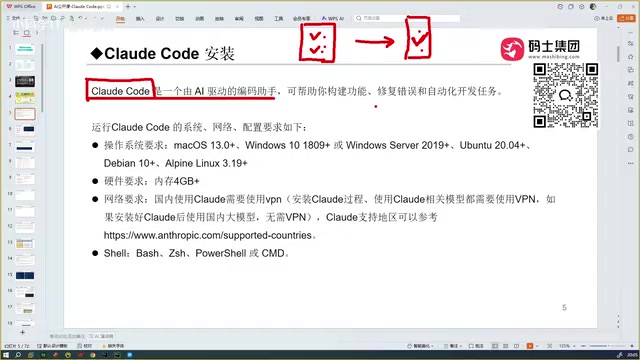
Conversational Coding vs. Agentic Coding
To understand Claude Code's value, you first need to see the limitations of traditional conversational AI coding.
Three Pain Points of Conversational Coding
When generating code in DeepSeek or ChatGPT, the AI can only output a code snippet. You have to copy it back into your project, run it manually, and if it fails, go back to the chat and iterate — often through multiple rounds before you get something that actually works.
More critically, these tools cannot read your entire project's context. If your project has 100 files, the AI knows nothing about them. You're stuck manually describing what you have and what you need, which is both inefficient and error-prone.
Claude Code's Core Advantage: The Agentic Coding Paradigm
Claude Code takes a fundamentally different approach, representing the most important paradigm shift in AI programming over the past two years — Agentic Coding.
Unlike traditional conversational AI, an Agent operates in a closed loop of perception, planning, and execution. It can proactively read the filesystem, invoke terminal commands, run test scripts, and self-correct based on feedback. This architecture draws from reinforcement learning's Agent concept, with its core being the combination of Tool Use and Multi-step Reasoning. Claude Code doesn't just "give you code" — it works like a real engineering colleague: takes on the task, understands the project, writes code, runs tests, fixes bugs, and sees it through to completion.
Concretely, it can:
- Read every file in your project, giving the model full context
- Generate code that genuinely fits your business logic based on that complete context
- Automatically detect and fix errors, ultimately delivering an accurate, working result
This is an end-to-end automated programming workflow — and it's the fundamental reason developers often come away from it with a sense of unease about the future.
A Brief History of AI Coding Tools
To understand Claude Code's place in the market, it helps to trace the evolution of AI coding assistants.
From GitHub Copilot to Cursor
The first tool to truly turn heads was GitHub Copilot. Released in 2021, it was originally backed by OpenAI's Codex model (a code-fine-tuned version of GPT-3), later upgraded to the GPT-4 series. Its core mechanism is Fill-in-the-Middle completion — analyzing the code context before and after the cursor to predict and complete the next line or block. This is essentially "local awareness": Copilot can see the currently open file, but its understanding of the overall project architecture, dependencies, and business logic remains limited. At the time, this disruptive auto-completion capability delivered a genuinely new experience for developers.
Cursor came next, designed specifically to break through Copilot's ceiling. It goes further than Copilot by supporting automated coding with a much higher degree of intelligence — capable enough to go toe-to-toe with today's Claude Code.
Trae and Open Code
Then came Trae, available in both international and China-domestic versions. For developers in China, the domestic version is more cost-effective and handles Chinese remarkably well, with excellent localization.
Open Code also exists, but in head-to-head comparisons with mainstream tools, its usability falls short — not a first recommendation.
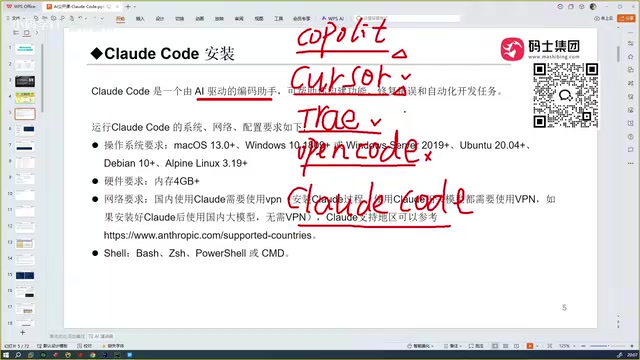
The Claude Code and Codex Duality
In real-world comparisons, Claude Code currently leads the pack in overall performance — a clear step above Trae. Codex (based on OpenAI's latest models) is no slouch either, matching Claude Code closely in raw coding capability.
After cross-testing with domestic models like Tongyi Qianwen and the GLM series, the conclusion remains consistent: Claude Code is the best AI coding tool available today.
Why Claude Code Comes Out on Top
The core differentiator comes down to two words: accuracy.
Cursor, Trae, and Claude Code all support automated programming, but the accuracy gap becomes the most apparent difference in real-world use. Claude Code's high accuracy ultimately stems from the more capable Claude Sonnet model powering it — with even more advanced model tiers available.
This claim has authoritative data to back it up. The Claude Sonnet series performs strongly across multiple coding benchmarks, particularly SWE-bench — a test that simulates real-world bug-fixing in GitHub repositories, requiring the model to locate issues in actual codebases, understand context, and generate mergeable patches. This aligns closely with real engineering scenarios. Claude's consistent lead on SWE-bench is the underlying reason for its higher accuracy on complex engineering tasks — not merely product-level engineering optimizations.
Trae's advantage lies in being free and accessible within China, but for technically demanding requirements, code accuracy takes a noticeable hit.
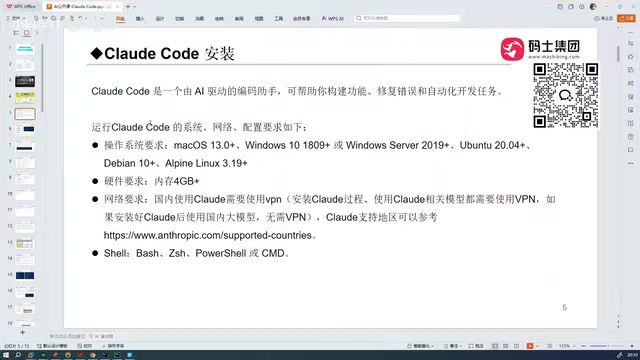
Claude Code's Role: A Plugin, Not an IDE
This is a key distinction many people overlook.
It Is Not a Standalone Development Tool
An IDE (Integrated Development Environment) is a complete development workbench — code editor, syntax highlighting, debugger, version control, terminal, all in one. Cursor and Trae are both full IDEs, essentially built on VS Code's open-source core (Code - OSS), retaining VS Code's massive plugin ecosystem while adding a built-in AI layer. Download, install, and they work independently.
Claude Code is not an IDE. It runs as a standalone command-line tool (CLI) and bridges into existing IDEs via official plugins. Think of it as a localized AI capability layer — once installed, it needs to be integrated into your existing development tools to do its job. This means developers don't need to migrate their work environment or learn a new interface; AI capabilities are layered on top of existing workflows as an "enhancement layer," dramatically reducing the migration cost for teams. It integrates with:
- VS Code (officially recommended)
- Cursor
- Trae
- IntelliJ IDEA, PyCharm, and other JetBrains IDEs
In short, it enhances your existing workflow as a plugin — it doesn't replace your development environment.
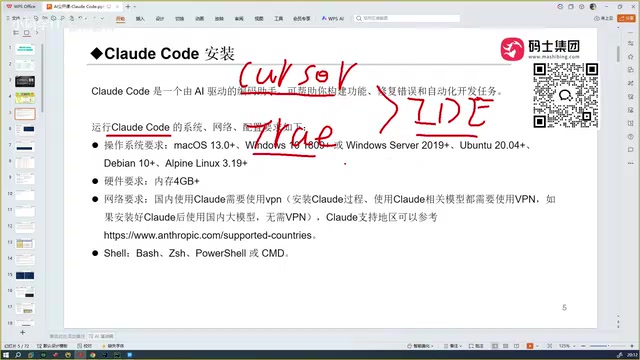
Installation Notes
System and Hardware Requirements
Claude Code supports Windows, macOS, and Linux, with a minimum of 4GB RAM — covering the vast majority of mainstream development machines.
Network Considerations: Essential Reading for Users in China
There's a practical reality that can't be ignored here.
Claude Code is installed via npm (Node.js package manager), with installation sources pointing to Anthropic's overseas servers and npmjs.com global CDN nodes. Because these nodes have access restrictions in mainland China, you must ensure your proxy tool correctly covers terminal traffic during installation. Some proxy tools require manually enabling "TUN mode" or "System Proxy mode" so that npm commands in the terminal are routed through the proxy.
- A working proxy is required during installation — without it, installation will fail.
- After installation, if you're using a domestically accessible model API (e.g., Claude via an API relay service), you don't need to keep the proxy running during day-to-day use.
In other words, the network barrier is primarily a one-time hurdle at installation. Once resolved, the day-to-day development experience is relatively smooth.
Tool Selection Guide
From conversational coding to agentic coding, AI programming tools are undergoing a qualitative transformation. Claude Code stands out as the strongest all-around choice today, thanks to three defining features: full project context reading, automatic error correction, and high accuracy.
Here's how to decide based on your needs:
- Prioritizing code accuracy: Claude Code is the first choice, Codex is a strong second
- Need strong Chinese language support and prefer free tools: Trae's domestic version is a solid entry-level option
- Already have a mature IDE workflow: Integrate Claude Code directly as a plugin — no need to switch environments
Ultimately, the capability ceiling of any AI coding tool is determined by the underlying large model powering it — something that can be verified through objective benchmarks like SWE-bench, not just subjective feel. Understanding this foundational logic is what allows you to make genuinely rational decisions in a rapidly evolving AI coding ecosystem.
Related articles
The Open-Weights Model Debate: Balancing Safety and Openness
An in-depth analysis of the open-weights model debate: public release brings transparency and innovation, but raises safety and misuse risks. Exploring tiered release, red-teaming, and governance challenges.
How Complaining Erodes Your Mind: Understanding the Self-Reinforcing Nature of Attention
Habitual complaining trains your brain to find more negativity, creating a vicious cycle. Learn about the self-reinforcing nature of attention and practical ways to break free from negative loops.
The Depth Perception Challenge for Transparent Objects: How LingBot-Depth Breaks Through with Masked Depth Modeling
Depth perception for transparent and reflective objects has long been a core challenge in robotic grasping. LingBot-Depth uses masked depth modeling to turn sensor failure into supervisory signals, inferring glass depth from RGB context.