Codex Desktop Pet in Practice: Building a Talking AI Sprite from Scratch

Building a custom AI desktop pet with OpenAI Codex featuring cloned voice and smart interactions
A Bilibili creator deeply customized OpenAI Codex's desktop pet feature to build an AI sprite called Hobby, supporting multi-version character iterations, real human voice cloning, and intelligent task reminders. Development overcame challenges like real-time TTS crashes, interaction coordinate offsets, and voice conflicts, resulting in an eight-module replication guide. The deeper significance lies in exploring AI Agents' "perceptible, companionable, low-disruption" desktop presence, signaling Agents are evolving from chat windows to desktop companions.
When an AI Agent is no longer just lines of text in a chat window, but becomes a living, talking, even playfully whining sprite on your desktop, your understanding of "human-computer interaction" might be completely redefined. Bilibili creator "灵解说AI" recently shared an eye-opening project — based on OpenAI Codex's newly launched desktop pet feature, he built an AI sprite named "Hobby" from scratch. It can track task status in real-time, remind you to drink water, eat, and sleep using a cloned human voice, and even beg for mercy when you drag it around.
This isn't just a cute toy — it may signal an important shift in how we interact with AI Agents.
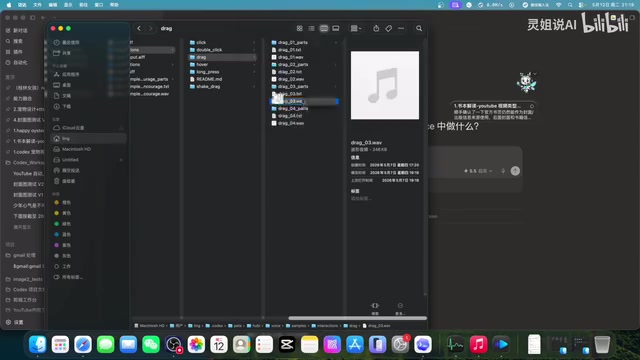
From Official Pet to Deep Customization: How Hobby Was Born
Codex recently launched its desktop pet feature, allowing users to select official pet avatars in Settings → Appearance. But the official version is relatively basic — no custom animations, no interactive voice, and no intelligent task status reminders.
It's worth noting that OpenAI Codex itself underwent a major product repositioning. It was originally known as a code generation model and served as the core engine behind GitHub Copilot. In 2025, OpenAI repositioned Codex as a cloud-based software engineering Agent platform — no longer just a code completion tool, but a full development assistant capable of autonomously reading codebases, writing code, running tests, and submitting Pull Requests in a sandboxed environment. The desktop pet feature was launched within this platform upgrade context: when an Agent is executing long-running tasks in the cloud, the client side needs a lightweight status feedback mechanism, and Pet was born from this need.
The creator performed extensive customization on top of this foundation, with the design divided into three core layers:
Visual Layer: From Photos to Sprite Character Design
The character design went through three iterations. The first version was a basic avatar, the second wore a lab coat, and the third settled on the current sprite appearance. The entire process leveraged Codex's built-in "Hatchpad" skill — an official capability interface specifically opened for Pet customization.
Hatchpad is essentially a plugin protocol based on file system conventions. Developers simply need to place image assets, animation frame sequences, and configuration files according to a specified directory structure, and the Codex client will automatically recognize and load the custom pet. This design borrows from the Sprite Sheet approach in game engines — splitting each frame of a character's actions into individual images, defining playback order, frame rate, and trigger conditions through configuration files, achieving smooth character animations without requiring a complex animation engine.
After finalizing the main visual, a complete set of dynamic avatar assets needed to be generated: blinking, looking left and right, waving, flapping wings, smiling, laughing... These expression actions are rendered as corresponding animation frames, placed into Codex's designated folder, bringing the sprite to life.
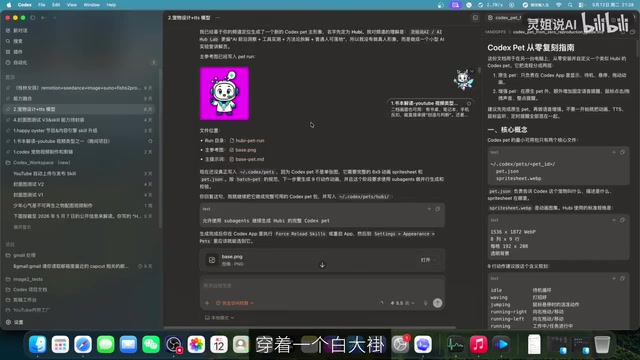
Voice Layer: Cloning a Real Human Voice with TTS
This is the most interesting and challenging part of the entire project. The creator used a local TTS model called "Fish Speech S2 Pro" to clone his own real voice for Hobby. This means you could also make your pet's voice sound like a family member, friend, or even yourself.
Fish Speech is an open-source Text-to-Speech model. Its S2 Pro version supports zero-shot and few-shot voice cloning — with just a few seconds to tens of seconds of reference audio, the model can learn the speaker's timbre, intonation, and rhythm characteristics to generate highly similar synthesized speech. Under the hood, it uses an improved version of the VITS architecture, integrating text encoding, prosody prediction, and vocoder into a single end-to-end framework. Local deployment means all speech synthesis is done on the user's own machine without uploading voiceprint data to the cloud, which offers significant privacy advantages, but at the cost of higher demands on local GPU VRAM and memory.
Voice design falls into two categories:
- Interaction: Single click triggers "Ouch, you poked me, be gentle!", double click says "Double-click successful, happiness energy at maximum!", dragging triggers "Help! Moving is fine, but don't fling me!", long press says "Are you charging me? Hobby is starting to sparkle!"
- Notification: Differentiated by time of day — morning encouragement to start work, noon reminders to eat ("Don't treat yourself like a server"), afternoon encouragement to keep going, late night urging to rest ("Humans needing sleep is not optional")
To reduce fatigue, multiple different voice scripts are set for each scenario, each kept to 4-9 seconds, with a relaxed and companionable style.
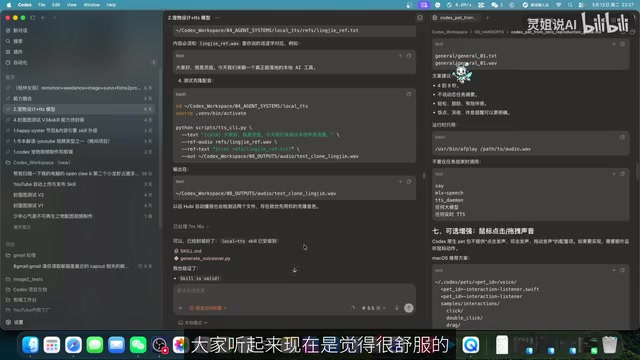
Development War Stories: Problems That Seem Simple but Hide Complexity
The development process was far from smooth. The creator summarized several key pitfalls:
Real-Time Rendering Crashing the Computer
The original design had Hobby broadcasting task status in real-time — generating a sentence or two of summary using the cloned voice whenever a task was completed. This immediately crashed the computer. The reason was that the local TTS model consumed extremely high memory when rendering cloned voice in real-time.
Specifically, local TTS models during real-time inference go through three stages: text analysis, acoustic feature prediction, and waveform generation, each involving massive matrix operations. In voice cloning scenarios, the model not only has to perform regular speech synthesis but also needs to continuously reference the Speaker Embedding throughout inference, consuming an additional hundreds of MB to several GB of VRAM. When the Codex Agent is already consuming system resources for coding tasks, stacking real-time TTS inference on top can easily cause memory overflow or GPU resource contention.
The solution was to abandon real-time generation and switch to pre-generating fixed voice files, calling them directly at runtime. This tradeoff seems simple, but it's a very typical "performance vs. experience balance" in productization — front-loading the compute-intensive inference to an offline stage, so runtime only needs to play audio files with negligible resource consumption.
Interaction Coordinate Offset Issues
After the pet was built, clicking on its body produced no response. Investigation revealed that the interaction hotzone coordinates were misconfigured — only the small area displaying task counts responded to clicks, while the sprite's body had no detection at all. The coordinate system needed readjustment — not too large, not too small.
The technical root cause is that a desktop pet's interaction is essentially a transparent Overlay Window layered on top of the screen. Only pixel regions defined as "hotzones" respond to mouse events; the rest pass events through to applications below. Hotzone definitions are typically based on pixel coordinates or Bounding Boxes. If coordinates are offset — for example, if the sprite image's anchor point doesn't align with the hotzone's anchor point — you get the bizarre phenomenon of "clicking the sprite's body produces no response, but clicking empty space nearby triggers the interaction."
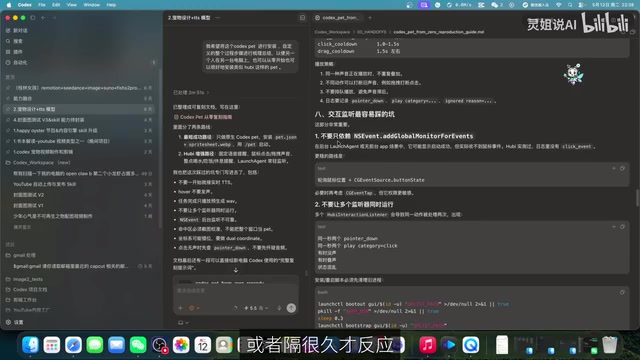
Voice Breakpoints and Multi-Listener Conflicts
Cloned voice initially had obvious breakpoints, sounding like a robot reading word by word without any natural prosody. Repeated communication and debugging with Codex was needed to optimize phrasing and tone. Additionally, when multiple listeners ran simultaneously, "two voices fighting" would occur, requiring careful handling of listener priority and mutual exclusion logic.
Multi-listener conflicts involve a classic problem in event-driven programming: when event listeners for single click, double click, long press, and drag are all registered simultaneously, a single user action might trigger multiple callback functions, causing multiple audio tracks to play at once. Solutions typically include setting up event priority queues, adding Debounce and Throttle mechanisms, and using mutex locks to ensure only one voice channel is active at any given time.
Complete Codex Pet Replication Guide: Eight Modules Covering the Full Workflow
The creator distilled the entire process into a "Codex Pet Jungle Replication Guide" containing eight modules:
- Core Concepts: Understanding Codex Pet's architecture and capability boundaries
- Environment Setup: Installation and configuration of Python, npm, and other technical environments
- Basic Entry Point: Codex Pet's basic information and interfaces
- Pet Image Generation: Character design and asset creation
- Native Animation: Parameter recommendations for action frames
- Enhanced Voice Features: TTS model deployment and voice cloning
- Optional Enhancements: Scenario-based design for interactive and notification voices
- Interaction Listeners and Timed Reminders: Including granular hourly reminder settings (9 AM water, 12 PM lunch, 10 PM rest, etc.)
The value of this document is that it's not just a tutorial — it's a battle-tested product design document that can significantly reduce the number of pitfalls for those who follow.
Deeper Thinking: How Should an AI Agent's Presence Be Designed?
On the surface, Codex Pet just adds a cute decoration to a programming tool. But thinking deeper, it's actually solving a core interaction problem of the AI Agent era: When an Agent is executing long-running tasks in the background, how does the user perceive its status?
Traditional chat window patterns require users to actively check in, while pop-up notifications are too disruptive. Codex Pet offers a "third state" — perceptible, companionable, low-disruption desktop feedback.
The creator's design philosophy summary is remarkably precise:
When I'm focused, it's quiet. When I'm waiting, it keeps me company. When I finish, it notifies me. When I'm stuck, it gives feedback. When I drag it, it can playfully whine.
This design approach aligns closely with current AI industry trends. In 2024-2025, the AI industry showed a clear shift: Agents are moving from browser tabs to the operating system level. Anthropic's Claude launched a native desktop client with Computer Use capabilities, directly operating users' desktop applications; Apple Intelligence deeply integrated AI capabilities into macOS and iOS system-level interactions; Microsoft's Copilot is also evolving from an Office plugin to a Windows system-level assistant. These products all face the same design challenge: how to find the balance between AI being "invisible" and "intrusive." Academia calls this design paradigm "Ambient Intelligence" — the system is always present but doesn't actively intervene, only surfacing when the user needs it.
Codex Pet uses a tangible desktop character to embody this concept, representing a highly creative implementation path. Whether it's Claude's desktop client or various AI assistants' "always-on" modes, they're all exploring the same proposition: AI Agents can't stay forever in chat windows — they need a more natural way to integrate into workflows.
Cuteness is just the entry point. What truly deserves reflection is this — when AI Agents become "permanent residents" on our desktops, how should their presence, interaction density, and emotional warmth be carefully designed to be useful without being annoying, intelligent yet warm? Codex Pet may be just a small starting point, but the direction it points toward deserves serious attention from every AI product designer.
Key Takeaways
- Based on OpenAI Codex's desktop pet feature, you can deeply customize an AI sprite with custom avatars, animations, and cloned human voices for task tracking and life reminders
- The development process requires solving productization challenges including real-time TTS rendering crashes, interaction coordinate offsets, voice breakpoints, and multi-listener conflicts
- The creator summarized a complete replication guide with eight modules covering everything from environment setup to voice cloning, significantly reducing the learning curve
- Codex Pet's deeper significance lies in exploring AI Agent desktop presence — perceptible, companionable, low-disruption interaction design, rather than staying confined to chat windows
- This trend aligns with Claude and other products' move toward native clients, signaling that AI Agents are evolving from conversational tools to desktop companions
Related articles
 Tutorials
ChatGPT Plus Subscription Guide: Are GPT-5.5, image-2, and Codex Worth the Upgrade?
A detailed look at ChatGPT Plus features — GPT-5.5, image-2, and Codex — with a Plus vs Pro comparison and a complete step-by-step subscription guide for users outside the US.
 Tutorials
Harness AI Engineering in Practice: Using Claude Code to Master Enterprise-Level E-Commerce Development
Deep dive into Harness AI Engineering: master enterprise e-commerce development with Claude Code using the Rules, Skills, Wiki, and Changes framework.
 Tutorials
Cursor + Codex Dual-IDE Collaboration: A Practical Methodology for Open-Source Project Customization
A complete methodology for open-source project customization based on real-world experience, detailing the Cursor+Codex dual-IDE workflow, seven-stage process, MVP validation, and AI source code reading techniques.