Connecting SQL Projects to Azure DevOps Pipelines: A Hands-On Guide to Automated Builds and Secure Deployment

A hands-on guide to building a SQL CI/CD pipeline in Azure DevOps with automated builds and secure, zero-trust deployment.
This article details how to connect SSMS SQL projects to an Azure DevOps CI/CD pipeline. It covers YAML-based automated builds, SQL static code analysis, managed identity authentication via service connections, and dynamic temporary firewall rules for securely deploying to a locked-down Azure SQL database—an end-to-end roadmap grounded in zero-trust principles.
Article
In database development, bringing SQL changes under version control is just the first step of the DevOps journey. As teams grow and deployment frequency increases, manual builds and releases become not only inefficient but also error-prone. In Microsoft's Data Exposed show, host Anna Hoffman and guest Drew took a deep dive into how to connect SQL projects in SSMS to Azure DevOps pipelines, enabling automated builds, code quality checks, and secure deployment. Based on that episode, this article outlines the key path to building a SQL CI/CD pipeline from scratch.
Why SQL Projects Need DevOps Pipelines
In a previous episode, Drew introduced SQL projects in SSMS as a core workload for database DevOps—they allow developers to bring database objects under source control. Pipelines are the next key that unlocks the door to automation.
CI/CD (Continuous Integration/Continuous Delivery) is a core practice of modern software engineering, systematized by Martin Fowler and others in the early 2000s. Continuous Integration requires developers to frequently merge code changes into the main branch, with each merge triggering automated builds and tests; Continuous Delivery goes a step further to ensure the code is always in a releasable state. CI/CD in the database domain has long lagged behind application code, primarily because database changes are stateful—unlike stateless application services, databases contain production data, and a single incorrect schema change can cause irreversible data loss. For this very reason, bringing SQL projects into standard DevOps pipelines is regarded as an important milestone in database engineering maturity.
Database DevOps maturity typically progresses through four identifiable stages: The first is the "manual scripting era," where DBAs handwrite SQL change scripts and pass them around via email, with no version tracking. The second is the "version control stage," where database objects enter Git but building and deployment still rely on manual work. The third is the "automated CI stage," where pipelines enable automated builds and PR gating checks, upgrading code quality from "relying on self-discipline" to "system-enforced." The fourth is the "fully automated CD stage," achieving full automation from commit to production—provided robust rollback mechanisms are in place—typically paired with blue-green deployment to reduce risk. For most teams, running stably at the third stage already delivers significant engineering efficiency gains, while advancing to the fourth stage requires more design investment in data migration strategies and rollback mechanisms.
Blue-Green Deployment and the Special Challenges for Databases: Blue-Green Deployment is a strategy for achieving zero-downtime releases by maintaining two identical production environments (blue/green). Once a new version is validated in the green environment, traffic is switched via a load balancer. However, this strategy faces unique challenges at the database layer—application services are stateless and can be switched at any time; but database schema changes must be forward-compatible (supporting both old and new versions of the application for reads and writes simultaneously). Therefore, database blue-green deployment usually needs to pair with the "Expand-Contract" pattern: first add new structures on the old schema (expand phase), then remove old structures after all application instances complete the switch (contract phase). The entire process may span multiple release cycles.
Drew pointed out that when developers click "Build" in SSMS or VS Code, they gain a kind of "confidence": the code is syntactically valid and structurally correct, and can be safely committed to the source repository. But this is essentially a "trust but verify" mechanism. The question is: how do you ensure that every team member's committed code has been validated before merging?

The Pull Request (PR) is a core collaboration mechanism in distributed version control workflows, popularized by GitHub in 2008. The automated build check (Status Check) triggered by a PR is a critical safety net for modern team collaboration—branch protection rules can enforce that a merge is only allowed after CI checks pass, upgrading code quality gating from "relying on individual self-discipline" to "system-enforced." By introducing automated pipeline builds into the Pull Request process, teams can avoid the embarrassing situation of "invalid T-SQL sneaking into the main branch." For database teams, catching T-SQL syntax errors or code standard issues at the PR stage is far cheaper than discovering them in production. Pipelines transform what used to be ad-hoc checks relying on individual diligence into systematic, mandatory gates.
Defining SQL Automated Build Processes with YAML
Azure DevOps pipelines define the entire process in the form of YAML files. YAML (YAML Ain't Markup Language, a recursive acronym) was first proposed by Clark Evans in 2001, with the design goal of being more human-readable and writable than XML. It uses indentation to represent hierarchy and is widely used in configuration files. Azure DevOps adopts it as the standard description language for Pipeline as Code.
Azure DevOps (formerly Visual Studio Team Services/TFS) is Microsoft's all-in-one DevOps platform, officially rebranded and launched in 2018. It covers five major services: code repositories (Repos), CI/CD pipelines (Pipelines), work item management (Boards), artifact management (Artifacts), and test plans (Test Plans). It can be used as a SaaS cloud service or deployed on-premises via Azure DevOps Server, meeting compliance requirements for data residency in industries like finance and government. Azure Pipelines supports multi-agent concurrency, matrix build strategies, and cross-platform execution, with built-in native integrations with mainstream platforms like GitHub and Bitbucket, providing enterprise teams deeply invested in the Microsoft technology stack with a complete toolchain integration from database development to cloud deployment.
In the history of CI/CD tools, Jenkins first introduced the concept of "Pipeline as Code" through the Jenkinsfile. GitHub Actions, GitLab CI, and Azure DevOps subsequently adopted YAML as their pipeline description language. Storing pipeline definitions in the code repository means that pipeline changes themselves go through standard engineering processes such as code review, version history tracing, and rollback, completely solving the problem of pipeline configurations becoming "knowledge silos" in early CI tools. Developers can use pre-built tasks or write custom script steps—whether PowerShell commands, Bash scripts, or .NET CLI calls, all can be flexibly combined.
In his demo, Drew created a CI build pipeline. The template comes with some echo script steps as examples by default, but he replaced them with a .NET Core CLI task to execute the SQL project build. This step is almost exactly equivalent to right-clicking "Build" in SSMS: the pipeline pulls the code from the main repository (checkout step), then runs the .NET build, and finally outputs the dacpac build artifact.
What is a dacpac? A dacpac (Data-tier Application Package) is a standard database deployment format Microsoft introduced with SQL Server 2008 R2, representing an important shift in the database deployment paradigm—from imperative migration scripts ("do this first, then do that") to declarative state descriptions ("the database should look like this"). It is essentially a ZIP archive containing a complete declarative description of the database schema. A deployment engine (such as SqlPackage) can compare the dacpac with the existing state of the target database, automatically generating and executing incremental change scripts without requiring developers to handwrite every migration step. This "declarative differential deployment" model shares the same philosophy as infrastructure-as-code tools like Terraform, greatly reducing the complexity and risk of database upgrades—although business data migration still needs to be handled with migration scripts. Notably, the declarative model of dacpac has its limitations: for complex schema changes involving data redistribution (such as splitting columns or merging tables), automatically generated differential scripts may carry a risk of data loss, in which case the preview script generated by the DeployReport operation becomes an unskippable manual review step before deployment.
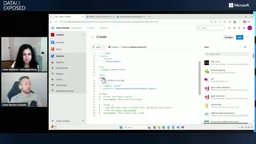
It's worth noting that a major advantage of pre-built tasks is that they provide a graphical interface for parameter input. For users unfamiliar with editing YAML directly, hovering over a setting reveals clear text-box options, greatly lowering the barrier to entry.
Adding SQL Code Quality Analysis to the Pipeline
Simply verifying that "the build succeeds" is not enough. Drew further demonstrated how, by passing the additional parameter RunSqlCodeAnalysis=true, the pipeline automatically runs code analysis on every build.
SQL Static Code Analysis is a technique for automatically detecting potential quality issues by parsing the syntax tree without actually executing the SQL. The code analysis rule sets built into SSDT/SQL projects (based on the Microsoft.SqlServer.Dac.Extensions framework) cover categories such as naming conventions, performance anti-patterns, and security risks—for example, detecting implicit type conversions, missing index hints, or dangerous permission-granting statements. In the broader ecosystem, SonarQube's SQL plugin, Redgate SQL Prompt's team-shared rule sets, and the open-source TSQLt unit testing framework together form the toolkit for database code quality assurance.
TSQLt: The Cornerstone of Database Unit Testing: TSQLt is an open-source unit testing framework designed specifically for SQL Server. Its core design philosophy is to wrap every test case in a database transaction that automatically rolls back after the test completes, regardless of success or failure, ensuring complete isolation between tests and preventing pollution of the database state. TSQLt supports mocking dependent objects through mechanisms like FakeTable and SpyProcedure, allowing developers to focus on testing the logic of a single stored procedure or function without needing to prepare a complete business data environment. A typical way to integrate TSQLt into a CI pipeline is to deploy the test framework and test cases to a dedicated test database via SqlPackage, then call
EXEC tSQLt.RunAllto run the full test suite and output XML reports in JUnit format, so that Azure DevOps can directly parse and display test result trends in the pipeline UI. Static analysis and TSQLt unit testing are naturally complementary in the database domain—static analysis excels at catching structural and convention issues, while TSQLt verifies the correctness of stored procedure business logic. Incorporating both into the CI pipeline is a hallmark of a maturing database code quality system.
The value of this change goes beyond the technical level. Drew emphasized that it opens the door to organization-wide discussions about "code quality standards." When the build runs, the pipeline automatically flags potential issues—such as special characters in the database version or the use of ADD IDENTITY. Developers no longer need to remember to manually run analysis locally; everything is automatically completed in the pipeline and becomes valuable feedback for Pull Request reviews.
Tackling the Security Challenges of Azure SQL Deployment
Moving from "build" to "deploy" is where the real complexity begins to emerge. Drew admitted candidly: "After all, it's called DevOps—we can't just have fun; we also have to face real operational constraints."
The Azure SQL database he demonstrated has strict security configurations: public network access is disabled, it is only open to selected networks, and access is controlled through temporary firewall rules. The database also enables Entra authentication (i.e., Microsoft Entra ID, formerly Azure Active Directory)—Microsoft's cloud-based identity and access management service, serving over 500,000 enterprise organizations worldwide and implementing modern identity protocols such as OAuth 2.0 and OpenID Connect. In the database security domain, traditional SQL authentication (username + password) suffers from difficult credential management and challenges with centralized auditing; Entra ID integrated authentication brings database access into the enterprise's unified identity governance system, with access logs centrally analyzable in Azure Monitor or Microsoft Sentinel, meeting the audit requirements of compliance frameworks such as SOC 2 and ISO 27001.
Behind this security design is the practical implementation of the Zero Trust security architecture. The Zero Trust model was proposed by John Kindervag at Forrester Research in 2010, with the core principle of "Never Trust, Always Verify," completely abandoning the traditional assumption that "the network perimeter is the security perimeter." NIST published the SP 800-207 standard in 2020, systematizing zero trust architecture into actionable implementation guidance. In database deployment scenarios, zero trust practice manifests at four levels: disabling public network access (network layer), enforcing identity authentication rather than static IP whitelists (identity layer), least-privilege service accounts (authorization layer), and complete operation audit logs (visibility layer). The solution Drew demonstrated—managed identity authentication plus dynamic temporary firewall rules plus immediate cleanup after operations—is exactly the pragmatic implementation of the zero trust philosophy: every deployment is an authenticated, least-privilege access, leaving no persistent network backdoors.
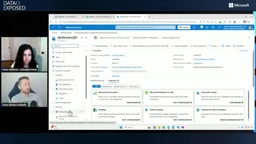
This raises two core questions: How does the pipeline set firewall rules? And how does it complete authentication using Entra identity without a human operator? Drew made it clear that even though there's a "Publish" button in SSMS, it doesn't mean production or high-privilege pre-production environments should be deployed manually by a person—because manual operations lack the logging and auditing capabilities that automated processes provide.
Service Connections and Managed Identities: The Pipeline's "User Identity"
The key to solving identity authentication is Azure DevOps' Service Connection. In the project settings, Drew added a service connection for the Azure subscription and configured it as a Managed Identity.
A managed identity is a mechanism where the Azure platform automatically issues and rotates credentials for services running on it, coming in two types: system-assigned and user-assigned. Its underlying mechanism relies on the Azure Instance Metadata Service (IMDS); workloads running on Azure can automatically obtain short-lived access tokens by accessing a local link address, and the tokens are automatically refreshed by the platform—the entire process being completely transparent to the application. Compared to traditional username/password or static keys, the biggest advantage of managed identities is that credentials never appear in plaintext in code or configuration files, fundamentally solving the thorniest "Secrets Zero Problem" in DevSecOps—the circular dilemma of how to securely store the initial credentials used to obtain other secrets. In CI/CD scenarios, the pipeline agent can directly use the managed identity to initiate authentication requests to Azure resources, without any manual password management.
Workload Identity Federation: It's worth noting that managed identities only apply to workloads running on Azure infrastructure. For pipelines hosted on third-party platforms such as GitHub Actions and GitLab CI, Microsoft provides the Workload Identity Federation mechanism—based on the OpenID Connect standard, it allows short-lived JWT tokens issued by external platforms to be trusted by Azure, enabling access to Azure resources without storing any Azure credentials on the third-party platform. This mechanism extends the capability of "passwordless authentication" beyond the Azure boundary and is a best practice for multi-cloud or hybrid CI/CD architectures.
Essentially, this is equivalent to letting the pipeline "become a user"—it can log into Azure and be granted appropriate permissions. Drew emphasized the Principle of Least Privilege (PoLP): this security principle, formally proposed by Jerome Saltzer and Michael Schroeder in a classic 1975 paper, requires that each entity should only possess the minimal set of permissions needed to accomplish its task. Azure implements this principle through Role-Based Access Control (RBAC). Drew would never set the service connection as a subscription administrator, but instead precisely grant permissions to specific resource groups or even specific objects—for example, only allowing firewall rule modifications. Once credentials are leaked, fine-grained authorization can minimize the blast radius.
Dynamic Firewall Rules: The Core Design of Secure Deployment
The deployment pipeline is much longer than the build pipeline, containing multiple carefully designed steps:
- Build first, then deploy: Before touching any network configuration, first confirm the code can build successfully using the .NET Core CLI.
- Introduce SqlPackage CLI: This is the core tool for executing publish operations from an automated environment. SqlPackage is Microsoft's open-source, cross-platform command-line tool (a .NET global tool supporting Windows, macOS, and Linux), and it is also the underlying execution engine behind the "Publish" button in SSMS—the graphical interface actually calls SqlPackage to perform differential comparison and deployment. SqlPackage provides multiple operation verbs such as Publish, Extract, and DeployReport, where the DeployReport operation can generate a preview script before actual deployment, achieving a dual-confirmation mechanism of "review first, deploy later." Using the SqlPackage CLI directly in the pipeline means all parameters can be scripted and versioned, fully meeting audit and repeatability requirements.
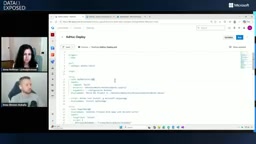
In terms of auditability, Drew designed two key mechanisms. First, each pipeline run creates a uniquely named firewall rule that is never reused. This way, if a run accidentally leaves behind a firewall rule, it can be precisely traced back to the specific execution that caused it. Second, the pipeline dynamically obtains the current caller's IP address by calling an IP info service—this design is crucial because the egress IP allocated for each run in the Azure DevOps hosted agent pool comes from Microsoft's managed public IP pool of the shared cloud environment, and a static whitelist cannot accommodate this dynamism. Combined with the unique rule name, the pipeline then uses Azure PowerShell (via the service connection identity) to call New-AzSqlServerFirewallRule to create the rule.
The most critical step is at the end of the pipeline: regardless of whether the deployment succeeds or fails, always attempt to remove the firewall rule. This three-stage pattern of "add → deploy → remove" allows the pipeline identity to gracefully traverse a locked-down network environment while ensuring security. Even if a run crashes midway, the unique rule name helps operations staff quickly locate and manually clean up any residual rules, without affecting the overall security posture.
Private Endpoint vs. Service Endpoint Architecture Choices: The dynamic firewall solution Drew mentioned still essentially relies on the temporary opening of a public IP. Under stricter security requirements, Azure SQL supports mapping the database service to a private IP address within a VNet via Private Endpoint, combined with a Private DNS Zone to achieve a fully private network access path—all traffic flows within the Azure backbone network, never passing through the public internet, and no public rules even need to exist at the firewall level. These two solutions represent different security-cost tradeoffs: dynamic firewall rules are suitable for teams looking to get started quickly and primarily using Microsoft-hosted agents; Private Endpoint combined with self-hosted agents is a must for teams with strict compliance requirements on the data transmission path (such as finance and healthcare industries).
Drew also mentioned another more complex option—deploying a self-hosted runner instead of using a shared environment. Self-hosted runners deploy the agent in a virtual machine or container within the VNet, so traffic always flows within the private network, without needing to open any public entry point; a more advanced approach combines Azure Container Apps or AKS to achieve an elastic model of "start agents on demand, automatically scale down to zero after completion." For zero-trust scenarios fully within a virtual network with no public access whatsoever, this may be a hard requirement; for beginners, however, the dynamic firewall rule solution is already elegant and secure enough.
Summary: The Advanced Roadmap for Database DevOps
This episode clearly outlines the advanced path for database DevOps: starting from SQL projects in SSMS, gradually introducing source control, and then advancing into the automated world of Azure DevOps pipelines.
The value brought by CI/CD pipelines is progressive: from the most basic automated build validation, to SQL code quality analysis, to secure and auditable automated deployment. And for the security constraints of Azure SQL, the combination of service connections, managed identities, and dynamic firewall rules provides a practical yet robust implementation solution—organically integrating the "zero trust security" philosophy, the principle of least privilege, and engineering pragmatism. For teams just getting started with database automation, this is a roadmap worth following.
Key Takeaways
- Pipeline as Code: YAML-defined Azure DevOps pipelines coexist with SQL project code in the repository, and pipeline changes themselves go through version control and code review, completely eliminating configuration knowledge silos.
- PR gating is the quality baseline: Triggering automated builds and code analysis at the Pull Request stage upgrades quality checks from "relying on individual self-discipline" to "system-enforced," which is a core hallmark of database CI maturity.
- dacpac declarative deployment: Compared to imperative migration scripts, dacpac lets SqlPackage automatically compute differences and generate incremental changes, reducing the complexity of cross-environment deployment—but the DeployReport pre-review step cannot be skipped before complex schema changes.
- Managed identities eliminate credential risk: By binding a managed identity through a service connection, the pipeline accesses Azure resources with a platform-native identity, fundamentally solving the "Secrets Zero Problem" without storing any static passwords in configuration files; cross-platform scenarios can extend to workload identity federation.
- The dynamic firewall three-stage pattern: The combination of unique rule names, dynamic IPs, and mandatory cleanup enables automated deployment without violating zero-trust network policies, and every operation is fully auditable and traceable; stricter scenarios can consider Private Endpoint combined with self-hosted agents.
- Least privilege is the moat: Whether managed identities or service connections, both should be precisely authorized to the minimal necessary scope, keeping the blast radius of potential security incidents within acceptable boundaries.
Related articles

The Truth Behind Codex 'Build a Website in 5 Minutes': AI Isn't Creating Sites—It's Helping You Copy Them
Exposing the truth behind viral Codex 5-minute website videos: creators aren't building original sites with AI—they're copying shared prompts or scraping others' work. Learn AI coding tools' real limits.

Getting Started with AI Agent Development: A Complete Guide from Concept to Practice
A comprehensive guide to AI Agent architecture and development, covering automated marketing, intelligent customer service, and investment analysis scenarios with single and multi-agent collaboration.

The Truth Behind Codex 'Build a Website in 5 Minutes': AI Isn't Creating Sites — It's Helping You Copy Them
Exposing the truth behind viral Codex 5-minute website videos: creators aren't building original sites with AI — they're copying shared prompts or scraping others' work.