Cursor Pro Keeps Throwing Errors? A Deep Dive into AI Coding Tool Stability Issues

Why Cursor Pro keeps throwing errors and how to fix it with a 6-step troubleshooting guide.
Cursor Pro subscribers have reported persistent errors that completely block their workflow. This article breaks down the three main causes — server-side rate limiting, network/proxy misconfiguration, and account or version issues — explains the technical mechanisms behind each, and provides a practical 6-step troubleshooting checklist to help developers get back on track fast.
Paid Users Hit by Persistent Errors: A Widespread Pain Point
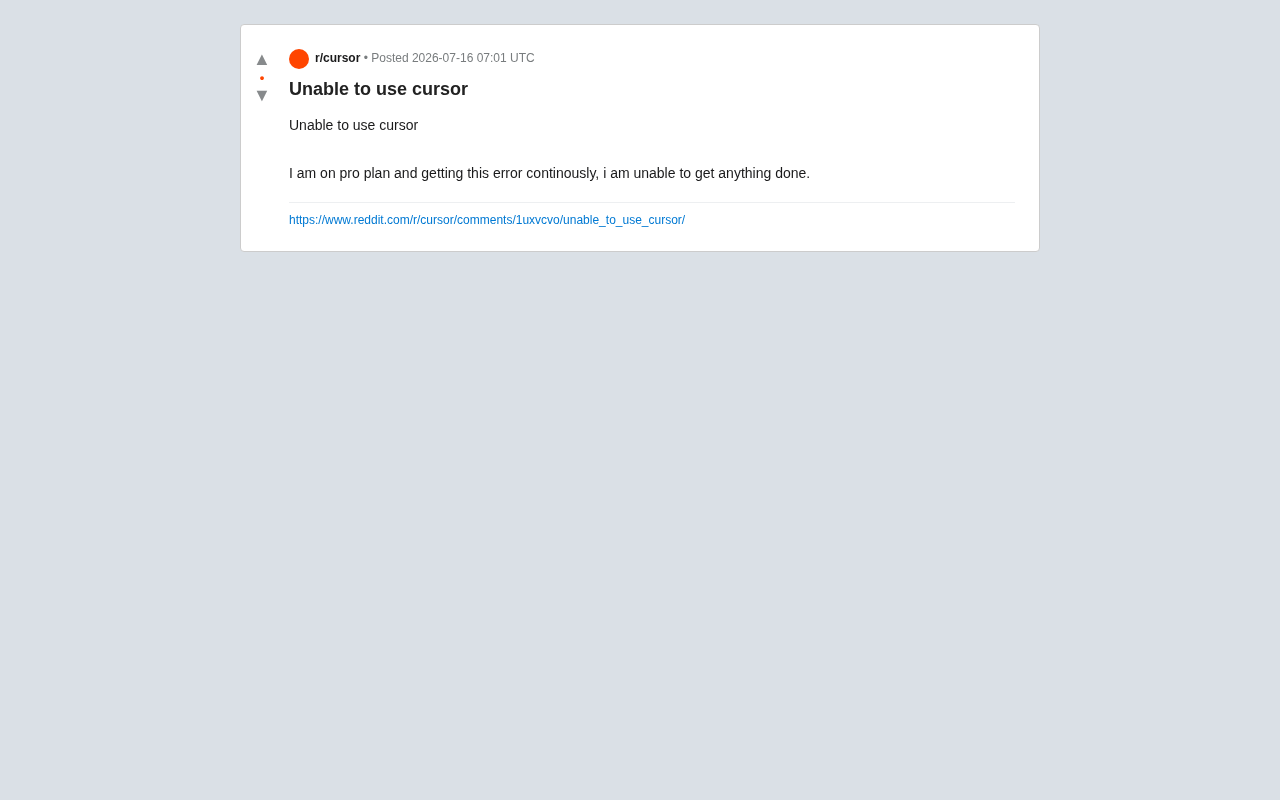
Recently, a Cursor Pro subscriber posted on Reddit asking for help, reporting that they kept running into error messages during everyday use, leaving them "unable to get anything done." This simple plea for help reflects a broader stability concern that runs through AI coding tools as they rapidly iterate and commercialize.
Cursor has quickly built a large following in the developer community thanks to its deep integration with large language models. Its built-in smart completion, code generation, multi-file editing, and conversational refactoring features have significantly boosted developer productivity. But that level of intelligence also means heavy dependence on backend model services, network connectivity, and account status — if any one of these breaks down, the entire workflow can grind to a halt.
Three Common Causes of Cursor Errors
Server-Side Rate Limiting and Quota Exhaustion
For tools like Cursor that rely on cloud-hosted LLMs, server-side rate limiting or quota exhaustion is by far the most frequent source of errors. Even Pro subscribers can hit request queuing, timeouts, or the "fast request" cap during peak hours, getting downgraded to a slower service tier. When model responses fail, the editor often throws an error outright rather than degrading gracefully — giving users the impression that the tool is completely broken.
This comes down to the architecture of cloud AI services. Rate limiting typically uses flow control strategies like the Token Bucket or Leaky Bucket algorithms to protect backend inference clusters under high concurrency. Cursor Pro splits requests into a "Fast" channel (prioritizing flagship models like GPT-4 and Claude) and a "Slow" channel (the automatic fallback once the fast quota is exhausted) — which is essentially a dynamic allocation mechanism for GPU compute resources. During peak usage, even paid users' requests may be queued for scheduling. This is the technical reason many users experience "intermittent failures" rather than a clean, continuous outage.
Network Connectivity and Proxy Configuration Issues
Network problems are another top cause. Cursor needs a stable connection to remote API servers, and if a user is in a restricted network environment, using an incompatible proxy, or has a firewall blocking the relevant domains, requests will keep failing. This is especially common for users across different regions, and it's the root cause that many users mistake for an account-level error.
Technically, Cursor communicates with its backend via persistent HTTPS connections and the WebSocket protocol for real-time transmission of code context and streaming model output. Proxy tools like Clash or V2Ray can easily cause SSL handshake failures or connection timeouts if TLS decryption rules or domain routing policies aren't configured correctly. Additionally, the API endpoints for OpenAI, Anthropic, and other providers are restricted in some regions, and SNI (Server Name Indication) inspection by firewalls can intercept requests at the handshake stage — which is the underlying reason users in certain regions so often encounter "network errors" that are hard to trace back to a root cause.
Account Status and Version Compatibility
Delayed sync of subscription status, expired login tokens, and outdated client versions can also trigger persistent errors. AI tools iterate quickly, and if the client isn't kept up to date, it can become incompatible with server-side interfaces and produce all kinds of exceptions.
Paying Doesn't Mean Stable: The Gap Between Expectations and Reality
The core frustration for this user was simple: "I'm paying for Pro, and I can't even use the basic features." This sentiment is highly relatable across the AI tool user base. When developers deeply integrate a tool into their workflow, every outage or error translates directly into real productivity loss.
Paying for a plan should mean higher service guarantees and response priority — but in practice, the Service Level Agreements (SLAs) of many AI tools are still immature. SLAs are the core contractual terms in commercial software services that define availability, response time, and recovery targets. They're typically measured in "nines" — 99.9% uptime allows roughly 43 minutes of downtime per month; 99.99% allows only about 4.3 minutes. Most mainstream AI coding tools are still in a high-growth phase, and their SLA frameworks haven't reached the maturity of traditional enterprise SaaS products like Salesforce or AWS. When paid users run into issues, they often face difficulty troubleshooting, slow support responses, and a lack of clear compensation mechanisms. This is a warning sign for the industry: the pace of commercialization should not outrun the development of service stability.
A 6-Step Troubleshooting Guide: What to Do When Cursor Throws Errors
If you run into a similar issue, work through these steps one by one:
- Read the error details carefully: Look at the specific error code or message and determine whether it's a network error, authentication error, or quota error — the fix differs depending on the type.
- Check your network and proxy: Try disabling your VPN or proxy, or switch to a different network and test again.
- Re-login to your account: Sign out and sign back in to force a refresh of your auth token and subscription status.
- Update your client: Make sure Cursor is on the latest version to rule out interface compatibility issues.
- Check the official status page: Confirm whether there's a global server-side outage rather than an issue specific to your account.
- Submit an official support ticket: As a Pro user, you're entitled to contact the support team through official channels — include screenshots and logs to help speed up resolution.
Industry Reflection: Reliability Is a Core Competitive Advantage
This individual case is small, but it's worth serious reflection across the AI tools industry. As competition among Cursor, GitHub Copilot, Windsurf, and similar products intensifies, feature innovation is certainly key to differentiation — but reliability, solid error handling, and transparent service status communication are equally critical for retaining users.
The ideal AI coding tool should offer a local fallback when models are unavailable — what software engineering calls Graceful Degradation: the system maintains core functionality even when some features are down, rather than crashing entirely. Concrete strategies include switching to a lightweight local model (such as Llama or Mistral running in GGUF format), providing an offline completion cache, or falling back to traditional static syntax analysis (via LSP-based language servers). By comparison, GitHub Copilot automatically degrades to local language service suggestions in some offline scenarios, while Cursor's local fault tolerance is currently more limited — which is the technical reason its user experience drops more noticeably during service interruptions. Clear error explanations and automatic retry mechanisms are also essential; users shouldn't be left staring at a vague "Error" message with no idea what to do. For paying users in particular, there needs to be a service guarantee that actually matches what they're paying for.
For developers, this is also a useful reminder: while enjoying the productivity gains that AI brings, avoid single-point dependency on any one tool. Keeping a backup plan means you can handle unexpected failures calmly — instead of letting one error message derail your entire day.
Key Takeaways
Related articles

Andrew Ng's New Company LearnVector: Achieving One-on-One Personalized Learning with AI
Andrew Ng launches LearnVector, using generative AI to deliver one-on-one personalized learning. Explore its core vision, potential capabilities, challenges, and how LLMs can solve education's scalability problem.

Truth Has No Direction: How the Tarski Paradox Challenges LLM Truth Probe Techniques
How a Tarski-style attack challenges LLM truth probes from the foundations of logic. Is the linear representation hypothesis valid, or is the "truth direction" in AI activations just a statistical illusion?

Andrew Ng's New Company LearnVector: Achieving One-on-One Personalized Learning with AI
Andrew Ng launches LearnVector, leveraging generative AI to create one-on-one personalized learning experiences. Explore its core vision, potential capabilities, challenges, and how LLMs could solve education's scalability problem.