Deep Dive into actions/checkout: The Core Foundation of GitHub Actions CI/CD

Everything you need to know about actions/checkout, the essential first step in every GitHub Actions CI/CD workflow.
actions/checkout is GitHub's official Action for checking out repository code into a stateless Runner environment. This guide covers how it works under the hood, key parameters like fetch-depth, ref, and persist-credentials, supply chain security considerations, and version pinning strategies — helping you build reliable and secure CI/CD pipelines.
Deep Dive into actions/checkout: The Core Foundation of GitHub Actions CI/CD
If you've ever built a continuous integration pipeline with GitHub Actions, you've almost certainly encountered this line:
- uses: actions/checkout@v4
This seemingly simple Action is one of GitHub's officially maintained core tools. With over 8,000 stars on GitHub, it serves as the starting point for virtually every CI/CD workflow. Understanding the design philosophy behind it — and the best practices around it — is essential knowledge for anyone working with GitHub Actions.
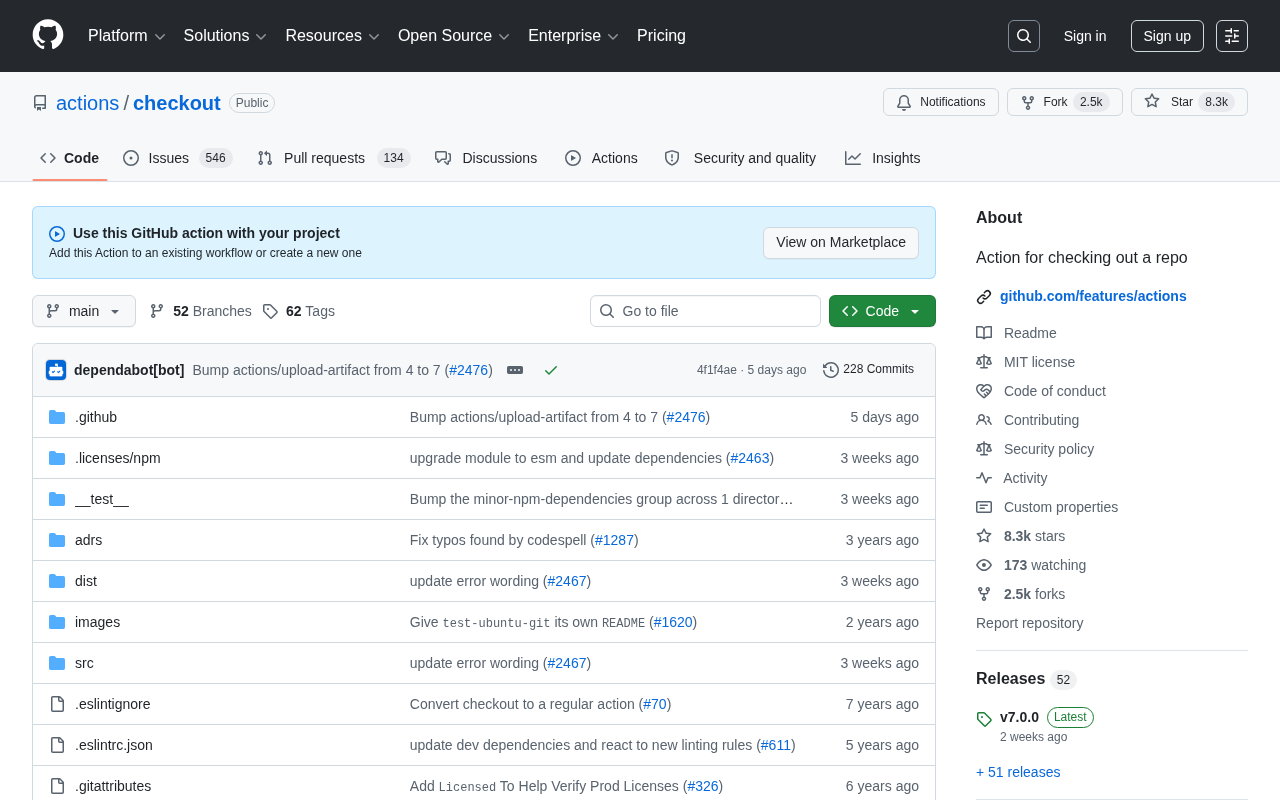
What Does actions/checkout Actually Do?
actions/checkout checks out your repository code into the GitHub Actions Runner environment. This step is easy to overlook, yet critically important — when a Runner starts, it's a clean virtual environment with no source code included automatically.
A GitHub Actions Runner is the compute environment that executes workflow jobs. GitHub-hosted runners are essentially ephemeral virtual machines provisioned on demand each time a job is triggered, then destroyed after it completes. These hosted runners are dynamically allocated from Azure cloud infrastructure, booting from pre-prepared image snapshots to ensure millisecond-level readiness. This stateless design guarantees consistency and isolation across builds — different runs can't pollute each other, and no files or environment variables linger between executions.
This philosophy draws from the core ideas of Function-as-a-Service (FaaS), and stands in sharp contrast to the long-running persistent agent model used by traditional CI systems like Jenkins. Persistent agents avoid the overhead of repeated initialization, but are prone to environment drift — subtle differences that accumulate over time between build environments, leading to the classic "works on my machine" class of failures. In practice, environment drift often stems from leftover global dependency version conflicts, system configurations modified by a previous build, or behavioral changes introduced by OS auto-updates. Stateless runners, booting from the same image snapshot every time, eliminate this class of uncertainty at the root. But precisely because of this stateless design, your repository won't appear in the working directory automatically — every workflow run must explicitly pull the code into the current environment.
In other words, whether you're running tests, compiling code, running lint checks, or packaging for deployment, the first step is always to fetch the code. actions/checkout is the standard tool for doing exactly that. Written in TypeScript, it wraps Git operations under the hood, abstracting away the tedious details of authentication, cloning, and branch switching.
Why Not Just Use git clone?
Many beginners wonder: if we just need to pull code, why not run a plain git clone? The answer is: you can, but it's not recommended. actions/checkout automatically handles a wide range of edge cases:
- Automatically configures
GITHUB_TOKENauthentication - Correctly handles Pull Request merge commits
- Supports recursive submodule fetching
- Supports Git LFS (Large File Storage)
Implementing all of this by hand is tedious and error-prone.
Take Pull Request merge commit handling as an example: when a PR is opened, GitHub automatically generates a temporary "merge commit" on the server side, representing the result of merging the PR branch into the target branch. actions/checkout correctly identifies and checks out this special ref (refs/pull/*/merge), ensuring CI tests run against the actual merged state — not the isolated PR branch in isolation. Doing this manually with git clone would require extra handling of this ref mechanism, and a misstep could mean testing code that doesn't match the final merged result. It's worth noting that this merge commit is a "virtual ref" dynamically generated by GitHub server-side; it doesn't exist in a plain git clone result and must be explicitly fetched with git fetch origin refs/pull/<PR number>/merge — exactly the kind of detail that's easy to miss when doing things by hand.
Core Configuration Parameters
actions/checkout offers a rich set of input parameters. Mastering them will help you handle a wide variety of complex CI/CD scenarios.
fetch-depth: Shallow Clone vs. Full History
By default, checkout only fetches the most recent commit (fetch-depth: 1), known as a shallow clone. Shallow cloning is a low-level Git optimization: Git writes a special shallow marker into commit objects and uses a partial clone protocol with the server to transfer only a subgraph of the commit DAG (Directed Acyclic Graph) up to the specified depth — without downloading the full object database. This protocol allows the client to pass --depth during git fetch, and the server trims the commit tree in its response, sending only the necessary commit objects, tree objects, and blobs. The bandwidth savings are dramatic. For large repositories with long histories (e.g., the full Linux kernel history exceeds 4GB), this optimization can reduce clone time from minutes to seconds.
It's worth noting that shallow clones aren't a binary choice between full or single-depth — the fetch-depth parameter accepts any positive integer. Setting it to 50, for example, fetches the last 50 commits. This is a useful middle ground when you need some recent history (e.g., generating a changelog for the last few releases) but don't want to pull years of full history.
However, if your workflow requires the complete Git history — for example, to generate changelogs, calculate version numbers from commits, or run tools like SonarQube that need historical comparisons — you'll need to set:
- uses: actions/checkout@v4
  with:
    fetch-depth: 0
0 means fetch the entire history. This is a common gotcha: many tools will throw errors or behave unexpectedly in a shallow clone environment. When debugging, always check this parameter first.
Checking Out a Specific Branch or a Different Repository
The ref parameter lets you check out a specific branch, tag, or commit SHA. The repository parameter even allows you to check out a different repository entirely — useful for cross-repository collaboration or multi-repo builds:
- uses: actions/checkout@v4
  with:
    repository: my-org/another-repo
    ref: develop
    token: ${{ secrets.MY_PAT }}
When checking out a different repository, GITHUB_TOKEN's permissions are scoped to the repository where the workflow lives and cannot access other repos. You'll need to use a Personal Access Token (PAT) or GitHub App token with read access to the target repository, passed via the token parameter. A PAT is essentially a long-lived access credential that substitutes for a password and is directly tied to a user account — if leaked, the blast radius can extend well beyond a single repository. It's therefore best practice to follow the principle of least privilege: grant only read access to the required repository and rotate tokens regularly. For organization-level automation, GitHub App tokens are the preferred alternative to PATs — GitHub Apps have a distinct bot identity, offer finer-grained permission controls, and issue short-lived tokens, making them more secure than long-lived PATs.
Permissions and Supply Chain Security
By default, actions/checkout persists the GITHUB_TOKEN into the Git configuration (persist-credentials: true), allowing subsequent steps to continue interacting with the remote repository — for example, to push commits.
GITHUB_TOKEN is a temporary identity token automatically generated by GitHub Actions for each workflow run. It's scoped to the current repository and automatically expires when the job ends. This design follows the Principle of Least Privilege — the token only exists when needed and can only operate on the current repository, significantly reducing the potential impact of a credential leak. Under the hood, GITHUB_TOKEN is essentially a GitHub App installation token, dynamically issued by a GitHub internal App when the workflow starts, with a validity period of roughly one hour, bound to the current workflow run ID. This is fundamentally different from OAuth tokens or PATs, which are long-lived — even if the token accidentally appears in logs, the damage is strictly bounded by the time window and permission scope. GitHub also allows you to further restrict GITHUB_TOKEN's permissions via the permissions field in your workflow (e.g., granting only contents: read). This is an important component of a defense-in-depth strategy and is recommended for production workflows — explicitly declare only the permissions you need, rather than relying on the broad default permission set.
This is convenient, but it comes with security considerations. Supply Chain Security has become a major topic in software security in recent years, especially following incidents like SolarWinds and Codecov. In the SolarWinds attack, adversaries injected backdoor code into the build process, affecting thousands of enterprises and government agencies. In the Codecov incident, attackers tampered with a CI tool's upload script to steal environment variables and tokens from customers. Both events highlight a core threat model: attackers don't need to compromise target systems directly — they just need to poison the build tools or CI pipelines those systems depend on, enabling large-scale lateral movement. CI/CD environments have therefore become a high-priority security target.
Be especially cautious when handling Pull Requests from forks. A malicious contributor could potentially steal tokens through workflow execution. For this reason, GitHub limits fork PRs to read-only permissions by default. If your workflow doesn't need credential persistence, explicitly disable it:
- uses: actions/checkout@v4
  with:
    persist-credentials: false
This is an effective practice for improving GitHub Actions supply chain security and is worth codifying in team standards.
Best Practices for Version References
There are three mainstream approaches in the community for referencing actions/checkout versions:
- Major version tag (e.g.,
@v4): Automatically receives updates and security fixes within that major version. Balances stability with convenience. This is the officially recommended approach for most cases. - Exact version tag (e.g.,
@v4.1.1): Fully pins the version for maximum reproducibility, but requires manual upgrades. - Commit SHA (e.g.,
@8f4b7f8...): Highest security level; protects against malicious tag overwrites. Suitable for high-security environments such as finance or government.
A Git tag is fundamentally a movable pointer. A repository maintainer — or an attacker who gains access — can forcibly overwrite the commit a tag points to (via git push --force on a tag), silently replacing the executed code without changing the @v4 reference. This attack technique is known as Tag Hijacking, and it represents a real threat in the GitHub Actions ecosystem. If a widely used Action repository is compromised, an attacker only needs to move the tag pointer to inject malicious code into millions of workflow executions — all without requiring any changes to the configuration files of projects using that Action.
Commit SHAs, by contrast, leverage the content-addressing properties of SHA-1 (with Git gradually migrating to SHA-256) to provide cryptographic integrity guarantees. As long as the SHA remains unchanged, the corresponding code content is mathematically identical — even if a tag is maliciously modified, workflows pinned to a SHA will not be affected. It's worth noting that pinning to a SHA doesn't mean you have to manually track upstream updates: tools like Dependabot or Renovate can automatically open PRs to bump SHA references when new upstream versions are released, giving you the security of SHA pinning without sacrificing maintainability.
Here's a summary comparing the three approaches:
| Reference Style | Example | Auto-updates | Security | Best For |
|---|---|---|---|---|
| Major version tag | @v4 | ✅ Receives patches automatically | Medium | Most projects |
| Exact version tag | @v4.1.1 | ❌ Manual upgrades required | Medium-High | Strong reproducibility requirements |
| Commit SHA | @8f4b7f8... | ❌ (requires tooling) | ✅ Highest | Finance, government, high-security environments |
For most projects, using the @v4 major version tag is sufficient. For security-sensitive environments, pinning to a Commit SHA combined with automated update tooling is the recommended approach.
Summary
Although actions/checkout is just the first step in a CI/CD pipeline, it's indispensable infrastructure. It wraps complex Git operations behind a clean interface, while offering enough parameters to support everything from simple builds to cross-repository collaboration and deep historical analysis.
Deeply understanding key parameters like fetch-depth, ref, and persist-credentials will not only make your GitHub Actions workflows more efficient — it will also help you proactively avoid common build failures and security pitfalls. For every developer working with GitHub Actions, mastering this "foundation stone" is the first lesson in building reliable automation.
Key Takeaways
actions/checkoutis the starting point of a GitHub Actions workflow, responsible for checking out code into the stateless Runner environment- The default shallow clone (
fetch-depth: 1) is suitable for most build scenarios; setfetch-depth: 0when full Git history is required GITHUB_TOKENis an automatically issued, short-lived token following the principle of least privilege; setpersist-credentials: falsewhen credential persistence isn't needed- For version references,
@v4major version tags are recommended for most projects; high-security environments should pin to a Commit SHA and use Dependabot/Renovate to track updates automatically
Related articles

Transformer²: Achieving Co-Design of Robot Morphology and Control with a Unified Architecture
Deep dive into how Transformer² uses a unified Transformer architecture to integrate robot morphology design and motion control into one model, enabling task-driven end-to-end co-design for embodied AI.

Tutorial: Installing Tailscale on a Jailbroken Kindle to Create a Private Network Node
Learn how to deploy Tailscale on a jailbroken Kindle, turning an idle e-reader into a private network node. Covers cross-compilation, power optimization, and risk considerations.
Tutorial: Installing Tailscale on a Jailbroken Kindle to Create a Private Network Node
Learn how to deploy Tailscale on a jailbroken Kindle to turn an idle e-reader into a private network node. Covers cross-compilation, power optimization, and risk considerations.