GPT-5.6 Real-World Test: The True Capability Limits of AI-Assisted Game Development

GPT-5.6 built an Android app hands-free but struggled to deliver a shippable tower defense game demo.
A Bilibili creator tested GPT-5.6 in Codex mode on two real projects: a .NET MAUI Android app (completed with zero manual coding) and a tower defense game prototype (riddled with rendering bugs and stability issues). The honest verdict: AI can produce demos but falls well short of commercial-quality products, and knowing how to code still matters more than ever.
Intro: AI Raises the Ceiling, But the Bottleneck Is Human
GPT-5.6 has been out for a while now. Bilibili creator Ishii Fumito recently picked up his long-dormant paid subscription, used several accumulated usage resets, and ran a series of real-world project tests. His core takeaway is worth reflecting on: AI has dramatically raised the ceiling of what we can accomplish, but the biggest limitation now falls on the person — many people simply don't know what to use it for.
This isn't a joke. The author observed that people who are open-minded and naturally full of ideas can leverage AI effectively, while others who gradually lost their hobbies and interests over the years find themselves at a loss even with powerful tools in hand. This is creating a widening gap. Beyond that, the second most practical barrier to using GPT remains network access.
This article draws on the author's two real-world test projects — an Android app and a tower defense game prototype — to offer an honest assessment of GPT-5.6's (Codex mode) current capability boundaries.
New Interface: Codex Default Mode and Quick Chat
The author noted that opening the PC web version now defaults to Codex mode, with the option to switch between Chat and Work (the Codex workspace). This differs from the previous interaction model — you used to be able to ask questions at any time via a pop-up dialog in the lower right, a feature that was removed in the new version.
He did discover a useful trick: a Quick Chat option is hidden in the plus button next to "New Task." Clicking it brings back the chat window in the lower right corner. This chat runs on a separate channel and doesn't interfere with any task currently in progress. For users who primarily use their computers for work and project development, this is a welcome quality-of-life addition worth knowing about.
Project 1: Building an Android App with .NET MAUI
The first test project involved building an Android app using Microsoft's .NET MAUI framework. .NET MAUI (Multi-platform App UI) is a cross-platform UI framework officially released by Microsoft in 2022, the successor to Xamarin.Forms, allowing developers to build apps for Android, iOS, macOS, and Windows from a single C# codebase. However, MAUI has seen limited adoption in the industry — compared to mainstream cross-platform solutions like React Native and Flutter, MAUI has a smaller community, a thinner third-party library ecosystem, and fewer reference materials when issues arise. This choice was deliberately representative, serving as a test of AI coding performance on a "niche tech stack."
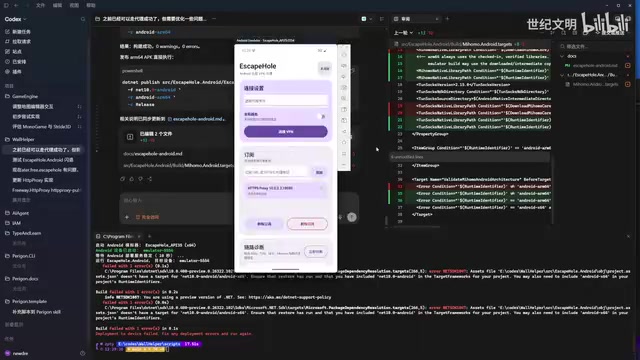
Throughout the entire process, the author admitted that he wrote essentially zero lines of code himself. Even more notable was the degree of automation in environment setup: he simply told the AI "you have control of my computer — install whatever environment you need," and the Android development environment, emulator, and related tools were all installed and configured by the AI on its own.
A Typical Debugging Case: Crash Caused by Architecture Mismatch
During development, the app crashed immediately after being installed on his phone. The AI initially determined it "couldn't be tested locally," but the author pushed back based on his own experience — he had used a local emulator for testing before. Deeper analysis revealed the root cause: an architecture mismatch.
This touches on a fundamental hardware compatibility issue: X86 (including X86-64/AMD64) is the instruction set architecture used by Intel and AMD processors, found in virtually all PCs; ARM, known for low power consumption, is the architecture used in virtually all modern smartphones, including Android devices. The machine code of these two architectures is mutually incompatible, so an X86-compiled program cannot run directly on an Android phone. When developers test on a local emulator (X86) without accounting for this difference, packaging an ARM APK can result in crashes due to native libraries that weren't compiled for ARM.
The solution was to separate the testing and release workflows: use an X86 emulator for local testing, and package an ARM APK for release. Once the AI understood this, it automatically wrote the code, ran the emulator tests, and the entire workflow went through smoothly.
The author's assessment: compared to before, GPT-5.6 handles this type of project noticeably better with few issues. The main friction points were around proxies and internal network details — but once those specifics were explained to the AI, it generally resolved them on its own.
Project 2: Tower Defense Game Prototype and Map Editor
The second project was more ambitious and better at exposing the limits of AI development tools. The author wanted to test whether AI could help build foundational tools like a map editor for a potential future game. He used an open-source game engine in the .NET ecosystem, taking inspiration from the map editors of Warcraft and StarCraft II.

Multiple Issues Surfaced in the Demo
After running the AI-generated game demo, a series of problems emerged:
- Window behavior issues: Clicking Start opened a new window that was initially small before resizing to 1080
- Incomplete camera controls: Moving the mouse to the top, left, and right screen edges moved the camera, but the bottom edge didn't work
- Lack of visual depth: The overall look resembled a flat top-down view rather than the 2.5D perspective common in mainstream games. The so-called 2.5D style (also called pseudo-3D or isometric) creates a sense of spatial depth in 2D using oblique projection — Warcraft III and StarCraft II both use this style. Implementing it requires correctly configuring the camera's projection matrix and Y-axis depth sorting in the rendering pipeline; without precise technical instructions, AI tends to fall back to flat orthographic top-down rendering.
- Models not rendering: Enemy 3D models weren't displaying correctly
- Model quality below expectations: High-quality design assets were provided, but the game was still using the roughest prototype models
By comparison, the map editor (a WPF application) was reasonably complete — it supported setting spawn points, flight paths, waypoints, and zone layers, with save, publish, and playtest functionality.
Stability Pain Points: Model Freezes and Usage Limits
The author compiled the above issues into a list and asked the AI to establish a regression testing mechanism for quality control. Regression testing is a standard software engineering quality assurance practice: after code changes are made, existing test cases are re-run to confirm that new changes haven't broken existing functionality. This mechanism is especially critical in AI-assisted coding: since the model may introduce subtle side effects each time it generates code, without automated test coverage, the same bug has a high probability of reappearing across different conversation sessions. Asking AI to set up regression testing is, in essence, applying classic software engineering methodology to constrain AI's non-deterministic behavior.
However, this is where the most pressing real-world pain point emerged — model stability. When using the highest-reasoning-intensity model, the author frequently encountered WebSocket connections being closed by the server, triggering five consecutive reconnection attempts. WebSocket is a full-duplex communication protocol built on TCP that enables persistent, real-time bidirectional connections between browsers and servers — the streaming output of products like ChatGPT depends on this mechanism. When the server actively closes the connection due to high load or resource constraints, the client triggers reconnection logic. The author speculated this was related to excessive usage: as ChatGPT's user base continues to grow, higher-reasoning models consume more compute per user, making the server more prone to rate-limiting under rapid user growth. He ultimately had to switch to a second-tier model with only a slight boost in reasoning intensity before the disconnections stopped.
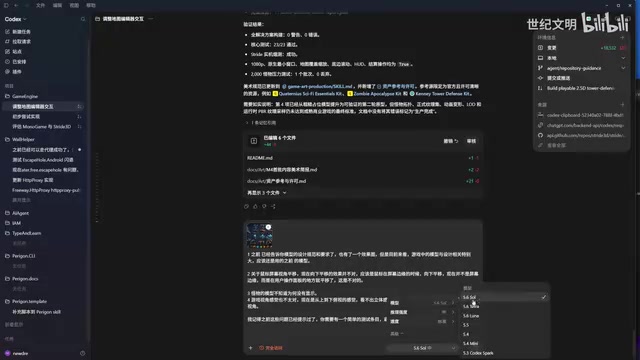
This created hidden costs: because tasks kept stalling mid-way, the author often couldn't tell whether the AI had fully executed all its instructions, and frequently had to start over. He admitted that for tech stacks he's familiar with (like Android development), he reviews source code against descriptions to verify correctness — but in an unfamiliar domain like game development, that kind of validation becomes genuinely difficult.
Toolchain Automation: Using MCP to Call Blender for Modeling
One highlight from the test deserves special mention — the AI's tool-calling capability. The author asked the AI to design models using the open-source 3D software Blender. The AI handled installation and configuration on its own, then called Blender via MCP to generate models, with the output going directly to the project's asset directory. The entire workflow was fully automated, with no need for manual operation of the software.
MCP (Model Context Protocol) is an open protocol proposed and standardized by Anthropic in late 2024, designed to allow large language models to call external tools and services through a unified interface. Under this protocol, AI models are no longer limited to generating text — they can actively send structured instructions to external programs like Blender, databases, file systems, and browsers, and receive returned results, completing a true "tool use" loop. OpenAI, Google, and other major players have since adopted MCP support, making it a de facto standard for AI agent tool-calling and a core piece of infrastructure for current agentic AI workflows.
The author also demonstrated ChatGPT mobile's remote control capability: by enabling "Control This Computer" under Settings > Connections and pairing the phone with the computer, you can check on running tasks and send additional instructions from anywhere. He described his ideal workflow as: publish a task before bed, check results the next morning; whether traveling, at the gym, or out and about, remotely manage multiple parallel projects from your phone and push completed work to AI-created Git branches with one tap.
Honest Assessment: Good for Demos, Hard to Ship as Commercial Products
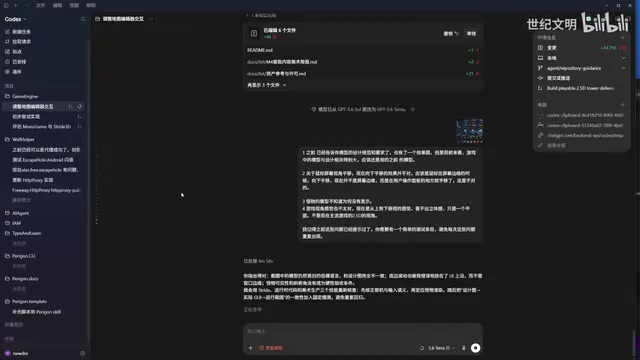
The author's judgment on AI's current capability boundaries is notably restrained. He observed that many people on social platforms post 10-second clips showcasing "a stunning 3D game I made with AI," but those videos often hide how many rounds of conversation it took and what the actual engineering state of the project looks like.
His core conclusion:
Sure, you can build a demo with AI — but getting that thing to become a commercial product is a very different story.
The gap comes from two main sources. First, domain expertise: the author only has a rough understanding of game development without hands-on engineering experience, making his descriptions imprecise and leaving AI unable to hit the target reliably. A real professional developer, with more accurate descriptions, could get AI to produce results much faster. Second, validation capability: AI output still requires human review, and people unfamiliar with the domain struggle to catch errors.
His advice, somewhat counterintuitively, is: in the AI era, you should invest even more in learning to code. AI is a tool that amplifies individual ability, but the quality of the amplification depends on the quality of what you put in. The real dividing line is whether, while others are still wondering "I have AI but I don't know what to do with it," you've already started building.
Key Takeaways
Related articles

Kimi K3 Launches on Telnyx Inference API: A New Path for Chinese LLMs Going Global
Moonshot AI's Kimi K3 is now available on Telnyx Inference API. Explore how Chinese LLMs are entering global developer ecosystems through third-party inference platforms.

The Truth Behind Codex 'Build a Website in 5 Minutes': AI Isn't Creating Sites—It's Helping You Copy Them
Exposing the truth behind viral Codex 5-minute website videos: creators aren't building original sites with AI—they're copying shared prompts or scraping others' work. Learn AI coding tools' real limits.

Getting Started with AI Agent Development: A Complete Guide from Concept to Practice
A comprehensive guide to AI Agent architecture and development, covering automated marketing, intelligent customer service, and investment analysis scenarios with single and multi-agent collaboration.