MCP Brings Power Apps Data Seamlessly into M365 Copilot: A Complete Implementation Guide

How MCP securely connects Power Apps business data to M365 Copilot, from declarative agents to custom tools.
This guide, based on a live demo by a Power Platform MVP, explores how MCP (Model Context Protocol) securely opens Power Apps business data to Microsoft 365 Copilot. It covers the full workflow—declarative agents, custom tools, Dataverse, Fluent UI code generation, VS Code setup—plus permissions, licensing, and enterprise governance.
In the wave of enterprise digital transformation, delivering the right data to the right people, at the right time, in the right way, has always been a core challenge. At the DEM360 conference, Microsoft Power Platform MVP Christine Flora demonstrated a highly valuable new capability: using MCP (Model Context Protocol) tools to securely open up business data in Power Apps to Microsoft 365 Copilot and the entire M365 ecosystem. Based on her live demo, this article takes a deep dive into the value, implementation process, and real-world use cases of this feature.
Why Does Power Apps Need MCP?
Christine offered a vivid analogy: MCP is like the "universal translator" for the age of agentic experiences. It provides various AI agents with the fundamental ability to read and write data, making data flow between different systems smooth and natural.
The MCP Protocol: From Fragmented Integration to a Unified Standard
MCP (Model Context Protocol), officially released by Anthropic in November 2024, is an open standard protocol designed specifically to solve the problem of fragmented AI integration. Before MCP existed, every time an enterprise introduced a new AI application, it had to write a set of custom connection code for each individual data source (databases, APIs, file systems, etc.). As the number of AI applications grew, this "N×M problem" (N AI applications connecting to M data sources) led to extremely high development and maintenance costs.
MCP's design draws inspiration from a proven concept in software engineering—the Language Server Protocol (LSP). LSP solved the challenge of adapting different editors to different programming languages through a unified interface, and MCP brings the same idea into the AI ecosystem. The protocol defines a standardized client-server communication specification: the AI application plays the role of the MCP Client, responsible for initiating context requests, while the business data service acts as the MCP Server, responding to queries and returning structured data. Any AI agent that supports the MCP standard can connect to different data backends in exactly the same way, truly achieving "integrate once, use everywhere."
Notably, as an open standard, MCP is not exclusively controlled by Microsoft. This means that when enterprises adopt Power Platform's MCP capabilities, they are actually investing in a universal integration paradigm that spans vendor boundaries—the same protocol knowledge can be reused across Claude Desktop, Cursor, and any AI toolchain that announces MCP support. This openness significantly reduces the risk of technology lock-in and is an important strategic consideration behind Microsoft's decision to embrace rather than reinvent the wheel.
Microsoft's integration of MCP into the Power Platform marks the acceleration of this open standard—born in the AI developer community—into enterprise-grade low-code platforms and the daily workflows of hundreds of millions of Microsoft enterprise users.
The Power Platform itself is a toolset aimed at both business experts and professional developers. It enables users to leverage their deep understanding of business data to rapidly build data structures and even complete solutions through WYSIWYG (What You See Is What You Get) visual tools and natural language prompts—without requiring a deep technical background. At the same time, it also leaves room for traditional developers to perform deep extensions through VS Code, GitHub Copilot, DevOps Git, and Copilot Studio.

The introduction of MCP is precisely intended to break down the data barriers between Power Apps and M365 (Outlook, Excel, Word, Teams, and Copilot), allowing users to access and manipulate data just as they would inside a Power App—no matter which application they happen to be using.
Live Demo: Data Flow in an Equipment Maintenance App
Christine used an equipment maintenance management app as an example for her demonstration. This Power App is fully featured and highly visual—supporting views of upcoming work orders, equipment procurement records, inspection history, work order details, and more, helping teams keep equipment continuously available.
She first showcased a key comparison: without MCP, typing "show work orders" directly into Copilot only allows Copilot to search within the M365 context (such as SharePoint and OneDrive), returning only a small amount of sample data—and completely unable to reach the real equipment maintenance data inside the Power App.

But when she created a declarative agent via MCP and uploaded it to M365, the situation was entirely different. Simply by @mentioning the agent in a conversation, the same prompt could trigger the agent to access the underlying application and return the required data in list form in real time.
Declarative Agents: Reasoning Context with Bounded Extension
The Declarative Agent is a unique agent-building paradigm within Microsoft's Copilot Studio ecosystem, whose core philosophy stands in stark contrast to traditional "imperative" programming. Imperative programming requires developers to precisely dictate "how to do each step," whereas the declarative paradigm only requires developers to declare, in natural language, "what the goal is, what tools can be used, and where the data boundaries lie," with the underlying reasoning engine automatically planning the execution path.
In its concrete implementation within the M365 ecosystem, a declarative agent can be understood as a Bounded Extension of Microsoft 365 Copilot's foundational capabilities. It fully inherits Copilot's large language model reasoning engine, authentication framework, and security audit mechanisms, but through explicit declaration, it precisely limits the agent's "scope of perception" to the data domains the developer has pre-authorized. This design strikes an elegant balance: it retains the large model's flexible natural language understanding and multi-step reasoning capabilities while using hard boundaries to prevent the AI from overstepping and accessing sensitive business data.
When a user @mentions a declarative agent in the Teams or Copilot interface, they are essentially launching an independent reasoning context that holds a specific data access token—all tool calls and data access within this context are constrained by a pre-configured permission manifest, and the entire process is fully transparent and auditable for enterprise IT administrators.
From an enterprise governance perspective, this architecture also resolves a core tension that has long plagued enterprise AI deployment: business departments want AI to "see more data" in order to deliver more valuable insights, while IT and compliance teams demand strict control over data access boundaries. By shifting the decision of "what data to authorize" from a dynamic runtime judgment to an explicit configuration-time declaration, declarative agents allow compliance reviews to be completed before deployment—rather than scrambling to fix problems after the fact.
The key here lies in the word "real time." Christine emphasized that this data has no static component whatsoever—users can sort, filter, and drill down to specific records just as they would inside the app, and complete all operations within Word, Outlook, Excel, and Copilot. They can even simply say "open" to jump directly to the app from the current record, eliminating the tedious step-by-step filtering process.
Custom Tools: Crafting a Richer Interactive Experience
What truly elevates this capability is the introduction of custom tools. Beyond the built-in CRUD (Create, Read, Update, Delete) capabilities, developers can build highly customized visualization tools.
Christine demonstrated two typical examples:
- Equipment Work Order Status Tool: When invoked, it displays top KPI cards, visual charts, and individual cards generated for each type of equipment. All data comes from the app itself and is fully interactive—supporting views of unresolved issues, work order details, and direct drill-down to specific equipment records.
- Work Order Timeline Tool: Presents the work order schedule for the next one to three weeks in a timeline format, helping identify resource bottlenecks and scheduling gaps. Users can hover to view details, adjust the time granularity, and even track overdue urgent work orders and the teams responsible for them.
These tools condense insights that previously required multi-step operations within the app into rich interactive experiences triggered by a single natural language phrase in Copilot.
How to Build It: The Complete Workflow from Maker Portal to VS Code
Implementing this solution spans multiple tools, and Christine clearly laid out the complete pipeline.
Step 1: Enable Copilot Control
Open the app settings in the Maker Portal, navigate to "Upcoming" (the feature is still in preview), turn on CopilotControl, and enable Copilot support for the app. After saving, a new icon appears in the navigation bar, showing both the built-in tools and any custom tools that have been created.
Step 2: Create Custom Tools
After naming the tool, fill in the generation instructions. Developers are free to choose any model within their authorized scope and can either manually write prompts or use the prompt assistant to generate them. The core lies in field configuration—by connecting to Dataverse, you select the fields (such as requester, priority, etc.) to be displayed from the target table (e.g., the maintenance work order table), and add filter conditions if necessary.
Dataverse and Model-Driven Apps: Structured Data Makes AI Understanding Possible
Dataverse (formerly Common Data Service, or CDS) is the core data backend of the entire Power Platform ecosystem, essentially a relational cloud database service hosted on Azure. Unlike ordinary databases, Dataverse builds an enterprise-grade capability stack on top of its data storage layer, including fine-grained role-based and field-level security controls, complete operational audit logs, a business rules engine that can execute at the data layer, and rich native data type support for currency, files, images, multilingual labels, and more.
Power Apps offers two major app-building paradigms: Model-Driven Apps and Canvas Apps. Canvas apps give developers pixel-level UI control, making them ideal for building highly personalized interfaces, but they require manually defining the data-binding logic for each control. Model-driven apps, on the other hand, adopt a "data structure as app structure" design philosophy—the UI layout, navigation hierarchy, and form logic are all automatically generated by the Dataverse data model, allowing the developer's focus to shift entirely to data modeling itself.
Currently, MCP only supports Model-Driven Apps, and there is a profound technical reason behind this: Dataverse's highly structured metadata (including field type definitions, inter-table relationship graphs, lookup field semantics, and permission role mappings) provides the AI with the complete context needed to accurately understand data semantics. When an AI needs to generate a tool call to "query overdue work orders and sort by priority," it must know which field represents "status," which field represents "due date," and the business meaning of different status values—all of which are clearly defined in Dataverse metadata. By contrast, a Canvas app's data-binding logic is scattered across individual control properties, lacking a unified semantic description layer that AI can read, which is why extension work is still in progress.
From a broader perspective, Dataverse's highly structured nature aligns closely with the AI field's growing emphasis on "Structured Grounding" in recent years. When large language models process structured data with clearly defined field types, relationship constraints, and enumerated values, the hallucination rate is significantly lower than when processing unstructured text—meaning that choosing Dataverse as the data backend is not just an engineering constraint but a proactive architectural decision to improve the reliability of AI output.
Step 3: Generate the JSON and UI Code
After testing is complete, the system generates the information containing the Dataverse content into a JSON file. Then, switching to VS Code—in an environment where the Power Platform skills and plugins are configured and connected to Claude Code Pro (or GitHub Copilot Pro)—you initialize the MCP skill and pass the JSON to the AI.
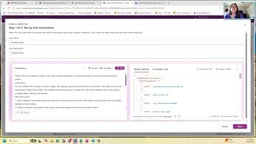
The entire process takes about five minutes, and the AI generates Fluent UI code.
Fluent UI and AI-Assisted Frontend Development: Extending the Low-Code Philosophy to the Professional Layer
Fluent UI is Microsoft's open-source design system for enterprise scenarios, responsible for unifying the visual language of core products such as Microsoft 365, the Azure portal, Teams, and Outlook. The system provides hundreds of pre-built React components—from basic buttons and input fields to complex data grids, charts, timelines, and kanban boards—all of which come with built-in accessibility support compliant with WCAG standards and follow Microsoft's Fluent 2 design specifications, ensuring the visual style is naturally consistent with the M365 ecosystem.
For the scenario in this article, choosing Fluent UI as the UI framework for custom tools carries two important implications: First, the generated tool interface can blend into the M365 visual environment users are familiar with, without additional design work, greatly reducing the cognitive switching cost. Second, the high degree of standardization in the Fluent UI component library significantly improves the reliability of AI code generation—compared to generating arbitrary CSS styles from scratch, instructing the AI to use a specific component library can drastically reduce hallucinated output and styling errors.
An even deeper significance lies in the workflow itself: introducing Claude Code Pro or GitHub Copilot Pro to generate Fluent UI code constitutes a meta-level application of "AI generating AI tools"—developers describe in natural language "I need a panel that displays equipment status KPI cards and trend charts," and the AI translates it into directly runnable TypeScript/React code. This compresses the barrier to entry for frontend development from "needing to be familiar with the React component lifecycle and Fluent UI APIs" down to "being able to clearly describe visual requirements"—a further penetration and extension of the low-code philosophy from the business layer into the professional development layer.
From an engineering practice standpoint, this "constraint as capability" approach deserves more attention: when you tell the AI to "use the Card and DataGrid components from Fluent UI v9," you are effectively defining a semantically well-defined solution space for code generation, allowing the AI to generate precisely within the range of known component APIs rather than wandering randomly through infinite CSS possibilities. This human-machine collaboration engineering strategy will be adopted in more and more professional frontend development scenarios.
Developers familiar with Fluent UI can make manual adjustments, or have the AI iterate repeatedly until satisfied. Using "show preview" allows you to preview the results in real time and fine-tune them.
Step 4: Paste Back, Publish, and Upload
Paste the generated UI code back into the Power Apps custom tool, then save and publish. Finally, use "download app" to package the MCP and upload it to M365.
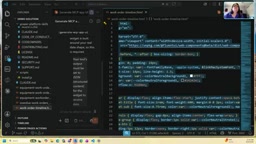
Uploading requires Teams upload permissions, while publishing requires global administrator privileges or collaboration with an administrator. Once approved, the tool appears in the sidebar for users to access.
Prerequisites and the Permission System
Christine placed special emphasis on the security design of this solution—permissions are strictly time-boxed and controlled, and users must hold the corresponding permissions to perform relevant operations in M365. The specific requirements are as follows:
- Licenses: Both developers and users need to hold a Power Apps license and a Copilot license.
- Data Permissions: Users must have permission to access the underlying data.
- Role Requirements: On the Power Apps side, developers need the customizer or admin role.
- App Type Restrictions: Currently, MCP only supports model-driven apps. Microsoft is actively expanding to Canvas apps and various code apps.
- Preview Environment: The feature is in preview and must be operated in the preview maker portal.
- Development Environment: Setting up the VS Code environment takes about half a day, requiring the installation of Node.js and Power Platform tools, plus GitHub Copilot Pro or Claude Code Pro.
The Power Platform Permission and Licensing System: The Key to Understanding Enterprise Deployment Costs
The Power Platform's licensing architecture is a core element that enterprises must understand deeply when evaluating deployment costs. Power Apps licenses currently come in two main forms: the Per User Plan covers a user's access to all Power Apps and is suitable for heavy-use scenarios; the Per App Plan licenses on a per-application basis, suitable for precise enterprise deployment targeting specific business scenarios, with more controllable costs. On the Copilot side, the Microsoft 365 Copilot license is currently priced at approximately $30 per user per month and must be added on top of an existing M365 E3/E5 subscription, which constitutes the main additional cost source for the capabilities described in this article.
At the role permission level, the Power Platform employs a fine-grained authorization system based on Dataverse security roles. Customizer is a standard built-in security role; holders can create and modify data entities, build apps, configure business rules, and manage custom tools—this is the minimum role requirement needed by app developers in this article's scenario. The System Administrator role, meanwhile, holds full management privileges within the environment scope, including modifying core security configurations and managing user role assignments.
This tiered design embodies a core principle of enterprise security architecture—the Principle of Least Privilege: each operator receives only the minimum set of permissions necessary to perform their job responsibilities, minimizing the risk of data leakage and misoperation, while establishing clear boundaries of responsibility between the business developer (Maker) and the IT administrator, enabling enterprises to empower business innovation while maintaining a controllable security posture.
It's worth noting that, against the backdrop of large-scale AI tool adoption, "AI accessibility" is becoming a new dimension of the enterprise permission system. Traditional permission management only needed to consider "which human user can access which data," but once AI agents intervene as proxy entities, it must also answer "where are the boundaries when a given AI accesses data on behalf of a given user." The Power Platform MCP's current architectural choice—AI inherits the user's data permissions rather than holding independent permissions—is a relatively conservative but maximally secure early strategy. It is expected that as enterprises gradually build trust in AI agents, more fine-grained AI permission management mechanisms will be introduced in future versions.
The Deep Integration of Low-Code and Agents
The true significance of this capability lies in the fact that it extends the Power Platform's long-standing core philosophy of "empowering business experts to build apps independently" into the age of AI agents. Data is no longer locked within a single application but can naturally integrate into the M365 workflows where users spend their days—in a rich, interactive, real-time, and securely controlled manner.
Regarding common questions about government cloud support, parameter passing, and external data sources, Christine also provided clear responses: the government cloud will follow the regular release cadence; the logic of parameter passing and cloud flow triggers is equivalent to operating on data directly within the app; and external data sources introduced through Power Apps data connectors or virtual entities will also function normally, just as they do in a native Power App.
As new capabilities such as Autopilots and WorkIQ are released one after another, MCP's role as the "universal translator" will only become more critical. For developers deeply invested in the Power Platform ecosystem, now is the best time to roll up their sleeves and start building their own custom tools.
Key Takeaways
Related articles

WebMCP in Practice: How MakeMyTrip Is Reshaping the Travel Booking Experience
India's largest OTA platform MakeMyTrip uses WebMCP to standardize AI Agent interactions with web apps, replacing fragile DOM scraping with natural language-driven test automation and simplified complex booking scenarios.

Deep Dive into the EYG Programming Language: A New Portable Programming Paradigm Designed for Humans
Deep analysis of the EYG programming language's core design, including algebraic effects, program state persistence, and cross-platform portability, exploring how it addresses modern software fragmentation.

WebMCP in Practice: How MakeMyTrip Is Reshaping the Travel Booking Experience
India's largest OTA platform MakeMyTrip uses WebMCP to standardize AI Agent interaction with web apps, solving DOM scraping fragility, enabling natural language test automation, and simplifying complex international flight bookings.