Tmux + VPS in Practice: Building an Always-On AI Multi-Agent Development Environment

Build an always-on cloud AI Agent dev environment with Tmux and VPS
This article explains how to use the Tmux terminal multiplexer combined with a VPS to build a professional AI programming environment, enabling AI Agents like Codex and Claude Code to run continuously in the cloud for hours or even days without being limited by local devices. It covers Tmux's client-server architecture, the three core concepts of Session/Window/Pane, their unique value in multi-Agent collaboration, and provides a complete VPS deployment and configuration guide.
In the age of AI Agents, a development environment capable of running continuously for hours or even days is no longer a luxury — it's a necessity. When Codex's /goal feature can let an Agent autonomously develop for 24 hours, and when Claude Code can execute large-scale refactoring tasks, your laptop clearly can't handle that kind of workload.
This article provides a detailed guide on how to use Tmux + VPS to build a professional AI programming environment, keeping your Agents running non-stop in the cloud.
Why Tmux Is an Essential Tool for Agent Engineers
Tmux (Terminal Multiplexer) is a terminal multiplexer with two core capabilities: running multiple terminals simultaneously and session persistence. The latter is what makes it truly irreplaceable for AI development — even if you disconnect, your laptop runs out of battery, or you shut it down entirely, sessions in Tmux keep running.
Tmux was created in 2007 by Nicholas Marriott as a modern replacement for GNU Screen. Screen has been around since 1987 as a terminal multiplexing tool, and Tmux built upon it by introducing a cleaner client-server architecture: the tmux server runs as a daemon in the background, managing all session state; the tmux client handles connections and display. This architecture means that even if all clients disconnect, the server process stays alive and session state is fully preserved in memory. The fundamental difference from traditional SSH sessions is this: a regular SSH session's lifecycle is tied to the TCP connection — when the connection drops, processes receive a SIGHUP signal and terminate. A Tmux session's lifecycle, however, is tied to the server process and is completely independent of network connection status.
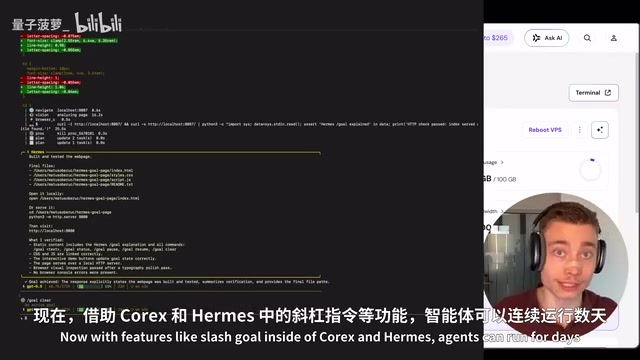
Consider these scenarios: you're running a large-scale refactoring in Claude Code that's expected to take 3 hours; you've used Codex's /goal command to have an Agent build a full-stack application from scratch, potentially running for an entire day. Without Tmux, your computer must stay on, never sleep, and never lose network connectivity the entire time. In practice, that's nearly impossible.
Interestingly, well-known AI developers in the industry — such as Peter Steinberger, creator of OpenClaw, and Mario Zechner, creator of Pi — all use this workflow. This isn't some niche trick; it's becoming the standard setup for Agent engineers.
The Three Core Concepts of Tmux: Session, Window, and Pane
To use Tmux effectively, you need to understand its three fundamental building blocks:
- Session: The outermost container, equivalent to a complete workspace
- Window: Tabs within a session, similar to browser tabs
- Pane: Split regions within a window, which can be divided horizontally or vertically
The elegance of this architecture lies in the fact that Tmux can programmatically persist, create, and read/write terminal sessions. This means one Agent can read the output of the pane where another Agent is running. If you use two separate terminal windows, the Agents are isolated from each other; but in Tmux, they can be aware of each other's state.
From a technical implementation perspective, Tmux provides the tmux capture-pane command, which captures the content of any pane as text output. An Agent can execute this command to "read" the state of other Agent panes. Furthermore, the tmux send-keys command allows sending keyboard input to a specified pane, meaning a "coordinator Agent" could theoretically send instructions to other "worker Agents." Compared to more complex multi-Agent frameworks (like AutoGen or CrewAI), this shared terminal state collaboration model has the advantage of zero additional dependencies and full transparency/observability; its downside is limited communication bandwidth (only text can be transmitted) and the lack of a structured message-passing mechanism. For most practical development tasks, the "loose coupling" collaboration that Tmux provides is already practical enough — it essentially forms the infrastructure layer for multi-Agent collaboration.
Getting Started with Tmux Locally
Installing Tmux on macOS is straightforward:
brew install tmux
tmux -v  # Verify installation
Tmux Common Commands Cheat Sheet
# Create a new session
tmux new -s my_session

# Detach from session (session continues running in the background)
Ctrl+B, D

# Reattach to a session
tmux attach -t my_session

# List all sessions
tmux ls

# Horizontal split
Ctrl+B, %

# Vertical split
Ctrl+B, "

# Close current pane
exit

# Kill all sessions
tmux kill-server
Note a key detail: Ctrl+B is Tmux's prefix key — you need to press and release it first, then press the subsequent key. For example, to detach from a session, press Ctrl+B and release, then press D — don't press all three keys simultaneously.
VPS + Tmux: Enabling Continuous Cloud-Based AI Agent Operation
Local Tmux is just the appetizer; the real power comes from deploying it on a VPS.
A VPS (Virtual Private Server) uses virtualization technology to carve out independent computing resource units on a physical server. Mainstream VPS virtualization technologies include KVM (Kernel-based full virtualization) and OpenVZ (container-level virtualization). For AI Agent workloads, KVM-type VPS is recommended, as it provides complete kernel isolation, supports container technologies like Docker, and prevents resources from being excessively consumed by other users on the same host. When choosing a VPS configuration, the main bottlenecks for AI programming tools are typically network latency (affecting API call speed) and disk I/O (affecting code read/write), rather than CPU compute power, since the actual model inference happens on cloud API servers. Entry-level VPS offerings from mainstream providers like DigitalOcean, Vultr, and Linode (2 cores, 4GB RAM) are sufficient to run multiple concurrent Agent instances.
The core logic of this setup is:
- All AI Agents run on the cloud VPS
- Connect and manage via SSH from any device
- Agents continue working after you disconnect
- Reconnect from any device at any time

VPS Environment Configuration Steps
After SSH-ing into your VPS, first verify that Tmux is installed:
tmux -v
# If not installed
apt update && apt install tmux
An essential step — enable mouse support:
echo "set -g mouse on" >> ~/.tmux.conf
Without mouse support, you can't scroll or click to switch panes in Tmux — you'd have to rely entirely on keyboard shortcuts, which is extremely inefficient for most people.
Installing AI Programming Tools on the VPS
Installing Codex CLI and Claude Code on a VPS each requires just a single command. Once installed, you can log in to your account via device code authentication.
The /goal feature in Codex CLI and the long-task mode in Claude Code are both fundamentally implemented using a "Tool Use Loop" Agent architecture. Here's how it works: the LLM receives a goal description, then interacts with the environment by calling a predefined set of tools (file read/write, command execution, network requests, etc.), observes the tool return results, and decides on the next action — looping until a termination condition is met. A key challenge of this architecture is context window management — as the task executes, conversation history grows continuously and eventually exceeds the model's context length limit. Modern Agent frameworks use techniques like Rolling Summary and memory compression to extend effective runtime. The --yolo mode skips the manual confirmation step before each tool call, allowing the
Related articles
 Tutorials
ChatGPT Plus Subscription Guide: Are GPT-5.5, image-2, and Codex Worth the Upgrade?
A detailed look at ChatGPT Plus features — GPT-5.5, image-2, and Codex — with a Plus vs Pro comparison and a complete step-by-step subscription guide for users outside the US.
 Tutorials
Harness AI Engineering in Practice: Using Claude Code to Master Enterprise-Level E-Commerce Development
Deep dive into Harness AI Engineering: master enterprise e-commerce development with Claude Code using the Rules, Skills, Wiki, and Changes framework.
 Tutorials
Cursor + Codex Dual-IDE Collaboration: A Practical Methodology for Open-Source Project Customization
A complete methodology for open-source project customization based on real-world experience, detailing the Cursor+Codex dual-IDE workflow, seven-stage process, MVP validation, and AI source code reading techniques.