Understand Anything: The AI Skill That Turns Code into an Interactive Knowledge Graph

An open-source skill that turns any codebase into an interactive, queryable knowledge graph.
Understand Anything is a 75,000-star open-source GitHub skill that performs static analysis on any codebase to generate an interactive knowledge graph. It supports mainstream agents like Claude Code, Cursor, and Copilot, letting you ask questions in natural language with path-referenced answers to quickly understand unfamiliar code.
The Way We Read Code Is Being Rewritten
Taking over an unfamiliar open-source repository and facing hundreds of thousands of lines of code, just figuring out "who calls whom" can eat up an entire day. This is a pain that nearly every engineer experiences during the onboarding phase. But in the era of large language models, the first move when reading code is quietly changing—from opening an editor and jumping through definitions one by one, to letting AI generate a "map you can ask questions about" first.
A skill on GitHub called Understand Anything is a prime representative of this trend. According to an analysis by Bilibili content creator ValleyAI (from the StarPaw column), the project just surpassed 75,000 stars, landing second on the June monthly rankings. It can perform static analysis on any codebase and directly generate an interactive knowledge graph. You can click open each node, trace call relationships layer by layer, and even ask questions about the graph directly in natural language.
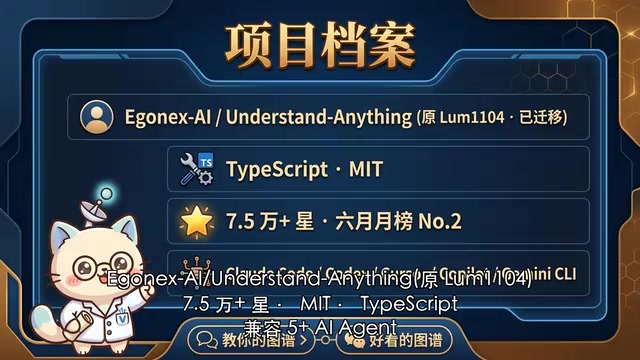
The project uses the MIT license, with TypeScript as its primary language. The repository was recently transferred from LUM1104 to EgoNexi, and currently holds 75,000+ stars and 6,000+ forks. The official positioning is blunt: this is a "graph that can teach you, not a pretty graph"—emphasizing practicality over visual flair.
Note: What is static analysis?
Static analysis refers to the technique of extracting program information by parsing the syntactic structure and symbol relationships of source code without actually running the program. It typically first parses code into an abstract syntax tree (AST), then performs symbol resolution, type inference, and reference tracking to identify structural information such as function definitions, call sites, and import dependencies. Static analysis is widely used in compilers, code linting tools (like ESLint), and IDE go-to-definition features. Its advantage is comprehensive coverage without needing to set up a runtime environment, but its natural limitation is obvious—any behavior that can only be determined at runtime, such as dynamic dispatch, reflection calls, or module names built from string concatenation, is difficult for static analysis to capture accurately. This foreshadows the "cool-headed reminders" discussed later.
The Three Core Capabilities of Understand Anything
Code Into Knowledge Graph: See Call Relationships at a Glance
Understand Anything performs static analysis on your repository, extracting functions, classes, and modules as graph nodes, and extracting call relationships, import relationships, and inheritance relationships as the edges connecting those nodes, ultimately assembling a zoomable, clickable, expandable interactive graph.
Behind this is actually the application of the knowledge graph data structure in the field of code understanding. A knowledge graph expresses entities and their relationships through nodes and edges. In the code scenario, nodes are typically program entities such as functions, classes, and modules, while edges represent relationships such as calls, imports, and inheritance. Once code is transformed into a knowledge graph, dependency threads originally hidden in the text are explicitly expressed—convenient for humans to browse visually, and providing structured retrieval context for large language models. Compared to letting AI read the entire source code directly (limited by the context window and prone to missing cross-file associations), the graph enables more precise answers.
Want to see who calls a certain function, what it calls in turn, and which external packages it depends on? You can trace it at a glance, without jumping through a dozen definitions back and forth in the editor. For large projects, the value of this global perspective far exceeds a README document.
Install Once, Use Everywhere: Cross-Agent Reuse
It is essentially a skill—just install it into the context of the agent you use daily. It currently supports mainstream tools such as Claude Code, Codex, Cursor, Copilot, and Gemini CLI.
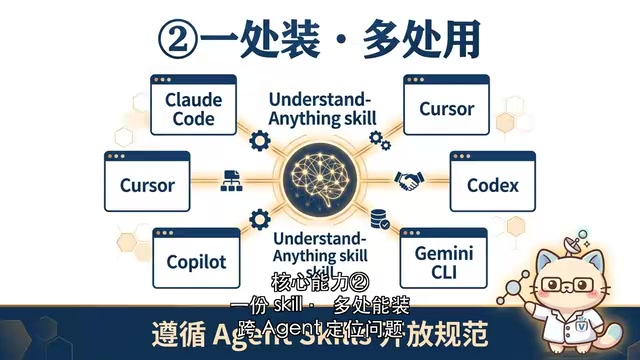
This means whether you're fixing a bug in Claude Code today, adding a feature in Cursor tomorrow, or looking at a new repository with Codex or Gemini CLI the day after, you can directly invoke this graph to locate problems. This cross-agent capability relies on the agent skills open specification, which is also a common practice among the top-ranking skill projects this month—write once, reuse everywhere.
Note: The Agent Skills Open Specification
Agent Skills is a capability encapsulation paradigm that has emerged in recent years alongside the rise of LLM programming assistants. It packages a specific capability (such as generating a code graph or executing a database query) into a module that can be loaded into an AI agent's context, following unified invocation conventions, so that the same skill can be reused across different agent host environments. This is similar to the idea behind browser plugins or VS Code extensions, but the service target has shifted from humans to AI. Vendors like Anthropic and OpenAI are pushing for the unification of related standards (such as the MCP protocol and tool use specifications), with the goal of enabling developers to "write once, reuse everywhere"—avoiding the need to adapt separately for each tool and thus reducing the repetitive labor caused by ecosystem fragmentation.
Ask Questions Directly to the Graph: Answers Come With Path References
The third capability is the one that best demonstrates its differentiation: without switching tools, you can ask questions directly in the agent using natural language, such as "Where is this API triggered from?" or "If I change this function, which downstream modules will be affected?"
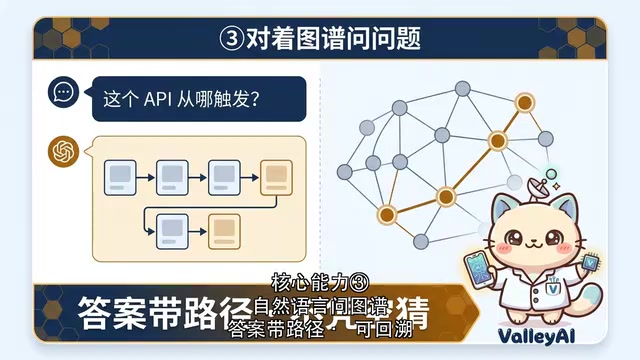
The skill uses the graph as context, so the agent's answers come with path references, rather than blind guesses. This is exactly the biggest difference from ordinary AI reading code—conclusions can be traced back along the graph, making them verifiable and traceable. Technically speaking, the graph is injected as structured context, and it can trace paths on the graph back to specific files and line numbers, thereby significantly reducing the probability of LLM "hallucination." This is also a typical application of the current retrieval-augmented generation (RAG) approach in the code domain.
Who Should Install This Code Knowledge Graph Skill
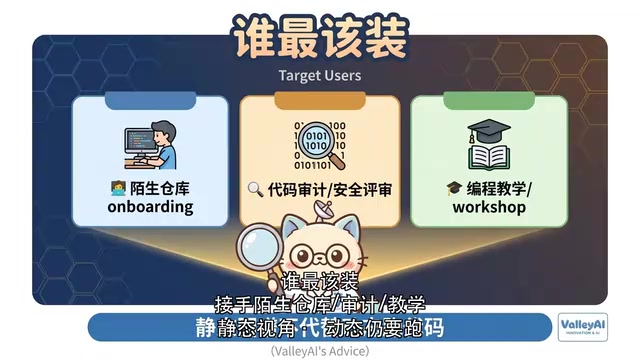
According to the video analysis, three groups of people benefit most from Understand Anything:
- Engineers taking over unfamiliar open-source repositories: Especially when facing large projects, during the first week of onboarding, the graph is ten times better than a README.
- Those doing code audits and security reviews: They need to trace suspicious paths along call chains, and the graph provides a natural traceability perspective.
- Teachers who teach programming or run workshops: Simply project the graph on screen, and students will grasp the hierarchical structure noticeably faster.
The common premise of these three scenarios is that they all require quickly building a cognitive understanding of the overall code structure—and the graph happens to make this cognition tangible.
Three Cool-Headed Reminders Before Use
Before getting swept up in the hype of 75,000 stars, the creator also offers three pragmatic reminders worth keeping in mind for everyone who wants to try it.
First, the graph is the result of static analysis. It cannot reflect "fancy tricks" like dynamic dispatch, reflection calls, or runtime plugin loading. A path that looks broken on the graph might actually be connected at runtime. So the graph is an abstraction and cannot replace actually running the code—critical paths still need runtime verification. This is precisely where the inherent boundary of static analysis lies—for any call relationship that can only be determined at runtime, static parsing is powerless.
Second, there's a performance threshold. The first analysis of a large monorepo may take several minutes to start, and the generated graph can be extremely dense and may lag. Here, monorepo refers to the strategy of managing multiple projects or modules together in a single version repository. Companies like Google and Meta both adopt this approach, and their code often measures in millions of lines, so the computational overhead of static parsing naturally rises accordingly. Prepare yourself with patience before using it.
Third, it only parses code structure and does not understand business semantics. Questions like "why is it written this way" still require business context and documentation to accompany them—the graph itself cannot provide the answer.
A Paradigm Shift That Is Happening
What's truly worth paying attention to about Understand Anything is not just its specific features, but the trend it reflects: in the era of large language models, the first move when reading code is changing.
In the past, we opened editors, jumped through definitions, and read line by line. Now, more and more developers choose to first have AI generate a conversational, traceable map, then read with questions in hand. This "build the graph first, then ask questions" workflow, combined with the cross-tool reuse capability brought by the agent skills open specification, may become the standard configuration for future code understanding work.
Of course, as the cool-headed reminders emphasize, the graph is ultimately an abstraction from a static perspective. No matter how powerful the tool is, it cannot replace the verification of actually running the code, nor a deep understanding of business semantics. It is a powerful starting point, not an endpoint.
Key Takeaways
Related articles

Disaster and Glory of the Apollo Program: The History We Must Revisit Before Returning to the Moon
From the fatal Apollo 1 fire to Apollo 8's daring lunar orbit to Apollo 11's successful landing—revisiting the disasters, fears, and compromises of the Apollo program and their lessons for today's return to the Moon.

Netflix Trust Exercise Turns Into Firing Trap: Where Are the Boundaries of Corporate Trust?
A Netflix employee was fired after sharing private info in a trust exercise. We analyze the risks of corporate trust exercises and how employees can protect themselves.

AMD CDNA5 Architecture Deep Dive: Technical Evolution and the AI Computing Competition Landscape
Deep analysis of AMD's CDNA5 architecture covering Chiplet packaging upgrades, HBM memory evolution, and low-precision compute optimization, examining how AMD challenges NVIDIA's AI chip dominance.