What Are Python Literals? A Detailed Guide to int, float, and str Data Types

A beginner's guide to Python literals covering int, float, and str data types with practical examples.
This article introduces the concept of literals in Python for beginners, providing a detailed explanation of the three core data types: integers (int), floating-point numbers (float), and strings (str). It emphasizes key rules like quotation-wrapped content always being strings and the decimal point distinguishing integers from floats, with hands-on type() function exercises to help readers intuitively understand data types and build a solid foundation for further Python learning.
Introduction
For programming beginners, Python is undoubtedly one of the most beginner-friendly languages. Whether you're preparing for a computer science exam, tackling a final project, or simply looking to pick up a practical programming skill, Python is an excellent starting point.
Python was first released in 1991 by Dutch programmer Guido van Rossum, with a design philosophy that emphasizes code readability and simplicity. Python became one of the world's most popular beginner languages largely due to its "indentation as syntax" design—using indentation instead of curly braces to define code blocks, which forces beginners to develop good code formatting habits from the start. According to annual surveys by TIOBE and Stack Overflow, Python has consistently ranked among the top three most popular programming languages for multiple years, with widespread applications in data science, artificial intelligence, web development, DevOps automation, and more.
This article starts from the most fundamental concept of literals and helps you quickly build an overall understanding of Python's core data types.
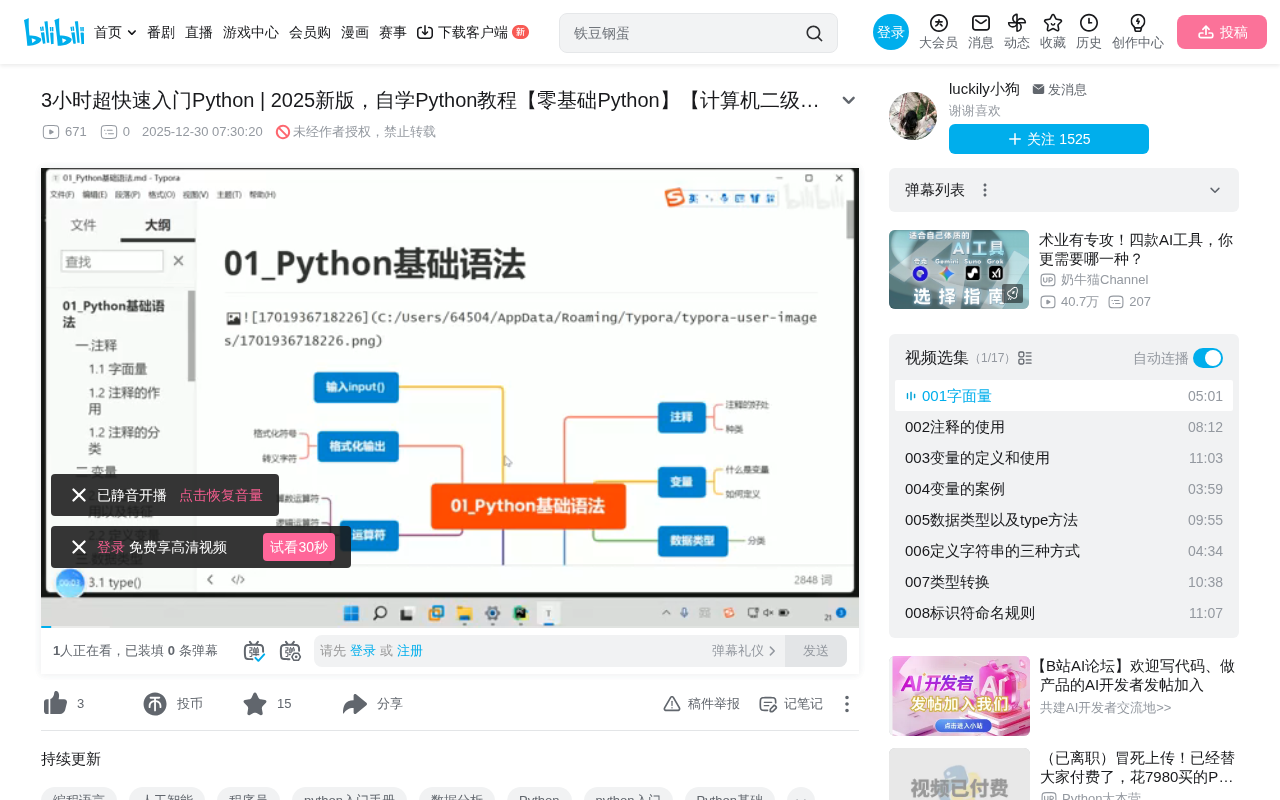
What Does Python Basic Syntax Cover?
Learning any programming language requires starting with basic syntax. Just as learning English means first mastering phonetics, grammar, and vocabulary before constructing sentences, learning Python also requires a step-by-step approach to mastering its syntax rules.
Python basic syntax covers the following core modules:
- Literals and Comments: The most basic elements in a program
- Variables and Data Types: Ways to store and manage data
- Type Conversion: Transforming between different data types
- Input and Output: Interaction between the program and the user
- Operators and Identifiers: Data processing and naming rules
While these modules may seem extensive, they have clear logical relationships between them, and tackling them one by one is not difficult.
What Is a Literal?
Before diving into syntax formally, we need to clarify a fundamental concept—Literals.
Definition of a Literal
A literal refers to a fixed value that is written directly in code. When you write a specific number or text directly in a program, that value is a literal. It doesn't need to be calculated or processed—it's "what you see is what you get."
For example, when you write 42 in your code, that 42 is a literal—it directly represents the number forty-two, without depending on any variable or expression.
While this concept is simple, it serves as the foundation for understanding all subsequent Python syntax. In compiler theory, literals are a type of "Token"—the most basic elements that a programming language parser identifies first when analyzing source code. Nearly all programming languages have the concept of literals; they just differ in the types of literals supported and their syntax.
Three Common Literal Types in Python
In Python, beginners need to master the following three literal types first: integers (int), floating-point numbers (float), and strings (string).
Integer Literals (int type)
Integers are the same as integers in everyday life—numbers without a decimal part. In Python, you simply write them directly:
10
-5
0
666
These are all valid integer literals. It's worth mentioning that Python has no limit on integer size, which is a notable advantage over languages like C and Java.
Behind this feature is Python's implementation of Arbitrary-precision arithmetic. In C, the int type typically occupies 4 bytes (32 bits) and can only represent numbers up to about 2.1 billion; even the long long type (64 bits) has an upper limit. Python's integers use arrays under the hood to store each segment of large numbers, automatically expanding storage when values exceed the range of a single machine word. This means you can directly compute astronomical calculations in Python (such as 2**1000) without encountering overflow errors. This feature is implemented by the underlying C code of the CPython interpreter and is completely transparent to users.
Floating-Point Literals (float type)
Floating-point numbers are what we commonly call decimals. In Python, any number containing a decimal point is a float:
3.14
-0.5
100.0
Note that 100 and 100.0 are different data types in Python—the former is an int, while the latter is a float. This distinction is particularly crucial when performing division operations.
Here's an advanced concept worth knowing: Python's floating-point numbers follow the IEEE 754 double-precision floating-point standard, using 64 bits of binary to represent a decimal number. Since binary cannot precisely represent certain decimal fractions (similar to how decimal cannot precisely represent 1/3), floating-point arithmetic may produce precision errors. For example, executing 0.1 + 0.2 in Python doesn't yield 0.3, but rather 0.30000000000000004. This is not a Python bug—it's a shared characteristic of all programming languages that follow the IEEE 754 standard. For scenarios requiring high-precision calculations (such as financial computing), Python provides the decimal module for exact decimal arithmetic. Beginners don't need to dive deep into this issue yet, but knowing it exists helps with troubleshooting "off" calculation results in the future.
String Literals (string type)
Strings are text-type data that must be wrapped in quotation marks in Python (either single or double quotes work):
"好课优选"
'Hello World'
"Python入门"
Here's a common pitfall that beginners often fall into: content wrapped in quotation marks is always a string type, regardless of what it looks like. For example:
123      # This is an integer (int)
"123"    # This is a string (str)
Although "123" looks like a number, because it's wrapped in double quotes, Python treats it as a string rather than an integer. Confusing these two is one of the most common mistakes Python beginners make, and it easily triggers TypeError when performing data operations later.
TypeError is one of the most common runtime exceptions in Python, triggered when an operation or function is applied to an object of an inappropriate type. For example, attempting to execute '123' + 456 will cause Python to throw TypeError: can only concatenate str (not "int") to str, because the addition operator cannot directly operate between strings and integers. Python's exception mechanism uses try-except structures to catch and handle errors—an important topic in later studies. Understanding the root cause of TypeError—data type mismatch—is precisely why this article emphasizes distinguishing literal types.
The Relationship Between Literals and Python's Type System
You might think the concept of literals is too simple to warrant its own discussion. But in reality, understanding literals is the first step to mastering Python's data type system.
Python is a dynamically typed language, meaning variable types don't need to be declared in advance—they're determined by the value (i.e., the literal) assigned to them. When you write x = 10, Python automatically sets the type of variable x to int based on the integer literal 10.
Dynamically typed and statically typed languages represent two major categories of programming languages. Statically typed languages like C, Java, and Go require explicit type declarations when writing code (e.g., int x = 10; in Java), and the compiler checks type compatibility during the compilation phase. Dynamically typed languages like Python, JavaScript, and Ruby determine variable types at runtime, and the same variable can even hold values of different types at different moments. This mechanism lowers the barrier to entry and makes code more concise and flexible, but it also means type-related errors only surface at runtime—making understanding literals and data types especially important for Python developers.
Therefore, clearly knowing the syntax and meaning of each literal type helps you:
- Avoid type errors: For instance, performing math operations on the string
"123"will cause aTypeErrorexception - Correctly use type conversion functions: Knowing when to use
int(),float(), orstr()for conversion - Write more standardized code: Using appropriate data types in appropriate contexts improves code readability and execution efficiency
Hands-On Practice: Verifying Data Types with the type() Function
The biggest mistake in learning programming is only reading without practicing. When studying each concept, open a Python editor (PyCharm, VS Code, or Python's built-in IDLE are recommended) and type out the code yourself.
The following exercise helps you intuitively understand the relationship between literals and data types—write different literals in a Python file, then verify their types using print() and type():
print(type(10))        # Output: <class 'int'>
print(type(3.14))      # Output: <class 'float'>
print(type("Hello"))   # Output: <class 'str'>
print(type("123"))     # Output: <class 'str'> Note this one!
type() is one of Python's built-in introspection functions. Introspection refers to a program's ability to examine its own structure and state at runtime—an important feature of Python as a dynamic language. Besides type(), Python also provides isinstance() (checks if an object belongs to a certain type), dir() (lists all attributes and methods of an object), id() (returns the memory address of an object), and other introspection tools. Making good use of these functions helps developers quickly locate issues during debugging. It's worth noting that in Python, everything is an object—the integer 10, the float 3.14, and the string 'Hello' are all objects at their core, and type() returns the class to which these objects belong.
After running this code, you'll clearly see the data type corresponding to each literal. The last line in particular—"123" has type str, not int—which confirms the quotation mark rule mentioned earlier.
You can also try the following code to experience how different data types behave differently in operations:
print(10 + 20)         # Output: 30, integer addition
print("10" + "20")     # Output: 1020, string concatenation
The same + operator behaves completely differently when applied to integers versus strings. The mechanism behind this is called Operator Overloading. In Python, the + operator performs arithmetic addition for numeric types, concatenation for strings, and merging for lists. This characteristic of the same operator exhibiting different behaviors in different contexts is called Polymorphism in object-oriented programming. Python implements operator overloading through special methods (also called magic methods or dunder methods, such as __add__)—integer addition is defined by its __add__ method, and string concatenation is likewise defined by the string class's own __add__ method. Understanding this helps with better grasping class design when learning object-oriented programming later. This is exactly why understanding literal types is so important.
Recommended Learning Path for Python Beginners
After mastering literals and data types, the recommended order for continued study is:
- Comments → Learn to add explanations to code and develop good coding habits
- Variables → Learn to store and reuse data with variables
- Input and Output → Enable programs to interact with users (
input()andprint()) - Operators → Process and manipulate data
- Conditional Statements and Loops → Give programs the ability to make logical decisions and repeat execution
Each step builds on the previous one, and skipping any step may cause roadblocks later. It's recommended to write at least 3 to 5 small exercises after learning each concept to solidify your understanding.
Conclusion
Python is widely recognized as the most suitable language for beginners precisely because its syntax is concise and intuitive with a gentle learning curve. Starting from the most fundamental concept of literals, we've learned the syntax and differences between the three core data types—integers, floating-point numbers, and strings—and understood why correctly distinguishing them matters for subsequent programming.
Remember these key takeaways: The difference between integers and floats in Python is the presence of a decimal point; content wrapped in quotation marks is always a string; and you can use the type() function to check data types at any time.
There are no shortcuts in learning programming, but there are methods—understand concepts, practice hands-on, and reinforce repeatedly. Building a solid foundation in literals and data types will pay dividends when you later study variables, functions, and object-oriented programming. Now open your Python editor and run the code from this article!
Related articles
 Tutorials
ChatGPT Plus Subscription Guide: Are GPT-5.5, image-2, and Codex Worth the Upgrade?
A detailed look at ChatGPT Plus features — GPT-5.5, image-2, and Codex — with a Plus vs Pro comparison and a complete step-by-step subscription guide for users outside the US.
 Tutorials
Harness AI Engineering in Practice: Using Claude Code to Master Enterprise-Level E-Commerce Development
Deep dive into Harness AI Engineering: master enterprise e-commerce development with Claude Code using the Rules, Skills, Wiki, and Changes framework.
 Tutorials
Cursor + Codex Dual-IDE Collaboration: A Practical Methodology for Open-Source Project Customization
A complete methodology for open-source project customization based on real-world experience, detailing the Cursor+Codex dual-IDE workflow, seven-stage process, MVP validation, and AI source code reading techniques.