WorkBuddy Advanced: Develop Your Own AI Skills in 3 Steps — No Coding Required

Build custom WorkBuddy AI Skills in 3 plain-language steps — no coding needed.
Most WorkBuddy users never discover its most powerful feature: building custom Skills. This guide explains how to use Skill Creator to turn your repetitive daily tasks into one-click AI tools in just 3 steps — no coding or technical background required. The key insight is that generic Skills reflect other people's habits, while custom Skills are built around your actual workflow.
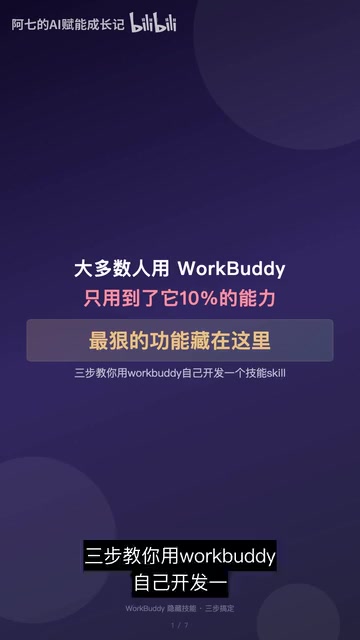
Most People Are Only Using 10% of WorkBuddy's Potential
If you're using an AI agent tool like WorkBuddy, here's a reality worth paying attention to: most people are only tapping about 10% of its capabilities. The reason is simple — the most powerful features are buried deep, and very few people know where to find them.
According to content creators on Bilibili, WorkBuddy's real killer feature is the ability for users to develop their own Skills. Mastering this unlocks the ability to turn repetitive daily workflows into dedicated tools that AI can execute with a single click — fundamentally transforming your productivity.
What is an AI Agent? An AI agent is an AI system capable of autonomously perceiving its environment, forming plans, and executing multi-step tasks. This is fundamentally different from traditional question-and-answer AI (like basic ChatGPT). Traditional AI models are passive "one question, one answer" tools, whereas AI Agents can proactively break down goals, call external tools, retain context, and iterate in loops until complex tasks are complete. A Skill is a core modular concept in the AI Agent ecosystem — similar to a "plugin" or "subroutine" installed on an Agent. Each Skill encapsulates specific workflow logic, and the Agent can automatically select and invoke the right Skill based on user instructions. This architecture allows an AI system's capabilities to be continuously expanded, far beyond whatever it shipped with out of the box.
Why Build Your Own Skill?
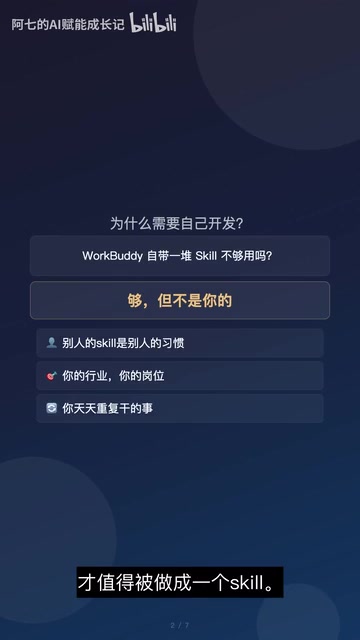
You might wonder: WorkBuddy already comes with a ton of built-in Skills — isn't that enough?
Enough to get by, perhaps. But those aren't yours.
Someone Else's Skill Reflects Someone Else's Work Style
This is the core of the whole argument. Skills provided by the platform or community encapsulate other people's habits and ways of thinking. They may be broadly useful, but they rarely fit your specific context perfectly.
The things truly worth turning into Skills fall into three categories:
- Your industry: the terminology, standards, and processes specific to your field
- Your role: the core tasks this position handles every single day
- What you do repeatedly: the mechanical, time-consuming, pattern-driven work

To sum it up in one line: Turn the things you repeatedly do into a capability AI can handle in one shot.
The value of a Skill isn't in how sophisticated it is — it's in whether it precisely addresses your own high-frequency pain points. A custom Skill that only you will ever use, but saves you half an hour every day, is worth far more than a hundred generic Skills you never actually touch.
Personal Productivity Leverage: The Compounding Effect of Workflow Automation The idea of packaging repetitive work into reusable tools comes from the DRY principle in software engineering (Don't Repeat Yourself) — any repeated operation should be abstracted into a reusable module. In workplace automation, this concept was once realized through Excel macros, Python scripts, and RPA (Robotic Process Automation) tools like Zapier or Make, but always came with a significant technical barrier. The breakthrough with AI Skills is that they make the act of defining automation itself a zero-technical-barrier operation. From an economic perspective, this is like handing individual workers a compounding productivity flywheel — every Skill you build drives the marginal time cost of that task type toward zero, systematically raising the ceiling on your effective output.
The 3-Step Method: Build Your Own AI Skill With No Code
The most surprising part? The entire development process requires no coding and no technical background whatsoever. The process can be broken down into a clear three-step method.
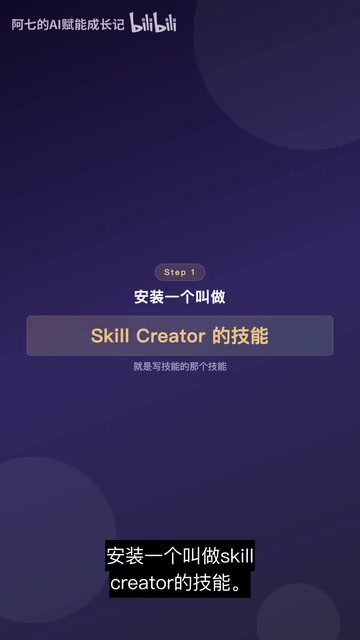
Step 1: Install Skill Creator
First, install a skill called Skill Creator. As the name implies, it's a "skill for creating skills" — the foundational tool for the entire process, responsible for translating your requirements into an executable Skill.
Step 2: Describe What You Need in Plain Language
This is the most counterintuitive step — and the one that lowers the barrier the most. You don't need to learn any programming language or configuration syntax. Just tell WorkBuddy what you need in plain, everyday language.
As one creator put it: describe it the same way you'd explain a task to a colleague.
For example: "Every day, consolidate the data from these spreadsheets into a single daily report" or "Sort and organize customer inquiries by type" — just describe your goal clearly in natural language.
Natural Language Programming: LLMs Make "Just Speak Normally" Development a Reality WorkBuddy's "plain language Skill development" approach is essentially a practical implementation of Natural Language Programming. This concept has existed for a long time, but remained largely academic until large language models (LLMs) matured. The breakthrough capability of LLMs is their ability to translate human intent (unstructured natural language) into executable structured logic or code. This aligns with the rise of Low-code/No-code platforms, but operates at a higher level — low-code platforms still require users to understand visual logic flows, while natural language interfaces eliminate even that cognitive hurdle. According to Gartner, by 2026, more than 80% of enterprises will be using low-code or no-code tools, and AI-powered natural language development will further accelerate the adoption of this trend.
Step 3: Confirm and Complete
After you send your request, WorkBuddy will automatically align with you — proactively asking clarifying questions and confirming intent before automatically completing the Skill creation. Throughout the entire process, the only thing you need to do is confirm. All the technical implementation happens in the background, handled entirely by the AI.
What This Reveals About the Direction of AI Agent Development
From a broader perspective, WorkBuddy's "3-step Skill development" flow reflects an important direction in current AI agent products: empowering ordinary users to become creators of tools, not just users of them.
In the past, customized automation was the exclusive domain of developers. But AI Agents with natural language interfaces are bringing the barrier to "development" down to nearly zero. You describe the need; AI translates that need into capability — this is an entirely new mode of human-machine collaboration. In this model, the relationship between users and AI evolves from "using a tool" to "co-defining the tool together," marking a significant leap in AI applications from the standardization phase to the personalization phase.
For working professionals, this represents an opportunity worth taking seriously: rather than passively accepting whatever functions a tool comes pre-loaded with, spend a few minutes turning your daily repetitive tasks into custom Skills. The continuous accumulation of these personalized Skills is what truly turns AI into a genuine personal productivity multiplier.
Summary
WorkBuddy's Skill development capability is fundamentally about returning the power to define tools back to the user. The core logic is straightforward:
- Generic Skills carry other people's habits; custom Skills fit your real-world context;
- With Skill Creator + plain language description + confirmation alignment, anyone can complete the development process;
- High-frequency, repetitive work is the highest-priority candidate for turning into a Skill.
If you're a WorkBuddy user, consider starting today — pick one thing you repeat every day, and try turning it into your own custom AI Skill.
Key Takeaways
Related articles

WebMCP in Practice: How MakeMyTrip Is Reshaping the Travel Booking Experience
India's largest OTA platform MakeMyTrip uses WebMCP to standardize AI Agent interactions with web apps, replacing fragile DOM scraping with natural language-driven test automation and simplified complex booking scenarios.

Deep Dive into the EYG Programming Language: A New Portable Programming Paradigm Designed for Humans
Deep analysis of the EYG programming language's core design, including algebraic effects, program state persistence, and cross-platform portability, exploring how it addresses modern software fragmentation.

WebMCP in Practice: How MakeMyTrip Is Reshaping the Travel Booking Experience
India's largest OTA platform MakeMyTrip uses WebMCP to standardize AI Agent interaction with web apps, solving DOM scraping fragility, enabling natural language test automation, and simplifying complex international flight bookings.