357 Days of Deep Experience: Why Omarchy Made Me Stop Distro-Hopping

The creator decided to stay with Omarchy after 357 consecutive days, documenting its pros, cons, and boundaries.
A self-described "distro hopper" used Omarchy—based on Arch Linux and Hyprland—for 357 consecutive days on a primary machine and concluded they'd keep using it. The article covers installation time dropping from 5m12s to 59s, out-of-the-box audio/GPU/hibernation/Btrfs snapshots, Wi-Fi needing command-line intervention on day one; the Quattro version's QuickShell rewrite breaking custom Waybar, dynamic wallpapers, and shortcuts while old configs were preserved and reapplied via an AI agent; plugin marketplace security notes, a security lead and $100,000 bug bounty; why a Windows machine is kept solely for Adobe; and criteria for who should and shouldn't use Omarchy.
A creator who self-describes as a "distro hopper" used Omarchy for 357 consecutive days on a primary machine almost exclusively dedicated to work, and reached a clear conclusion: they'll keep using it. That duration is unusual for users who habitually migrate between Ubuntu, Arch, and NixOS—and precisely because of that, this long-term experience record is more valuable as a reference than most short-term reviews.
Omarchy is a Linux distribution led by DHH, based on Arch Linux, using Hyprland as its tiling window manager, and in recent versions building a complete desktop shell on QuickShell. According to figures cited by the video's author, its ISO downloads have exceeded one million, and the Omicron Foundation has received a cumulative $23.7 million in funding.
Installation and Out-of-the-Box Experience: From 5 Minutes to 59 Seconds
The author documented installation experiences at two points in time. A year ago, installing on the main desktop took 5 minutes 12 seconds—not quite the "under two minutes" circulating in the community, but still fast compared to the Windows installation process. A year later, reinstalling on a Framework laptop took only 59 seconds. The author notes that the hardware differences between the two are considerable, so a direct comparison isn't necessarily valid, but the improvement in Arch-to-Arch installation efficiency is still evident.

Out-of-the-box usability is Omarchy's core selling point. Audio works directly with the desktop's XLR microphone, audio interface, and headphone setup; GPU acceleration, external monitors, hibernation, and Btrfs snapshots all require no additional configuration. Wi-Fi was the only issue encountered on day one: GUI clicks were unresponsive, so the author used the iwd command line to connect, and no problems occurred afterward. In later versions, NetworkManager replaced systemd-networkd, and the Wi-Fi graphical interface on the laptop now works normally.
Btrfs is a copy-on-write (CoW) filesystem on Linux whose snapshot feature can record the state of a subvolume at a given moment with almost no additional space overhead. Combined with tools like snapper or timeshift, users can quickly roll back after a system update or configuration error without reinstalling. Omarchy treats Btrfs snapshots as an out-of-the-box feature, meaning a system-level "undo button" becomes a default capability—especially important for users who frequently tinker with their desktop environment.
iwd is a lightweight wireless network daemon led by Intel, providing the iwctl command-line client. It doesn't depend on the full NetworkManager or wpa_supplicant stack, starts quickly, and has few dependencies, making it suitable as a low-level troubleshooting tool when graphical network management tools fail. The author connected to Wi-Fi via the iwd command line on day one, precisely leveraging its independence from the GUI.
Keybindings, Themes, and the Plugin Marketplace
Omarchy ships with a large number of default shortcuts: Super+Enter opens the terminal, Super+W closes a window, Super+number switches workspaces, Super+Shift+number moves a window to the target workspace. The author also points out a real pain point—there are too many shortcuts to remember. To address this, he developed the Omarchy Key Promoter plugin: when a user opens an application via the launcher rather than a shortcut, the interface pops up a hint telling them the corresponding shortcut, an approach borrowed from IntelliJ's Key Promoter X.
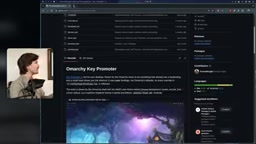
The theme system provides a theme marketplace, and with the Aether tool, colors can be extracted from any wallpaper to generate a theme, applied uniformly to Neovim, VS Code, Zed, and other applications. The author also cautions that entries in the plugin marketplace are essentially links to repositories, not individually reviewed by the official team for security, so installation should be done with care.
Hyprland is a dynamic tiling window compositor under Wayland where windows automatically fill the screen without overlapping by default, organizing layouts via keyboard shortcuts rather than mouse dragging. Compared to traditional tiling managers like i3 and sway, Hyprland includes built-in visual effects such as animations, rounded corners, and blur, and supports plugins and runtime configuration reloading. Omarchy's choice of Hyprland as its foundation means users must accept a "keyboard-driven, workspace-switching, no traditional taskbar" operating paradigm—which is why the author emphasizes that "if you reject Hyprland, it's not for you."
The Quattro Growing Pains: QuickShell Rewrite and Migration
Omarchy version 4 (Quattro) rebuilt the status bar, launcher, menus, notifications, OSD, control panel, and lock screen entirely on QuickShell, replacing a set of previously independent tools like Waybar, Walker, Mako, and SwayOSD. The author was initially explicitly unhappy: custom Waybar configurations stopped working, calendar hover tooltips stopped working, the MPV dynamic wallpaper script stopped working, custom shortcuts were overwritten, and Alacritty was replaced by foot.
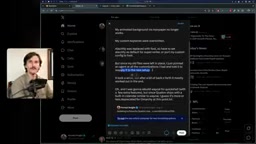
The turning point was that all old configuration files were kept in place. The author pointed an agent at the residual custom configurations and had it reapply them to the new architecture, and after back-and-forth debugging, most were restored. He also admits that the new status bar's default design is better than his old configuration, and interprets this refactor as "one step back, two steps forward": previously, theme authors had to separately template colors.toml for each application; now QuickShell only needs to read it once to distribute it to the status bar, launcher, and every interface it touches.
QuickShell is a desktop shell framework built on Qt/QML that allows writing interface components like status bars, launchers, and notification centers in declarative QML, sharing data across multiple components through a unified state service. Compared to independent tools like Waybar and Mako that each go their own way, QuickShell consolidates the desktop shell into a single process and a single configuration, so a theme only needs to define its color scheme once to take effect globally. The cost is that during the architecture migration, old plugins and custom configurations temporarily stop working—which is exactly the root of the Quattro version's growing pains.
Security Controversy and Practical Response
Regarding the security concerns often raised by the community, the author lists the Omarchy team's actions: appointing a security lead and security team, and running a $100,000 bug bounty program on HackerOne. He specifically notes that, against the backdrop of many open-source projects withdrawing their bounty programs due to AI-assisted vulnerability discovery, this direction of investment is noteworthy—while not shying away from the premise that "no software is perfect."
Why Keep a Windows Machine Around
The author's main machine is configured with 128GB of RAM, an RTX 5000 Ada, and an Intel Xeon, while the laptop is a 16GB RAM model with integrated Intel graphics and no discrete GPU.

The second Windows PC serves a single purpose: the Adobe suite—Premiere, Photoshop, and Lightroom all cannot run on Linux, and gaming is actually not done on it. The NAS connects to both the Omarchy host and the Windows machine via two Ethernet cables; footage is routed through the NAS and then dragged into local NVMe for editing, avoiding cloud uploads. The author also demonstrates how, after Battle.net failed to launch, he used Claude Code to describe the problem in natural language and have it fixed.
Who It's For, and Who It's Not
The author's criteria are straightforward: if you inherently reject Arch, Hyprland, or this theme style, Omarchy is not a suitable starting point, because these are the very foundations that won't be replaced. If you accept this foundation and merely dislike the preinstalled apps or default keybindings, then its flexibility matches you well—preinstalled software can be uninstalled with one click, and custom configurations have been preserved across all updates. The author cites George Hotz's assessment as corroboration: retaining Arch's customizability while curating tasteful defaults precisely solves Arch's long-standing barrier to entry.
As for the identity declaration "I use Arch by the way," the author believes it has lost its original sense of ritual in an era where the system installs in 59 seconds—which may also explain some Arch community users' complicated attitude toward Omarchy.
One-line Summary
The creator decided to stay with Omarchy after 357 consecutive days of use, documenting its pros, cons, and applicable boundaries.
Paragraph Summary
A creator who self-describes as a "distro hopper" used Omarchy—based on Arch Linux and Hyprland—for 357 consecutive days on a primary machine and concluded they'd keep using it. The article documents installation time shrinking from 5 minutes 12 seconds to 59 seconds, audio/GPU/hibernation/Btrfs snapshots working out of the box, and Wi-Fi requiring command-line intervention on day one. It also details the growing pains of the Quattro version rewriting the desktop shell on QuickShell, which broke custom Waybar, dynamic wallpapers, and shortcuts—but old configurations were preserved and could be reapplied with the help of an AI agent. The author also discusses plugin marketplace security warnings, the team's security lead and $100,000 bug bounty, and why a Windows machine is kept solely for the Adobe suite, before offering criteria for who should and shouldn't use Omarchy.
Related articles

OpenAI Partners with Shield: How the Astra Agent Revolutionizes IT Troubleshooting
OpenAI and Shield launch the Astra agent, which autonomously logs into computers and legacy systems to fix IT issues in real time, 35-40% faster than traditional models, with humans involved only when judgment is needed.

iPhone Duo Battery Life Tested: One Charge a Day Is Unavoidable, and the Large Screen Is the Culprit
iPhone Duo battery test: heavy use needs at least one charge a day, and about 30% remains after 6.5 hours of screen-on time. How often the large screen is unfolded is key; a MagSafe battery pack helps, and long-term degradation is also worth watching.

Kimi K3.1 Pro Open-Sourced: 2.8 Trillion Parameters Close In on Opus
Moonshot releases the open-source MoE model Kimi K3.1 Pro, with 2.8T total parameters and 104B activated, trailing Opus 5.5 by under 1 point on Terminal Bench 4.0.