5 VS Code AI Coding Assistants Compared: Roo Code, Copilot, Cline, and More
Five VS Code AI coding extensions ranked by flexibility, cost, and ease of use to help you choose the right one.
This article compares five leading VS Code AI coding assistants: Roo Code offers maximum flexibility with multi-agent orchestration but can cost $150/month in tokens; GitHub Copilot's subscription model eliminates token anxiety and starts at $10/month; Cline is the original pioneer with a flexible, cost-friendly middle ground; Kilo Code merges Cline's simplicity with Roo Code's power and is growing fast; Augment Code is the most full-featured with an outstanding context engine, priced at $20–60/month for large projects. Choose based on your budget and experience level.
In the VS Code ecosystem, AI coding assistants have gone from "nice-to-have" to "essential tools." Popular AI editors like Cursor and Windsurf are actually built on top of VS Code with their own wrappers. Since VS Code itself is powerful and flexible enough, installing the right AI plugin directly often delivers an equally great — or even more customizable — experience.
This article is based on one content creator's long-term hands-on experience, covering five mainstream VS Code AI coding extensions — Roo Code, GitHub Copilot, Cline, Kilo Code, and Augment Code — compared across dimensions like flexibility, cost, and ease of use, to help you find the one that fits you best.

Roo Code: Most Flexible, But Burns Through Tokens
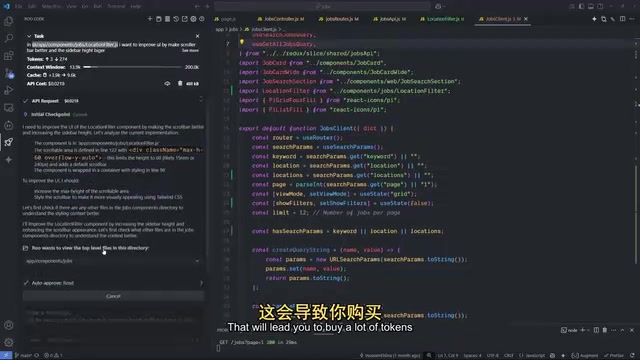
Roo Code is currently considered the most powerful coding assistant in the VS Code ecosystem, with flexibility that far surpasses its competitors. It originally forked from Cline but took an aggressively customizable direction.
Its core strength is near-total control. You can connect to virtually any model — OpenAI, Google, DeepSeekAd, open-source models, even locally running models. You can also directly modify the base system prompt, and create custom prompts for different languages like JavaScript, Java, Go, or C++, or for specific projects.
On the tooling side, it offers full capabilities: reading, writing, and creating files, plus terminal access to execute commands. A recently added to-do list feature lets the AI automatically break tasks into checklists and proactively ask users questions mid-task — a mechanism believed to effectively reduce AI hallucinations. It also supports customizable codebase indexing, letting you choose your own embedding provider and vector database for semantic code search.
The standout feature is its Orchestrator mode (previously called Boomerang mode). Think of it as a senior developer who breaks large tasks into smaller ones and delegates them to specialized sub-modes: switching to coding mode when writing code, debug mode when troubleshooting, with each mode returning a summary of its work to the Orchestrator upon completion. Combined with the Profiles feature, you can assign different models to different modes — for example, using a reasoning model like Sonnet 4.5 or Gemini 2.5 Pro for orchestration, and a lighter model for routine coding.
Its critical weakness is insane token consumption. Since you need to bring your own API keys (e.g., creating an account on the Anthropic console to generate a key), all costs fall on you. The reviewer candidly shared that last month, working on a moderately complex project, total spending came to nearly $150 — with Claude alone burning $50, not counting Gemini. Even with strict task control and tweaked prompts, it devours tokens at a relentless pace. An official team plan has since launched, supporting cloud-based agents for PR reviews.
Bottom line: Roo Code is the most flexible and capable extension in VS Code, but its token costs make it a poor fit for budget-conscious users.
GitHub Copilot: Best Value, Great for Getting Started
GitHub Copilot's reputation has made a dramatic turnaround. The reviewer was blunt: the early version was "basically trash" — the agent mode was so bad they uninstalled it after half an hour. But over the past few months, with the addition of models like Sonnet and Gemini and a rebuilt agent mode, performance has improved enormously.
Today, its biggest value proposition is cost predictability and high-quality autocomplete. When using strong models like Claude, Gemini Pro, Sonnet, or the GPT family, you never have to worry about token consumption — you're paying for the subscription, and the backend integration is handled by GitHub.
Pricing: the free tier offers limited model access (e.g., GPT-4.1); the paid entry plan is around $10/month; a higher tier runs around $39–40/month with 6× more premium requests than the base plan. The reviewer noted they haven't hit a point where they needed to upgrade.
Feature-wise, it covers the essentials: reading, writing, creating, and code execution, plus high-quality search over your own codebase, along with access to public code on GitHub — which is extremely valuable for testing scenarios. It also supports custom tools and terminal control, though not at the flexibility level of Roo Code.
For beginners, Copilot is the top recommended starting point: use the free tier for a month, then decide whether to subscribe at the end — almost zero risk.
Cline and Kilo Code: Balance and Evolution
Cline is the "ancestor" of them all — it gave every coding assistant the best starting point available today. The reviewer considers Cline ahead of its time when it launched, as if built by a developer who truly understood how AI should be integrated into VS Code.
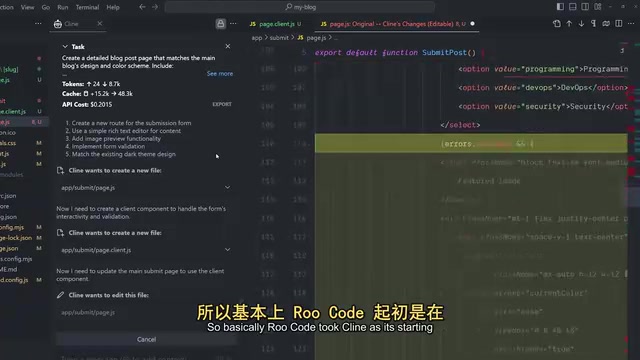
Roo Code forked from Cline but went the extreme-flexibility route. Cline, by contrast, took a middle road: flexible enough for you to control what you want, without going to Roo Code's extremes, and with noticeably gentler token consumption. It also requires your own API keys, but somehow doesn't demand much attention to costs in practice. Pricing is similarly in the $10 range. Cline is also known for supporting open-source models — for instance, adapting its internal system to work well with models like GLM-4.6 from Zhipu AI, making them play nicely with agent and coding environments. The reviewer believes this "flexible but not overwhelming" balance is exactly what beginners need.
Kilo Code is described as "Cline's grandchild." It combines Roo Code's advanced capabilities with Cline's clean, beginner-friendly interface — merging the accessibility of Cline with the power of Roo Code.
Its growth has been staggering. It claims to be the fastest-growing coding extension in the world, ranking #1 on OpenRouter, with around 500,000 users consuming approximately 490 trillion tokens per month. The team only launched in April and began rapid growth in August. Kilo takes Roo Code's Orchestrator concept (originally Boomerang mode) and improves on it — reportedly producing fewer hallucinations when using the same models. Like the others, it requires your own API keys. For someone new to coding assistants, Kilo Code is essentially getting the best of both Cline and Roo Code.
Augment Code: The Most Feature-Complete Premium Option
Augment Code is the last — and most expensive — entry on the list. The reviewer has a complicated history with it: a previous video sent its user count skyrocketing, prompting the team to switch from a free unlimited plan to a waitlist model within 24 hours.
Despite that drama, it's still recommended, because it's the most feature-rich and polished extension in the bunch — it feels like someone packed the best features from Cursor and other great editors into VS Code.
It includes autocomplete, agent mode, CLI integration, MCP and native tools, and one of the best context engines the reviewer has seen — just scanning a project lets it understand the entire codebase. The direct benefit is fewer hallucinations in AI-generated code, less messy output, and saved time.
The trade-off is pricing: the better plan is $60/month (with generous quotas); the entry-level Indie Developer plan is $20/month. If your coding budget is under $60/month, the reviewer doesn't recommend it — but if you're running large projects and want the highest quality output, this is built for you.
Two Honorable Mentions and Final Recommendations
For users who prefer specific vendor models, two additional options worth mentioning:
- OpenAI Codex Agent: If you have a ChatGPT subscription, you can install and use it in VS Code. With GPT-5 available, it's considered a fairly impressive coding model right now.
- Gemini CLI Companion: If you're a die-hard Gemini fan, this new CLI is recommended over the official Gemini Code Assist (which the reviewer rates as one of the worst assistants). The CLI Companion isn't as polished as Roo Code or Kilo, but performs well as a mid-tier tool — and it's open source.

Final recommendations, tiered by budget:
- Beginners / tight budget: Start with GitHub Copilot — great value, low risk.
- Some budget + want flexibility: Roo Code or Cline are both excellent; Kilo Code is the exciting new contender.
- Maximalists with budget to match: Augment Code's premium plan.
A note of caution: these assessments reflect one reviewer's personal experience. Token consumption figures and user growth numbers are also sourced from their account. Actual results will vary based on project complexity and usage habits — try free tiers before committing.
Related articles

Apple Finally Launches a Touchscreen MacBook, But Touch Isn't the Point
Apple launches its first touchscreen MacBook Pro, but touch isn't the core selling point. The Vergecast digs into why Apple did it now, what macOS interaction changes were made, how touch-optimized apps actually feel, and the real challenges around pricing and the product line.

Agentic Engineering with Claude Code and Android CLI
Google's Android team shares how to do agentic engineering with Claude Code and Android CLI: build the right environment, keep context around 150K tokens, inject info precisely via hooks and skills, and use layered verification loops to raise benchmark pass rates from 22% to 90%.

XR Accessibility Design in Practice: Alchemy Labs' Rules for Inclusive Spatial Experiences
Alchemy Labs UX lead Jasmine Cano shares practical XR accessibility design lessons: strategies for four disability types, small-body mode, snap turning, environmental read-aloud, beam stabilization, and more.