90,000 MCP Servers — How Do You Choose? This Curated List Saves You the Headache

Awesome MCP Servers curates 4,200 picks across 57 categories to help you navigate 90,000+ MCP Servers.
The MCP ecosystem has surpassed 90,000 registered servers, making selection increasingly costly. Awesome MCP Servers — a community-curated list with ~95,000 stars — cuts through the noise by featuring 4,200+ servers organized into 57 categories, with each entry annotated for language, official status, and deployment environment. The three-step workflow: match your use case to a category, filter by official badge, language, and star count, then install via the repo's README. A real-world example shows connecting Claude Code to GitHub takes under 10 minutes using this approach.
Setting up an MCP Server for your AI Agent is like wandering a hardware market at midnight searching for one specific screw — thousands of stalls, no idea which ones are legit. You install A, it crashes after ten minutes. You switch to B, only to discover the repo hasn't been touched in years. When the MCP ecosystem swells past 90,000 servers, just picking the right one becomes a problem in itself.
The "annotated category map" introduced in this article — Awesome MCP Servers — might be exactly what rescues you from that needle-in-a-haystack search.
How Fast Is the MCP Ecosystem Growing?
MCP (Model Context Protocol) is the standard protocol that lets AI Agents connect to external tools and data sources. Its growth has outpaced most people's expectations: the Glamour registry alone has over 90,000 registered servers.
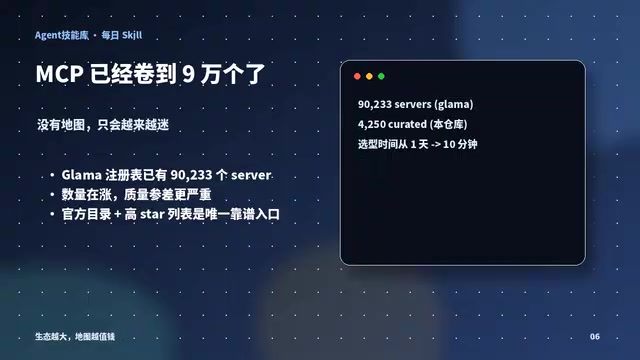
The direct consequence of this explosion is that selection costs have skyrocketed. A single function might have dozens or even hundreds of implementations, with wildly varying quality: some are mature, actively maintained official projects with thousands of stars, while others are "zombie repos" — long abandoned, with outdated dependencies. Without any filtering mechanism, every selection decision is basically a coin flip. That's exactly the value a curated list provides — it turns a lottery into a guided search.
MCP (Model Context Protocol) was proposed and open-sourced by Anthropic in late 2024. Its design goal is to establish a unified "plug standard" between AI models and external systems. Before MCP, every AI application that needed to call external tools — search engines, databases, code execution environments — required developers to build their own proprietary integration layer from scratch, resulting in enormous duplicated effort. MCP standardizes this process: the Server side encapsulates a specific capability (such as reading/writing files or calling an API), while the Client side (typically an MCP-compatible AI client like Claude Desktop or Cursor) discovers and calls these capabilities according to the protocol — no custom glue code required on either end. This "package once, use everywhere" characteristic is the fundamental reason MCP Server numbers have exploded in such a short time. For developers, publishing an MCP Server has an extremely low barrier to entry; for users, installation costs are minimal.
What Is Awesome MCP Servers?
Awesome MCP Servers is a curated MCP Server list with approximately 95,000 stars. It selects over 4,200 servers from the broader ecosystem and organizes them neatly into 57 categories — covering everything from browser automation and databases to finance and knowledge management.
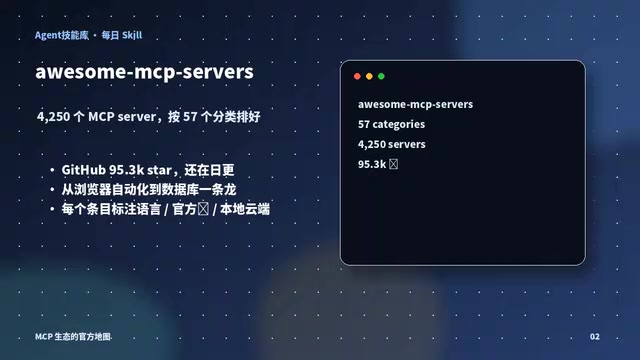
The most practical feature of the list is the metadata annotations on each entry: the development language is indicated with an icon, official projects are marked with a distinctive badge (think a distinguished military medal), and each entry specifies whether it runs locally or in the cloud. These labels let you assess reliability at a glance, without having to click into every single repository.
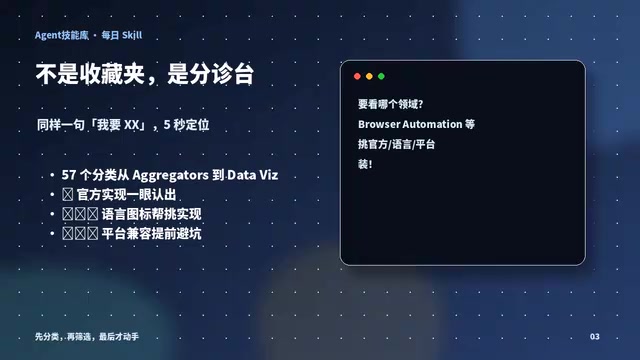
For example, the Databases category alone has 142 candidates. Official implementations are clearly badged, and combined with language icons and star counts, you can lock onto your target in minutes — no more trial-and-error across thousands of repos.
The meaning of the "official" badge in this list deserves special attention. In the MCP ecosystem, "official" typically means the server is maintained by the engineering team of the service being integrated — not a third-party developer's recreation. For example, the GitHub MCP Server is published by GitHub's own engineering team, meaning it stays in sync with GitHub API changes, its permission model aligns with official documentation, and there's an official channel to report issues. Community implementations, while sometimes richer in features or easier to spin up, can go dark at any moment if the original author abandons the project. When making a selection decision, the official badge serves as a proxy for "stability and long-term support." All else being equal, choosing the official version significantly reduces the chance of running into problems down the road.
Three Steps to Select and Install
The logic for using this list is straightforward and can be summarized in three steps.
Step 1: Navigate by Use Case
Start by clarifying what you want your Agent to do. Want to control a browser? Head straight to the Browser Automation category. Need to connect to a database? Go to Databases. The use-case-driven category structure means you're never browsing aimlessly.
Step 2: Filter by Metadata
Once inside a category, use three dimensions to quickly narrow down candidates: official badge, programming language, and star count. With these three filters combined, you can typically go from hundreds of options to the best fit in just a few minutes.
Step 3: Install into Your Client
Once you've locked on your target, follow the repo's README to install it into your Agent client (such as Claude Code). Most servers can be started with a single npx command — configure the corresponding API token, and your Agent is ready to call it.
A Real-World Example: Letting Your Agent Operate GitHub
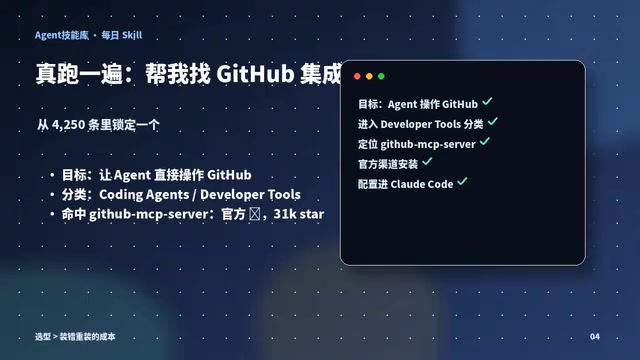
Take "letting your Agent directly operate GitHub" as an example. The entire process takes about 10 minutes:
- Go to the Developer Tools category and search for GitHub.
- Spot the official GitHub MCP Server right away — badged as official, with over 30,000 stars.
- Follow the official link to install it into Claude Code and configure your token.
- Your Agent can now edit code and submit PRs.
From opening the list to having it running — ten minutes, start to finish. That kind of predictability is the biggest advantage a curated list has over blind selection.
Why This Matters Right Now
The MCP ecosystem is still expanding rapidly, and server counts will only keep climbing. Without a filtered map to navigate by, the time and trial-and-error costs of selection will scale right along with the ecosystem.
This list of 4,200+ entries is essentially the community doing the initial screening work for you — turning a lottery into an informed decision. As the original video put it: picking the right server often saves you not just 10 minutes, but an entire evening of debugging.
If you're stuck deciding which MCP Server to configure for your Agent, start with a visit to Awesome MCP Servers. Work through those three steps — by use case, by badge, by star count — and you'll almost certainly avoid a whole lot of pain.
Related articles

OpenAI Partners with Shield: How the Astra Agent Revolutionizes IT Troubleshooting
OpenAI and Shield launch the Astra agent, which autonomously logs into computers and legacy systems to fix IT issues in real time, 35-40% faster than traditional models, with humans involved only when judgment is needed.

iPhone Duo Battery Life Tested: One Charge a Day Is Unavoidable, and the Large Screen Is the Culprit
iPhone Duo battery test: heavy use needs at least one charge a day, and about 30% remains after 6.5 hours of screen-on time. How often the large screen is unfolded is key; a MagSafe battery pack helps, and long-term degradation is also worth watching.

Kimi K3.1 Pro Open-Sourced: 2.8 Trillion Parameters Close In on Opus
Moonshot releases the open-source MoE model Kimi K3.1 Pro, with 2.8T total parameters and 104B activated, trailing Opus 5.5 by under 1 point on Terminal Bench 4.0.