A Complete Guide to AI OCR for Large PDF Documents with 1000+ Pages
A practical guide to scaling AI OCR from 10 pages to 1,000+ using batching, open-source engines, and cloud services.
Processing OCR on large scanned PDFs requires more than a powerful model — it demands an engineering approach. This guide covers four main strategies: batched LLM API calls (e.g., Gemini), open-source engines like Tesseract and PaddleOCR, cloud services like AWS Textract, and specialized document models like Nougat. It explains token limits, DPI best practices, checkpoint/resume design, and how to balance accuracy, cost, and speed at scale.
The Problem: When OCR Meets Thousand-Page Documents
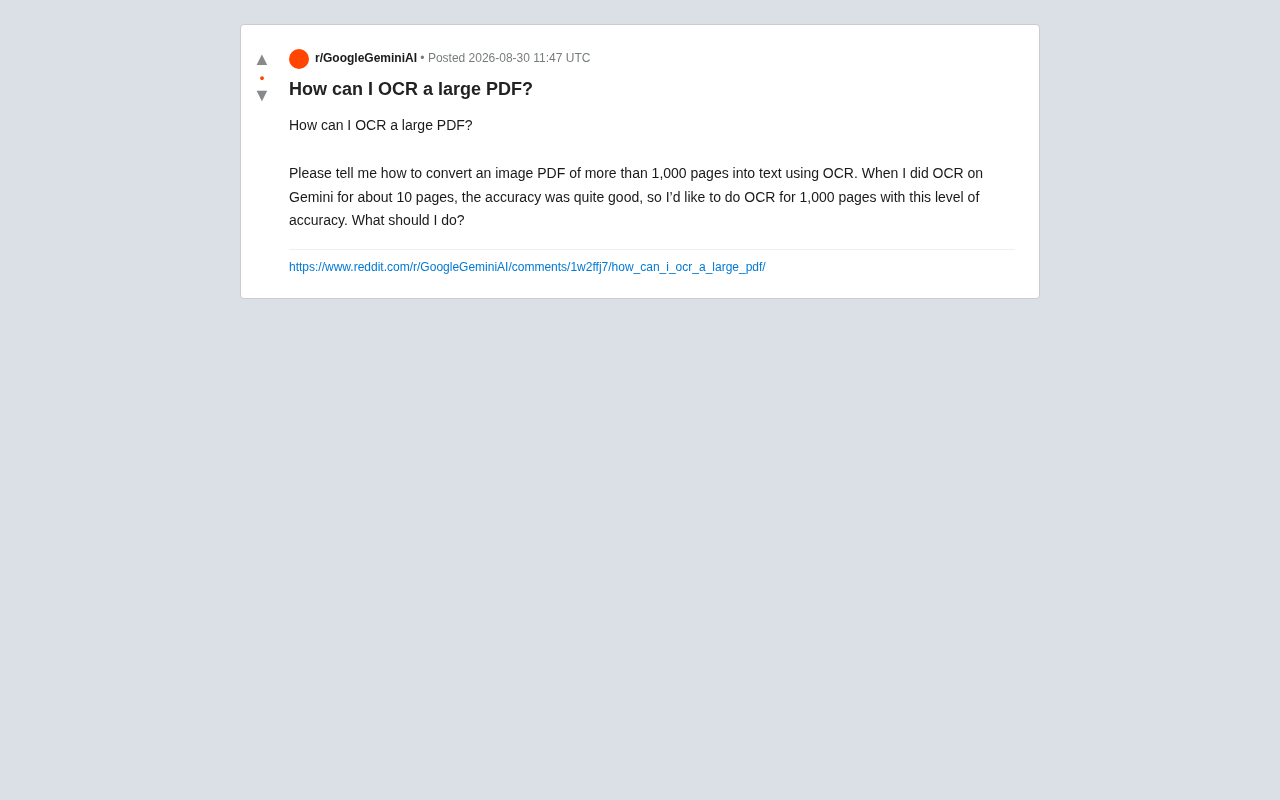
In today's digital transformation landscape, converting scanned PDFs (image-based PDFs) into editable text is a common but tricky requirement. A Reddit user raised a representative question: they had great results using Gemini for OCR on a ~10-page image PDF, but when the document scaled to 1,000+ pages, how could they maintain the same level of accuracy?
OCR Technology: Background and Evolution
OCR (Optical Character Recognition) is a technology that converts text in images into editable content. Traditional OCR relied on template matching and feature extraction, requiring strict font and layout consistency. In recent years, deep learning has revolutionized the field: convolutional neural networks (CNNs) can automatically learn character features, while recurrent neural networks (RNNs) and attention mechanisms handle irregular text layouts. The rise of large language models has brought a qualitative leap — they don't just recognize characters, they understand contextual semantics, auto-correct recognition errors, and even parse document structure. This is why multimodal models like Gemini excel at complex documents, but it also introduces new challenges around computational cost and processing scale.
This highlights the core tension in large-scale document processing: LLMs offer powerful OCR capabilities, but are constrained by context windows, API costs, and processing stability. Success at small scale rarely translates directly to thousand-page workloads. Below is a systematic overview of the technical approaches and best practices for large-scale PDF OCR.
Why You Can't Just Feed 1,000 Pages to an AI Model
Context Windows and Token Limits
Even models like Gemini that support long contexts can't realistically process a 1,000-page image PDF in a single call. Each scanned page, once converted into model-processable input, consumes a large number of tokens. The output text is equally bound by token limits. Submitting everything at once risks truncated output at best, and outright errors at worst.
How Tokens Work
Tokens are the basic unit LLMs use to process text — think of them as word fragments or subwords. In English, one token is roughly 0.75 words; in Chinese, one character typically maps to 1–2 tokens. Image input adds more complexity: in multimodal models, an image is encoded into a fixed number of visual tokens, usually in the hundreds to thousands. For Gemini, a high-resolution scanned page can consume 2,000–5,000 tokens. The model's context window (e.g., 128K or 1M tokens) caps the total information that can be processed in a single call. A 1,000-page PDF requiring millions of tokens will inevitably exceed that limit. More importantly, tokens directly drive cost: most APIs charge separately for input and output tokens, and at scale the bill can easily reach hundreds of dollars.
Stability and Cost
Long-running, high-volume single requests are prone to timeouts and dropped connections. If the job fails midway, all prior work is lost. On top of that, vision-multimodal API calls are typically billed per input image and output text, so a single failed retry on a 1,000-page job can waste significant money.
For all these reasons, batching is the first principle of large-scale PDF OCR.
Four Main Technical Approaches
Approach 1: Page-by-Page Script + LLM API (Preserving Gemini-Level Accuracy)
Since the user has already validated Gemini's accuracy at small scale, the most straightforward path is writing an automation script that splits the large PDF and calls the API in batches. The core workflow:
- Split the PDF into high-resolution images: Use
PyMuPDF(fitz) orpdf2imageto convert each page to a high-res image (300 DPI or above is recommended for reliable recognition quality). - Call the Gemini API in batches: Process 5–10 pages per batch — consistent with the scale the user already tested successfully — to reproduce the same accuracy.
- Implement checkpoint/resume: Keep a processing log for each batch and write results to disk in real time. If the job fails, it can resume from the last checkpoint rather than starting over.
- Merge results in page order: Once all batches complete, concatenate the output in page sequence to produce the full text.
About PyMuPDF
PyMuPDF (imported as fitz) is one of the most powerful PDF processing libraries in Python, built on the high-performance MuPDF engine. Beyond reading PDF text, it lets you programmatically control PDF rendering with precision — specifying DPI to convert pages to images, extracting images, annotations, and metadata, and more. Compared to PDFMiner, which focuses on text extraction, PyMuPDF's strength is handling image-based PDFs: it renders every page as a high-quality PNG or JPEG, giving downstream OCR clean input. Its API is clean and concise — doc[i:j] gives you a page slice — making it ideal for batch processing pipelines. For large documents, PyMuPDF also manages memory efficiently and won't crash on oversized files.
import fitz  # PyMuPDF

doc = fitz.open("large.pdf")
for i in range(0, len(doc), 5):
    batch = doc[i:i+5]
    # Render each page to an image and call the Gemini API
    # Save results and record progress
The biggest advantage of this approach is reproducible, controllable accuracy — it's essentially running the already-validated 10-page workflow 200 times over.
Approach 2: Open-Source OCR Engines (Lower Cost, Faster)
If cost is a concern or you don't need LLM-level semantic understanding, traditional and modern OCR engines are often more efficient:
- Tesseract: Free and open-source, supports 100+ languages, ideal for cleanly printed documents. Paired with the
ocrmypdftool, it can add a searchable text layer directly to a PDF. - PaddleOCR: An open-source OCR toolkit from Baidu, with excellent Chinese recognition, batch processing support, and an active community.
About Tesseract
Tesseract was originally developed by HP in 1985 and is now maintained by Google. It's the most widely used open-source OCR engine in the world. Built on an LSTM (Long Short-Term Memory) neural network, it supports 100+ languages with continuously updated training data. Tesseract's biggest advantage is that it's completely free and runs offline — no data privacy concerns, no API costs. ocrmypdf is a Python wrapper around Tesseract specifically designed to add a hidden text layer to scanned PDFs, so the output preserves the original image while making the text searchable and copyable. For cleanly printed, well-formatted documents, Tesseract can achieve 95%+ accuracy. Its weakness is limited ability to handle low-quality scans, handwriting, and complex layouts.
For a standard 1,000-page document, a single command — ocrmypdf large.pdf output.pdf — handles everything, with native support for large files.
Approach 3: Cloud OCR Services (Balancing Accuracy and Scale)
All major cloud providers offer OCR capabilities designed for large-scale document processing:
- Google Cloud Vision
- AWS Textract
- Azure Document Intelligence
Cloud OCR Architecture
Cloud OCR services use distributed computing architectures built for enterprise-scale document processing. Services like Google Cloud Vision and AWS Textract run on hundreds of GPU servers processing documents in parallel — a single document is automatically split into segments and processed simultaneously. They go beyond character recognition, using computer vision for layout analysis: identifying the positional relationships between headings, paragraphs, tables, and images to restore the logical structure of a document. Textract in particular focuses on form and table data extraction, with automatic key-value pair recognition. These services charge per page (typically $0.0015–$0.005/page) and provide RESTful APIs and SDKs with async batch processing and result callbacks. For enterprise users, the biggest benefit of cloud OCR is skipping infrastructure setup entirely and getting access to mature models trained on billions of documents.
These services have built-in pagination and concurrency, with stronger table and layout restoration — especially well-suited for business documents with complex formatting.
Approach 4: Specialized Document Parsing Models
A newer class of document-specific AI models is worth considering as well: Marker, Nougat (from Meta, specialized for academic papers and formula recognition), and various open-source solutions based on vision Transformers. These excel at preserving document structure — heading hierarchies, tables, mathematical formulas — and are particularly well-suited for technically complex documents.
Vision Transformers in Document Understanding
Vision Transformers (ViT) apply the Transformer architecture from NLP to computer vision. Rather than extracting local features layer by layer like CNNs, ViT slices an image into patches (e.g., 16×16 pixel blocks) and uses self-attention to model global relationships directly. For document processing, this delivers clear advantages: the model can attend to different regions of a page simultaneously, understanding the hierarchy between headings and body text, and the correspondence between figures and their captions. Document-specific models like LayoutLM and Donut are built on ViT architectures, combining text embeddings with spatial position encoding for end-to-end document understanding. Nougat (Neural Optical Understanding for Academic Documents) is specifically designed for academic papers — it accurately recognizes LaTeX formulas, citation formats, and complex tables, trained on millions of arXiv papers.
Accuracy, Cost, and Speed Comparison
Choosing an approach requires balancing three dimensions:
| Approach | Accuracy | Cost | Speed |
|---|---|---|---|
| LLM batch calls (Gemini) | High | Higher | Moderate |
| Tesseract / PaddleOCR | Medium-High | Free | Fast |
| Cloud OCR services | High | Moderate | Fast |
| Specialized document models | High (great structure) | Low (local deployment) | Moderate |
For cases where Gemini accuracy has already been validated, Approach 1 is the most direct choice. But if budget is tight, it's worth running PaddleOCR or a cloud OCR service first and checking whether the accuracy is acceptable — you can often get 90%+ satisfaction at very low cost.
Practical Recommendations for Large-Scale PDF OCR
-
Test with your hardest pages first: Pick a few of the most difficult pages — blurry scans, handwriting, complex tables — and run each approach on them. Find the best solution before processing the full document.
-
Maximize input image quality: OCR accuracy is highly dependent on input image clarity. Always render pages at 300 DPI or above when splitting the PDF.
DPI and Image Quality
DPI (Dots Per Inch) determines how detailed a digital image is. When scanning documents: 72 DPI works for screen reading but loses significant detail; 150 DPI is the fax standard but still suboptimal for OCR; 300 DPI is the gold standard for print and OCR, reproducing small fonts and fine lines clearly; 600 DPI is used for archival scanning. When converting a PDF to images, the DPI setting directly affects render quality: rendering an A4 page at 300 DPI produces an image of roughly 2480×3508 pixels at 1–3 MB. Higher DPI improves recognition but exponentially increases processing time and storage. In practice, find the balance: 300 DPI is sufficient for cleanly printed modern documents; old scans or newspapers may need 400–600 DPI; beyond 600 DPI, marginal gains for OCR are minimal. On color: grayscale images (8-bit) are 50% smaller than color images without affecting text recognition.
- Build robust error handling and logging: Thousand-page jobs take a long time. Solid checkpoint/resume logic and detailed logs prevent catastrophic restarts from scratch.
Designing a Checkpoint/Resume System
Checkpoint/resume is a critical fault-tolerance mechanism for large-scale data processing. The core idea is to break the task into independent small units and persistently record each unit's processing state. A typical implementation includes: 1) a state file tracking completed page ranges (e.g., a JSON file or SQLite database); 2) idempotent design ensuring that re-running a batch produces no duplicates; 3) atomic writes — write results to a temp file first, then update state and rename to the final file on success; 4) periodic checkpoints, saving progress every N batches. In Python, file locks (fcntl) prevent conflicts between parallel processes. For cloud API calls, you also need to handle network timeouts and rate limiting, implementing exponential backoff retry logic. A robust checkpoint system can push the success rate of a thousand-page job from around 50% to over 99%.
- Post-process OCR output: Regardless of which approach you choose, running spell-check or regex-based cleaning on the recognized text will further improve usability.
Summary
Handling OCR for large PDFs isn't solved by simply using a more powerful model — it's an engineering decomposition problem. Breaking a thousand-page task into reproducible, resumable small batches is the key to accuracy and stability. Whether you choose an LLM API, an open-source engine, or a cloud service, the core logic is the same: take the validated small-scale workflow and reliably scale it up with automation.
Key Takeaways
Related articles

A New Paradigm for Text Editing in Compose: TextFieldState Replaces the Old API
Jetpack Compose introduces the TextFieldState API to fix dropped characters and cursor jumps from async input. The old value/onValueChange callbacks will be deprecated in 1.13. This article covers InputTransformation, OutputTransformation, four state hoisting patterns, and new formatted text editing capabilities.

Remote Compose: A New Document-Driven Paradigm for Cross-Platform UI on Android
Remote Compose transmits compact binary documents instead of screen pixels, enabling efficient UI rendering on remote surfaces like Wear OS and widgets. This article covers its document creation API, expression animations, size optimization techniques, and Wear OS progress.

How Crashlytics Eliminates Android Memory and Responsiveness Issues
Through the Chroma Clip case study, this article explains how Firebase Crashlytics uses Application Exit Info, Profiling Manager, GWP ASAN, and ARM MTE to pinpoint ANRs, OOMs, memory limit terminations, and native memory corruption—solving the challenge of stack traces that don't point to the real culprit.