AI Coding for Absolute Beginners: A Guide to Cursor and Its Best Budget Alternatives

A beginner's guide to Cursor and its best budget alternatives for AI-assisted coding.
This article explains how AI code editors like Cursor lower the barrier to programming for absolute beginners, covering three key features: natural language code generation, context-aware Q&A, and intelligent autocomplete. It also compares two budget-friendly alternatives — the free international version of Trae (with Claude access) and Windsurf at $15/month — helping beginners choose the right tool for their needs and budget.
Why Beginners Can Code with AI — No Experience Required
Programming used to have a clear barrier to entry: you needed to master syntax, understand logic, and memorize countless API calls. Today, as AI code editors mature, that barrier is being significantly lowered. The core technology behind these tools is large language models (LLMs) — especially models trained extensively on code, such as OpenAI's Codex, Anthropic's Claude, and Meta's Code Llama. Pre-trained on hundreds of billions of lines of open-source code, these models understand the semantic structure of code, common design patterns, and programming paradigms across languages. This is fundamentally different from the static rule-based autocomplete tools of the past. For complete beginners with no technical background, the right tools can dramatically shorten the journey from "can't read code" to "can build small projects independently."
This article walks through how beginners should choose an AI coding tool and why Cursor has become the go-to starting point. The key takeaway: the value of AI coding isn't that it "builds" code for you — it's that it lets you express your intent in plain language, shifting your focus from syntax details to the actual logic of what you're building.
Cursor: An AI Code Editor Built for Productivity
Cursor is a code editor with AI capabilities deeply integrated into the editing experience — not just a plugin bolted on top. Compared to traditional IDEs, it offers three standout advantages for beginners.
Natural Language Programming: Describe What You Want, Get Code Back
The most powerful feature: you can describe what you want to build in plain English (or any language), and the AI generates the corresponding code. This means beginners don't have to finish a syntax textbook before getting started — they can learn by doing, seeing results first and then understanding why the code works the way it does. Behind this capability is the Transformer architecture, which gives large models genuine semantic understanding. It's not doing simple keyword matching — it understands the business intent behind your description and maps it to the appropriate code structure and design patterns.
Context-Aware Q&A: Answers Based on Your Actual Project
When you hit a bug or can't understand a piece of code, you can ask questions directly inside the editor without constantly switching to external tools like ChatGPT. The key difference: Cursor understands the context of your entire codebase, so its answers are grounded in your actual project — not generic advice disconnected from your situation. This makes debugging dramatically more efficient.
The technology behind this context awareness is an architecture called RAG (Retrieval-Augmented Generation). Cursor builds a vector index of your entire codebase. When you ask a question, the system first retrieves the most relevant code snippets, then injects them as context into the prompt sent to the language model. The fundamental difference from asking ChatGPT directly: ChatGPT can only work with whatever code you manually paste in, while Cursor automatically locates cross-file dependencies, function definitions, and data structures throughout your project — giving you answers that are genuinely tailored to your specific codebase.
Intelligent Autocomplete: Focus on Logic, Not Syntax
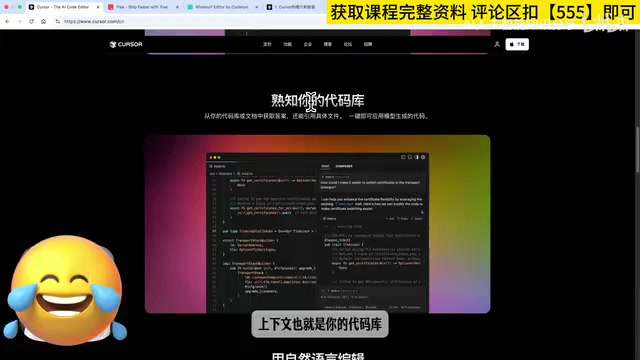
Tab autocomplete is especially beginner-friendly — it lets you focus on "how should this logic flow" rather than getting tripped up on semicolons, brackets, or variable naming. This feature is powered by a small, specially optimized model trained using the Fill-in-the-Middle (FIM) paradigm — the model receives code both before and after the cursor as input and predicts what should go in between, making it more accurate at understanding developer intent. Cursor's autocomplete also uses a "ghost text" interaction design: predicted content appears in gray, press Tab to accept, press Esc to reject. This low-friction approach lets beginners get syntax help without breaking their train of thought. Worth noting: absolute beginners may actually use Tab autocomplete less frequently — most of the time, they'll rely on natural language conversation to move projects forward.
Installation and Pricing: Try It Free for Two Weeks First
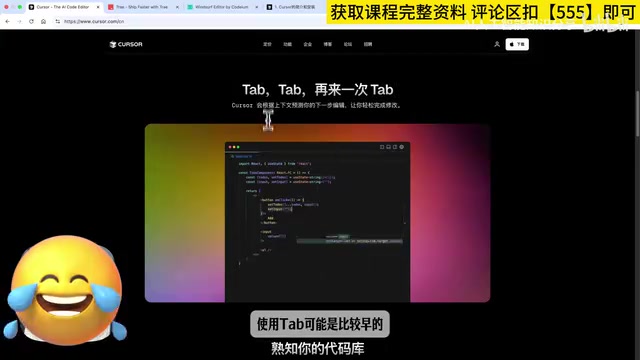
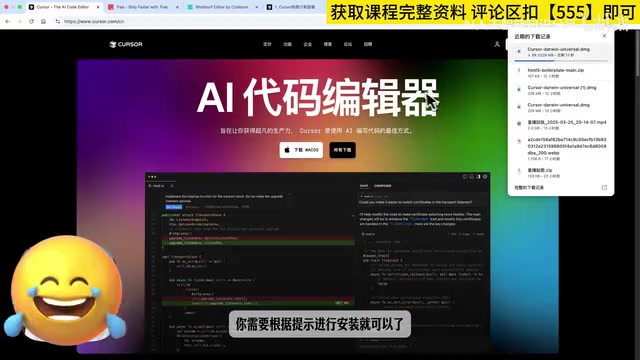
Installing Cursor has virtually no technical barrier. Go to the official website, click the download button in the top right corner, let the system auto-detect your version, and follow the prompts.
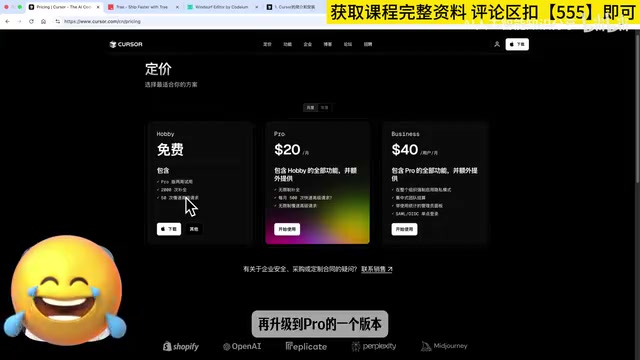
For feature coverage, most tutorials use Cursor Pro, since it unlocks the full range of AI capabilities. The good news: new users get a two-week free Pro trial.
The practical advice for beginners: use the full two-week free trial, experience firsthand whether it actually helps you, and then decide whether to upgrade to the $20/month paid plan. This "try before you buy" approach helps you avoid paying for features you won't actually use.
Two Budget-Friendly Alternatives: Trae and Windsurf
If $20/month feels steep, these two tools can also meet the needs of beginners.
Trae (International Version): Top-Tier Models for Free
The first option is Trae, built by ByteDance. It's important to use the international version (Trae.ai) — only the international version can access high-quality models like Claude, making the overall experience far superior to the domestic Chinese version. The international version is currently completely free, making it an exceptional value.
Claude is a large language model developed by AI safety company Anthropic, and it excels at code generation, long-context understanding, and instruction following. Its latest versions (such as Claude 3.5 Sonnet) are competitive with GPT-4o on multiple coding benchmarks and outperform it on certain code tasks. The core difference between Trae's domestic and international versions comes down to model access restrictions — the domestic version is typically limited to locally approved models, while the international version connects directly to Anthropic's and OpenAI's original APIs. This represents a meaningful gap in model capability, which matters for beginners who want the best possible experience.
In terms of feature mapping: Trae's Builder mode roughly corresponds to Cursor's Agent mode, while Chat mode corresponds to Cursor's Ask mode (targeted Q&A). Agent mode is worth highlighting — it represents the next generation of AI coding tools, a paradigm called Agentic Coding. Unlike single-turn code generation, Agent mode lets the AI autonomously plan and execute multiple steps: reading files, modifying code, running terminal commands, checking error output, and iterating based on results. For beginners, this means you can describe a fairly complex goal and let the AI handle the complete workflow from creating files to debugging — without manually breaking down every step yourself. For budget-conscious beginners who still want access to frontier model capabilities, this is a very compelling option.
Windsurf: $15/Month with Intuitive Live Preview
The second option is Windsurf, at $15/month for the Pro plan — $5 cheaper than Cursor. Its multi-file editing and website-like live preview features are quite beginner-friendly. Being able to see the visual effect of code changes in real time provides immediate feedback that helps build learning confidence.
Side-by-Side Comparison: Cursor Is Still the Best Starting Point
Overall, each of these three AI code editors has its strengths: Trae wins on being free with access to top-tier models; Windsurf wins on price and live preview experience; Cursor wins on the most comprehensive and mature AI integration.
For true beginners, Cursor remains the recommended primary tool — it offers the most beginner-friendly AI support of any editor and delivers the best onboarding experience. Once you're comfortable with the basic workflow, you can explore alternatives based on your budget and preferences — there's no rush.
More importantly, the right mindset shift: AI coding tools aren't about "not having to learn" — they make the learning curve gentler. They handle the tedious parts of memorizing syntax and repetitive work, letting you build real, functional things faster. And actually building things is the best way to stay motivated to keep learning.
Key Takeaways
Related articles

A New Paradigm for Text Editing in Compose: TextFieldState Replaces the Old API
Jetpack Compose introduces the TextFieldState API to fix dropped characters and cursor jumps from async input. The old value/onValueChange callbacks will be deprecated in 1.13. This article covers InputTransformation, OutputTransformation, four state hoisting patterns, and new formatted text editing capabilities.

Remote Compose: A New Document-Driven Paradigm for Cross-Platform UI on Android
Remote Compose transmits compact binary documents instead of screen pixels, enabling efficient UI rendering on remote surfaces like Wear OS and widgets. This article covers its document creation API, expression animations, size optimization techniques, and Wear OS progress.

How Crashlytics Eliminates Android Memory and Responsiveness Issues
Through the Chroma Clip case study, this article explains how Firebase Crashlytics uses Application Exit Info, Profiling Manager, GWP ASAN, and ARM MTE to pinpoint ANRs, OOMs, memory limit terminations, and native memory corruption—solving the challenge of stack traces that don't point to the real culprit.