AI Coding for Beginners: A Complete 4-Step Guide from Requirements to Deployment

A 4-step practical guide for beginners to go from idea to deployed product using AI coding tools.
This article systematically outlines the complete workflow for beginners building products with AI tools: start by finding a real need rather than rushing to code, then polish your PRD through multi-tool cross-validation, ensure proper project structure constraints and GitHub version control during development, and finally choose the right deployment path for Web/mini-program/App. The core takeaway is that running through the full process once matters far more than agonizing over tool choices.
In 2025, the difficulty level for a complete beginner to develop a web application or mini-program using AI tools was about 40%. By 2026, that number has dropped to 20%. The capabilities of AI coding tools are visibly improving every day, but what truly determines success has never been the tools themselves — it's whether you have a complete, actionable workflow.
This article walks you through the four core steps of AI coding — requirements, design, development, and deployment — helping you build the real ability to turn ideas into products.
Step 1: Find a Real Need — Don't Rush to Write Code
Many people immediately jump to thinking about which tools to use or what code to write, but this is actually the biggest mistake in AI coding. The first step is never writing code — it's finding a real need that actually exists.
After you build something, how many people would actually use it? How many would pay for it? Nobody wants to invest time and money into an application that will never generate returns. So before getting started, what we need is "the eye for discovering needs."
The need doesn't have to be grand. It could be a small mood-tracking tool, a habit tracker, or a simple management tool. The key is that it solves a real pain point, even if it only serves a very small group of people.

Step 2: Use Multi-Tool Cross-Validation to Perfect Your PRD
Once we've identified the need, the next task is singular: turn the requirement into engineering-ready documentation — including a PRD (Product Requirements Document), project design document, and development document.
Whether it's Claude Code, Cursor, Trae, Coder, or Cody, virtually all of them can handle 80% of the documentation work. But here's a crucial reminder: The PRD step is the foundation of the entire project, and you must learn to cross-validate with multiple tools.
How to Cross-Validate with Multiple Tools
- Generate a first draft: Use one AI tool (like Claude) to generate the PRD document
- Cross-review: Feed that document to GPT, DeepSeekAd, and other tools, having them play the role of a product manager to find problems, gaps, flaws, and suggest optimizations
- Granular comparison: Feed both documents to Claude simultaneously, asking it to do a granular-level comparison, find the optimal solution, and merge them into one final version
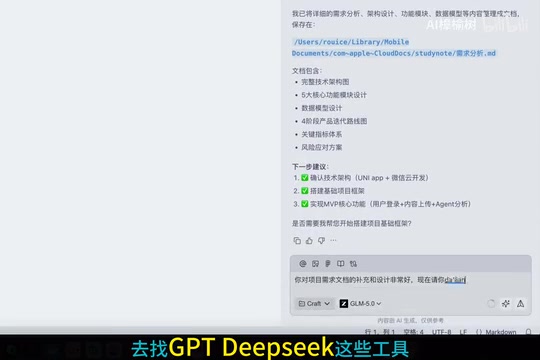
The essence of this step isn't about using multiple tools — it's about using different thinking models to help you uncover pitfalls in your plan before they become problems. The ultimate goal is: Within the design framework, have AI find as many issues as possible, then produce an optimized version.
Many people skip this step and jump straight into development, only to discover logic gaps and missing features later on. The cost of rework far exceeds spending an extra half-day polishing your documentation.
Step 3: Two Critical Details to Watch During Development
Once you enter the development phase, the project gets initialized and development begins. Given the current capabilities of AI coding tools, development itself is no longer the problem. But there are two details you must pay attention to — otherwise your project will become increasingly chaotic.
Detail 1: Set Project Structure Constraints for AI
Don't let AI tools randomly generate files. For example, once the project structure is established, you must explicitly tell it: do not generate new files in the root directory; all documents must go into designated directories.

Without this constraint, the project structure becomes increasingly messy over time, with files scattered everywhere, and eventually the entire project will "blow up." This is a pitfall many AI coding beginners have fallen into — the small effort you save early on costs ten times more to clean up later.
Detail 2: Immediately Set Up a GitHub Repository for Version Control
Once project initialization is complete, you must immediately connect to GitHub for branch management. This step might seem tedious, but the consequences of skipping it are severe: when something goes wrong during development and you want to roll back, you'll find it impossible to return to a previous correct state.
Version control is like taking snapshots of your project — every step is recorded, and you can revert at any time. For AI coding, this is especially important — because AI-generated code sometimes introduces unexpected bugs, and without version control, you're walking a tightrope.
Step 4: Three Deployment Paths to Choose From
Deployment might feel like the hardest step for many people, but it actually depends on the situation.
Web Application Deployment: The Simplest Path to Going Live
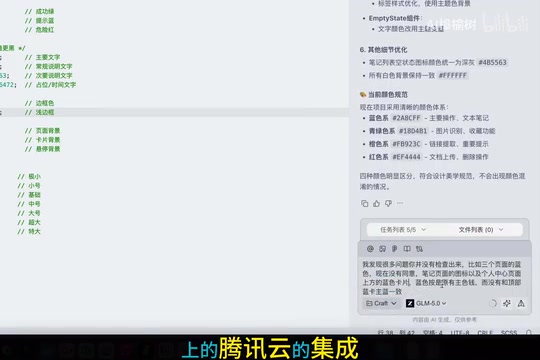
For lightweight web applications, deployment is actually the easiest part. Many AI development tools can now connect to cloud services through plugins or APIs. For example, if you want to deploy to Tencent Cloud, you can directly use the Tencent Cloud integration on Cody for one-click deployment.
Mini-Program Launch: More of a Process Issue Than a Technical One
Launching a mini-program is more of a procedural issue: registration, review, and publishing. If payment functionality is involved, you'll basically need a business entity — it's quite difficult for individual developers to complete. Of course, there are some workarounds here that you'll need to explore on your own.
App Publishing: High Freedom but High Barriers
Apps offer the most freedom, but also have the highest barriers to going live, especially for iOS. First, you must register an Apple Developer account, which costs about 600+ RMB per year. Android is relatively simpler, but still involves signing, review, and other processes.
Core Insight: Running Through the Full Process Is 100x More Important Than Choosing Tools
Looking back at these four steps:
- Step 1 solves "what to build" — requirement discovery
- Step 2 solves "how to think it through" — PRD document refinement
- Step 3 solves "how to build it" — AI-assisted development
- Step 4 solves "how to let others use it" — deployment and launch
If you want to get started with AI coding in 2026, stop spending energy on tool selection. Do one thing first: run through a complete workflow end-to-end, even if it's an extremely simple small project.
Because the gap between someone who has done it once and someone who hasn't is enormous. Once you've completed the full process once, you understand the logic of the entire AI coding workflow, and you can quickly get up to speed regardless of which tools you switch to or what projects you take on.
In 2025, we witnessed the explosion of AI coding. By 2026, the real change is no longer about how powerful the tools are — it's that ordinary people finally have a real opportunity to bring their ideas to life.
Related articles
 Tutorials
ChatGPT Plus Subscription Guide: Are GPT-5.5, image-2, and Codex Worth the Upgrade?
A detailed look at ChatGPT Plus features — GPT-5.5, image-2, and Codex — with a Plus vs Pro comparison and a complete step-by-step subscription guide for users outside the US.
 Tutorials
Harness AI Engineering in Practice: Using Claude Code to Master Enterprise-Level E-Commerce Development
Deep dive into Harness AI Engineering: master enterprise e-commerce development with Claude Code using the Rules, Skills, Wiki, and Changes framework.
 Tutorials
Cursor + Codex Dual-IDE Collaboration: A Practical Methodology for Open-Source Project Customization
A complete methodology for open-source project customization based on real-world experience, detailing the Cursor+Codex dual-IDE workflow, seven-stage process, MVP validation, and AI source code reading techniques.