AI Only Cites Competitor Pages? Use a Script to Run a Page Diff Analysis and Find Out Why

Use a script to scrape AI-cited competitor pages, compare structural features, and find and fix controllable content gaps.
The article presents a scripted method for analyzing AI citation gaps: identify prompt clusters where your brand is weak, count competitor URLs cited repeatedly, fetch raw HTML without JavaScript, extract features like word count, H2/H3 count, question-style headings, first-paragraph length, tables, numbers, and JSON-LD types, then diff them against your page. Typical gaps show cited pages are 3-5x longer, with question-style subheadings, answers up front, and more structured data. Off-site reputation and JS rendering remain blind spots.
When you measure brand share of voice, you may find that in a certain prompt cluster, a competitor keeps getting recommended and cited by AI, while your page is always missing. The intuitive next step is: what exactly is different about their page?
Most people open two browser tabs and compare visually. This article takes a different approach — using a script to automate it: scrape the URLs cited by AI engines under a specific prompt, fetch the page content the way a non-JavaScript crawler would, extract features that influence AI extraction and citation, and then output a diff against your page.
This method doesn't explain everything. Brand reputation and third-party mentions also matter, and those don't show up in page HTML. But it reliably captures the boring structural gaps — which are exactly the easiest parts to fix.
Step 1: Get the Cited URLs
Start from your stored citation records. Find the prompts where you're at a disadvantage, and count the frequency of competitor URLs being cited:
import sqlite3, json
from collections import Counter

conn = sqlite3.connect("visibility.db")
rows = conn.execute("""
    SELECT r.sources FROM run r
    JOIN prompt p ON p.id = r.prompt_id
    WHERE p.topic = ? AND r.run_date >= date('now','-28 days')
""", ("analytics-pricing",)).fetchall()

counts = Counter(u for (s,) in rows for u in json.loads(s))
competitor_urls = [u for u, n in counts.most_common(10) if "acmeanalytics.com" not in u]
Pick the top 3 to 5 cited URLs. Pages cited across multiple runs and multiple engines are signal; URLs cited only once are noise.
Why Choose URLs Cited Multiple Times
Citations that appear repeatedly across engines and run cycles indicate that the page has stable relevance in the retrieval system, not an accidental match. That stability itself is a feature worth studying.
Step 2: Fetch with a Simple Crawler
Fetch the raw HTML the way you would without JavaScript rendering. If the page content requires JS to display, that itself is a finding:
import requests

UA = "Mozilla/5.0 (compatible; page-diff/0.1; +https://example.com/bot)"

def fetch(url: str) -> str:
    r = requests.get(url, headers={"User-Agent": UA}, timeout=20)
    r.raise_for_status()
    return r.text
Use an honest User-Agent and keep request volume tiny. You're reading a handful of public pages, not doing a site-wide crawl.
Step 3: Extract Features That Influence AI Citation
Retrieval systems split pages into paragraphs, embed them as vectors, and then pull the best-matching chunks into the model context. So the features worth measuring are: whether there are clean, self-contained answer paragraphs, and whether facts are machine-readable.
The core features the script extracts include:
- Word count: plain-text word count of the main content area
- H2/H3 count: the segmentation density of the page structure
- Question-style heading count: headings that start with question words like how/what/why
- Median first-paragraph word count: the median word count of the first paragraph under each H2 (a measure of getting straight to the point)
- Table and list count: how structured data is presented
- Concrete number count: numeric values, percentages, dollar amounts, etc. appearing in the text
- JSON-LD types: schema types in structured data
- Whether there's an author and date: authority signals
- Outbound link count: references to external sources
Each feature is a proxy metric, and some are crude. That's fine — we're doing horizontal comparisons between pages, not absolute scoring.
What Is JSON-LD
JSON-LD (JavaScript Object Notation for Linked Data) is a format for embedding structured data in a web page, usually placed inside a <script type="application/ld+json"> tag. It uses key-value pairs to declare to search engines and AI systems "what is on the page" — for example, this is a FAQPage (containing a set of Q&A pairs), a Product (with price, rating, inventory), an Article (with author, publish date) — rather than making the model guess from scattered HTML text.
For AI retrieval systems, the value of JSON-LD is turning facts into machine-readable fields. When the model needs to answer "how much does this tool cost" or "is there a free version," a page with Product/Offer schema can directly provide a structured answer, whereas a plain-text page requires the model to extract it itself, which may be wrong or incomplete. This is also an important reason why competitor pages in the article are more likely to be cited when the jsonld_types column shows multiple types like [FAQPage, Organization, Product].
Step 4: Output the Diff Comparison
Aggregate the features of all URLs into a DataFrame for comparison:
import pandas as pd

ours = "https://acmeanalytics.com/pricing"
table = {url: features(fetch(url)) for url in [ours, *competitor_urls[:4]]}
df = pd.DataFrame(table).T
df.index = ["OURS"] + [f"C{i}" for i in range(1, len(df))]
print(df.to_string())
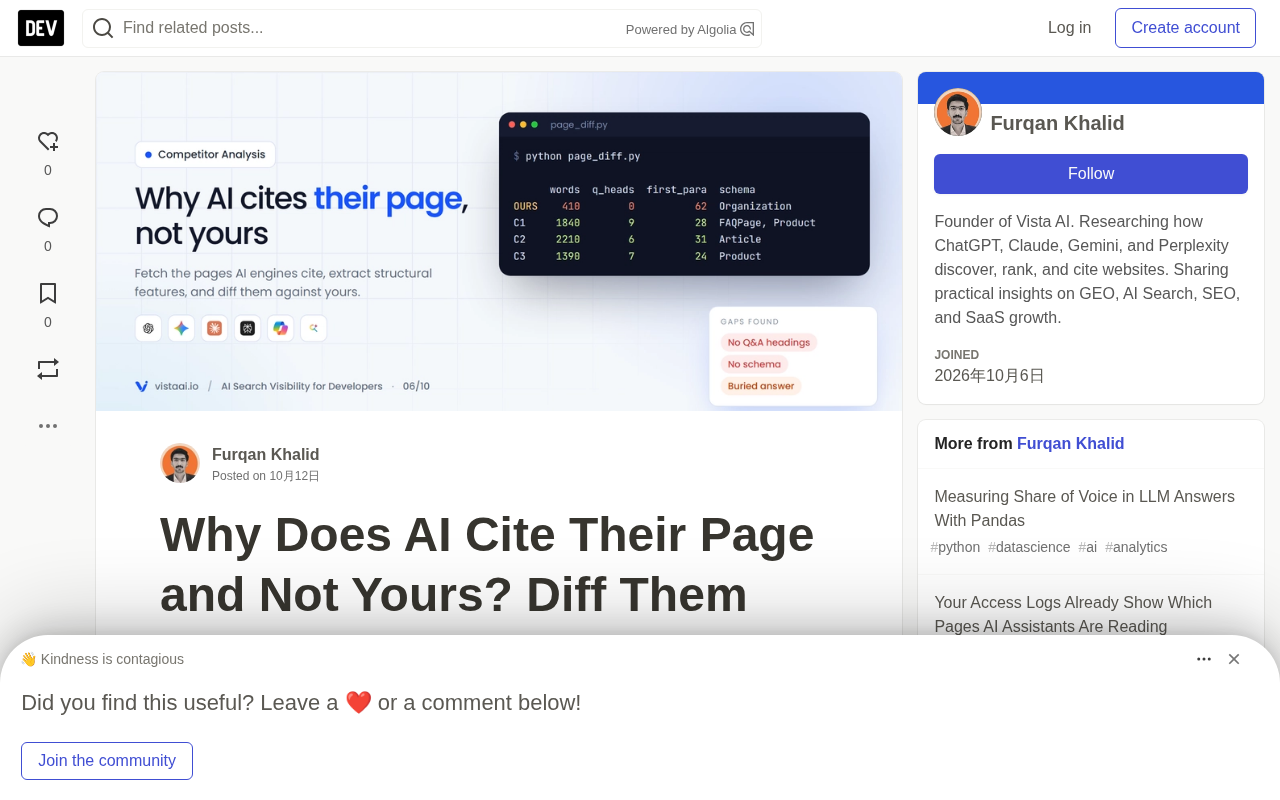
A typical output diff immediately makes the problem obvious:
      words h2_h3 question_headings median_first_para_words tables lists numbers jsonld_types                     has_author has_date
OURS    410     4                 0                      62      0     2      11 [Organization]                   False      False
C1     1840    14                 9                      28      2     6      74 [FAQPage, Organization, Product]  True       True
C2     2210    17                 6                      31      1     8      91 [Article, BreadcrumbList]        True       True
C3     1390    11                 7                      24      3     4      58 [Product, SoftwareApplication]   False      True
The diff analysis usually reveals the following issues:
Content depth: Cited pages are 3-5x longer than your own, and it's not padding — they have 11 to 17 content sections.
Question-style headings: Competitors use subheadings to organize content the way people ask questions, while your page has none at all.
Answer up front: Competitors start each section with a direct answer of about 25-30 words, while your page starts with about 60 words of preamble.
Concrete data: More concrete numbers, plus comparison tables.
Machine-readable facts: Product/FAQPage schema, author and date markup.
The Logic Behind These Features
These differences work because they directly affect whether the retrieval system can extract high-quality answer chunks from the page. A 410-word page produces far fewer matchable paragraphs in a retrieval system than an 1840-word page. Question-style headings naturally match users' query patterns. Answer up front ensures key information appears at the beginning of a paragraph, which is the region the embedding model weights more heavily.
Why Answer Up Front Works: Positional Weighting in Embedding Models
Retrieval systems typically split pages into chunks, generate an embedding vector for each chunk, and then compare similarity against the user query. A chunk often uses the first several characters as its representative — possibly the first sentence directly, or the average of the beginning portion. This means the words at the start of a chunk contribute the most to the final vector.
Therefore, putting the conclusion, definition, or concrete number in the first sentence of a section, rather than giving 60 words of preamble before the answer, makes it more likely that this chunk will be matched and pulled into the model context. The competitor practice of "about 25-30 words in the first paragraph under each H2" essentially ensures that the front of each section's vector carries a high-information-density answer, increasing the probability of being retrieved. Conversely, if the first paragraph is a pile of preamble like "in today's rapidly changing business environment," the chunk vector gets diluted, and even if there's substance later in the body, it will be hard to recall.
Step 5: Check What Content Was Actually Cited
Features tell you what the page has; the cited text tells you what the engine used. If you stored cited_text when saving citations, align them with the cited competitor pages and inspect:
for url in competitor_urls[:3]:
    print("\n", url)
    for (s,) in conn.execute(
        "SELECT cited_text FROM citation WHERE url = ? AND cited_text IS NOT NULL LIMIT 5", (url,)):
        print("  -", s[:160])
You'll usually find that the engine repeatedly cites the same two or three paragraphs: a pricing description with a concrete number, a concise one-line definition, a row from a comparison table. These are the paragraph targets to match or beat.
Blind Spots in Diff Analysis
Be honest about the limitations of scope:
- Off-site reputation: reviews, forum discussions, media coverage, and mentions of competitors in ranking lists. In engines that rely on model knowledge, these often matter more than page features.
- JavaScript-rendered content: if your page is client-side rendered, the raw fetch sees less content than the browser. This is itself informative (many AI crawlers don't render JS), but before drawing conclusions you should compare against the rendered version.
- Freshness and authority signals: engines don't disclose the weight of these factors.
So treat the output as a list of hypotheses. After shipping fixes, watch whether the citation rate for that prompt cluster changes over the next few weeks.

The Relationship Between the Non-JS Crawler View and AI Crawlers
Using requests to fetch HTML directly without executing JavaScript simulates not just a "simple crawler," but more closely the actual crawling method of many AI retrieval systems. These systems pursue throughput and coverage, and usually don't spin up a headless browser render for every page, so what they see is the raw HTML returned by the server.
If your core content — pricing tables, FAQs, product specs — depends on client-side JS to render in the browser, then in the eyes of such crawlers the page is empty or incomplete, even if it looks completely normal to a real user. This is precisely the meaning of the article's emphasis that "if the page content requires JS to display, that itself is a finding": it's not a flaw in the script, but rather it exposes a real AI visibility weakness. Fix directions include server-side rendering (SSR), static site generation (SSG), or at least inlining key content as HTML so it can be read without executing JS.
Automating This Loop
Manual runs work for a single prompt cluster. With dozens of clusters and multiple competitors, you need to run this continuously.
No matter what tool you use, the loop logic is the same: find weak prompts → read the cited alternatives → close the specific gaps → remeasure.
The value of this loop isn't just in a single fix, but in establishing a continuous content optimization mechanism. Each iteration accumulates data about competitors' winning patterns and your own weak spots, making subsequent fixes more precise.
For content strategy teams, this scripted approach can be part of a regular audit, combined with brand monitoring and search performance data to form a complete view of AI visibility. Structural page optimization is the part you can directly control, and it's the fastest to show results — use scripts to solve these high-certainty problems first, then consider longer-cycle factors like off-site reputation.
One-line Summary
Use a script to scrape AI-cited competitor pages, compare structural features, and find and fix controllable content gaps.
Paragraph Summary
The article proposes a method to automatically analyze AI citation gaps with a script: first locate prompt clusters where the brand is at a disadvantage, count competitor URLs cited repeatedly, then fetch raw HTML in a non-JavaScript way, and extract features such as word count, H2/H3 count, question-style headings, first-paragraph word count, tables and lists, concrete numbers, JSON-LD types, and author/date, then compare them item by item against your own page. Typical differences show that cited pages are 3-5x longer, have many question-style subheadings, get to the point in about 25-30 words per section, and contain more concrete numbers and structured data. The article also notes that off-site reputation, JS rendering, and freshness are blind spots for the script, and emphasizes treating results as hypotheses and continuously optimizing through the loop of "discover weakness → read cited content → close the gap → remeasure."
Related articles

Why Does the Tesla Roadster Need to Fly? A Deep Dive into Musk's Wild Demo
Tesla's Roadster launch showed wall-climbing, upside-down driving, and flying stunts—but The Vergecast notes the demo car may lack a battery, the Rocket version is invite-only and not street-legal, and the website terms don't guarantee delivery. After nine years of delays, why does this car still need to exist?

AI Is Not a Replacement: Human-AI Collaboration Through the Lens of Factory Root Cause Analysis
Starting from factory root cause analysis, this article explains how AI accelerates evidence chain construction rather than replacing human experts, exploring the pragmatic implementation logic and business value of 'AI supporting people rather than replacing them.'

AI Agent Decision Auditing: Building an Evidence Chain in Regulated Workflows
Starting from a Reddit discussion, this article analyzes three core issues in AI agent decision auditing within regulated workflows: what fields audit records should contain, how to handle feedback latency for erroneous decisions, and how to continuously calibrate LLM judge consistency with human judgment.