@ai-sdk/workflow 2.0.107 Patch Released, ai@7.0.175 Updated in Sync
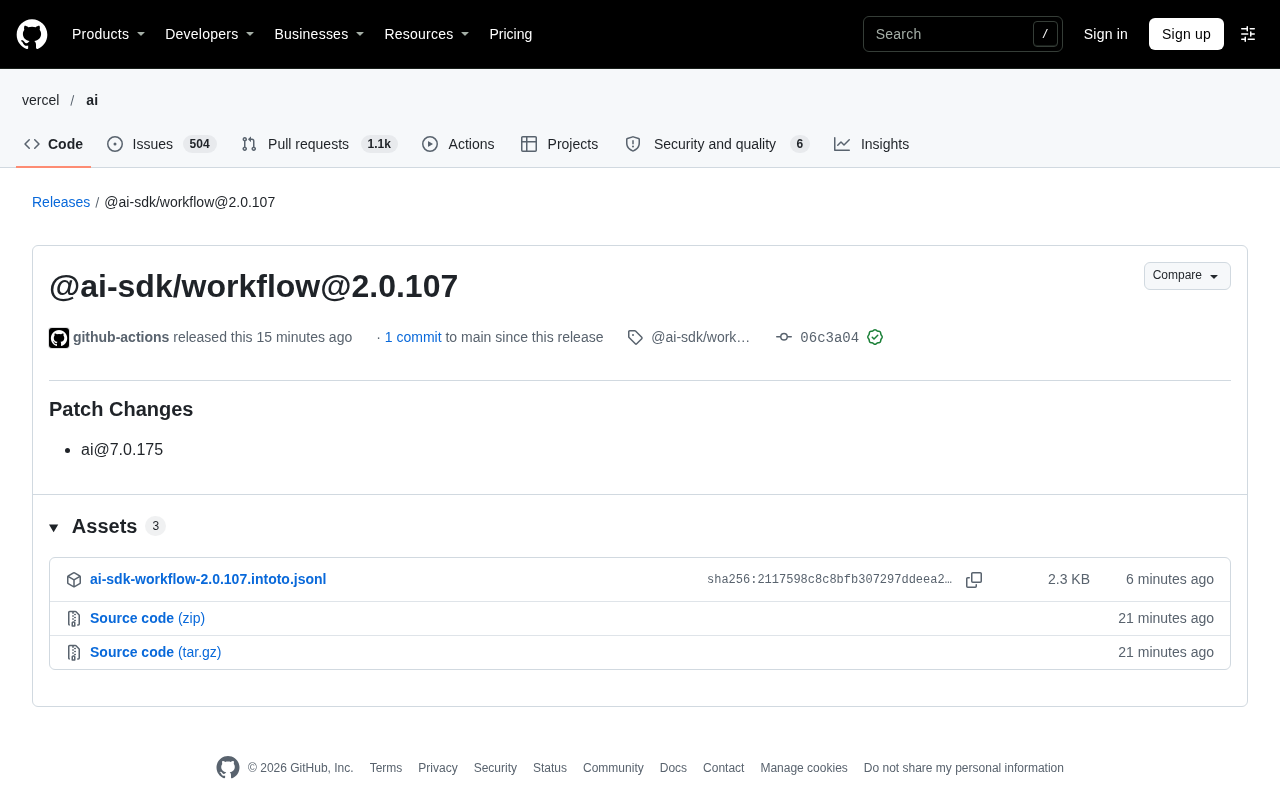
@ai-sdk/workflow releases patch 2.0.107, bumping core package ai to 7.0.175 in sync.
@ai-sdk/workflow in the AI SDK ecosystem has released patch version 2.0.107, bumping the dependent core package ai to 7.0.175. The release was automatically completed by GitHub Actions, contains one commit with signature verification, and is labeled as Patch Changes. The article notes that patch versions typically contain no breaking changes, and the core point is the version coupling between the workflow package and the AI SDK core library. For developers using this package, there may be no API-level changes, but behavioral adjustments or bug fixes in the ai package will indirectly affect workflow execution. The author recommends checking the ai@7.0.175 changelog before upgrading and offers version management advice such as using lockfiles, periodically checking patches, and running integration tests in CI. The conclusion is that this is a routine maintenance update, but it reflects that fast-evolving toolchains require ongoing version attention.
The @ai-sdk/workflow package in the AI SDK ecosystem has released version 2.0.107. This is a patch update that also bumps the dependent ai package to version 7.0.175. For developers building workflow applications with the Vercel AI SDK, this release means the underlying dependencies are now aligned—it's worth checking the version locks in your project.
Release Details
According to the release record on GitHub, @ai-sdk/workflow@2.0.107 was automatically published by github-actions. It contains one commit (06c3a04) and carries a GitHub-verified signature. The release notes explicitly label it as "Patch Changes" and note the dependency update: ai@7.0.175.
Patch versions typically don't include breaking changes and mainly focus on bug fixes, dependency upgrades, or internal adjustments. The core message of this update is the synchronized ai package version, which shows there's a version coupling relationship between @ai-sdk/workflow and the AI SDK core library.
Semantic Versioning (SemVer) is the foundational convention for understanding the nature of patch updates: version numbers take the form major.minor.patch, where an increment in the patch number indicates backward-compatible bug fixes, documentation adjustments, or internal implementation changes; a minor version increment indicates new features; and only a major version increment may introduce incompatible breaking changes. Therefore, the "Patch Changes" label here represents the least impactful category of release, which usually doesn't require developers to modify business code. Conversely, if a package changes within its patch number, it often means it has synchronized its version constraints on upstream dependencies—which is exactly why the ai package version was bumped alongside this @ai-sdk/workflow update.
Dependency Version Coupling (Peer Dependencies and Version Alignment) refers to the enforced version correspondence between packages in an ecosystem. @ai-sdk/workflow belongs to the Vercel AI SDK family, and its runtime depends on the core ai package. Changes to the interface or behavior of the upstream ai package directly affect the workflow's execution path, so each release must declare a verified ai version. The ai@7.0.175 mentioned in the release is a concrete manifestation of this constraint: @ai-sdk/workflow@2.0.107 is the latest workflow-layer version corresponding to the ai@7.0.175 combination. With this understanding, developers can see why they shouldn't leave the ai package on an old version when upgrading the workflow package—otherwise they may encounter unsatisfied version constraints or inconsistent behavior.
Practical Impact on Developers
If you use @ai-sdk/workflow in your project, this patch update likely won't bring API-level changes, but the dependency chain update is still worth noting. As the core of the AI SDK, the ai package's 7.0.175 version may include bug fixes or behavioral adjustments that indirectly affect workflow runtime performance.
Developers are advised to review the changelog for ai@7.0.175 before upgrading to confirm whether there are fixes relevant to their use cases. For projects with locked versions, you can evaluate whether to follow up on this patch.
Lockfiles are files generated by package managers like npm, pnpm, and yarn after installing dependencies—such as package-lock.json, pnpm-lock.yaml, or yarn.lock. They record the exact resolved version and integrity hash of every package in the entire dependency tree. When package.json contains range declarations like ^2.0.0, the lockfile pins the actual version after installing a new release, ensuring consistency across local, CI, and other collaborators' environments. This also means that simply pulling the code won't automatically get you @ai-sdk/workflow@2.0.107—you need to explicitly run the update command and commit the lockfile changes. Conversely, if the lockfile hasn't changed, the installation will remain on the old version even if a new patch has been published remotely.
Version Management Recommendations
The AI SDK ecosystem iterates frequently, with a large number of patch versions. Teams can adopt the following strategies for dependency management:
- Use lockfiles to pin versions and avoid unexpected changes from automatic upgrades;
- Periodically check for patch updates, especially version changes involving the core
aipackage; - Run integration tests in CI to verify workflow behavior consistency after upgrades.
This release itself contains limited information and is a routine maintenance update. But it reminds us that fast-evolving toolchains like the AI SDK require ongoing version attention.
Summary
@ai-sdk/workflow@2.0.107 is a patch release that synchronously updates ai@7.0.175. For developers depending on this workflow package, it's advisable to review the core library's changes, upgrade as needed, and perform regression verification.
Related articles
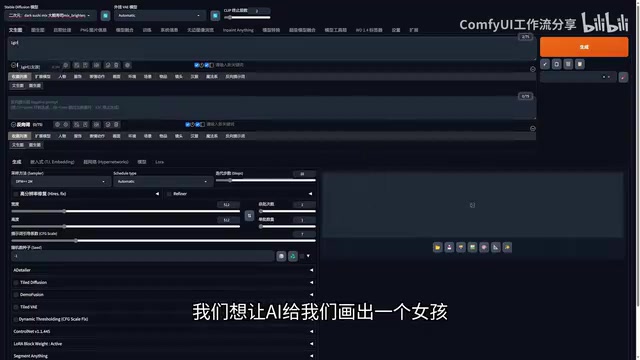
Akio SD Bundle 2026 Edition: One-Click Install & Zero-Basics Image Generation Tutorial
Akio Stable Diffusion bundle 2026 one-click install tutorial: text-to-image prompts, checkpoint and VAE selection, sampling parameters, seed reproduction, and ControlNet line-art repainting—generate images from zero basics.
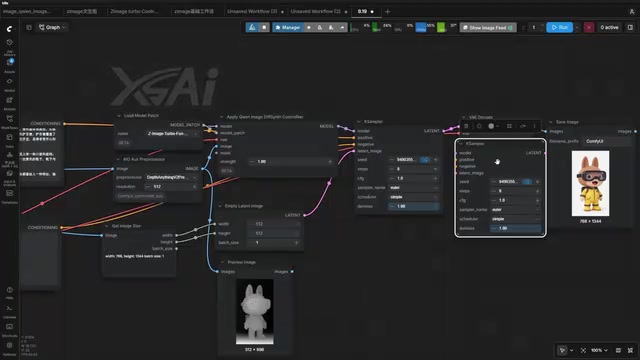
ComfyUI Two-Stage Sampling in Practice: A Guide to Choosing ControlNet Preprocessors
ComfyUI two-stage sampling tutorial: ControlNet controls structure in stage one; stage two drops ControlNet to boost quality with Denoise at 0.75. Covers OpenPose, Canny, Soft Edge, and Depth preprocessors.

2026's Most Mind-Bending Animated Series 'Infinite Flow': The Ultimate Fusion of Mystery, Deduction, and Survival Challenges
An in-depth analysis of Bilibili's animated series *Infinite Flow*: its infinite-flow worldview, mystery-deduction and survival challenges, Lin Qian's growth, ensemble portrayal, and narrative ambition.