Aircad: A New Choice for Professional Drafting and 3D Modeling in the Browser

Aircad attempts to deliver professional drafting and 3D modeling in the browser, but details remain undisclosed.
Aircad is a browser-native CAD project featured on Hacker News Show HN, advocating professional drafting and 3D modeling without desktop software installation. The article analyzes its product logic of lowering trial costs and enabling collaborative sharing, noting that it covers both 2D drafting and 3D modeling, hinting at a unified data model. However, with only 8 points and 2 comments, the project is in an early cold-start phase, and key technical details such as the modeling kernel, file format compatibility, and precision metrics are undisclosed. The article argues that browser CAD must prove itself in performance, precision, and interoperability to replace traditional desktop solutions, and that Aircad represents a concrete practice of professional tools migrating to the web, worthy of continued observation.
In the Show HN section of Hacker News, a project called Aircad has attracted some modest attention. Its core proposition is straightforward: bring professional-grade drafting and 3D modeling capabilities directly into the browser, eliminating the need to install bulky desktop software. Although the post received only 8 points and 2 comments, it points to a steadily growing trend—professional tools are migrating to the web.
Browser-Native: A Lightweight Attempt at Professional CAD
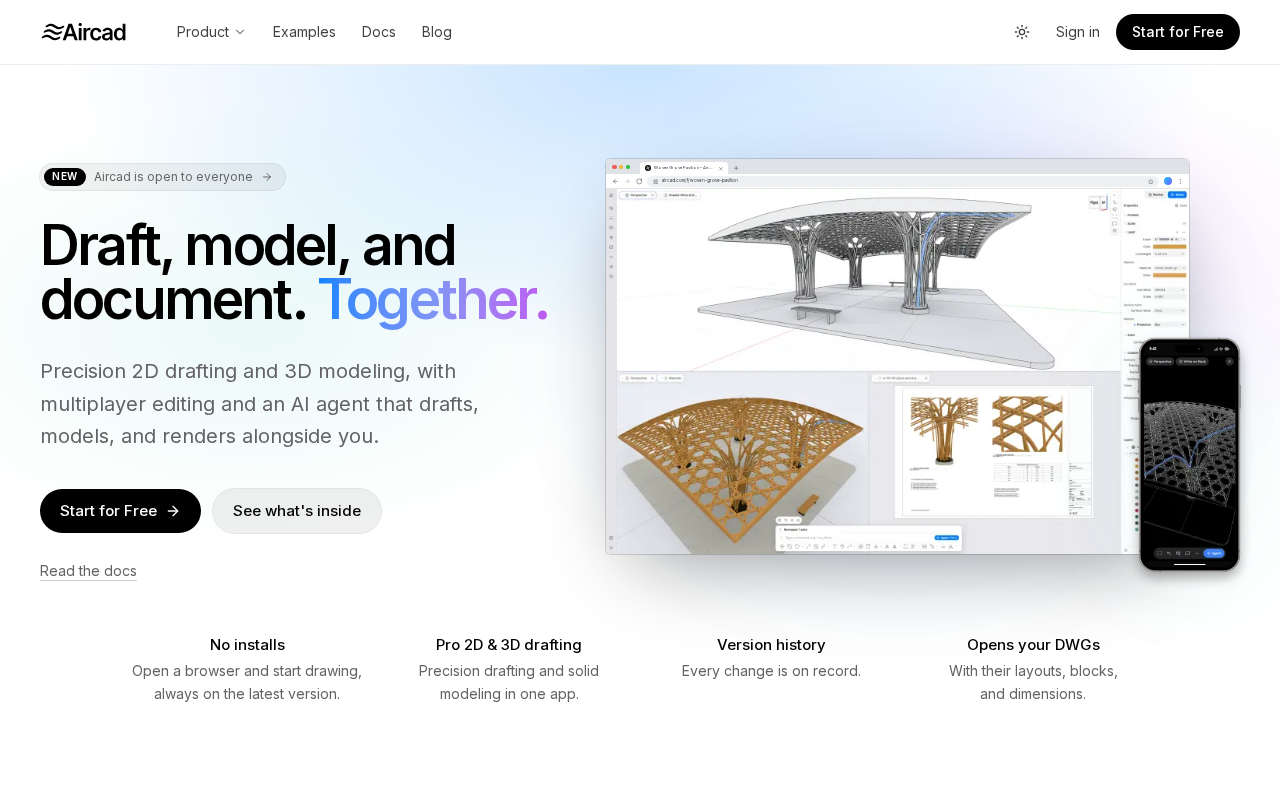
Aircad positions itself as a "professional drafting and 3D modeling tool in the browser." This means users can open a web page and start working immediately, no longer constrained by operating system or hardware configuration. Traditional CAD software often requires high-performance workstations and lengthy installation processes, while Aircad attempts to bypass these barriers through web technology stacks.
From a product logic perspective, this approach lowers trial costs and collaboration friction. Designers can share model links directly with clients or colleagues, who can view or even edit them without installing any software. For educational scenarios and lightweight projects, the appeal of browser-native CAD is particularly evident.
WebAssembly and WebGL/WebGPU are the key underlying technologies supporting browser-native CAD. WebAssembly (Wasm) allows high-performance computational code written in languages like C/C++/Rust to run in the browser sandbox at near-native speeds, making it possible to execute computationally intensive tasks such as geometric kernels, Boolean operations, and mesh generation on the web. WebGL (and the newer WebGPU) is responsible for rendering 3D models to the canvas in real time. Compared to WebGL, WebGPU provides lower-level GPU access, compute shaders, and better multi-threading support, which is especially important for smooth display of complex assemblies. If Aircad is to achieve "professional-grade" status, its tech stack is likely built on a Wasm geometric kernel plus a WebGPU rendering pipeline; otherwise, it would be difficult to meet interaction latency requirements in a browser environment.
Onshape is the most representative commercial product in the browser CAD space, created by the founding team of SolidWorks. It uses a cloud-based parametric modeling kernel and supports real-time collaborative editing and version management for multiple users. It has proven that migrating a complete CAD workflow to the browser is commercially viable, but it also shows that this path requires sustained investment in a self-developed geometric kernel and cloud infrastructure. The difference between Aircad and Onshape is that the former has so far only appeared in Show HN form and has not disclosed whether it possesses professional capabilities such as parametric feature trees or assembly constraints, so its positioning is closer to a lightweight attempt than a mature alternative.
Functional Scope: Dual Coverage of Drafting and Modeling
According to the title description, Aircad covers both "drafting" and "3D modeling" needs. Drafting typically refers to the creation and annotation of 2D engineering drawings, while 3D modeling involves solid modeling and surface design. In traditional workflows, these two are often handled by different software; Aircad integrates them into a single browser interface, hinting at the possibility of a unified data model.
However, the original information does not disclose specific modeling kernels, file format compatibility, or precision metrics. For professional users, these details determine whether the tool can truly replace desktop solutions. Based on the brief Show HN introduction alone, it is not yet possible to judge Aircad's performance on complex assemblies or high-precision surfaces.
The geometric kernel is the core engine of CAD software, responsible for underlying computations such as boundary representation (B-rep) in solid modeling, Boolean operations, chamfers and fillets, and surface intersection. Mainstream commercial kernels include Parasolid, ACIS, and Open CASCADE (open source). The precision and robustness of the kernel directly determine whether a model can be used for manufacturing, and it is also one of the technical barriers that browser CAD finds hardest to replicate. If Aircad does not specify the kernel it uses, professional users cannot assess its model precision and downstream CAM/CAE compatibility.
File format compatibility is also critical to professional workflows. STEP (ISO 10303) is the de facto standard for cross-platform exchange of solid models, IGES is mostly used for surface data, and DXF/DWG are common formats for 2D drafting. Whether browser CAD can correctly import and export these formats determines whether it can be embedded in existing design processes. The article notes that Aircad has not disclosed format support, which is precisely an important gap in evaluating its professional usability.
Community Feedback and Open Questions
The post received 8 points and 2 comments on Hacker News, indicating low engagement. To some extent, this reflects the cold-start state of an early-stage project, and it may also mean the community remains观望 (wait-and-see) about the practical value of browser CAD. The comment content was not fully presented, but it can be inferred that the discussion may have focused on performance bottlenecks, data security, and interoperability with traditional tools.
Browser CAD is not a new concept; products like Onshape have already validated the feasibility of cloud collaboration. As a new entrant, Aircad needs to offer differentiated reasons in terms of feature depth and user experience. Currently, public information is limited, and the project's technical architecture, business model, and roadmap are all unclear.
Show HN is the section of Hacker News where creators showcase new projects; post popularity is reflected by upvote and comment counts. 8 points and 2 comments represent extremely low engagement, which usually means the project has not yet reached its target audience or lacks demonstrable highlights. HN community discussions about browser CAD often focus on performance benchmarks, data privacy (whether models are uploaded to the cloud), and comparisons with existing solutions such as Onshape and Fusion 360—precisely the areas where Aircad currently has information gaps.
Implications for Web-Based Professional Tools
The emergence of Aircad once again highlights a direction: the barriers to professional software are being redefined by web technologies. From Figma to Onshape, an increasing number of complex tools prove that browsers can host serious productivity scenarios. For independent developers and small-to-medium teams, this means lower deployment costs and faster iteration cycles.
However, professional CAD has far higher requirements for computational precision, response latency, and file reliability than general design tools. If Aircad wants to move from Show HN to broader adoption, it needs to provide credible answers on these hard metrics. For readers interested in AI programming and the open-source tool ecosystem, this project is worth keeping an eye on—it represents a concrete practice of the "browser as workstation" vision in the CAD field.
Aircad is currently still in an early stage, lacking detailed documentation and public demos. Developers who are interested are advised to visit the project page directly to try it out and follow its subsequent updates.
One-line Summary
Aircad attempts to bring professional drafting and 3D modeling to the browser, but details have not yet been disclosed.
Paragraph Summary
Aircad is a browser-native CAD project that appeared in the Show HN section of Hacker News, advocating professional drafting and 3D modeling without installing desktop software. The article analyzes its product logic of lowering trial costs and facilitating collaborative sharing, noting that it covers both 2D drafting and 3D modeling, hinting at the possibility of a unified data model. However, the project has received only 8 points and 2 comments and is in an early cold-start phase; key technical details such as the modeling kernel, file format compatibility, and precision metrics have not been disclosed. The article argues that browser CAD must prove itself in performance, precision, and interoperability before it can replace traditional desktop solutions, and that Aircad represents a concrete practice of the trend of professional tools migrating to the web, worthy of continued observation.
Related articles

Why Audiences Reject AI-Generated News
AI is becoming the information gateway, yet audiences still resist AI-generated news. This article analyzes the roots of the trust deficit, the boundary between information gateway and content production, and practical implications for media organizations adopting AI.

How Law Firms Can Use AI to Reshape Legal Practice: The Gilbert + Tobin Experience
Gilbert + Tobin partner and CEO Sam Nickless discusses how law firms can use AI to rethink their legal business model—moving from efficiency tools to business logic restructuring, and why CEO-level involvement in AI strategy matters.

Scion Revival: Will Sell Japanese Kei Trucks in the US
Scion brand returns, planning to sell Japanese Kei Trucks in the US. This article analyzes its product strategy, market reaction, and industry impact, exploring the prospects and challenges of this differentiated attempt.