Amazon Alexa Tablet Hands-On: Can the NanoMAT Screen Challenge the iPad Pro?
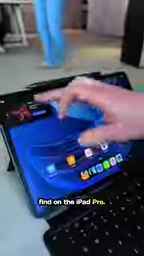
Amazon's Alexa Tablet debuts aluminum chassis, full Android, and a standout NanoMAT anti-glare screen starting at $499.
Amazon's new Alexa Tablet lineup marks a decisive break from the budget Fire tablet era, introducing an aluminum chassis and full Android with Google Play, starting at $499. The headline feature is the NanoMAT anti-glare display on the 12-inch Pro model — a paper-like screen that stays readable in direct sunlight for a $50 premium. Deep Alexa integration enables screen-reading shopping and proactive DynoTablet suggestions, though the keyboard case design feels clunky. Limited by a MediaTek chip, it's no iPad Pro rival, but NanoMAT redefines what a $500 tablet can deliver.
Amazon has long been known for its budget-friendly Fire tablets, but this time it's aiming higher. The new Alexa Tablet lineup ditches the low-end positioning of its predecessors, featuring an all-aluminum chassis and, for the first time, full Android with access to the Google Play Store — a remarkably bold shift for a company that has kept users locked inside a walled Fire OS ecosystem.
Before expectations run too high, though: the MediaTek processor and $499 starting price make clear this isn't a head-on challenger to the iPad Pro. But one feature genuinely stands out.
The Main Attraction: NanoMAT Anti-Glare Display
The most compelling talking point across the entire lineup is the NanoMAT display available on the Alexa Tablet 12 Pro. The concept mirrors Apple's Nano Texture glass on the iPad Pro: a surface treatment that dramatically reduces reflections, giving the screen a paper-like texture and appearance.
This kind of screen is notoriously difficult to convey through photos or video. According to hands-on impressions, the first glimpse was so convincing that the reviewer initially assumed Amazon was showing off a dummy unit with a printed cardboard display — until someone started swiping, making it clear the screen was fully live. The demo took place in a bright room with direct sunlight and no curtains, yet the NanoMAT display produced virtually no blooming or harsh glare.
Technically, NanoMAT follows a similar path to Apple's Nano Texture: microscopic matte etching on the glass surface scatters light that would otherwise reflect directly, eliminating blinding hotspots. The trade-off is some loss in color saturation and contrast — which is why these screens can look less vivid than standard glossy glass in low-light indoor settings. Apple's Nano Texture glass carried a $100 premium on the iPad Pro at launch; Amazon bringing comparable technology to mid-range pricing at just a $50 upcharge is a meaningful step down the cost curve.
Glass vs. Glass: The Difference Is Night and Day
Placing the NanoMAT version side by side with the standard glossy model makes the gap impossible to ignore. Under strong light, the glossy screen essentially becomes a mirror, while the NanoMAT panel remains clearly readable even at the most unforgiving angles in direct sunlight.

The cost is an extra $50. For anyone who regularly uses a tablet outdoors or in brightly lit environments, that premium is likely money well spent. Worth noting: NanoMAT is currently exclusive to the 12-inch Pro model — the 8-inch and 11-inch variants don't get this option.
Deep Alexa Integration and Shopping DNA
Given the Alexa branding, it's no surprise the system integrates the voice assistant tightly. And as an Amazon product, its commercial instincts run deep.
If you grant Alexa permission to read your screen, it can identify objects in photos and add them directly to your shopping cart. This "see it, buy it" capability is a natural extension of Amazon's e-commerce strengths into hardware — though it also means users need to carefully weigh what access they're granting.
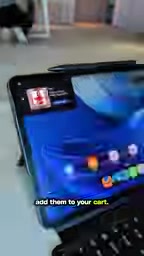
There's also a feature Amazon calls DynoTablet — a dynamic tag in the upper-left corner of the screen that proactively surfaces suggestions, like showing your travel itinerary or nudging you to pick up a Kindle book where you left off. The idea is to make the tablet feel more attuned to your habits.
Under the hood, the "screen-reading shopping" capability relies on the Accessibility API, through which Alexa accesses on-screen images and text for analysis. This is mechanically similar to how other AI assistants implement screen-awareness, but Amazon routes it directly into its own e-commerce pipeline — from perception to checkout in one seamless motion. Users should be aware that granting this permission means the assistant can continuously read anything on screen, including chat messages and banking app interfaces, so the decision deserves careful consideration.
Accessory Weak Spot: An Awkward Keyboard Case
The lineup also comes with a stylus and keyboard case to extend productivity use cases.
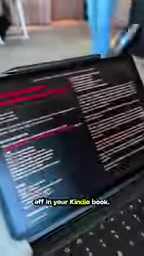
The keyboard case design, however, is awkward and feels overly bulky — it's actually two separate pieces that need to be attached and detached independently. That structure compromises both portability and the overall experience, feeling somewhat at odds with the premium image the device is trying to project.
Does It Actually Threaten the iPad Pro?
Back to the original question: is Amazon gunning for the iPad Pro? In terms of processor performance and pricing, clearly not. This isn't a powerhouse device, and it isn't a professional productivity tool.
But the arrival of NanoMAT shows that Amazon is willing to bring a feature once reserved for top-tier flagships down to the mid-range price bracket. For users on a tighter budget who still want an anti-glare experience, that's a genuinely attractive proposition. Put differently, Amazon isn't stealing iPad Pro customers — it's using an excellent display to redefine what a $500 tablet can offer.
Full Android with the Play Store, an aluminum chassis, and that screen: Amazon's upgrades here are enough to make you look twice.
Related articles

AI + SRC Automated Vulnerability Hunting: Rebuilding the Three-Step Method with AI Agents
A complete guide to AI+SRC automated vulnerability hunting — comparing traditional methods with AI Agent-powered workflows covering asset recon, false positive filtering, and report generation.

Testing DeepSeek Desktop Agent: Auto-Generate a Full Video for Just $0.35
A blogger tested DeepSeek Harness desktop Agent: auto-generated a full video for $0.35, built a daily briefing, and an app from plain English — all for $0.59 total.

Antigravity 2.0 Complete Guide: MCP, Skills, and Automation Explained
A complete guide to Antigravity 2.0 covering Projects/Conversations/Agents, MCP with Figma, Skills, automation, and 6 real-world use cases including design-to-code and Android app generation.