Aspire 13.6, Azure VM Lifecycle, and SQL Server Localization

Microsoft developer ecosystem updates: Aspire 13.6 enhances distributed debugging, Azure VM introduces lifecycle policy, SQL Server on Azure Local reaches GA
This week brings three key updates to the Microsoft developer ecosystem. Aspire 13.6 adds persistent dashboard runs to preserve resource snapshots, logs, and trace data across App Host restarts, solving the distributed debugging pain point of evidence disappearing with processes, plus authenticated REPL access, first-party Java and Rust hosting, and Azure Container App Sandboxes preview. The Azure VM family introduces a general lifecycle policy covering general-purpose, memory-optimized, compute-optimized, and storage-optimized machines, with each VM series progressing through current, extended, end-of-life, and retired stages. SQL Server on Azure Local reaches GA with disconnected operations support for limited-connectivity environments, keeping data placement and connectivity in customers' hands — ideal for manufacturing, finance, and healthcare.
This Week in Microsoft Developer News
This week brought several significant updates to the Microsoft developer ecosystem. According to the developer news weekly from the YouTube channel Cameron, Aspire 13.6 brings persistence capabilities to distributed application debugging, the Azure virtual machine family introduces a clear general lifecycle policy, and SQL Server on Azure Local officially reaches General Availability (GA). These changes address real pain points in the developer community across three dimensions: development experience, infrastructure governance, and hybrid cloud deployment.
Aspire 13.6: Putting an End to "Disappearing Evidence" in Distributed Debugging
One of the most challenging problems in distributed debugging is that resource snapshots, logs, and trace data disappear after a process restarts, making it difficult to reproduce issues. Aspire 13.6 introduces persistent dashboard runs, which preserve this critical evidence across App Host restarts. As stated in the screenshot: "Distributed debugging often fails because evidence disappears with the process."

Beyond persistent run records, Aspire 13.6 also adds authenticated REPL access for common databases, first-party Java and Rust hosting support, and preview deployment targets for Azure Container App Sandboxes. Developers can now compare historical runs, save hard-to-reproduce scenarios, and inspect container status without leaving the dashboard or copying credentials to another terminal.
What is Aspire? Aspire (officially .NET Aspire) is Microsoft's cloud-native application development stack for building, orchestrating, and locally debugging distributed applications. It uses an App Host project to declaratively describe all services, databases, caches, and messaging middleware as resources, automatically handling startup, dependency injection, service discovery, and health checks on the developer machine, ultimately producing an observable topology containing all components. Its core value lies in treating "a distributed system" as a single runnable unit, significantly reducing the complexity of local debugging and deployment configuration. Aspire natively supports .NET while extending to ecosystems like Node.js and Python through hosting integrations — the newly added first-party Java and Rust hosting support in this update continues that trajectory.
What are the dashboard and REPL? The Aspire dashboard is a local web interface that centralizes resource status, structured logs, distributed traces, and metrics for distributed applications — it's the core entry point for developers troubleshooting issues. REPL (Read-Eval-Print Loop) is an interactive command-line environment where developers can enter commands one at a time and see results immediately. Aspire 13.6 combines the two: authenticated REPL access means developers can execute queries and debugging commands against databases and other resources directly within the dashboard, with credentials managed centrally by the platform — no need to switch to a separate terminal or manually copy connection strings, improving efficiency while reducing credential exposure risk.
Azure VM Family Introduces General Lifecycle Policy
Microsoft has introduced a general lifecycle policy for the Azure virtual machine family, initially covering general-purpose, memory-optimized, compute-optimized, and storage-optimized machines. Each VM series will progress through four stages: current, extended, end-of-life, and retired, with clear rules for support, availability, quota, and purchase exceptions at each stage.
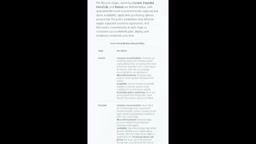
The logic behind this policy is simple: infrastructure dependencies, like frameworks, have product lifecycles. Platform teams can use the published stage information to identify aging SKUs, plan migration budgets, and avoid deploying new workloads to hardware nearing retirement. For long-running production environments, this predictability helps reduce the risk of unexpected disruptions.
The difference between SKUs and VM series. In Azure, VM series (such as D-series, E-series) represent a cluster of virtual machine specifications sharing the same underlying hardware generation and performance characteristics, while SKUs are the specific purchasable configurations within that series, such as Standard_D4s_v5. A given SKU is often tied to a specific CPU architecture, storage type, and network capability — once the underlying hardware generation is discontinued, that SKU heads toward retirement with migration recommendations provided. Therefore, the lifecycle policy effectively constrains SKU availability, while the series serves as the grouping granularity. Platform teams doing capacity planning should monitor both series-level policy announcements and specific SKU retirement timelines.
What the four stages mean in practice. The current stage means the SKU can be normally created, scaled, and receives full support; entering extended typically means it can still run and receive security updates, but new purchases or new region deployments may no longer be available; end-of-life means the official support window is closing and migration should begin; retired means resources can no longer run. Understanding this cadence helps avoid deploying new workloads to hardware nearing retirement and ensures migration budgets and downtime windows are planned in advance rather than reacted to after a retirement announcement.
SQL Server on Azure Local Officially GA: Data Sovereignty and Low Latency Combined
SQL Server on Azure Local is now officially GA, including "disconnected operations" for environments with limited or no cloud connectivity. The platform brings Azure management and SQL capabilities closer to applications while keeping infrastructure connectivity and data placement decisions in customers' hands.

Some databases need to stay near factories, regulated workloads, sovereign data, or latency-sensitive systems. Now developers can target a more consistent Azure and SQL operational model without every workload or control panel requiring continuous public cloud connectivity. The screenshot further explains: "Our customers do not need to use a console to enable implementation."
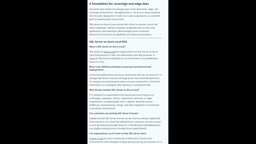
The significance of this update is that it provides a more flexible deployment path for hybrid cloud scenarios, particularly suited for industries like manufacturing, finance, and healthcare that have strict requirements around data residency and response times.
Azure Local and disconnected operations. Azure Local (formerly Azure Stack HCI) is a hyperconverged infrastructure solution provided by Microsoft but deployed in customers' own data centers or edge locations, maintaining unified management with the cloud control plane through Azure Arc. It enables Azure compute, storage, and data services to run in local form, satisfying data residency, network isolation, and low-latency requirements. Disconnected operations go further for scenarios with limited or entirely unavailable cloud connectivity: clusters can continue running established workloads in prolonged offline states, with Azure management capabilities provided through local caching or offline licensing, and syncing with the control plane once connectivity is restored. For environments like factory floors, ships, and mining sites, this model makes the "Azure-consistent experience" no longer contingent on continuous public internet connectivity.
Summary
Aspire 13.6 improves observability for distributed debugging, the Azure VM lifecycle policy enhances transparency in infrastructure governance, and SQL Server on Azure Local expands the boundaries of hybrid cloud deployment. Together, they point to a trend: Microsoft is helping developers gain stronger control and predictability while enjoying cloud-native convenience.
Balancing hybrid cloud and cloud-native control. These three updates reflect a coherent thread in Microsoft's developer strategy: providing cloud-native convenience while returning more control and predictability to developers and platform teams. Aspire builds observability into the local development loop, the Azure VM lifecycle policy turns infrastructure governance into a plannable timeline, and SQL Server on Azure Local makes data placement and connectivity decisions customers can make themselves. For regulated or latency-sensitive industries like manufacturing, finance, and healthcare, this "cloud experience, local control" combination often aligns better with compliance and operational realities than relying purely on public cloud.
One-line Summary
Microsoft developer ecosystem updates: Aspire 13.6 enhances distributed debugging, Azure VM introduces lifecycle policy, SQL Server on Azure Local reaches GA
Paragraph Summary
This week brings three significant updates to the Microsoft developer ecosystem. Aspire 13.6 adds persistent dashboard runs that preserve resource snapshots, logs, and trace data across App Host restarts, solving the pain point of evidence disappearing with processes during distributed debugging, while also adding authenticated REPL access, first-party Java and Rust hosting support, and Azure Container App Sandboxes preview deployment. The Azure VM family introduces a general lifecycle policy covering general-purpose, memory-optimized, compute-optimized, and storage-optimized machines, with each VM series progressing through current, extended, end-of-life, and retired stages to help platform teams identify aging SKUs and plan migration budgets. SQL Server on Azure Local reaches GA with disconnected operations support for environments with limited cloud connectivity, bringing Azure management and SQL capabilities closer to applications while keeping data placement and connectivity in customers' hands — particularly suited for manufacturing, finance, and healthcare industries with strict requirements around data sovereignty and low latency.
Related articles

GoiBERT: Building a Compact Vietnamese Model with Two-Stage Knowledge Distillation
GoiBERT introduces a two-stage knowledge distillation method to build compact 26M and 49M Vietnamese encoders that process raw text directly, achieving twice the throughput at half the parameters on eight benchmarks, with near-lossless sentiment classification but remaining losses in NER and reasoning.

Looped Uniform Diffusion Language Models: 3.3x Reduction in Training FLOPs
Looped Uniform Diffusion Language Models research shows that recursively reusing early Transformer layers can cut training FLOPs by up to 3.3x and reduce generative perplexity by 9.8%.

Silent Cue Loss in Enterprise Document Ingestion: Why Agents Confidently Get It Wrong
Enterprise agents reading documents lose formatting cues like highlights and color through mainstream converters, causing confidently wrong answers. Research shows format-blind ingestion drops F1 from 0.690 to 0.150, with a cheap, measurable fix.