Automating Your Blog Publishing Pipeline with AI: From Draft to WordPress in One Click

A $6.99 one-time desktop tool automating AI writing to bilingual WordPress publishing, at just cents per article.
The article covers a developer-built tool that automates the entire pipeline from AI writing to bilingual WordPress publishing. The real cost of running a bilingual blog isn't writing—it's the ~15 minutes per article spent on dashboard transfers and repeated language workflows. The tool compresses this into five steps with only preview requiring human input, supports 20+ model providers with direct local API calls, and costs cents per article versus $20–40/month subscriptions.
Running a small bilingual tech blog, the real pain point often isn't the writing itself—it's everything that comes after: formatting, logging into the dashboard, pasting, cleaning up mangled layout, previewing, publishing, then repeating the whole thing in another language. According to one developer who runs a bilingual tech blog on WordPress, these mechanical operations alone eat up 15 minutes per article. Fifteen minutes isn't much—until you multiply it by multiple posts per week and two languages, at which point it becomes a significant hidden cost.
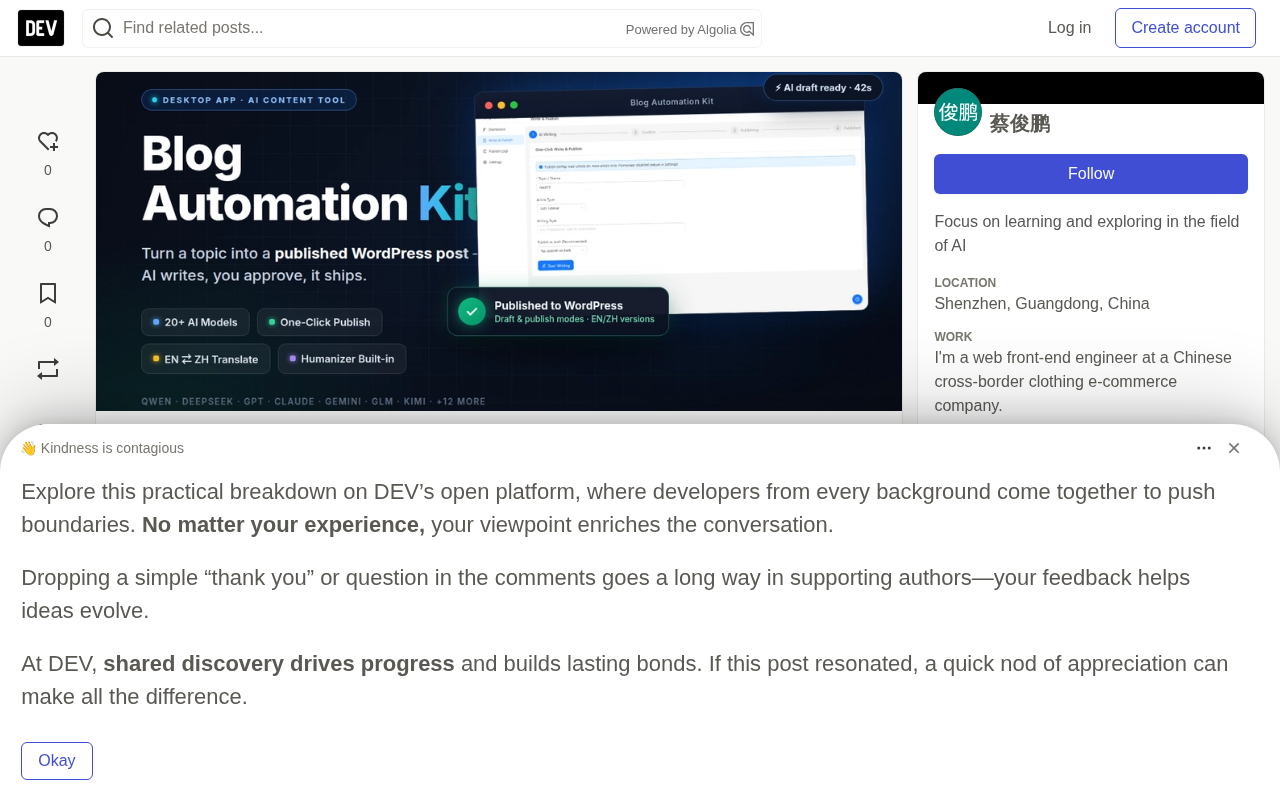
The developer tried several AI writing subscription services and found they could generate text fine, but the output still had to be manually moved into the WordPress dashboard. In other words, you're paying a monthly subscription and eliminating zero actual steps. Ultimately, he decided to build his own desktop tool that strings the entire pipeline together—and packaged it as a product.
Five Stages in the Pipeline, Only One Needs a Human
The entire workflow is compressed into a minimal pipeline: enter topic → AI generates → human previews and edits → optional translation → publish to WordPress. Of the five steps, only "preview and edit" requires human involvement—everything else is fully automated.
A few details worth noting from actual use:
- Generation takes 30 seconds to 2 minutes, depending on the model chosen. Output is pushed via SSE streaming, so you don't have to stare at a spinning loader wondering if it's frozen.
- Translation supports both Chinese↔English directions, and code blocks and technical terms remain intact during translation—something that turned out to be a weak spot in almost every other tool tested.
- Publishing is one click, assuming the one-time WordPress connection setup is done. You can save as a draft for review first, or publish directly.
- Built-in "Humanizer" post-processing specifically strips out telltale AI writing patterns: the "first, second, finally" enumeration style, filler phrases like "here's a detail worth mentioning," and the five-paragraph essay structure no human would voluntarily choose.
SSE (Server-Sent Events) is a unidirectional streaming protocol built on HTTP that lets servers continuously push text fragments to clients rather than waiting for the entire piece to finish generating before returning it all at once. In LLM applications, SSE has become the de facto standard: each token the model produces is immediately rendered on the frontend, so users see text appearing word by word instead of staring at a long blank wait.
Its impact on experience is bigger than it looks. With a non-streaming interface, a piece that takes a minute to generate leaves the UI with zero feedback for a full minute—users can't tell whether it's working normally or has frozen. Streaming output turns that wait into continuous visual feedback, and also lets users spot when things are going off track earlier, so they can abort and restart.
WordPress Application Passwords is a feature built into WordPress since version 5.6, located on the user profile page. It allows generating a separate set of login credentials for a specific application without handing over your account's master password to a third-party tool. Each application password can be named individually and revoked individually—if you suspect a leak, just delete it, and your account itself is unaffected.
For tools publishing content to a site via the REST API, application passwords are the standard authentication method. Two things to watch out for: first, it requires the site to have HTTPS enabled—WordPress will refuse to generate one over plain HTTP; second, some security plugins block the REST API by default or add extra interception on application password authentication, causing requests to fail mysteriously. The "error messages pointing in unrelated directions" mentioned in the original article are most likely coming from this layer.
Bring Your Own API Key, No Third-Party Server in the Loop
The tool doesn't lock you into any model provider—it supports 20+ services, including Qwen, DeepSeekAd, Zhipu GLM, Doubao, OpenAI, Anthropic, Gemini, Kimi, Mistral, Groq, and more.
More importantly, the architectural choice: API calls are made directly from your local machine, with keys stored in a local config file—no intermediary server involved. For a tool that uses your credentials to publish to your blog, this isn't a nice-to-have; it's the bare minimum.
Cost might be the most surprising part. Through your own API account, a complete article typically costs anywhere from a few cents to a few tenths of a yuan (the author writes in Chinese, and "毛" here is meant literally). Compare that to $20–40/month writing subscription services generating the same type of text.
BYOK (Bring Your Own Key) is a product architecture pattern where the tool itself doesn't resell model API credits, but instead requires users to enter their own keys obtained from model providers, with users settling costs directly with the provider. The benefits for users are transparent costs, freedom to switch models, and no subscription premium; for developers, it means no need to front API costs or deal with resale compliance issues.
The opposite is the proxy/relay model: user requests first go to the tool vendor's server, which then forwards them to the model provider. This saves users the hassle of configuring keys, but means your key or request content passes through a third party—and if the vendor's server goes down, the tool becomes completely unusable. For a tool that uses your credentials to publish content to your blog, a direct local connection is clearly the safer choice.
Tunable Parameters Determine Content Quality
The most common complaint about AI writing tools is that "every article reads like it was written by the same intern." This tool offers several control dimensions through its configuration page:
- Author persona—e.g., "frontend engineer, 5 years experience"
- Target audience—beginners or readers with existing background
- Article type and style—tutorial, experience sharing, review; formal or casual
- Additional requirements—e.g., "include 3 code examples"
- Temperature and max tokens—the Humanizer has its own independent Temperature parameter to control rewriting intensity
The existence of these parameters means output quality doesn't depend entirely on the model itself—users have significantly more control over content than with pure subscription tools.
Temperature is the core parameter controlling output randomness, typically ranging from 0 to 2. Lower values make the model favor the highest-probability words, producing more stable, conservative, and homogeneous output; higher values widen the sampling range for more diverse expression, but also increase the risk of going off-topic and factual drift. Technical tutorial content usually suits lower values, while opinion pieces can go higher.
Max tokens determines the length ceiling for a single generation. A token is the basic unit of text the model processes—not equivalent to character count. An English word typically maps to one or two tokens, while common Chinese characters are usually around one token each. Setting it too low causes the article to be cut off mid-sentence; setting it too high doesn't waste credits (you're billed by actual generation), but may cause the model to keep piling on meaningless content after it should have wrapped up. The Humanizer having its own Temperature parameter means the rewriting stage can be adjusted independently without affecting the settings used during initial draft generation.
Initial Setup Is Not Zero-Friction
To be honest, first-time setup takes 10–15 minutes and involves the following steps:
- Create a WordPress application password (Users → Profile → Application Passwords)
- Get an API key from your chosen model provider
- Check whether security plugins have disabled the REST API—plugins like Wordfence often do this, and error messages often point in completely unrelated directions, making troubleshooting confusing
- Optional: configure a Tavily key to enable real-time web search during writing (free tier: 1,000 calls per month)
The product ships with a complete readme folder containing illustrated installation guides for each platform, a model name reference table (model names change frequently—this table is genuinely useful), an error code troubleshooting guide, and a user manual. But if you've never generated a WordPress application password before, the first step might catch you off guard. Once initial setup is done, you won't need to touch any settings again.
Who It's For, Who It's Not For
Worth buying if: You run a WordPress site and publish content regularly; you need bilingual articles but don't want to do the work twice; you're tired of subscriptions that should have been one-time purchases but turned into monthly payments.
Skip it if: You publish two articles a year, or you're already happy with your current workflow. At $6.99 one-time, it's not worth agonizing over.
The product is sold on Gumroad for $6.99, with complete installation and usage guides in both Chinese and English. The author states he is not affiliated with WordPress or any model provider—the tool was built by him personally.
One-line Summary
A $6.99 one-time desktop tool that automates the entire pipeline from AI writing to bilingual WordPress publishing, at just a few tenths of a yuan per article.
Paragraph Summary
The article introduces a tool built by a developer frustrated with the inefficiency of AI writing subscription services: the real cost of running a bilingual tech blog isn't writing, but the roughly 15 minutes per article spent on dashboard transfers and repeated language workflows. The tool compresses the process into five steps—enter topic, AI generates, human previews, optional translation, publish—with only preview requiring human involvement. It supports 20+ model providers, connects API calls directly from local without third-party servers, and costs only cents per article versus $20–40/month subscriptions. A built-in Humanizer removes AI writing tells, and parameters like persona, audience, style, and Temperature let you tune content quality. The tradeoff: initial setup takes 10–15 minutes, involving WordPress application passwords, API keys, and REST API checks. The product sells on Gumroad for a one-time $6.99.
Related articles

Why Does the Tesla Roadster Need to Fly? A Deep Dive into Musk's Wild Demo
Tesla's Roadster launch showed wall-climbing, upside-down driving, and flying stunts—but The Vergecast notes the demo car may lack a battery, the Rocket version is invite-only and not street-legal, and the website terms don't guarantee delivery. After nine years of delays, why does this car still need to exist?

AI Is Not a Replacement: Human-AI Collaboration Through the Lens of Factory Root Cause Analysis
Starting from factory root cause analysis, this article explains how AI accelerates evidence chain construction rather than replacing human experts, exploring the pragmatic implementation logic and business value of 'AI supporting people rather than replacing them.'

AI Agent Decision Auditing: Building an Evidence Chain in Regulated Workflows
Starting from a Reddit discussion, this article analyzes three core issues in AI agent decision auditing within regulated workflows: what fields audit records should contain, how to handle feedback latency for erroneous decisions, and how to continuously calibrate LLM judge consistency with human judgment.