Build Professional Landing Pages in Two Months with AI: Three Tools Plus One Open-Source Skill

Developer combines visual tool, site builder, Cursor, and open-source design skill to produce landing pages in two months.
The article describes a developer's workflow for producing multiple visually professional landing pages in two months: Rigs Fill generates visual assets, Cloud builds page structure and handles implementation, and Cursor serves as the development environment for writing and debugging code, with clear division of labor to avoid repeated prompt switching in a single tool. What truly determines page quality is the open-source GitHub project AI Design Skills, whose landing pages skill constrains the five core variables of structure, copy, typography, spacing, and animation—crystallizing design judgments into a reusable instruction checklist rather than letting the model improvise. The skill can be installed in Cloud Code or Cursor without switching editors. The article emphasizes that Vibe Coding's efficiency comes from good references and clear instructions rather than one-shot generation, and notes that complete customizable projects and source code are available at afcode.com.br.
A developer built a batch of visually professional landing pages in two months using AI. His approach didn't rely on a single all-purpose tool, but rather combined three tools with one open-source "skill." In this setup, Rigs Fill generates visual assets, Cloud builds and implements page structure, Cursor serves as the development environment carrying the entire workflow, and what truly determines landing page quality is the open-source project AI Design Skills from GitHub.
Division of Labor: Who Generates Visuals, Who Builds Structure, Who Writes Code
The division of labor in this workflow is quite clear. According to the video, Rigs Fill is used to create the visual assets needed for pages, Cloud is used to structure and implement pages, and Cursor serves as the development environment. Each handles its own part, avoiding the awkwardness of repeatedly switching prompts within a single tool.

It's worth noting that "Cloud" here handles page structure building and landing implementation, while Cursor is where code is written and debugged. For developers accustomed to doing most of their work in an editor, this split means visual assets, page skeletons, and code implementation are no longer crammed into the same interface—each stage can be handled with a more suitable tool.
AI Design Skills: Writing Design Specifications into Prompts
The most critical piece in this workflow is AI Design Skills—an open-source project on GitHub. Its landing pages skill is specifically designed for landing pages and guides page structure, copy, typography, spacing, and animation. In other words, it doesn't let the model freely improvise; instead, it crystallizes a set of design judgments into reusable instructions.
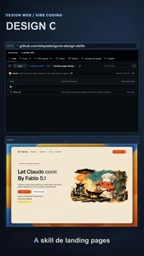
This approach solves a common pain point in Vibe Coding: it's not hard for models to generate code—what's hard is making pages look like they were crafted by a designer. Structure, copy, typography, spacing, and animation are exactly the five core variables that determine landing page aesthetics. Writing these dimensions into explicit skill instructions is equivalent to giving the model a design checklist rather than vaguely saying "make it look good."
Vibe Coding is a term coined by Andrej Karpathy in early 2025, referring to developers describing intent in natural language while large models directly generate runnable code, with humans playing more of a "reviewer" role rather than writing line by line. Its typical characteristics are fast iteration and low barriers to entry, but output quality depends heavily on the constraints carried in prompts. The industry has widely observed that Vibe Coding without references and specifications tends to produce "functional but ugly" interfaces: makeshift layouts, arbitrary typography, and out-of-control spacing. As a result, subsequent practice has gradually shifted toward "specification-first"—writing design systems, component constraints, and accessibility requirements into files that models can read (such as rule files or skills), so the model carries inspection standards during generation rather than relying on temporary verbal requests in conversation.
Installation and Usage: Works with Cloud Code or Cursor
The barrier to using the landing pages skill is low. The video mentions it can be installed in Cloud Code or Cursor. This means that regardless of which toolchain developers are accustomed to, they can mount these design instructions onto their workflow without having to switch their primary editor just to use the skill.
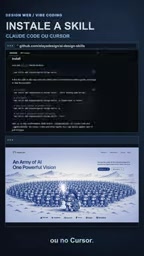
After installation, the skill continuously constrains output during generation. Developers can focus more on business logic and asset preparation rather than repeatedly correcting the model's arbitrary choices in typography and spacing.
"Skill" is a reusable instruction encapsulation around large models: typically using plain text such as Markdown to describe trigger conditions, operation steps, and constraint checklists, which the model reads and follows in relevant tasks. Unlike fine-tuning, skills don't modify model weights—they only change the context; unlike ordinary prompts, they can be version-managed, reused across projects, and shared by teams. Tools like Claude Code and Cursor support mounting such instructions through rule files or skill directories, allowing "design preferences" to settle into engineering assets. This also explains why the same model performs so differently in different teams' hands—the gap is often not in the model, but in whether experience has been crystallized into loadable skills.
Vibe Coding's Efficiency Comes from References and Clear Instructions
One judgment in the video is worth expanding on: in Vibe Coding, good references and clear instructions accelerate work. This contrasts with the narrative of "generate an entire site with one sentence." Producing multiple landing pages in two months didn't rely on the model getting it right in one shot, but on front-loading reference materials and clear requirements into prompts.
AI Design Skills is essentially a product of this thinking—extracting the commonalities of excellent landing pages and turning them into references the model can read. Developers already using similar approaches can self-check: have you crystallized your design preferences into reusable skills, or are you re-describing them in conversation every time? The answer to this question often determines how much efficiency differs between different people using the same tools.
Accessing the Complete Project and Source Code
At the end of the video, it's mentioned that if you want to access complete projects that can be customized, iterated, and used for your own business, you can visit afcode.com.br, where all projects come with complete source code for download. For developers who want to directly take existing projects and adapt them to their own business, this is a faster path than building from scratch.
Looking at the entire workflow, the value of this path lies in reusability: the visual asset tool, page implementation tool, development environment, and an open-source design skill can each be replaced or upgraded, and the practice of writing design specifications into skills itself is experience that can be transferred to other project types.
One-line Summary
A developer combined a visual tool, a site-building tool, Cursor, and an open-source design skill to produce multiple professional landing pages in two months.
Paragraph Summary
The article introduces a developer's workflow for producing multiple visually professional landing pages in two months: Rigs Fill generates visual assets, Cloud builds page structure and handles implementation, and Cursor serves as the development environment for writing and debugging code. The three have clear division of labor, avoiding repeated prompt switching within a single tool. What truly determines page quality is the open-source GitHub project AI Design Skills, whose landing pages skill constrains the five core variables of structure, copy, typography, spacing, and animation—essentially crystallizing design judgments into a reusable instruction checklist rather than letting the model improvise. The skill can be installed in Cloud Code or Cursor, so developers don't need to switch their primary editor. The article emphasizes that Vibe Coding's efficiency comes from good references and clear instructions rather than one-shot model generation, and notes that complete customizable projects and source code are available at afcode.com.br.
Related articles

AI Detection False Positive Controversy: Writer Accused of Using AI, Who Should Bear the Burden of Proof?
A 2026 Commonwealth Short Story Prize regional winner was flagged by Pangram as 100% AI-generated but cleared after drafts were reviewed. The case exposes AI detection false positives and the burden-of-proof dilemma facing creators.

How Stanford Teaches AI-Native Engineering: Inside CS146S
Stanford's CS146S course confronts AI one-click assignment generation, exploring AI-native engineering education. Mihail Eric shares how to treat AI as an engineering partner and build system design and code review skills, offering a new model for engineering education.

Stanford's AI-Native Engineering Course: How to Teach Programming in the Age of Agents
Stanford CS146S course reform: Mihail Eric brings open-source maintainers into the classroom, having students propose changes in unfamiliar real codebases, exploring AI-native engineering teaching in the age of agents, shifting from writing code to cultivating engineering decision-making skills.