Building a Coding Agent from Scratch: Creating a Codex-like AI Programming Tool

A hands-on guide to understanding and building Codex-like AI coding agents from scratch.
This article deconstructs AI coding agent architecture through three progressive interview levels, then demonstrates building a Codex-like CLI tool from scratch. It covers key concepts including agents.md configuration, Skills systems for team customization, context management, task orchestration, sandboxed code execution, and feedback loops—providing actionable insights for developers at all levels.
Introduction: AI Programming Tools Are Reshaping Development Workflows
As AI programming tools like OpenAI's Codex and Anthropic's Claude Code sweep through the developer community, a key question emerges: What's the architecture behind these tools? Can we build one ourselves?
An AI Coding Agent is an autonomous software development system built on Large Language Models (LLMs). Unlike traditional code completion tools (such as early versions of GitHub Copilot), agents possess the ability to autonomously plan, invoke tools, and interact with their environment. Their technical foundation stems from the ReAct (Reasoning + Acting) paradigm—the model doesn't just generate text but also observes environmental feedback and adjusts its behavior accordingly. OpenAI's Codex runs on o3/o4-mini models in cloud sandboxes, while Claude Code executes directly in the user's local terminal, representing two different security strategies: cloud-isolated execution versus local direct operation.
This article is based on an in-depth technical sharing by a Bilibili content creator. Starting from three progressive interview levels, it systematically deconstructs the core architecture of coding agents and demonstrates how to build a Codex-like CLI agent tool from scratch. Whether you're a junior-to-mid-level developer looking to deepen your AI engineering knowledge, or an architect hoping to implement AI programming workflows in your team, you'll find practical insights here.
Three Interview Levels: How Deep Is Your Understanding of AI Coding Agents?
The instructor, taking the perspective of an interviewer, poses three progressively challenging questions that precisely delineate developers' cognitive depth regarding AI programming tools.
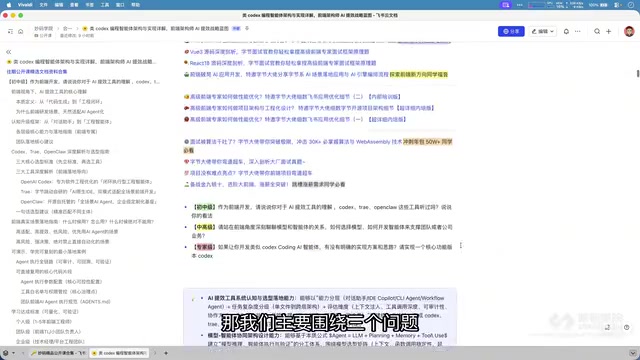
Junior-to-Mid Level: What AI Programming Productivity Tools Do You Know?
The first question seems simple but actually tests a developer's basic awareness of the AI programming ecosystem. Tools like Codex, Cursor, Claude Code, and Trae each have distinct positioning:
- Codex: OpenAI's coding agent that can autonomously write, test, and debug code in a sandbox environment
- Claude Code: Anthropic's CLI programming tool, excelling at understanding large codebase context
- Trae: ByteDance's AI IDE with integrated multi-model capabilities
Being able to clearly articulate the differences and applicable scenarios of these tools is the baseline for measuring a developer's AI literacy.
Mid-to-Senior Level: The Relationship Between Models, Agents, and Business
The second question elevates to the architectural level—how to understand the relationship between large models and coding agents, and how to choose the right model for your team's agent development. This requires developers to understand:
- The large model is the "brain," the agent is the "hands and feet," and the toolchain is the "nervous system"
- Different business scenarios have different requirements for model capabilities (code generation, code review, test generation, etc.)
- Agent design must account for the team's tech stack, coding standards, and workflows
At the model selection level, multiple dimensions need to be weighed: context window size determines how many code files can be processed at once; reasoning capability affects the quality of complex logic generation; response latency impacts the developer's interactive experience; and API costs directly affect the team's operational budget. Current mainstream choices include the Claude 3.5/4 series (excelling at long-context code understanding), GPT-4o/o3 (strong overall capabilities), and open-source solutions like DeepSeekAd-Coder (suitable for private deployment scenarios).
Expert Level: Design a Complete AI Coding Workflow
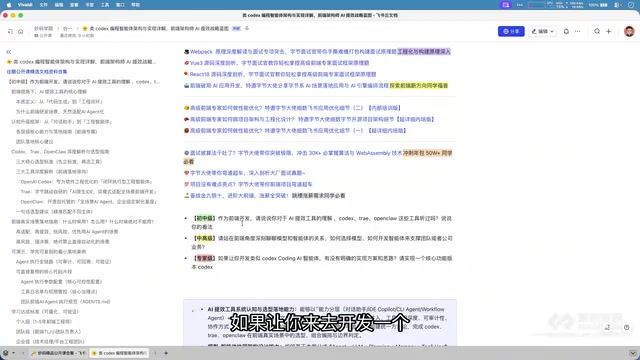
The third question cuts to the core: If you were asked to design a Codex-like programming tool, what would your architecture look like? This requires not only understanding the underlying principles of AI programming tools but also the ability to engineer them into production. The instructor then provides a runnable reference answer through a live project demonstration.
Hands-On Demo: Building a CLI Coding Agent from Scratch
Project Initialization and Basic Architecture
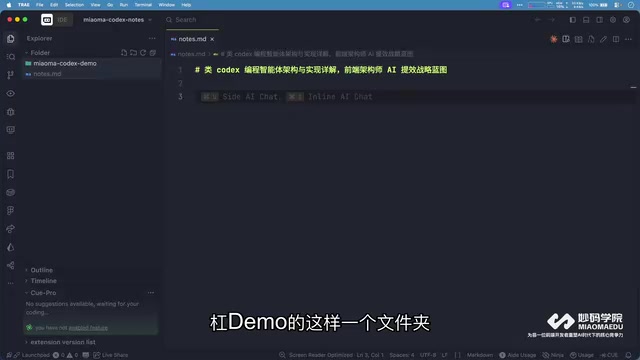
The instructor created a project called 妙马-Codex-Demo and launched a self-developed COI (Code Intelligence) agent tool via CLI. Unlike traditional development workflows, the entire development process is completed within the terminal console—no need to manually create files or write boilerplate code.
CLI (Command Line Interface) coding agents have fundamental architectural differences from IDE plugin forms. CLI tools run in terminal environments and naturally possess the ability to compose with Unix toolchains (grep, sed, git, etc.), following the Unix philosophy of "do one thing well." IDE plugins (like Cursor, Trae) obtain structured context such as syntax trees and type information through LSP (Language Server Protocol). The advantages of the CLI approach lie in being lightweight, scriptable, easy to integrate into CI/CD pipelines, and independent of any specific editor ecosystem.
The core workflow is as follows:
- Navigate to the target project directory
- Launch the CLI agent tool
- Drive development through natural language instructions
The fundamental shift in this workflow is that developers transform from "people who write code" to "people who direct AI to write code," while the CLI interface ensures seamless integration with existing development toolchains (Git, terminal, CI/CD).
agents.md: The Core Configuration File for AI-Driven Development
One of the most noteworthy details in the demo is the initialization of the agents.md file. This file can be considered the "constitution" of AI-driven development, defining:
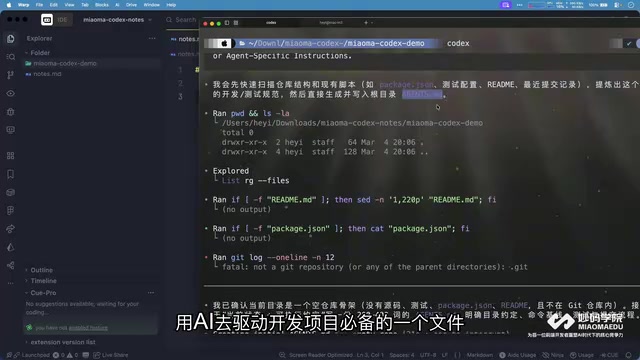
- Project structure constraints: Directory standards like
src/,tests/,assets/,scripts/,docs/ - Build and development commands: Standardized definitions for packaging, testing, dev server, etc.
- Coding standards: Code style, naming conventions, module organization
- Testing standards: Coverage requirements, test file naming rules
- Commit check standards: Git commit message format, PR checklist
agents.md is essentially a structured System Prompt engineering practice. Within a large model's context window, the system prompt determines the model's behavioral boundaries and output style. Writing project standards into agents.md is equivalent to automatically injecting a persistent system instruction with every interaction. This aligns with Anthropic's "Constitutional AI" concept—constraining AI behavior through predefined rules. From an engineering perspective, agents.md also solves consistency issues in team collaboration: different developers using the same configuration file ensures uniform code style in AI-generated output, avoiding the code style fragmentation caused by "everyone having their own Prompt."
The instructor specifically emphasized that agents.md is "an essential file for AI-driven development projects." Its role is similar to giving AI a detailed project specification, allowing it to follow the team's existing standards when generating code rather than producing output without constraints.
Skills System: Making Your Coding Agent Understand Your Team Better
Beyond agents.md, the instructor also introduced the concept of Skills. While general-purpose AI programming tools (like Codex, Claude Code) are powerful, they don't naturally adapt to every team's specific needs. By developing a series of customized Skills, the agent can:
- Understand team-specific component libraries and design systems
- Follow internal API calling conventions
- Generate code according to team-agreed patterns (state management, routing configuration, etc.)
- Automatically execute team-specific quality check processes
The underlying technology of the Skills system is closely related to RAG (Retrieval-Augmented Generation). When an agent needs to use team-specific component libraries or APIs, it needs to retrieve relevant documentation and code examples from a knowledge base, then inject them into the generation context. This involves embedding retrieval from vector databases (like Chroma, Pinecone), token budget management for context windows, and dynamic selection strategies for few-shot examples. The degree of Skills customization directly determines the agent's practicality within a specific team—the general model's code generation capability is the foundation, while Skills transform it into productivity that conforms to team standards.
This is essentially about making a team's "tacit knowledge" explicit and structured, then feeding it to AI to form a continuously evolving development knowledge base.
Architect's Perspective: Four Core Design Layers of a Coding Agent
From the demonstration, we can extract several key architectural elements of a coding agent:
1. Context Management Layer
The agent needs to understand the complete context of the current project, including file structure, dependency relationships, and existing code logic. agents.md is one of the core carriers of context management.
The core challenge of context management is token limits. Even models supporting 200K token context windows cannot load all files at once when facing large codebases (hundreds of thousands of lines of code). Therefore, agents need to implement intelligent context selection strategies: relevance ranking based on file dependency graphs, dynamic trimming based on the user's current task, and retaining key information through summary compression. This is similar to how human developers browse project structure and read related modules when modifying code, rather than reading the entire codebase line by line.
2. Instruction Parsing and Task Orchestration Layer
This layer decomposes the user's natural language instructions into an executable sequence of development tasks. For example, "initialize a React project and add routing" would be broken down into: create project structure → install dependencies → configure routing → generate example pages.
The technical implementation of task orchestration typically adopts the Plan-and-Execute pattern: the agent first generates a high-level plan (Plan), then executes each subtask step by step (Execute), dynamically adjusting the plan based on actual conditions during execution. This is similar to the waterfall model vs. agile development philosophy in software engineering—an overly rigid plan cannot handle unexpected situations during execution, while having no plan at all makes it easy to deviate from the goal. Excellent task orchestration also needs to handle dependencies between tasks and possibilities for parallel execution.
3. Code Generation and Execution Layer
This layer calls the large model to generate code and executes it in a sandbox or local environment. The key is that generated code must conform to the standards defined in agents.md.
The code execution layer of coding agents involves critical security design. OpenAI Codex uses cloud-based microVMs as sandboxes, based on lightweight virtualization technologies like Firecracker, with each task running in an isolated environment to prevent malicious code from affecting the host system. Local execution approaches (like Claude Code) rely on file system permission controls and user confirmation mechanisms. The sandbox also handles responsibilities like dependency installation, compilation and execution, and test running—its startup speed and resource overhead directly impact the agent's response latency. Docker containers, Nix package managers, WebAssembly, and other technologies are all candidate solutions for implementing reproducible execution environments.
4. Feedback and Iteration Layer
Execution results (compilation errors, test failures, etc.) are fed back to the agent, driving automatic repair and optimization to form a closed loop.
The feedback and iteration layer is the core feature that distinguishes coding agents from simple code generators. Its working principle is similar to a human developer's TDD (Test-Driven Development) cycle: generate code → run tests → analyze errors → fix code. Technically, the agent parses structured feedback from compiler error messages, test framework output, linter warnings, etc., using them as input for the next round of reasoning. Research shows that agents with self-repair capabilities significantly outperform single-generation approaches on benchmarks like SWE-bench. The key challenge is avoiding "repair loops"—situations where the agent repeatedly modifies code without converging—typically addressed through maximum retry limits and fallback strategies.
Implications and Action Items for Developers
This sharing conveys a clear signal: AI programming tools are no longer a "nice-to-have" supplement but are becoming core infrastructure in the development process. For developers at different levels, here are the recommended actions:
- Junior-to-mid-level developers: Start using tools like Codex and Claude Code immediately to build muscle memory for AI-assisted development
- Senior developers: Learn to write high-quality
agents.mdfiles and Skills to improve AI collaboration efficiency - Architects: Think about how to integrate AI coding agents into your team's development workflow and design customized solutions suited to your team
It's worth noting that the development of AI coding agents is spawning new engineering roles and skill requirements. "Prompt Engineering" is evolving into the more systematic "Agent Engineering"—requiring not just writing good prompts, but also designing toolchains, managing context strategies, and building evaluation systems. Meanwhile, the focus of code review is shifting: from reviewing human-written code to reviewing AI-generated code, the latter requiring developers to have stronger architectural judgment and security awareness.
In future technical interviews, "Do you have a complete AI Coding workflow?" may become a standard question. It's not too late to start preparing now.
Key Takeaways
Related articles
Google's Satellite AI Server Reaches Orbit: Gemma Model Generates First Reply in Space
Google's TPU-equipped satellite powers up in orbit, with the onboard Gemma 4 model generating the first reply from space. This article analyzes the technical path, real-world constraints, and implications for edge computing and satellite remote sensing.
AI Agents for Flight Booking Customer Support: Real Needs and Implementation Challenges
Starting from a real Reddit question, this article breaks down four needs for introducing AI Agents into flight booking call centers: basic Q&A, agent assist, call summarization, and quality inspection, and analyzes accuracy concerns and handoff boundary design.
Vercel Unifies Runtime Cache: Data Cache Merges into Runtime Cache
Vercel merges Data Cache into Runtime Cache, unifying storage quotas and billing for Next.js fetch cache, unstable_cache, getCache, and use cache: remote. Pro and Enterprise projects get more storage, and cache reads/writes are now billed at Runtime Cache pricing.