Building a GitHub Repo Stats Tool with a Single Prompt: An AI-Assisted Development Case Study

Simon Willison built a pure frontend GitHub repo stats tool using a single AI prompt.
Simon Willison noticed that GitHub's mobile interface doesn't display repository commit counts, so he used a single precise prompt to have AI generate the GitHub Repo Stats tool. Built as a pure frontend application, it calls the GitHub API directly via browser fetch() to retrieve repo statistics, deployed as a static page with zero operational cost. This case demonstrates the remarkably short path from pain point to product in AI-assisted development for lightweight tools, and serves as a practical example of effective prompt engineering.
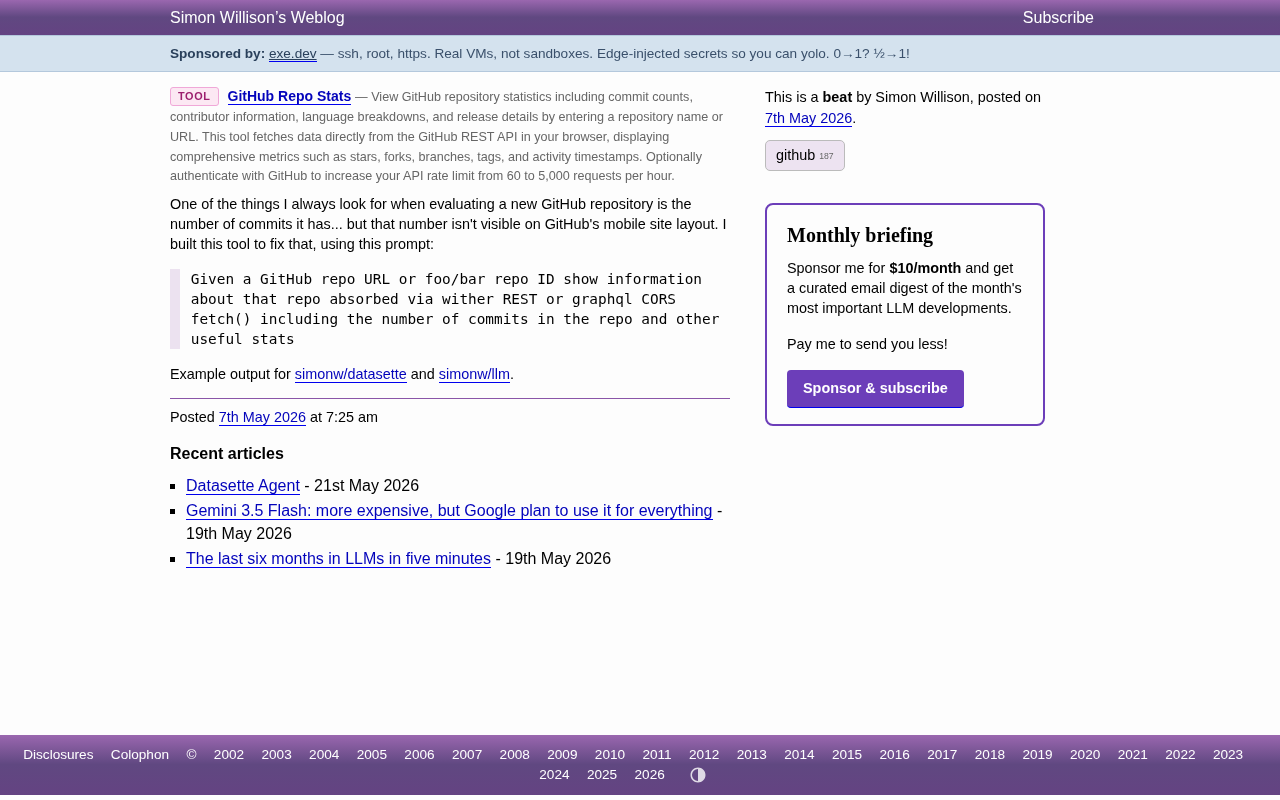
Simon Willison recently shared a small but practical tool — GitHub Repo Stats — that solves a seemingly minor but genuinely annoying problem for developers: you can't directly see a repository's commit count on GitHub's mobile pages. The story behind this tool's creation is itself a textbook example of AI-assisted development.
About Simon Willison: He's the creator of the Datasette open-source project and one of the co-creators of the Django framework. He's been active in the AI tooling space for years, is the author of the "LLM" command-line tool, and continuously documents his experiences with AI-assisted programming. His concept of "Disposable Tools" argues that AI coding tools lower the barrier to building small, purpose-built utilities, enabling developers to rapidly create custom solutions for highly specific scenarios instead of relying on general-purpose platforms to cover every use case.
The Problem: Missing Information on GitHub Mobile
When evaluating a new GitHub repository, Simon Willison always pays attention to the commit count — it's a key indicator of a project's activity level and maturity. A project with thousands of commits typically signals continuous maintenance and iteration, while a repo with only a handful of commits might still be in the early experimental stage.
In the open-source project evaluation ecosystem, commit count is one of the core metrics for measuring project vitality, but it needs to be assessed alongside other dimensions. A high commit count usually indicates active development iteration, though it could also reflect frequent minor fixes. Combining commit frequency (distribution over the last 30/90 days), contributor count, and issue response time paints a complete picture of project health. For technology selection scenarios, developers typically also look at: time since last commit (to determine if the project is abandoned), release cadence, and core contributor concentration (to assess "bus factor" risk).
However, GitHub's mobile layout doesn't directly display this number. For developers who frequently browse code repositories on their phones, this is a real efficiency pain point.
Developing an Entire Tool with a Single Prompt
The development approach behind this tool is particularly noteworthy. Simon used a single concise prompt to have AI generate all the code:
Given a GitHub repo URL or foo/bar repo ID show information about that repo absorbed via wither REST or graphql CORS fetch() including the number of commits in the repo and other useful stats
Though only one line long, this prompt contains several key technical constraints:
- Flexible input format: Supports both full GitHub URLs and shorthand
owner/repoformat - Data fetching method: Via REST API or GraphQL, using CORS-compatible
fetch()calls - Core functionality: Display commit count and other useful repository statistics
The entire tool runs as a pure frontend application — no backend server needed — fetching data directly from the GitHub API in the browser. This exemplifies the precision of prompt engineering: conveying the most complete requirements with the fewest words.
Prompt Engineering refers to the technical practice of carefully designing input instructions to guide large language models toward high-quality outputs. Simon's prompt demonstrates several key principles: First, "explicit constraints" — by specifying "REST or GraphQL" and "CORS fetch()," it directly eliminates backend proxy approaches. Second, "input polymorphism" — supporting both URL and shorthand ID formats implies the need for input parsing logic. Finally, "open-ended extension" — "other useful stats" gives the AI room for autonomous judgment, avoiding over-constraining that might cause it to miss valuable features. This structure of "precise core requirements + open peripheral features" is a classic paradigm for effective prompts.
Technical Implementation Analysis
Looking at the tool's design, it employs several smart technical choices:
Client-Side Direct GitHub API Calls
GitHub provides two main API systems: REST API (v3) and GraphQL API (v4). The REST API is resource-centric, with each endpoint returning fixed-structure data; the GraphQL API allows clients to precisely declare needed fields, reducing redundant data transfer. For needs like fetching repository commit counts, GraphQL is often more efficient because it can aggregate multiple statistical fields in a single request.
The tool uses the browser's native fetch() API to directly request GitHub's public endpoints, avoiding the complexity of setting up a backend service. GitHub's API natively supports browser-side cross-origin (CORS) fetch requests — this is the technical foundation that makes a pure frontend tool feasible. Unauthenticated REST API calls are limited to 60 requests per hour, while authentication via a GitHub Personal Access Token increases this to 5,000 per hour — for personal daily use, the former is usually sufficient.
Lightweight Static Deployment
The tool is hosted on tools.simonwillison.net and runs as a static page. Deploying tools as pure static pages is the mainstream choice for modern lightweight utilities: all computation logic executes in the user's browser, while the server only hosts HTML/CSS/JS files, bringing operational costs to near zero. Platforms like GitHub Pages, Cloudflare Pages, and Netlify can all host such tools for free. Simon's tools.simonwillison.net domain houses dozens of similar small tools accumulated over the years, forming a personal tool library ecosystem.
Users simply pass the repository identifier via URL parameters to get results, for example:
?repo=simonw/datasette— Simon's data exploration tool?repo=simonw/llm— His LLM command-line tool
This "tool as a page" pattern also naturally provides shareability — users can pass inputs directly via URL parameters, sharing specific query results as links with others, requiring no accounts or installation steps, with virtually zero maintenance cost.
Practical Takeaways for Developers on AI-Assisted Programming
This case demonstrates the enormous value of AI-assisted development in "small tool" scenarios:
- Minimal distance from pain point to product: After identifying a problem, a single prompt can generate a working solution — the entire development cycle might take less than 5 minutes
- Prompt precision determines output quality: Simon's prompt is just one sentence, but it precisely specifies input format, technical approach, and output requirements without a single superfluous word
- Tool-building mindset: Rather than complaining about a platform's shortcomings, quickly build your own supplementary tools
For developers who frequently need to evaluate open-source projects, rapid access to metrics like commit count, stars, forks, and last update time can significantly improve the efficiency of technology selection. These lightweight tools may be narrow in function, but they address real daily needs.
Conclusion
GitHub Repo Stats is a minimalist but practical developer tool. Its value lies not just in the functionality itself, but in demonstrating a modern developer workflow: identify a problem, rapidly prototype with AI, and deploy instantly. As AI programming tools continue to mature, this ability to "build a tool with a single prompt" is becoming a standard skill for efficient developers. By mastering the core techniques of prompt engineering, every developer can become their own toolmaker.
Related articles
 Tutorials
ChatGPT Plus Subscription Guide: Are GPT-5.5, image-2, and Codex Worth the Upgrade?
A detailed look at ChatGPT Plus features — GPT-5.5, image-2, and Codex — with a Plus vs Pro comparison and a complete step-by-step subscription guide for users outside the US.
 Tutorials
Harness AI Engineering in Practice: Using Claude Code to Master Enterprise-Level E-Commerce Development
Deep dive into Harness AI Engineering: master enterprise e-commerce development with Claude Code using the Rules, Skills, Wiki, and Changes framework.
 Tutorials
Cursor + Codex Dual-IDE Collaboration: A Practical Methodology for Open-Source Project Customization
A complete methodology for open-source project customization based on real-world experience, detailing the Cursor+Codex dual-IDE workflow, seven-stage process, MVP validation, and AI source code reading techniques.