Building a Reliable Polymarket WebSocket Market Monitor in Python

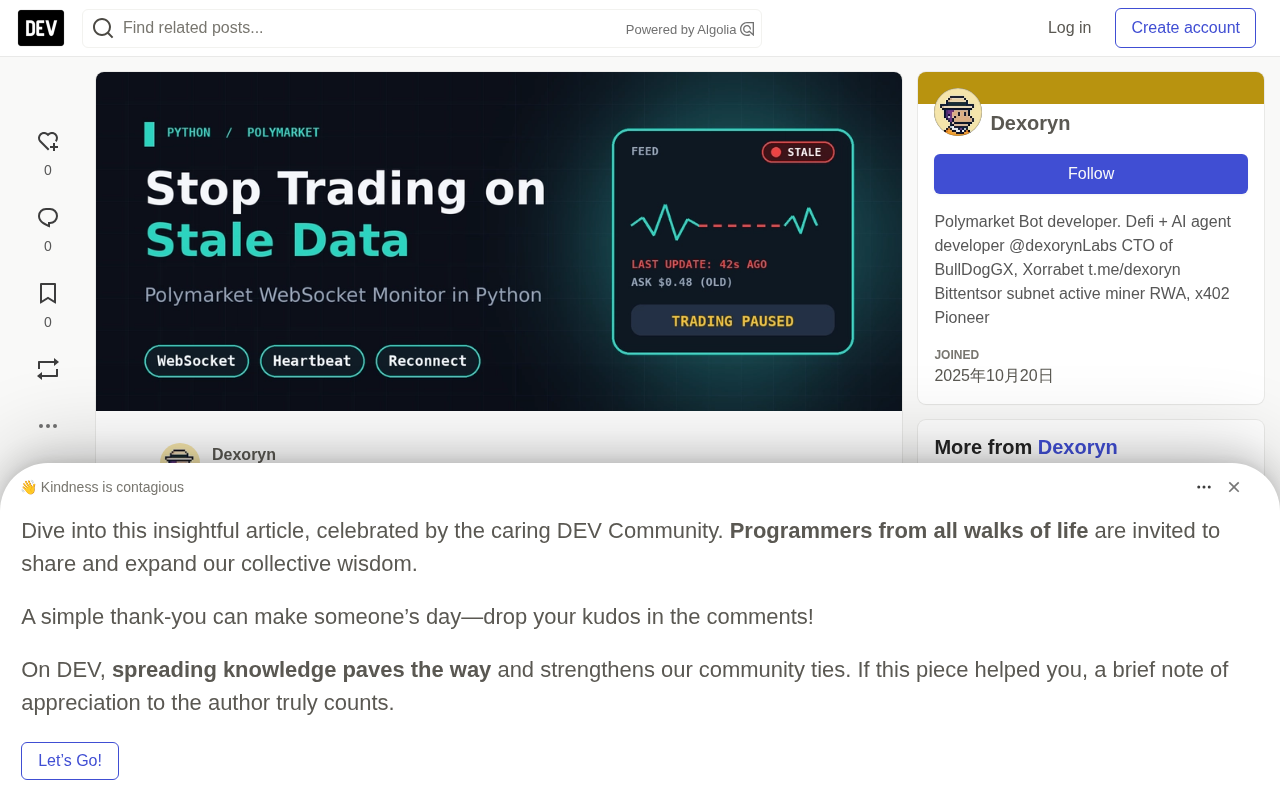
Build a Polymarket WebSocket monitor in Python with snapshot recovery, staleness detection, and reconnect state reset.
This article uses Polymarket's public market WebSocket to demonstrate how to build a production-aware market monitor in Python. The core logic addresses three questions: how to consume real-time market updates, how to detect when data is no longer trustworthy, and how to rebuild local state after a reconnect. Key emphasis is placed on starting every new connection in an unready state, only trusting incremental updates after receiving a fresh book snapshot, and explicitly detecting staleness. The article also outlines critical production safeguards including full order book maintenance, backpressure handling, structured logging, and execution safety checks.
A trading bot can only make sound execution decisions with timely market data. But connecting to a WebSocket and receiving messages is just the first step — connections drop, messages get delayed, and a bot can end up using a stale order book snapshot after reconnecting. These are exactly the kinds of details that are most easily overlooked in live trading environments, yet they can be fatal.
This article walks through building a small monitor in Python using Polymarket's public market WebSocket. The focus isn't on order execution — it's on three things: consuming market updates, determining when data is no longer trustworthy, and rebuilding state after a connection failure.
Connecting to the Polymarket Market WebSocket
Polymarket provides a public market channel that streams real-time order book and trade updates. The endpoint documented officially is:
wss://ws-subscriptions-clob.polymarket.com/ws/market
The market channel is subscribed to by asset ID (also called token ID). Each outcome has its own unique token ID, so you'll need the corresponding ID for the outcome you want to monitor. The official Polymarket WebSocket documentation describes the subscription format and event types.
Install the Python WebSocket library:
pip install websockets
The examples in this article deliberately use the raw WebSocket protocol rather than hiding the connection lifecycle inside a large framework — the goal is to make every step of the connect, subscribe, heartbeat, and reconnect flow explicit and easy to follow.
Polymarket is a blockchain-based prediction market platform running on the Polygon network. Users can buy and sell shares on the outcomes of real-world events, with prices fluctuating between $0 and $1 to represent the implied probability of an outcome occurring. Each market typically has two or more outcomes, and each outcome corresponds to an independent ERC-1155 token, i.e., a token ID. For example, "Candidate A wins the election" is one outcome, and "Candidate A does not win" is another — they each have different token IDs.
Polymarket's order matching is handled off-chain by a matching engine called the CLOB (Central Limit Order Book), with settlement happening on-chain after a trade occurs. The clob in the WebSocket endpoint URL comes from this. This means market data reflects off-chain order state, not real-time on-chain state, and you need to use CLOB-level token IDs — not contract addresses — when subscribing.
Understanding the Messages You Receive
For a basic monitor, three message types are most worth paying attention to.
book provides an order book snapshot with all bid and ask levels. It's used to initialize or rebuild your local view of market state.
price_change reports changes to price levels. Its price_changes array may contain updates for different assets and different price levels. The payload also includes best_bid and best_ask fields, which are convenient for top-of-book monitoring.
last_trade_price reports a trade that has occurred. Note that the last trade price is not the same as the price at which your next order will be filled.
There's an important distinction here: receiving an incremental price update does not mean your local view of the entire order book has been rebuilt. This is especially true after a reconnect — a single price update cannot replace a full snapshot.
An order book is a list of buy and sell orders sorted by price. Bids represent the highest prices buyers are willing to pay; asks represent the lowest prices sellers are willing to accept. The best bid and best ask are the top prices on each side, and the difference between them is called the spread.
A snapshot and an incremental update are two different forms of data: a snapshot describes the complete state at a point in time, while an incremental update describes only what changed relative to the previous state. A book message is a snapshot; a price_change is an incremental update. Incremental updates depend on a correct initial baseline — if that baseline is stale or missing, subsequent updates applied on top of it will produce incorrect results. This is the fundamental reason the article repeatedly emphasizes that you must receive a fresh snapshot before trusting incremental updates.
Building a Monitor with Staleness Protection
The monitor below tracks a single outcome token. It starts in an unready state, subscribes to the market, sends the required application-layer heartbeat, and only marks data as ready after receiving a fresh book snapshot.
If the connection drops, the monitor retries with exponential backoff. Every new connection starts in the unready state, preventing the application from using an old snapshot as current data.
import asyncio
import json
import time
import websockets

WS_URL = "wss://ws-subscriptions-clob.polymarket.com/ws/market"
ASSET_ID = "YOUR_OUTCOME_TOKEN_ID"

class MarketMonitor:
    def __init__(self):
        self.best_bid = None
        self.best_ask = None
        self.book_ready = False
        self.last_message_at = None

    def reset(self):
        self.best_bid = None
        self.best_ask = None
        self.book_ready = False
        self.last_message_at = None

    def handle(self, message):
        event_type = message.get("event_type")
        self.last_message_at = time.monotonic()

        if event_type == "book":
            if message.get("asset_id") != ASSET_ID:
                return
            bids = [float(l["price"]) for l in message.get("bids", []) if float(l["size"]) > 0]
            asks = [float(l["price"]) for l in message.get("asks", []) if float(l["size"]) > 0]
            self.best_bid = max(bids) if bids else None
            self.best_ask = min(asks) if asks else None
            self.book_ready = True
            print("Fresh book snapshot received.")

        elif event_type == "price_change":
            for change in message.get("price_changes", []):
                if change.get("asset_id") != ASSET_ID:
                    continue
                if not self.book_ready:
                    continue
                if "best_bid" in change:
                    self.best_bid = float(change["best_bid"])
                if "best_ask" in change:
                    self.best_ask = float(change["best_ask"])

        if self.book_ready:
            print(f"Bid: {self.best_bid} | Ask: {self.best_ask} | Spread: {self.spread()}")

    def spread(self):
        if self.best_bid is None or self.best_ask is None:
            return None
        return round(self.best_ask - self.best_bid, 6)
A key caveat: this is a teaching example, not a complete trading data service. It uses best_bid and best_ask for top-of-book monitoring and does not maintain a full local order book updated with each incremental change. A production implementation should properly apply price level updates, validate messages, track data timestamps, and be tested against the current protocol using the official documentation.
Why the Monitor Resets State
Imagine this scenario: the connection drops when the best ask is $0.48. While disconnected, the market moves to $0.53. If the bot reconnects and keeps using the old $0.48, the strategy might think an attractive entry point still exists when it's actually long gone.
Resetting state is precisely what prevents that old value from being treated as current. The monitor waits for a fresh book snapshot before declaring its top-of-book view "ready." This principle should carry through to the trading bot's decision layer as well:
- Don't submit new trades when market data is stale.
- Don't assume a successful reconnect means the local order book is in sync.
- Rebuild state from a fresh snapshot before trusting incremental updates.
- Track positions and open orders independently from public market data.
A market data connection cannot tell you whether your own orders were accepted or filled. Account and order state needs its own reliable tracking process.
Explicitly Detecting Stale Data
A socket that is in a connected state does not guarantee that the data your strategy needs is fresh.
A production-grade monitor should record the timestamp of the last valid market update and define a maximum acceptable data age. If no qualifying update arrives within that window, the data feed should be flagged as stale and any trading decisions that depend on it should be blocked. The threshold should match the application itself — a dashboard can tolerate longer delays, while a strategy trying to capture small price movements cannot.
It's equally important to distinguish between a quiet market and a broken connection. No price movement does not necessarily mean the data feed is unhealthy. Heartbeat responses, connection status, server-side timestamps, and application-layer freshness checks should all be considered together.
The Polymarket documentation requires that both the market and user channels receive a PING every ten seconds, with the server responding with a PONG. For this reason, the example disables the WebSocket library's built-in ping frames (ping_interval=None) and instead sends the application-layer heartbeat required by the protocol.
Application-layer heartbeats and WebSocket protocol-level ping/pong frames are two distinct mechanisms. The WebSocket standard has built-in ping/pong frames that clients or servers send to detect whether the connection is alive — these are typically handled automatically by the WebSocket library. The PING that Polymarket requires is an application-layer message — a custom message sent as text or JSON, unrelated to protocol-level ping frames. Both can coexist, but they serve different purposes: protocol-level pings detect whether the TCP connection has dropped, while application-layer pings verify that the server's business logic is still responding. Setting the library's ping_interval to None and manually sending an application-layer PING in the example code is specifically to meet Polymarket's protocol requirements, while also avoiding conflicts between the library's automatic pings and the application-layer heartbeat.
What Still Needs to Be Done Before Going Live
A reliable production implementation requires more safeguards:
Full order book maintenance: book events provide snapshots, and subsequent price_change events add, update, or remove price levels. The local order book must correctly apply these changes, including updates where size goes to zero.
Snapshot and update consistency: If the application drops a message or reconnects, it should rebuild the order book rather than assuming previous state is still valid.
Structured logging: Log connection attempts, reconnects, stale data events, malformed messages, and snapshot recoveries — while avoiding logging any private credentials.
Backpressure handling: When updates arrive faster than the application can process them, unbounded queues increase memory usage and slow down decisions. Measure processing latency and choose a queue strategy that matches your strategy's needs.
Execution safety checks: Before placing an order, validate market data age, price limits, available balance, and portfolio exposure. Data freshness alone doesn't make a trade safe.
Testing: Simulate disconnects, malformed messages, empty order books, missing fields, and delayed updates. Verify that the bot refuses to act when market state is unready or stale.
Backpressure is a core concept in stream processing systems, describing the pressure that builds up when a downstream consumer can't process data as fast as an upstream producer sends it. In a WebSocket market data context, if the rate of incoming updates exceeds the rate at which strategy logic can process them, messages accumulate in the in-memory queue. An unbounded queue — one with no maximum length — can exhaust memory in extreme cases. The more subtle problem is decision latency: the bot may be processing a message from several seconds ago, believing it's responding to the current market when it's actually lagging behind. Common strategies to address this include setting a maximum queue length and dropping old messages when the queue is full, keeping only the latest message per asset, or checking message timestamps before processing and skipping expired data.
Conclusion
A Polymarket WebSocket monitor is far more than a "connect and print prices" script. It's a stateful component that must know when its data is valid, when it's stale, and when it needs to rebuild its view of the market.
Starting with snapshot recovery, heartbeat handling, freshness checks, and reconnect backoff with a cap gives a market data system a much more solid foundation. Dexoryn Labs maintains a public Polymarket copy trading bot repository for developers evaluating existing automation approaches.
Reliable market data doesn't guarantee profitability — its value lies in preventing a bot from making decisions based on information it should no longer trust. This article is for educational purposes only. Automated trading involves financial risk. Please thoroughly test in a non-trading environment before connecting any live order execution logic.
Related articles

AgentCore in Practice: Connecting Custom Tools and MCP Servers to Agents
DebuggerCafe tutorial shows how to connect custom tools and MCP servers to Amazon Bedrock AgentCore agents, covering tool contract design, MCP reuse, and production concerns.

816B Parameters Scores Only 39? The Real Cost-Effectiveness of the Open-Source LLM Parameter Race
Meta's 816B Muse Spark Open scores just 39 on Artificial Analysis, while 180B Qwen3.8-Flash-Next scores 40. This article analyzes 11 open-weight models' parameters vs. scores, exploring the real impact of activated parameters, quantized size, and deployment cost.

Aerial Manipulators: The Next Step for Drones from 'Seeing' to 'Changing'
Starting from a Reddit discussion, this article analyzes the technical challenges, potential applications, and deployment bottlenecks of aerial manipulators, exploring the key challenges for drones moving from environmental perception to physical manipulation.