Building a WeChat Mini Program from Scratch with WorkBuddy: A Complete Guide from Idea to Launch
Build and publish a WeChat Mini Program without coding using the desktop AI agent WorkBuddy.
Using a "voice-in-photo" WeChat Mini Program as a case study, this article walks through how WorkBuddy — a desktop AI Agent and low-barrier domestic alternative to Codex — enables non-developers to ship a complete product. The correct workflow runs: clarify product ideas with AI → requirements doc and feasibility review → high-fidelity design mockups → development doc → full-stack code generation → debugging → review submission. The deeper takeaway is a mindset shift from "AI questioner" to "AI manager" — turning AI suggestions into real, deliverable products.
Many people open AI tools and end up using them for nothing more than casual conversation — despite the tool being genuinely powerful. A tutorial on Bilibili offers a refreshing perspective: using a desktop AI agent like WorkBuddy, you can build and publish a WeChat Mini Program without writing a single line of code. The demo case is vivid and memorable — record a voice message for a photo, and the app generates an image with a sound wave bar and a Mini Program QR code at the bottom. Anyone who scans the code can hear the voice you left inside that photo.
What Exactly Is WorkBuddy
WorkBuddy is positioned as a "domestic alternative to Codex." Its interface and interaction design resemble mainstream AI tools, but its underlying nature is fundamentally different. Traditional web-based AI is purely a Q&A tool with no access to local files. You might feel like you're using AI, but in reality you're doing the work for it — the suggestions it generates still require you to execute them manually with your mouse and keyboard.
WorkBuddy is a desktop AI Agent. Its core value lies in directly operating your local computer to complete real work tasks: batch-organizing files, building simple websites, sending messages via Lark or DingTalk — you only need to review the final deliverable. Using the tutorial author's analogy: if Codex is a "special forces soldier" who needs a skilled commander to devise a detailed battle plan, then WorkBuddy is a "college student special forces soldier" — maybe not suited for extremely complex missions, but more than capable of simple tasks. And for the average professional, managing a "college student" is far easier than commanding a "special forces operative."
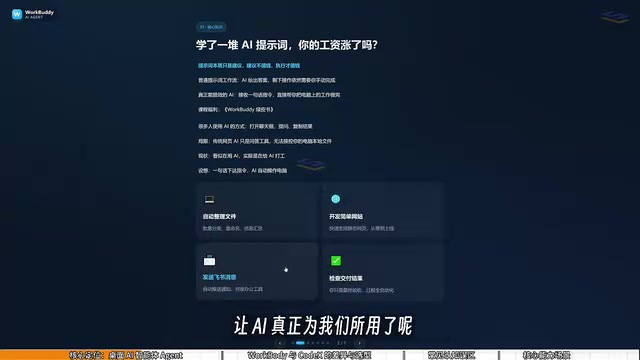
Another advantage is its low barrier to entry and low cost: install and use immediately, no environment configuration or command-line setup required. It offers daily free credits, with additional thousands available during promotions, and consistent daily check-ins provide enough for learning and regular use. Codex, by contrast, is subscription-based and skews toward international ecosystems, with limited support for domestic tools like Lark, DingTalk, WeCom, and Tencent Docs.
Codex is OpenAI's code generation and execution system, capable of automatically writing, running, and debugging code from natural language descriptions. However, it's primarily aimed at users with some development background who can understand code structure and verify output. More importantly, Codex doesn't directly operate the user's local operating system — generated code still needs to be manually deployed and executed. The concept of an "AI Agent" is fundamentally different: an Agent doesn't just generate content; it perceives its environment, calls tools, and executes a series of continuous actions to complete a goal, with a degree of autonomous decision-making throughout the process. This is exactly what sets WorkBuddy apart as an Agent — it can directly access the local file system, trigger network requests, and operate third-party application interfaces. Once you set a goal, the Agent plans the steps and executes them independently, rather than outputting text suggestions and waiting for a human to take over.
90% of People Get the First Step Wrong
The author repeatedly emphasizes a critical insight: the real first step isn't issuing commands — it's "talking things through." Jumping straight in with "help me make a Mini Program" leaves the AI guessing, and the output will inevitably be garbage.
The right approach is to first enable WorkBuddy's "follow-up questioning mode" and hash out your vague idea with the AI. For example, the author's prompt was roughly: "I want to make a Mini Program that attaches voice to photos. Right now it's just a fuzzy idea — please approach this from a product perspective and help me identify all the questions I need to think through." Notice — the goal isn't to get answers from the AI, but to let it surface all the right questions: Who will use this? Why? In what context would people share it? How does the recipient open it? What features are essential for v1? What can be cut for now? After a few rounds of conversation, a vague idea becomes an actionable product concept.
Even with a clear product concept, don't rush into design. The second step is to have WorkBuddy do two things simultaneously: compile a concise requirements document and conduct a technical feasibility review of those requirements. Questions like "how does the Mini Program QR code carry a Sound ID," "how are audio files uploaded, stored, and moderated," "how does user login work," and "how are images and sound waves composited" must all be resolved before development begins — otherwise what you'll need to change later won't be a single button, but the entire architecture.
The Design Mockup Is the Acceptance Criteria, Not a Reference Image
Only after the feasibility plan is validated should you move into design — a step the author considers "the most valuable yet most often skipped." He first asks the AI to write a prompt specifically tailored for a UI design model, then opens a new canvas in WorkBuddy, switches to "Design & Creativity," selects "Mobile App," enables AI image generation, and pastes the full prompt. The result is a complete set of interactive high-fidelity mockups — not just a single page, but all screens.
The author's advice: don't move forward until the high-fidelity mockups are exactly what you want. The design is not a reference image for the AI — it's the "answer key" you'll use to evaluate the frontend later. If the design isn't locked in at this stage, the AI will just guess when writing code.
Account and Backend Setup Before Launch
While the design mockups are being generated, take care of your accounts and backend environment. A few essential tasks:
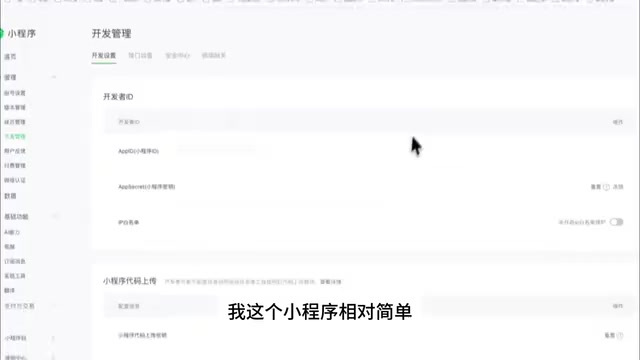
- Register a Mini Program: Register on the WeChat Official Accounts Platform, and confirm your target category before registering. The categories available to individual developers are limited — it would be a problem to complete everything only to find you can't publish. The example Mini Program falls under the Tools > Image subcategory, which is available to individuals. After registration, retrieve your AppID from "Development Management > Development Settings" — this is the identity credential for everything that follows.
- Enable Tencent Cloud CloudBase: This serves as your backend server. To publish to real users, you need a server. The tutorial mentions Tencent's support program, where you can claim tokens and CloudBase resources through the "Mini Program Growth Program."
- Install the CloudBase plugin and connect it to WorkBuddy: Only once this is set up can the AI actually create tables, write cloud functions, and upload files — instead of producing plausible-looking code that doesn't actually run.
- Install WeChat DevTools: Code generated by WorkBuddy isn't just something you glance at in a chat window. You need to import it into DevTools for compilation, preview, real-device debugging, and uploading.
Tencent Cloud CloudBase (also known as "cloud development") is Tencent's all-in-one backend cloud service for Mini Programs and web applications. It includes three core capabilities: cloud functions (serverless function computing), a cloud database (NoSQL document-based database), and cloud storage (object storage). For developers without server operations experience, CloudBase's biggest value is being "maintenance-free" — no need to purchase or configure servers, manually install databases, or handle domain registration and HTTPS certificates. Code is uploaded directly to the platform and runs immediately. Cloud functions are billed per invocation, making costs extremely low for low-frequency scenarios — often fully covered by the free tier. The AppID is the unique identifier for each Mini Program in the WeChat ecosystem, similar to a domain name for a website. All communication with WeChat's servers, user authentication, and cloud resource association depend on it, which is why it must be obtained and configured at the very beginning of development.
Getting the AI to Build a Complete Full-Stack Product
Once the high-fidelity designs are finalized, ask WorkBuddy to generate a document that can actually guide development. This document serves as the shared language between product manager, designer, and engineer — without it, the AI will make things up as it goes; with it, the AI understands how pages, data, and cloud functions connect.
Then open a new canvas, switch to "Code Development Mode," and feed in both the design mockups and the development document. Two key points here:
- Define the technical boundaries explicitly: If you want a native Mini Program, write "native" explicitly — otherwise the AI may default to a cross-platform framework on its own.
- Have WorkBuddy actually connect to CloudBase: User voice records stored in the database, photos/audio/SVG assets stored in cloud storage, and login/generation/query/deletion/playback/content moderation handled by cloud functions. Only then do you have a real full-stack product — not a static page that only works locally.
After the first version is generated, open the project directory in WeChat DevTools, enter your AppID, compile, and check four things in order: can each page be navigated to correctly, are there any console errors, are cloud functions and the database returning real data, and do microphone/photo album/sharing permissions work correctly on a real device.
The distinction between "native Mini Program" and "cross-platform framework" deserves a brief explanation. A native Mini Program is written directly using WeChat's official WXML, WXSS, JavaScript, and WeChat-specific APIs, with deep integration into WeChat's underlying system. DevTools support is most complete and review pass rates tend to be more stable. Cross-platform frameworks (such as Taro or uni-app) allow developers to write one codebase using React or Vue syntax and then compile it for multiple platforms (WeChat Mini Program, Alipay Mini Program, H5, etc.), which suits teams needing multi-platform distribution. For first-time individual developers, cross-platform frameworks introduce an extra compilation layer — error messages are harder to trace, support for newer WeChat APIs tends to lag, and the quality of AI-generated code is also harder to validate. Explicitly telling the AI to "use the native framework" effectively prevents it from defaulting to a cross-platform solution that makes debugging harder down the line.
Iterating, Polishing, and Submitting for Review
Once the first version roughly meets requirements, iterate through natural language conversations with WorkBuddy. The author's advice: "fix only one category of problem per round" — start with runtime errors, then functional gaps, then visual accuracy.
Three common approaches: screenshot and circle the issue (screenshot an abnormal screen, circle it, and say "this area is blank"), describe the behavior and paste the error (paste the raw console error), or give a direct instruction (e.g., "change the loop button color to WeChat green"). After each round of fixes, have WorkBuddy run a self-check, then recompile in DevTools — once the simulator passes, run a full test on a real device.
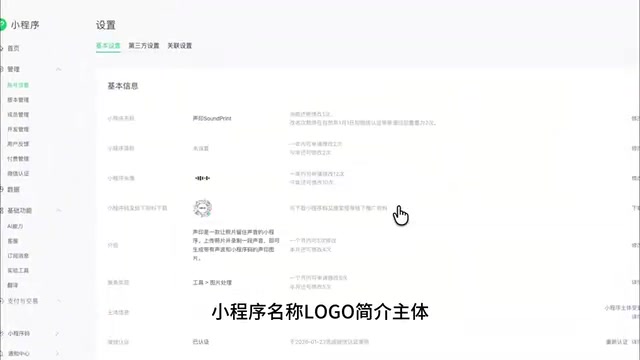
After testing passes, run a pre-launch checklist: upload from DevTools with a version number and notes, go to the Official Accounts Platform version management, set the development version as the experience version, and do one final complete review. Then fill in all listing information: name, logo, description, entity verification or filing, privacy protection guidelines, etc. — all of this must match the Mini Program's actual functionality.
If the review is rejected, don't just tell the AI "the review failed." Provide WorkBuddy with both the rejection notice text and screenshots of the relevant pages so it can make targeted fixes. Once review passes, click publish in version management — and your Mini Program, born from an idea, is officially live.
The WeChat Mini Program review process is where the most unexpected blockers tend to appear. Reviewers focus on several key dimensions: whether the feature description matches the actual experience, whether there is any misleading content or incentivized sharing, whether permissions involving user data (like microphone or photo album access) are clearly documented in the privacy protection guidelines, and whether content complies with WeChat's platform operating policies. For Mini Programs involving audio uploads, content moderation capability (i.e., whether a third-party or Tencent-native audio content security API has been integrated) is also commonly scrutinized. Rejection notices typically only provide a clause number and a brief description with little specific guidance — which is exactly why you need to provide both the rejection text and relevant page screenshots to the AI. Giving the AI sufficient context is what enables accurate identification of what needs to change, rather than blindly guessing based on four words like "review was rejected."
From "AI Questioner" to "AI Manager"
The mindset shift underlying this entire workflow is the real takeaway. The author makes a pointed observation: people study prompt engineering for months and still don't see a salary increase — because "prompts are fundamentally suggestions, and suggestions aren't worth money; execution is." WorkBuddy's significance lies precisely in turning suggestions into execution.
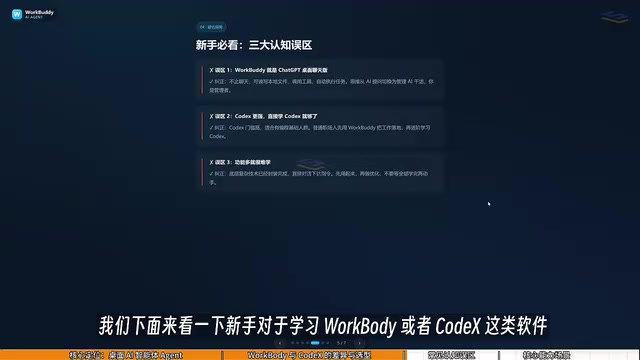
Using it requires breaking three common misconceptions: it's not a desktop chat version of ChatGPT, but an Agent that reads files, calls tools, and executes tasks autonomously; you don't need to jump straight to a more powerful tool like Codex — average professionals should use WorkBuddy to get real work done first, then level up when needed; and it's not harder to use just because it has more features — the difficulty isn't in the interface, it's in switching from "asking AI questions" to "instructing AI to operate your computer."
In a single sentence: you are the manager, WorkBuddy is the employee, and your computer is your company. When you can direct AI from that perspective, building a Mini Program in six minutes stops being clickbait and becomes a reproducible workflow.
Related articles
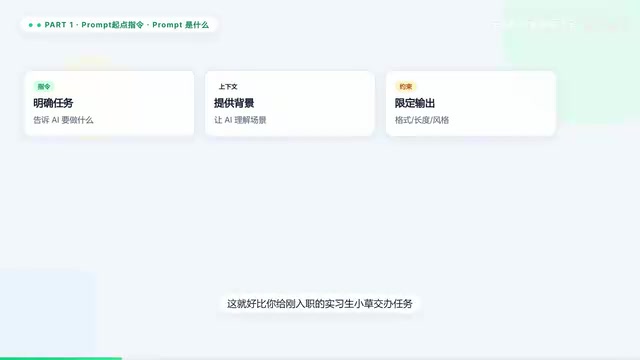
Prompt → MCP → Agent → Skill: The AI Terminology Evolution Chain Explained in 5 Minutes
A clear guide to five core AI concepts — Prompt, MCP, Agent, Skill, and Cowork — and how they connect in a layered evolution chain from simple instructions to multi-agent teamwork.
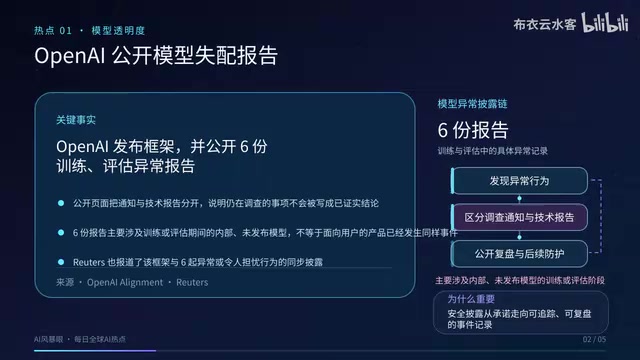
OpenAI Discloses Model Anomalies, DeepMind Launches AGI Forum, NVIDIA Partners on Grid Power Management
Sept 17 AI roundup: OpenAI publishes model anomaly disclosure framework with 6 reports, Google DeepMind launches AGI public forum, NVIDIA leads AI energy management alliance with 18 partners.
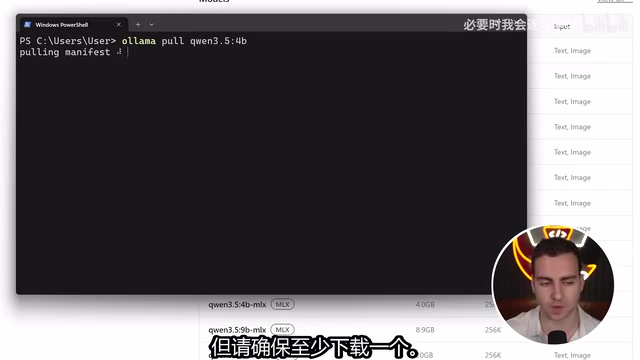
Build a Local AI Agent with Python in 10 Minutes: Ollama + PydanticAI in Action
A hands-on guide to building a fully local AI agent with Python, Ollama, and PydanticAI in 10 minutes — covering model selection, tool functions, and conversation loops.