Building an AI Email Assistant with n8n: Auto-Replying to Gmail in Action

Connect Gmail to an LLM with n8n for fully automated email detection, AI reply generation, and hands-free sending.
This article walks through an AI email assistant built on n8n and a large language model: when Gmail receives a new message, n8n's trigger node detects it instantly and starts the workflow; the AI module reads the email and generates a context-aware reply (not a fixed template), which is then sent automatically with no human intervention. The author presents this as a model for the "trigger → analyze → execute" automation pattern, noting the same logic can be applied to support tickets, form handling, and other repetitive tasks. The article also cautions that fully automated sending carries misclassification risks, recommending a semi-automated "draft and confirm" approach initially, with filters for sensitive emails, before gradually expanding the automation.
Building an AI Email Assistant with n8n: Auto-Replying to Gmail in Action
The time we spend on emails every day often far exceeds our expectations. Repetitive replies, templated confirmations, routine inquiries — these tasks are simple yet continuously drain our attention. One developer shared his AI-powered email assistant built with n8n, demonstrating how to hand off this kind of repetitive work to automation.
How the AI Email Assistant Works
The core logic of the workflow isn't complicated, but it covers the complete lifecycle of email handling. When Gmail receives a new message, the n8n workflow automatically detects it and begins processing — no manual clicking required.
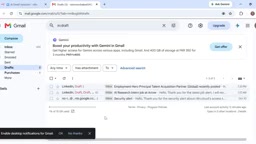
This trigger mechanism is the foundation of automated email handling. Traditional approaches often require scheduled polling or manual intervention, but with n8n's Gmail trigger node, the system can detect an incoming email the moment it arrives and immediately kick off the downstream process.
AI Analysis and Context-Aware Reply Generation
Once a new email is detected, the AI module reads and analyzes its content, understands the intent, and generates a contextually relevant response. The key term here is "context-aware" — replies aren't simple template substitutions, but responses grounded in the actual content of the email.
This step determines the real-world value of the assistant. If the system merely returned a fixed text every time, the value of automation would be limited. But by leveraging a large language model's comprehension capabilities, the system can produce differentiated replies tailored to each email — which is precisely where AI automation outshines traditional scripting.
In n8n, the node responsible for "understanding email content and generating a reply" typically connects to OpenAI, Claude, or another LLM with a compatible API. During setup, the developer writes a System Prompt that defines the model's role, reply style, and the conditions under which it should decline to respond. The email's subject, body, and sender information are passed in as user messages, and the model outputs the reply text accordingly. This "context awareness" isn't magic — it relies on the quality of prompt engineering. The clearer the prompt, the higher the accuracy and tonal consistency of the replies. For use cases that require referencing historical emails or customer records, a RAG (Retrieval-Augmented Generation) mechanism can be introduced to inject relevant document snippets into the prompt, further improving response relevance.
Automatic Sending and Unattended Operation
Once the reply is ready, the workflow automatically sends it — no human intervention needed.
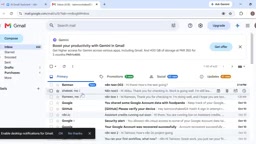
The author emphasizes that after the initial setup, the entire process runs fully automatically — there's no need to manually trigger execution for each new email. This means you build it once and benefit long-term; the system continuously monitors and handles qualifying emails in the background.
Real Productivity Value
From the demo, this example illustrates a typical application of AI automation in everyday business scenarios: boosting productivity, streamlining communication, and relieving the burden of routine tasks.
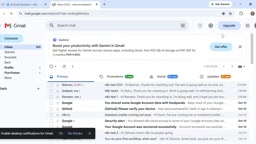
For individual users or small teams, automated email replies free people from repetitive work, allowing them to focus their energy on communications that genuinely require judgment. n8n, as an open-source workflow automation tool, offers flexible node composition that makes it relatively accessible for non-professional developers to build this kind of application.
n8n is an open-source, self-hostable workflow automation platform — similar in concept to Zapier or Make (formerly Integromat) — but with full source code access, allowing users to deploy it on their own servers to keep data private. Its core concept is the "Node": each node represents an action (e.g., "receive a Gmail message," "call an AI API," "send a reply"), and nodes pass JSON data to one another via connections. For email automation, n8n provides a Gmail trigger node (based on Google Pub/Sub push, with delays typically in the single-digit seconds) and a Gmail action node (for sending, labeling, archiving, etc.). Combined with an HTTP Request node or the built-in AI Agent node, you can complete the full workflow described in this article. The community edition is free with no execution limits, making it a low-cost entry point for individuals and small teams exploring AI automation.
Inspiration for Your Own Builds
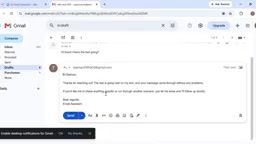
The author positions this email assistant as a sample of a "practical AI workflow," conveying the idea that the value of AI automation lies not in showing off, but in solving concrete problems. Email handling is just the starting point — the same "trigger → analyze → execute" pattern can be transferred to customer support tickets, form processing, content moderation, and many other scenarios.
It's worth noting that deploying this kind of auto-reply system in production requires careful consideration. Fully automated sending carries the risk of misclassification. It's advisable to start with a semi-automated "generate draft, human confirms" mode, then gradually loosen the reins as the workflow stabilizes. Additionally, emails involving sensitive information or important clients should have filter rules in place to prevent accidental triggering.
Conclusion
This demo illustrates the potential of combining AI with automation tools in a remarkably straightforward way. n8n handles process orchestration and triggering; AI handles understanding and generation. Together, they complete a task that would otherwise require continuous human effort. As these low-barrier tools become more widely adopted, delegating daily repetitive work to automated workflows is becoming an increasingly realistic choice for anyone looking to boost their productivity.
Related articles

Why Does the Tesla Roadster Need to Fly? A Deep Dive into Musk's Wild Demo
Tesla's Roadster launch showed wall-climbing, upside-down driving, and flying stunts—but The Vergecast notes the demo car may lack a battery, the Rocket version is invite-only and not street-legal, and the website terms don't guarantee delivery. After nine years of delays, why does this car still need to exist?

AI Is Not a Replacement: Human-AI Collaboration Through the Lens of Factory Root Cause Analysis
Starting from factory root cause analysis, this article explains how AI accelerates evidence chain construction rather than replacing human experts, exploring the pragmatic implementation logic and business value of 'AI supporting people rather than replacing them.'

AI Agent Decision Auditing: Building an Evidence Chain in Regulated Workflows
Starting from a Reddit discussion, this article analyzes three core issues in AI agent decision auditing within regulated workflows: what fields audit records should contain, how to handle feedback latency for erroneous decisions, and how to continuously calibrate LLM judge consistency with human judgment.