Building an LLM from Scratch with AI: A Complete Hands-On Journey with a 13M-Parameter Mini GPT Model

Building a 13M-parameter mini GPT from scratch using AI coding assistants on a single consumer GPU.
A content creator demonstrates how to build a complete 13-million-parameter mini GPT language model from scratch using AI tools like ChatGPT, Claude, and Cursor. The project covers the full pipeline — tokenizer training, data preparation, pre-training, and supervised fine-tuning — all running locally on a single RTX 5070 GPU with under 400 lines of core code and minimal dependencies.
A Bold Experiment: Using AI to Build AI
As AI tools become increasingly accessible, an intriguing question emerges: can we use off-the-shelf AI coding assistants to build our own language model from scratch? A content creator on Bilibili answered with a resounding yes — using AI tools like Claude and Cursor, he successfully trained a mini GPT model with approximately 13 million parameters that could answer questions about himself.
The project had a clear objective: build a small GPT-style language model in the 10–30 million parameter range using PyTorch, train it on a pure English Markdown dataset, and run everything locally on a single consumer-grade GPU (RTX 5070). The entire process avoided heavy frameworks like Hugging Face, demonstrating a minimalist path to building an LLM.
From Prompt Engineering to Project Scaffolding
Using AI to Write Prompts, Then Using AI to Write Code
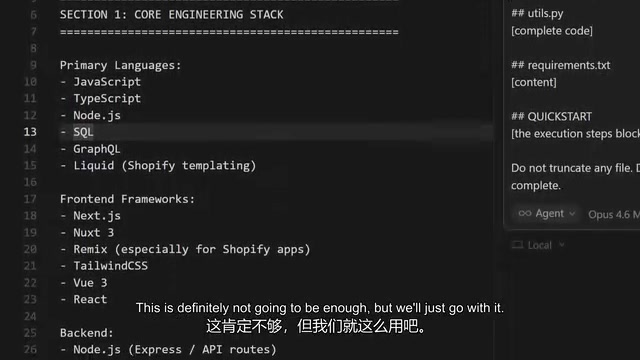
The most fascinating aspect of this project is the complete "AI inception" pipeline it created. The creator first used ChatGPT to craft a detailed prompt, specifying the requirement for a complete, runnable codebase tailored to his hardware setup (RTX 5070 GPU).
He then fed this prompt into Cursor (using the Opus 4.6 Max model) to generate the actual training code. The entire code generation process took about 17 minutes and produced a complete project structure called TinyGPT.
Notably, the generated code was remarkably lean — the core code was under 400 lines, with only 5 dependencies: PyTorch, SentencePiece, NumPy, TensorBoard, and TQDM. This minimalist design perfectly illustrates the feasibility of small-scale LLMs — you don't need a massive engineering infrastructure, and any ordinary developer can get started.
Navigating the Setup Pitfalls
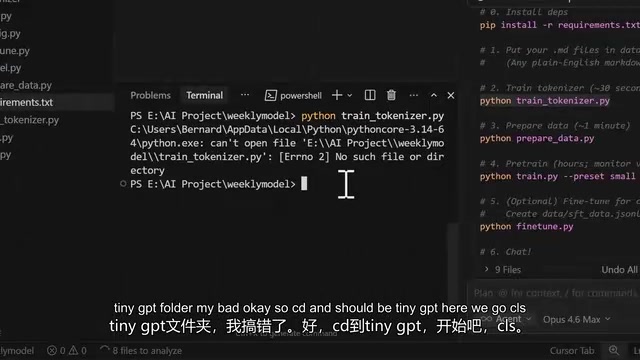
The experiment was filled with common beginner hurdles. The creator openly admitted he was "completely unfamiliar" with these tools, but the AI assistants proved invaluable for debugging. When global package conflicts arose, the AI proactively suggested creating a virtual environment for isolation. When "module not found" errors appeared, Cursor handled the dependency installation and automatically re-ran the commands.
The Training Pipeline: Tokenizer, Data Prep, and Model Training
A Standard LLM Training Pipeline
The entire training process followed a clear workflow: Train tokenizer → Prepare data → Pre-train model → Fine-tune.
First came tokenizer training, which produced a vocabulary of just 3,266 tokens. While tiny by large model standards, it's perfectly adequate for a domain-specific mini model. As the creator put it: "We don't judge by size — what matters is performance."
The CUDA Gotcha: The Stark Difference Between CPU and GPU Training
The training phase exposed a classic pitfall. The initial run threw a "Torch not compiled with CUDA enabled" error, meaning the model was actually training on CPU — painfully slow. The creator described how his "computer fans were spinning like crazy" and had to fast-forward through the footage.
After properly installing CUDA, the device successfully switched to the NVIDIA GeForce RTX 5070, and training speed improved dramatically. This episode vividly demonstrated the importance of GPU acceleration for deep learning — the efficiency gap between CPU and GPU for the same task can be orders of magnitude.
Final Parameter Count: 13.69 Million
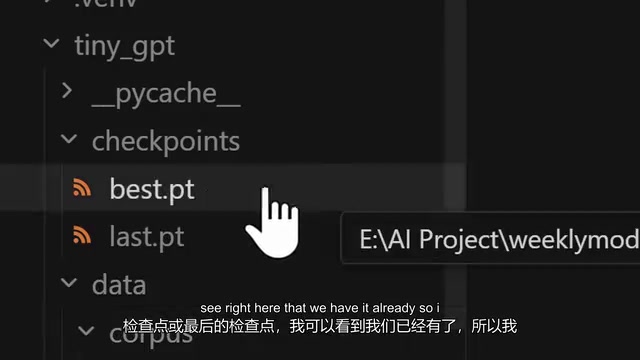
After training completed, the creator checked the final model size: 13,693,824 parameters, landing squarely within the original 10–30 million target range. It's a genuinely "mini" language model, but one that's complete in every essential aspect.
From Gibberish to Meaningful Output: Understanding How Language Models Work
First Conversation: Nonsensical "Thinking"
When the chat function was first tested, the output was essentially meaningless gibberish. When asked "Who is Bernard?", the model responded with something like "Clost, Event" — completely illogical.
But the creator made an astute observation: even gibberish output means "the model is working, the model is thinking." He then asked the AI assistant to explain the underlying mechanics and received a spot-on explanation: the model is essentially predicting the next most likely token based on patterns learned during training. It's not truly thinking or reasoning — it's generating text.
The Transformation Through Supervised Fine-Tuning (SFT)
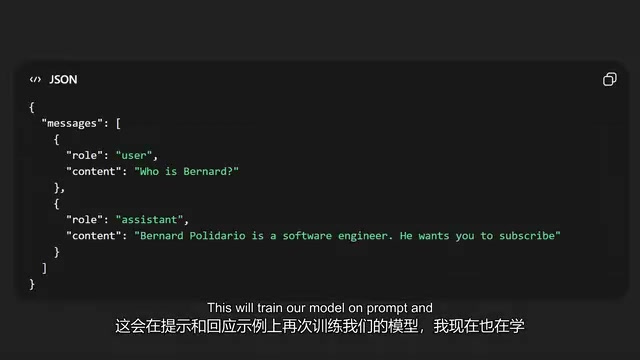
To get the model to produce more coherent output, Supervised Fine-Tuning (SFT) was needed. This step trains the model on prompt-response example pairs, teaching it to respond in a conversational format.
The creator ran the fine_tune.py script, which loads an existing checkpoint, continues training on SFT data, and generates a new checkpoint for the model. He summarized the complete workflow loop: Create more datasets → Prepare data → Train → Fine-tune.
The Impressive Final Result
After multiple iterations and additional data, plus resolving a critical compatibility issue — the initially installed Python 3.14 was incompatible with the GPU, and with Gemini's help he downgraded to 3.12 so training could actually run on the GPU — the model finally produced a satisfying answer:
"Bernard Polidario is a software engineer from the Philippines, and his birthday is August 10, 1986."
This response was not only grammatically correct but factually accurate, marking the moment this from-scratch mini LLM truly "learned" the knowledge from its training data.
Key Takeaways from This Experiment
While this experiment had an entertaining flair, its technical value shouldn't be underestimated. It proves that with the help of AI coding tools, the barrier to building a functional small language model has dropped significantly — even hobbyists without deep knowledge of the underlying principles can complete the full pipeline of tokenization, pre-training, and fine-tuning with AI guidance.
At the same time, this project serves as an excellent tutorial for understanding how LLMs work. The transformation from gibberish to meaningful responses vividly illustrates the difference between pre-training and fine-tuning, as well as the core mechanism that "a model is just predicting the next token."
For developers looking to get started with LLMs, rather than jumping straight into massive models, consider starting with a mini project like this — using a consumer-grade GPU, a few hundred lines of code, and minimal dependencies to walk through the entire training pipeline yourself. It might teach you more than reading ten research papers ever could.
Related articles

Trump's Request to Rename the Atlantic Rejected by Google; 1Password Lets AI Agents Log In Securely
The Vergecast roundup: Trump's request to rename the Atlantic the 'Trump Ocean' was politely declined by Google's CEO; 1Password's new feature lets AI agents log into accounts without touching passwords; OPPO launches the world's first 200-megapixel phone, the Find X10 Pro Max. All three point to the boundaries of tech authorization and trust.

The Truth About American College Party Culture: The Risks Schools Won't Admit
Behind American college party culture, the administration's "don't ask, don't tell" attitude is amplifying freshman risks. This article analyzes how the pandemic strengthened Greek dominance, freshmen's difficulty accessing safety information, and the chain reactions caused by a culture of denial.

OpenAI Reportedly Raising $30B at $1.25T Valuation Ahead of IPO
OpenAI is planning a $30B funding round at a possible $1.25T valuation, paving the way for an IPO. If completed, it would set a private company valuation record. This article analyzes the funding size, pre-IPO logic, and industry signals.