Building Autonomous Code Monitoring Agents with Google ADK: Giving Non-Technical Managers Full Project Visibility

Build three autonomous monitoring agents with Google ADK to oversee code quality, daily commits, and Kubernetes clusters.
A tech blogger used Google's Agent Development Kit (ADK) to build an autonomous codebase monitoring system for projects maintained by non-technical staff. The post explains the core difference between Agents and Assistants via Function Calling, demonstrates a sub-25-line weather Agent, then constructs three production agents: one that improves test coverage and opens PRs, one that emails daily commit summaries, and one that monitors a Kubernetes cluster with read-only access — immediately surfacing 7 crashed pods. All three are deployed as Google Cloud Run Jobs on a daily schedule.
AI Agents are moving from concept to production. A tech blogger built an autonomous code repository monitoring system using Google's Agent Development Kit (ADK), with a straightforward goal: he manages multiple projects maintained by independent developers — or even non-technical staff — and has almost zero visibility into what's happening in those codebases. This Agent's job is to act as a tireless engineering manager.
Why Give a Codebase an AI Manager
The blogger candidly explains that he has two projects — a restaurant system and 100xdevs.com — neither of which he personally leads. One is even run by a non-technical person. Today's coding agents are powerful enough that people without a technical background can use them to ship features. But a new problem emerges: managers lose all oversight of code quality, security vulnerabilities, and test coverage trends.
He makes a forward-looking observation: in the future, many small businesses (like restaurants) may stop hiring dedicated developers altogether, instead letting people who truly understand day-to-day operations lead projects. With the right abstractions for deployment, agents can build features. This means a huge number of "internal systems" could end up being self-built by small businesses. In that world, an autonomous agent that continuously reports on the state of a codebase becomes a manager's eyes and ears.
The Fundamental Difference Between an Agent and an Assistant
Before diving into the build, the blogger clarifies a commonly confused concept. What you interact with on the ChatGPT web interface is an "Assistant" — you input text or images and get text or images back. An Agent can do far more: it can call GitHub to create Pull Requests and read repositories, connect to a Kubernetes cluster to check service health, and eventually integrate with Sentry or PostHog to read logs and metrics.
The key insight is that underneath, it's still a large language model that can only output text. The difference is that sometimes the text the LLM outputs is an "instruction" — for example, "read the repository at github.com/hkirat/app." The backend recognizes this as a tool-call intent, actually goes to GitHub, reads the repo, and feeds the result back to the LLM. This multi-turn dialogue repeats — the LLM might then request kubectl get pods to inspect the cluster, the backend executes it and returns the result, and finally the LLM decides to send an email, which is itself another tool call.
An Agent, then, is what happens when you give an LLM indirect access to capabilities it otherwise wouldn't have. getCurrentTime and getCurrentWeather are the most primitive examples of tool calls, because the LLM has no real-time data access — only the historical data from its training.
This "tool calling" mechanism is technically known as Function Calling or Tool Use, and is a standard capability of today's leading LLMs (GPT-4, Gemini, Claude, etc.). Here's how it works: when calling the LLM API, developers pre-declare a set of available tools — their names, descriptions, and parameter schemas. When generating a response, if the LLM determines it needs external information or needs to perform an action, it outputs structured JSON rather than plain text, specifying which tool to call and with what parameters. The host program captures this JSON, actually executes the corresponding function (e.g., calling the GitHub API), and inserts the return value as a new message in the conversation history. The LLM then continues reasoning from there. This "LLM reasons → tool executes → result fed back → reason again" loop can iterate many times until the LLM decides the task is complete and produces a final answer. ReAct (Reasoning + Acting) is the classic academic framework describing this paradigm, and the Agent SDKs from OpenAI, Google, and Anthropic are all essentially engineering wrappers around this loop.
Quickly Building Your First Agent with ADK
Setup is straightforward: create a Google Cloud account, top up with roughly 1,000 rupees and you'll receive $300 in credits — with UPI payment support, the barrier to entry is lower than most other cloud providers. The blogger creates the project in Google's IDE (anti-gravity), driving the process mostly through prompt-based "vibe coding."
The first prompt: build a simple ADK project with a weather tool, wired up to a Google Cloud account for LLM calls. There's a nice perk of the Google ecosystem here: if your gcloud CLI is already authenticated and your account has credits, you don't need an API key — the Agent can access the LLM directly through your account.
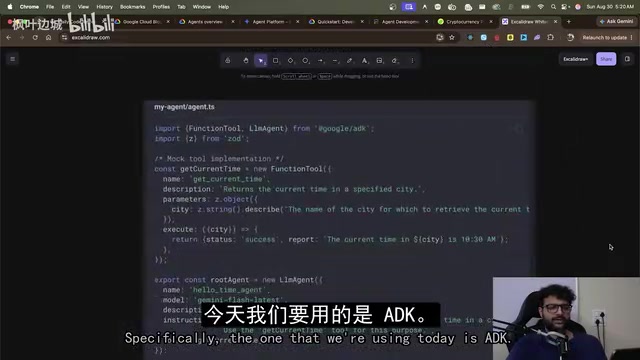
The end result is fewer than 25 lines of code, replicating the weather Agent from the opening demo: define a getWeather tool (currently hardcoded to return 72°F), initialize an LLM Agent, and export it. Running npm run dev automatically generates a conversational UI. When you ask "What's the weather in Delhi?", the interface shows the entire trace — the tool call being triggered, the backend returning a result, and the LLM delivering its final response. The complete message chain is clearly visible.
From Toy to Production: Building a Code Review Agent
The real challenge is building agents with genuine production value. The blogger scoped the code review Agent to three tasks: improving test coverage, security vulnerability scanning, and code style enforcement (skipping the third for now).
Vulnerability scanning is a read-only operation and relatively simple — read the repository, run a series of security and dependency checks. But improving test coverage is considerably more complex, because it requires not just reading but creating Pull Requests. This means the machine running the Agent must clone the repository from GitHub into a temporary directory, then expose the LLM to a full suite of standard coding-agent tools: read file, write file, commit to GitHub, and so on. In essence, you're building a coding agent from scratch — something equivalent to Claude Code, Gemini CLI, or Cursor.
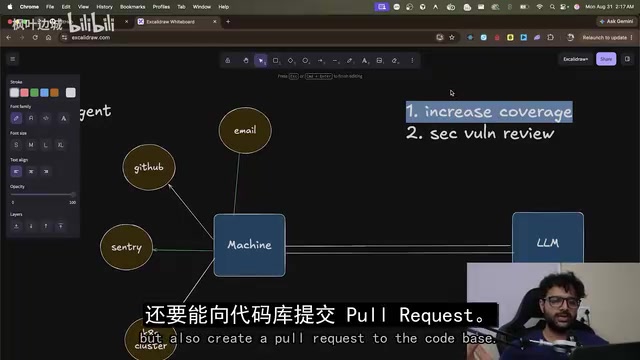
The blogger explicitly lays out the implementation path in his prompt — clone the repo, expose the tools, let the LLM work autonomously — and provides a Personal Access Token for private repositories. He's careful to explain his architectural reasoning: without spelling out the approach, the Agent might default to using GitHub MCP, whereas he believes cloning files into a sandbox is the right approach for a coding agent.
He also candidly flags a serious security concern: the current implementation has no sandbox isolation — the repository is cloned onto the same machine where the Agent runs. If you generalized this Agent to untrusted repositories, "things would get very bad very fast." It's a risk worth flagging for all Agent developers.
The GitHub MCP (Model Context Protocol) mentioned here is an open protocol proposed by Anthropic in late 2024, designed to standardize the way LLMs connect to external data sources and tools. Developers can wrap GitHub, databases, file systems, and more into a unified interface via an MCP Server, allowing LLM clients to call them without custom integration for each service. Compared to directly cloning a repository and operating on the file system, MCP leans more toward "operating via API proxy" rather than "direct local file system read/write." The blogger chose the latter because coding agents need to run tests and check coverage reports in a real file system — operations that depend on a local execution environment and are difficult to accomplish through API calls alone. The trade-off is that code must be cloned to the machine running the Agent, introducing the sandbox isolation challenge he specifically warns about.
Three Coordinated Agents: Coverage, Daily Digest, and Cluster Monitoring
In practice, the coverage Agent successfully generated a large number of tests and created a PR. The blogger notes two areas for improvement: too many tool calls (re-fetching the full codebase context every day will drive up AI costs, requiring a caching layer); and tests were written into the source directory rather than a dedicated test directory, with most being unit tests rather than integration tests.
The second Agent handles daily commit summaries — aggregating all commits to the repository for the day (the example showed 16 commits), summarizing who changed what, bundling in a vulnerability check, and emailing him every morning.
The third Agent is the most interesting: it accesses a specific namespace in a Kubernetes cluster with read-only permissions, monitoring for Pod crashes, log anomalies, and similar issues. The blogger emphasizes that only read-only access is granted, implemented by creating a dedicated read-only role within the cluster — so even if the Agent misbehaves, it can't write to the cluster. On its first run, it immediately surfaced 7 crashed Pods — all belonging to a payment sweeper service he'd been unaware of. He admitted, "I had absolutely no idea this was happening," and noted that the team itself didn't have cluster access. This real-world example vividly demonstrates the practical value of this kind of monitoring agent.
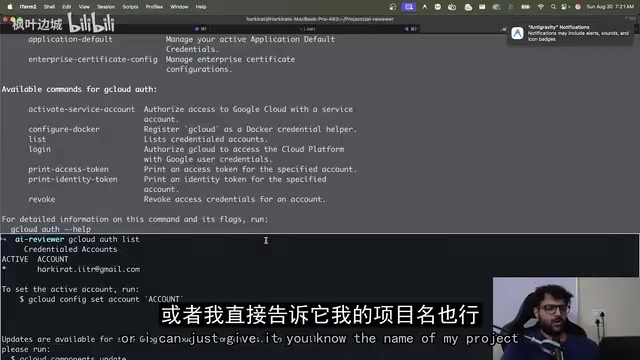
For sending emails, since the Agent already has access to his Google Cloud, the blogger simply needed to create OAuth credentials. Alternatively, you can use services like Resend or Mailgun and provide SMTP credentials.
Deploying to Google Cloud: Three Daily Scheduled Jobs
Finally, deployment. The three Agents are deployed as Google Cloud Run Jobs, scheduled to run daily via Google Cloud Scheduler. The entire stack runs within his own Google Cloud infrastructure: the Agent holds GitHub credentials, can read a live Kubernetes cluster, and can call the Gmail API to send emails.
A key advantage of ADK is its flexibility — you can run it locally, deploy it on your own infrastructure, or hand it off to Google Cloud and forget about it. The blogger also points to next steps: integrating monitoring services so the Agent can keep watch and alert during extreme situations like site outages; and for large codebases, applying more context optimization techniques.
This project demonstrates a complete Agent development loop: understand what an Agent fundamentally is, build it with Google ADK, deploy it to the Google ecosystem, grant it access to external services, set up daily scheduled runs, and receive automated reports. For anyone looking to get started with Agent development, it's a clear and reproducible path — though in production, sandbox isolation and the principle of least privilege remain non-negotiable prerequisites.
Google Cloud Run Jobs is the batch-processing variant of the Cloud Run platform. Unlike Cloud Run Services, which continuously listen for HTTP requests, Jobs are designed for "run-to-completion" tasks — billed by actual CPU/memory usage time, making them ideal for scheduled Agent workloads. Combined with Google Cloud Scheduler (a managed cron-expression-based scheduling service), developers can implement daily, hourly, or finer-grained task scheduling without maintaining any persistent servers. This "event-triggered + serverless execution" combination is one of the most cost-effective ways to deploy lightweight Agents today: the Agent consumes zero resources when idle, briefly spins up when triggered, completes its task, sends its report, and destroys the container instance.
Related articles

Gemini 4 Argon Hands-On: AI Builds Board Games, Constructs Temples, and Trains Robots Autonomously
Gemini 4 Argon hands-on roundup: AI autonomously builds a desk racetrack and temple in Blender, writes a ray tracing engine, trains a humanoid robot to sink 7 shots, plus API pricing and developer access.

The Magic Octagonal Coin: Why Only 9% of People Can Predict Its Flip?
Only 9% of people can correctly predict the Magic Octagon coin flip. This article explains its spatial rotation mechanism, common cognitive pitfalls, and a new hypothesis based on Relevance Theory, exploring the limits of human spatial reasoning.

Sam Altman: AI Is Entering the Era of Scientific Discovery — Math Breakthroughs Will Replicate in Biology and Energy
Sam Altman says AI is entering the era of scientific discovery — math breakthroughs will replicate in biology, materials science, and energy to help develop new drugs and energy sources.