Building Voice Accessibility Tools with ElevenLabs: TTS and Voice Cloning in Practice
A hands-on roadmap for building a lightweight voice accessibility tool from scratch using ElevenLabs' TTS and voice cloning APIs.
The article covers building voice accessibility tools with ElevenLabs. It breaks down five core modules—speech recognition, TTS, voice cloning, state management, and frontend—highlighting ElevenLabs' single REST API for both TTS and cloning. It then walks through a four-step quick start, cloning a custom voice from 30–60 seconds of clean audio, and an end-to-end Python prototype (mic → Google transcription → cloned-voice playback). It also covers web integration with MediaRecorder and REST endpoints, tuning stability and similarity_boost, and deployment considerations like noise, latency, rate limits, browser compatibility, key management, Docker packaging, and WCAG audits.
Building Voice Accessibility Tools with ElevenLabs: TTS and Voice Cloning in Practice
Why Voice Accessibility Tools Matter
If you've ever watched a video without captions, struggled to read long text on a small phone screen, or used a screen reader with a robotic voice, you know the frustration of technology that's supposed to help but ends up getting in the way. Voice-driven accessibility tools—screen readers, text-to-speech (TTS) assistants, voice navigation—are often the first gate to the digital world for users with visual impairments, reading difficulties, or motor disabilities.
The value of building a lightweight solution yourself is that you can tailor the experience to a specific user group, add a branded voice, and keep performance under control. Drawing on a hands-on tutorial from the developer community, this article lays out a complete technical path from speech recognition to TTS to voice cloning, with a focus on ElevenLabs' realistic speech synthesis capabilities.
Breaking Down the Core Components
A complete voice accessibility tool typically consists of five modules:
- Speech recognition: Convert user speech to text, commonly with
speech_recognition,vosk, or a cloud API - Text-to-speech: Read text aloud naturally, with options like ElevenLabs, Google TTS, or Amazon Polly
- Voice cloning: Generate a custom voice that closely matches a specific person's timbre—ElevenLabs and Resemble.ai are the go-to choices
- State management: Maintain conversation flow or user context—Redux or Zustand in React, or a simple in-memory dictionary for basic cases
- Frontend interface: Display transcribed text or captions—React, Vue, or vanilla JS all work
These modules can be combined freely, but ElevenLabs' advantage is that a single REST API covers both TTS and voice cloning, eliminating the integration overhead of stitching together multiple vendors. Its neural voices stand out among peers for naturalness, and the cloning process is simple enough: upload a short audio sample and you get a usable voice model.
Neural TTS: Traditional TTS mostly relies on concatenative or parametric methods, which sound noticeably mechanical. Neural TTS uses deep learning models (such as Tacotron, WaveNet, and their successors) to directly predict acoustic features from text and generate waveforms, capturing prosodic details like intonation, stress, and pauses—hence the dramatic improvement in naturalness. ElevenLabs' speech synthesis falls into this category, and its models maintain strong performance even with small sample sizes, which is precisely why it outperforms the robotic voices of traditional screen readers in accessibility scenarios.
Voice Cloning: This refers to training or adapting a TTS voice model that can reproduce a target speaker's timbre from a small number of audio samples. Mainstream approaches fall into two categories: speaker adaptation (fine-tuning, which requires more data and training time) and zero-shot/few-shot cloning (such as models based on speaker embeddings, which can infer from just seconds to tens of seconds of audio). ElevenLabs' instant cloning leans toward the latter—upload a sample, get back a voice_id, and reference that ID in subsequent synthesis. Sample signal-to-noise ratio, speaking-rate consistency, and recording equipment directly affect cloning similarity, which is why the tutorial emphasizes 30–60 seconds of clean audio.
Getting Started with ElevenLabs Quickly
It only takes four steps to get up and running. First, register an account and obtain an API key—store it in an environment variable rather than hardcoding it. Then install the Python SDK:
pip install elevenlabs
After configuring the key, run a minimal test:
from elevenlabs import set_api_key, generate, play
set_api_key("YOUR_ELEVENLABS_API_KEY")

audio = generate(
    text="Hello, world! This is a quick test of ElevenLabs TTS.",
    voice="en-US-Standard-A"
)
play(audio)
Just swap the voice parameter for any available voice under your account. Once this runs successfully, you know the key and network connection are working, and you can move on to cloning.
API Keys and Environment Variables: An API key is essentially your account's passport—if leaked, others could make calls on your behalf and incur charges. Writing keys into code and committing them to a repository is a common accident, so in practice inject them via environment variables (e.g., os.getenv("ELEVENLABS_API_KEY")), load them locally with a .env file and python-dotenv, and let the platform's environment configuration inject them at deploy time. This way the same code can move between development, testing, and production environments without source changes.
REST API vs. SDK: ElevenLabs exposes an HTTP REST interface, and the Python SDK is merely a wrapper that packages authentication, request construction, and audio stream handling into functions. Understanding this matters: when SDK function signatures change or a feature isn't yet covered by the SDK, you can call REST endpoints directly with requests; the web example does exactly that, bypassing the SDK to request https://api.elevenlabs.io/v1/text-to-speech/{voice_id} directly.
Cloning a Custom Voice
Voice cloning gives your tool a "personality"—it could be a brand ambassador's voice, a character voice, or even a voice recorded by the user themselves. ElevenLabs' cloning process takes just a few lines of code:
from elevenlabs import clone, generate, play

audio_path = "speaker_sample.wav"
clone_response = clone(audio=audio_path, name="CustomSpeaker")

audio = generate(
    text="This is a sentence spoken in your custom voice.",
    voice=clone_response["voice_id"]
)
play(audio)
Sample quality directly determines cloning results. The tutorial's advice is very specific: 30 to 60 seconds of clean audio with no background noise, consistent volume, and a steady speaking rate. The cleaner the sample, the more natural the synthesized voice—this is the most easily overlooked yet most impactful step in the entire process.
voice_id and Voice Persistence: The voice_id returned after successful cloning is the unique identifier for referencing that voice model. It's stored under your ElevenLabs account, so you don't need to re-clone on every run. The end-to-end example writes the voice_id to a local text file precisely to avoid the extra latency and quota consumption of repeated cloning. In production, a more robust approach is to store the voice_id in a configuration center or database, and provide a fallback voice if cloning fails, so the entire reading pipeline doesn't break.
stability and similarity_boost: These two parameters are central to tuning ElevenLabs cloned voices. stability controls how consistent the synthesis output is—lower values give more expressive intonation but may drift from the original voice, while higher values produce consistent but flatter output. similarity_boost controls how closely the output matches the original sample's timbre—higher values sound more like the person but may amplify noise or artifacts in the sample. You need to balance "natural" against "sounds like the person," typically starting around 0.5 and 0.75 and fine-tuning by ear.
End-to-End Flow: From Microphone to Cloned Voice
Stringing together recognition, TTS, and cloning gives you a minimal working "parrot" prototype: listen to the microphone, transcribe speech, and read it back in the cloned voice.
import os
import speech_recognition as sr
from elevenlabs import generate, play, clone, set_api_key

API_KEY = os.getenv("ELEVENLABS_API_KEY")
VOICE_CLONE_NAME = "CustomSpeaker"
AUDIO_SAMPLE = "sample.wav"

set_api_key(API_KEY)

# Clone and persist voice_id on first run, reuse thereafter
if not os.path.exists(f"{VOICE_CLONE_NAME}_id.txt"):
    clone_resp = clone(audio=AUDIO_SAMPLE, name=VOICE_CLONE_NAME)
    with open(f"{VOICE_CLONE_NAME}_id.txt", "w") as f:
        f.write(clone_resp["voice_id"])
else:
    with open(f"{VOICE_CLONE_NAME}_id.txt") as f:
        voice_id = f.read().strip()

rec = sr.Recognizer()
mic = sr.Microphone()

with mic as source:
    audio = rec.listen(source)

try:
    text = rec.recognize_google(audio)
    speech = generate(text=text, voice=voice_id)
    play(speech)
except sr.UnknownValueError:
    print("Could not understand audio.")
except sr.RequestError as e:
    print(f"Recognition service error: {e}")
The logic is clear: clone or load the voice, listen once, transcribe with the Google Web Speech API (free for small projects), synthesize with ElevenLabs, and play. This script can serve as the skeleton for screen-reader-style apps, voice navigation aids, or hands-free reading assistants.
Moving to the Browser: Web Integration
To expose the same capabilities in the browser, you can call ElevenLabs' REST endpoints directly with JavaScript. The core idea is to record audio with MediaRecorder, then send text (in a real scenario, first run through a speech-to-text service) to the TTS endpoint and play back the returned audio Blob:
const response = await fetch('https://api.elevenlabs.io/v1/text-to-speech/' + voiceId, {
  method: 'POST',
  headers: { 'xi-api-key': apiKey },
  body: new FormData([
    ['text', 'Hello from your custom voice!'],
    ['voice_settings', JSON.stringify({ stability: 0.5, similarity_boost: 0.75 })]
  ])
});
const audioBlob = await response.blob();
const audio = new Audio(URL.createObjectURL(audioBlob));
audio.play();
Note that the tutorial example uses static text for simplicity; in a real application, you'd first send the recording to speech recognition and then pass the result to TTS—otherwise the pipeline only completes half the job ("reading aloud"). Also, the stability and similarity_boost parameters are worth tuning carefully, as they directly affect the cloned voice's consistency and similarity.
Edge Cases and Deployment Considerations
Several issues are unavoidable in real-world deployment. Background noise can significantly reduce recognition accuracy—use a library like pydub to denoise before feeding audio to the recognizer. For latency, caching the cloned voice's voice_id and prefetching TTS audio for frequently used phrases can noticeably improve responsiveness. API rate limits can be handled with request queues or upgraded paid tiers. Cross-browser compatibility can be addressed with a Web Audio API polyfill as a fallback.
At the deployment level, four recommendations are worth remembering: store API keys in .env managed with python-dotenv; package with Docker to ensure consistent runtime environments; log API responses and latency to catch bottlenecks early; and run accessibility audits with tools like LighthouseAd before launch to confirm WCAG compliance.
WCAG and Accessibility Audits: WCAG (Web Content Accessibility Guidelines) is an international standard published by the W3C, organized around four principles—perceivable, operable, understandable, and robust—with three conformance levels: A, AA, and AAA. Most regulations and procurement requirements use AA as the baseline. For voice-based tools, relevant provisions include providing alternative text for audio content, ensuring keyboard operability, avoiding conveying information through sound alone, and ensuring compatibility with screen readers. Lighthouse's accessibility audit can automatically detect some issues (such as missing labels or insufficient contrast) but can't cover all judgment calls, so manual testing with real assistive technologies (such as NVDA or VoiceOver) is still recommended before launch.
A Pragmatic Starting Point
Voice accessibility tools are moving from a niche need to a standard part of inclusive design. ElevenLabs offers a solid starting point for TTS naturalness and cloning ease of use, but what really determines a product's success is continuous iteration based on user feedback and fine-tuning of voice parameters. Whether you're building a screen reader, a hands-free note-taking app, or a voice interaction terminal, this lightweight stack already provides a production-ready foundation.
One caveat: the code in this article comes from tutorial examples, and some interfaces (such as the generate and clone function signatures) may change with SDK versions. Before integrating, check the current version against the official documentation.
Related articles

Will GitHub Die? Open Source Maintainer Burnout and the Collaboration Crisis in the AI Era
Lex Fridman podcast discussion on open source maintainer burnout and GitHub's predicament: massive pull requests overwhelm core maintainers, and AI worsens code bloat. Using math journal peer review and Poincaré conjecture verification as analogies, the article analyzes why verification in knowledge production must be deliberately slow, and how open source communities can avoid the failure mode of maintainers exiting.
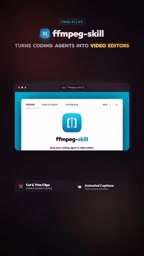
Stop Building Cookie-Cutter AI Websites: 3 Tools That Transform Your Coding Agent
Three tools that boost AI coding agents: FFmpeg skill for local video editing in Claude Code and Cursor, Hallmark's 50 design themes to fix cookie-cutter AI sites, and Jailbreaks' 25+ model prompts.

How America's Gerontocracy Squeezes the Younger Generation
Americans over 55 hold nearly three-quarters of national wealth, alongside an 80-year-old president and elderly congressional leaders. The Atlantic's Idrees Kahloon explains how gerontocracy drives up housing costs, squeezes opportunities for the young, and explores zoning reform and child poverty reduction as practical fixes.