Byter: It Tracks Data Usage for Every Network, Clearly

Byter is a Mac menu bar tool that tracks data usage separately by Wi-Fi, hotspot, and wired connection, with a focus on local privacy.
Byter is a Mac menu bar data monitoring app on Product Hunt whose core selling point is tracking data usage independently for each Wi-Fi network, mobile hotspot, and wired connection, solving the pain point of "where is my hotspot data going." It offers real-time speed, one-click speed test, multi-granularity charts from day to year, and usage spike alerts, with all data stored locally, no account, and no ads. Currently Mac-only with a Windows version planned, it supports 11 languages. The product is in an early stage with limited vote and review samples, suited to users who rely on hotspots for work or switch networks frequently, while those on a single fixed Wi-Fi will find the incremental information limited.
Why You Need a Tool That Tracks Data Usage per Network
Most operating systems only give you one total for data usage: how many GB you've used this month, and that's it. But the scenarios that actually cause headaches tend to be more specific — your mobile hotspot plan is about to expire, and you have no idea whether those 20GB were eaten by your laptop's system updates or burned up by video conferences.
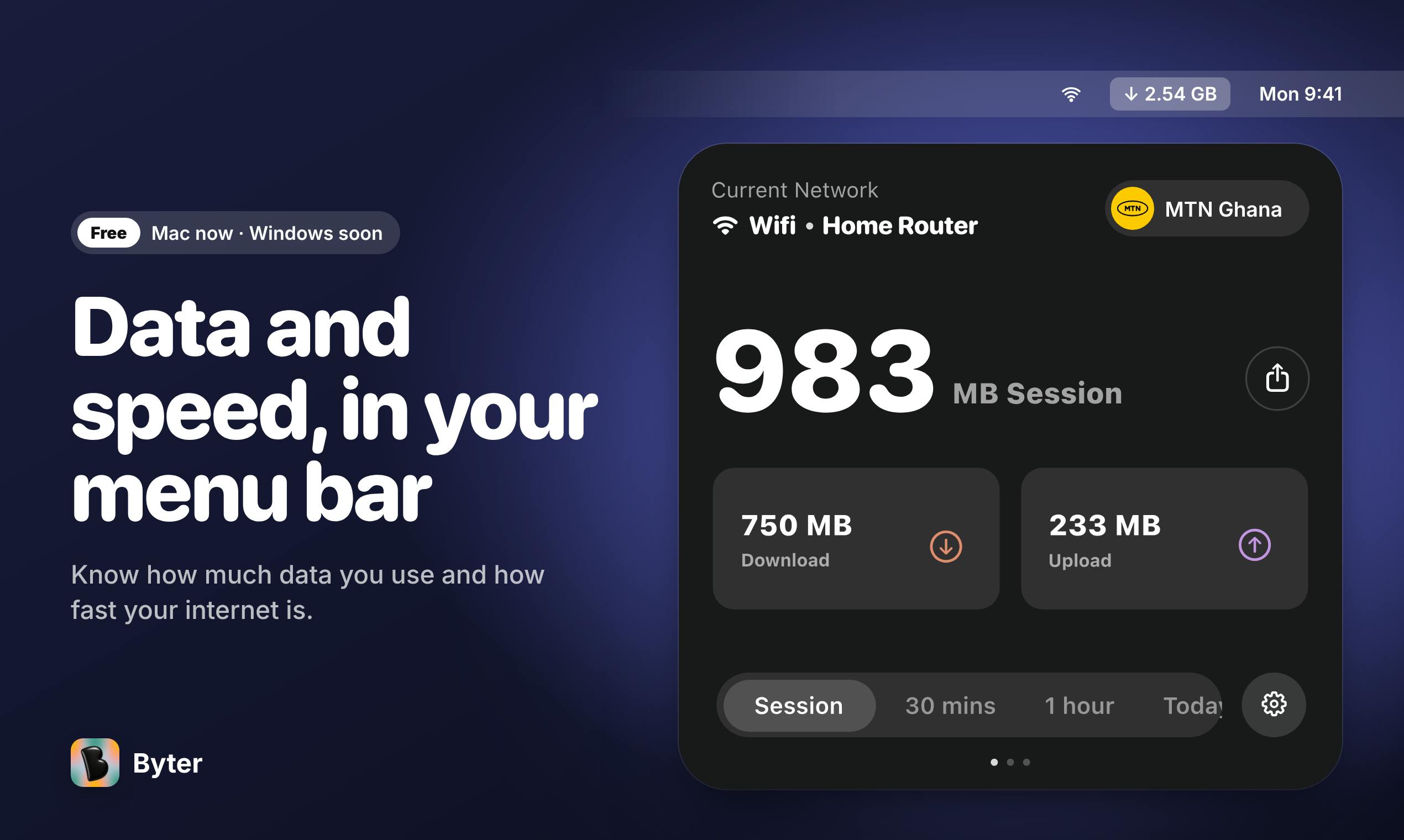
Byter, which just surfaced on Product Hunt, is aimed squarely at this pain point. Its core proposition is straightforward: track data usage separately for each Wi-Fi network, mobile hotspot, and wired connection, so you know exactly where your hotspot data is going.
The product is currently ranked No. 10 for the day with 74 votes, created by developer Maxwell Sas. It's positioned as a Mac menu bar app, with a Windows version in the works.
Feature Breakdown: More Than Just a Data Counter
Independent Tracking per Network
The biggest difference between Byter and ordinary data monitoring tools is separation. Home Wi-Fi, office Wi-Fi, and mobile hotspot each have their own usage ledger. This matters a lot for people who rely on hotspots for work or travel frequently — you can finally pinpoint "this month's hotspot overage" to a specific day and a specific network environment.
Network interface vs. per-SSID tracking: Operating systems typically aggregate traffic by network interface (e.g., en0 for Wi-Fi, en1 for wired), while Byter goes further by distinguishing Wi-Fi networks by SSID (i.e., network name). This means different hotspots and different SSIDs connected through the same Wi-Fi chip are all tracked separately. Technically, this requires monitoring system network state changes and recording switch events, attributing traffic increments to the SSID connected at the time. For mobile hotspots, the SSID is usually named after the device, so it can accurately distinguish "iPhone hotspot" from "Android hotspot." This attribution method is more granular than simply looking at interface totals, and it's the core differentiation of Byter.
Real-Time Speed and One-Click Speed Test
Beyond cumulative usage, Byter provides real-time network speed display and a one-click speed test. When you're troubleshooting "is the network getting slower," you no longer need to open a browser and find a third-party speed test site.
Time Dimensions from Day to Year
Usage charts cover multiple time granularities from day to year, making it easy to observe long-term trends. Combined with gentle alerts when usage spikes, it's closer to proactive health monitoring than passive after-the-fact accounting.
Privacy Design: Data Never Leaves Your Device
Byter explicitly promises that all data stays on your local device. No account system, no ads. This deserves special mention among data-tracking tools — after all, data usage patterns can reveal a user's habits and daily routines, so local processing is a reasonable and necessary trade-off.
The cost is the lack of cross-device sync, but for a menu bar tool, most users will accept this exchange.
Local-first architecture: Byter's "data never leaves your device" promise means it adopts a local-first design — all usage data is written to a local database (such as SQLite), never uploaded to the cloud or passed through developer servers. The typical advantages of this architecture are privacy and offline availability, at the cost of no cross-device sync and no automatic data migration when you switch machines. For data monitoring tools, local storage also involves data retention policy: is data kept forever or are old records rolled off? This affects the completeness of long-term trend charts. If you care about historical data, it's advisable to manually back up the app's data directory before uninstalling.
Notable Trade-offs and Limitations
The most direct limitation is platform. Currently Mac-only, Windows users will have to wait. For Windows-primary users, this tool can't be considered for now.
Second is the boundary of local storage: how historical data is handled after uninstalling the app isn't addressed in the source material, and it's worth noting before actual use.
Additionally, a single review and 74 votes indicate it's still in an early exposure phase, with limited community validation. Judging its value depends more on whether its feature positioning fits your use case than on accumulated reputation.
Resource overhead of menu bar apps: As a monitoring tool that lives in the menu bar, Byter needs to continuously sample network interface traffic counters. macOS provides interfaces like getifaddrs to read cumulative bytes sent and received, and the app calculates real-time speed by polling at intervals and computing differences. Higher polling frequency means better real-time accuracy but more CPU wake-ups. For Mac laptop users who care about battery life, the energy performance of such always-on tools is worth watching during trial — typically a sensible implementation uses adaptive polling (high frequency when active in foreground, low frequency when idle) to balance accuracy and power consumption.
Who Should Use It
If any of the following applies to you, Byter is worth a spot in your menu bar: you rely on mobile hotspots for work, frequently switch between networks, or have persistent confusion about "where did this month's data go." Support for 11 languages also shows the developer intends to cover non-English markets.
Conversely, if you work on a single fixed Wi-Fi and your carrier bill is sufficient, the incremental information it provides is limited.
Summary
Byter doesn't try to be an all-in-one data management platform. Instead, it does one thing solidly — per-network tracking — and adds points with local-first privacy and a lightweight form factor. In a space dominated by big, do-everything tools, this restrained product definition is itself its distinction.
Official site: https://www.producthunt.com/r/P5AUEEE3ERUV7M
One-line Summary
Byter is a Mac menu bar tool that tracks data usage separately by Wi-Fi, hotspot, and wired connection, with a focus on local privacy.
Paragraph Summary
Byter is a Mac menu bar data monitoring app on Product Hunt whose core selling point is tracking data usage independently for each Wi-Fi network, mobile hotspot, and wired connection, solving the pain point of "where is my hotspot data going." It offers real-time speed, one-click speed test, multi-granularity charts from day to year, and usage spike alerts, with all data stored locally, no account, and no ads. Currently Mac-only with a Windows version planned, it supports 11 languages. The product is in an early stage with limited vote and review samples, suited to users who rely on hotspots for work or switch networks frequently, while those on a single fixed Wi-Fi will find the incremental information limited.
Related articles

Cursor AI in Practice: Weighing Efficiency Gains Against Costs in an AI IDE
An in-depth look at Cursor AI IDE's interface layout, four modes (Agent/Plan/Debug/Ask), model selection, and Git context integration, with hands-on demos weighing subscription costs against going direct to Claude.

Free Landing Page Design Rules Library: A Practical Guide for Claude Code and Cursor
A free landing page design skill for Claude Code and Cursor: MIT licensed, nearly 9,000 stars, asks about offer/audience/action before planning 12 sections with hard font and spacing constraints.

Cursor Keeps Writing Wrong Code? The Problem May Be Context, Not Prompts
Cursor keeps writing wrong code? The problem may be context, not prompts. Learn how to supply relevant files, full error messages, and expected results, plus a plan-first, small-step, test-driven workflow to reduce AI coding errors—while remembering code review remains the developer's job.