CC Switch: The Desktop Powerhouse for One-Click Switching Between Claude Code, Codex, and Gemini CLI

CC Switch uses a desktop GUI to unify configuration management for three major AI coding tools, with one-click provider switching.
The article introduces CC Switch, a free, open-source desktop app that solves the pain of scattered configurations and manual JSON editing when using Claude Code, Codex, and Gemini CLI simultaneously. Its core features include: one-click switching of model providers from the main window or system tray; adding an MCP server once and syncing it to all tools; installing skills and managing prompts in the same interface; and a built-in dashboard for tracking token consumption and costs. The app supports Windows, Mac, and Linux under the MIT license, and according to the video, has over 145,000 GitHub stars. The article concludes that the tool suits developers who use multiple AI coding CLIs and frequently switch providers, while single-tool users see limited benefit; it also notes that the video does not cover details such as configuration migration compatibility, multi-tool parallel conflicts, or dashboard statistical scope.
The Configuration Nightmare of the Multi-AI Coding Tool Era
If you use all three major AI coding assistants — Claude Code, Codex, and Gemini CLI — at the same time, chances are you've been through this scenario: each tool has its own configuration file, switching model providers requires manually editing JSON files, and one slip in formatting can prevent the tool from starting. According to a video shared on a YouTube channel, a free desktop app called CC Switch is solving this pain point — it has already garnered over 145,000 stars on GitHub and is open-sourced under the MIT license.
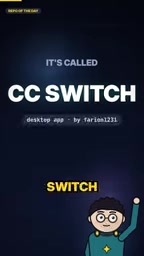
The video makes it clear that these three tools each maintain independent configuration systems, and when users switch between different providers, they often have to dig into the file system and manually edit JSON. CC Switch's approach is straightforward: consolidate these configurations into a single graphical interface, reducing the cost of switching from "edit files and restart" to "click a button."
One-Click Switching and System Tray: Perfecting High-Frequency Operations
CC Switch's core capability is one-click provider switching. The video demonstration mentions that users can even switch directly from the system tray without opening the main window. This means that when a model service slows down or becomes temporarily unavailable, developers can quickly switch to a backup provider without interrupting their current workflow to hunt for configuration files.

This design is particularly practical for developers who use multiple tools in parallel. In the traditional approach, switching providers can involve locating files, modifying fields, saving, and restarting the tool — multiple steps. CC Switch compresses this into a single click, accessible right from the system tray. Although the video does not disclose specific switching times or performance data, the interaction design of "one-click switching from the system tray" itself shows that the product prioritizes high-frequency operations above all else.
In the context of AI coding tools, "provider" refers to the backend that actually delivers model inference services — for example, the official Anthropic API, OpenAI, Google Gemini, or various third-party relay and cloud vendor services compatible with the OpenAI interface. Different providers differ noticeably in model capabilities, response speed, rate-limiting policies, and per-unit pricing, and developers often need to switch temporarily based on task type or service availability. At the configuration level, each tool typically requires fields such as base URL, API Key, and default model name, saved in JSON form; a mistake in field names or nested structure can cause the tool to fail to start or requests to be rejected. Only by understanding this can you appreciate that "one-click switching" truly replaces the entire error-prone manual process of locating files, checking fields, saving, and restarting — not just a few fewer mouse clicks.
MCP Server and Skill Management: Configure Once, Sync Everywhere
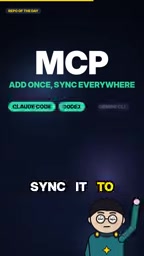
Beyond provider switching, CC Switch also tackles another repetitive-work scenario: MCP server configuration. The video mentions that you only need to add an MCP server once and it syncs to all tools. For developers using the Model Context Protocol to extend AI coding capabilities, this saves the hassle of repeatedly entering server addresses and parameters in each tool.

Skill installation and prompt management are similarly integrated into the same interface. The video description mentions that users can install skills and manage prompts in the same place. This "centralized configuration" approach essentially extracts the duplicate configuration items scattered across three tools and forms a single source of truth, reducing maintenance costs.
MCP (Model Context Protocol) is a standardized protocol proposed and open-sourced by Anthropic, designed to let AI applications connect to external data sources and tools in a unified way. In AI coding assistant scenarios, MCP servers can provide capabilities such as file system access, database queries, and code repository search — essentially plugging callable "tool interfaces" into the model. Each MCP server typically requires declaring parameters such as the startup command, transport method (e.g., stdio or SSE), and environment variables, and these configurations are stored independently in Claude Code, Codex, and Gemini CLI. So when developers want the same external capability across multiple tools, they must re-enter the same parameters; and once the server address or startup parameters change, they must update each location one by one. CC Switch's centralized management and synchronization of MCP configurations across tools directly addresses this repetitive configuration problem.
Usage Dashboard: Making Token Consumption and Costs Transparent
CC Switch includes a built-in dashboard for tracking token consumption and costs. For developers using multiple AI coding tools simultaneously, costs are spread across different platforms and different bills, making it hard to intuitively determine which tool or which provider is consuming more budget. Aggregating usage data into a single dashboard helps developers make more rational tool choices and budget allocations.
The video does not specify the exact metric dimensions or data precision of the dashboard, but the feature positioning of "tracking tokens and costs" hits the real need of multi-tool users for a unified billing view.
Cross-Platform and Open Source: A Low-Barrier Adoption Path
CC Switch supports the three major desktop platforms — Windows, Mac, and Linux — and is open-sourced under the MIT license. Both points significantly lower the adoption barrier: cross-platform means team members on different operating systems can all use the same configuration management approach; the MIT license allows free use, modification, and distribution, making it friendly to developers who want to audit the code or make customized changes.
The 145,000+ GitHub stars mentioned in the video is a signal worth noting — it indicates that the project has accumulated considerable recognition in the developer community. It should be noted, however, that this figure comes from the video creator's description, and this article has not independently verified its current value.
The MIT license is one of the representative permissive open-source licenses, allowing anyone to freely use, modify, merge, publish, and sublicense code. The main obligation is to retain the copyright notice and license notice when distributing, and the software is provided "as is" without warranty. For developers, this means CC Switch can be used in commercial environments, used as the basis for internal custom branches, or even have portions of its code merged into other projects without worrying about copyleft obligations. By contrast, GPL-type licenses require derivative works to also be released under the GPL. Choosing MIT typically helps reduce the legal review costs of enterprise adoption and lowers the barrier for community contributions and secondary development — directly relevant to the "low-barrier adoption path" emphasized in this article.
Who Should Use CC Switch
Based on the features disclosed in the video, CC Switch's target user profile is quite clear: developers who use two or more AI coding CLI tools simultaneously, frequently switch between different model providers, and care about token cost visualization. If you only ever use a single tool and a single provider, the configuration management pain point isn't significant, and the necessity of this tool diminishes; but if you are in a phase of running multiple tools in parallel or comparing vendors, CC Switch's centralized configuration and one-click switching capabilities can substantially reduce daily friction.
One note: as a short-video format, the video does not delve into details such as compatibility of configuration migration, conflict handling when multiple tools run simultaneously, or the statistical scope of dashboard data. These aspects, which may affect the experience in actual use, are left for users to verify on their own.
Related articles
 Tech Frontiers
Doubao + Hongguo for AI Comic Drama: A Practical Breakdown of Monetization for Beginners
A breakdown of the Bilibili AI comic drama monetization tutorial: the five-step Doubao + Hongguo workflow, the real structure behind 2,000 yuan per episode, and the two bottlenecks that actually trip up beginners — character consistency and scriptwriting.
 Tech Frontiers
The Tickle Robot in the Lab: Cracking the Neural Code of Itch with a Probe
A tickle robot with precise control of force, speed, and probe size stimulates participants' soles to help researchers quantify how touch becomes itch and explore the neural mechanisms of tactile perception.
 Tech Frontiers
AI Teammates Officially Launch: Proactive Collaboration, Task Ownership, and Slack Integration
Teammates officially launches: AI proactively takes on tasks, integrating Computer tasks, skills, memory, and tools, supports collaboration between teammates and messaging in Slack. Currently available on the web for Max subscribers, marking AI's shift from tool to proactive collaborator.