ChatGPT's Icon Design Gone Wrong: Semantic Understanding Pitfalls in AI Design Tools and How to Navigate Them
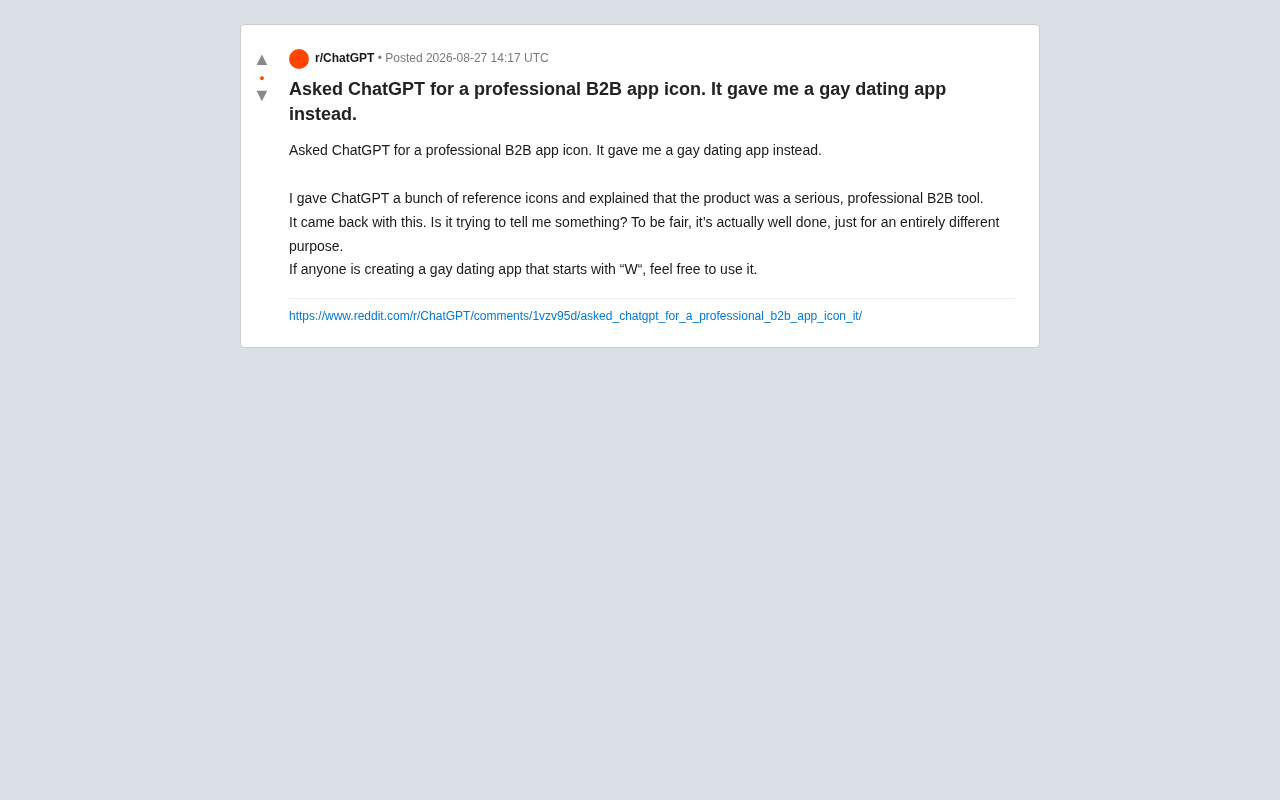
ChatGPT designed a B2B icon that looked like a gay dating app logo, exposing AI's semantic alignment gaps.
A Reddit user asked ChatGPT to design an icon for a serious B2B tool, only to receive something that looked more like a colorful dating app logo. The incident highlights two core weaknesses in AI image generation: AI relies on statistical image-text associations rather than truly understanding abstract industry concepts like "B2B," and multimodal models process reference images as fragmented features rather than holistic tone. The article argues that today's generative AI excels at execution but struggles with intent alignment, and offers practical advice including using concrete descriptions, leveraging negative prompts, annotating reference images, and treating AI as a drafting tool rather than a final deliverable.
A Hilarious AI Icon Design Fail
A Reddit user recently shared their experience using ChatGPT to generate an app icon, sparking lively discussion across the community. The request seemed clear enough: design an icon for a "serious, professional B2B tool." The user even provided a set of reference icons and repeatedly emphasized the product's business-oriented nature.
What ChatGPT delivered, however, left the user both amused and exasperated. The generated icon was vibrant and eye-catching — so much so that the user joked it looked more like "the logo of a gay dating app starting with the letter W." They quipped: "To be fair, the design itself is actually quite polished — it's just completely wrong for the context. If anyone's building a gay dating app that starts with W, feel free to use it."
Beneath the humor, this incident reveals something much more significant: the deep-seated limitations of current AI image generation tools when it comes to semantic understanding and style control.
Why AI-Generated Icons Miss the Mark
The Gap Between Visual Style and Semantic Labels
The core issue behind this ChatGPT design fail is that AI's visual interpretation of abstract concepts like "professional B2B" diverges sharply from how a human designer would approach it.
To a human designer, "professional B2B tool" conjures restrained color palettes (navy blue, gray, dark green), clean geometric shapes, and low-saturation visuals. These are the unspoken "industry visual conventions" that designers internalize through years of practice — tacit knowledge built over time.
AI, however, doesn't truly understand what B2B means. Instead, it performs probabilistic inference based on image-text associations in its training data. When users hint at desires like "engaging," "modern," or "appealing" — even implicitly — the model may overweight high-saturation colors, gradients, and rounded shapes. These happen to be the exact visual hallmarks of consumer social apps.
The Double-Edged Sword of Reference Images
Interestingly, the user did provide reference icons — and the output still went sideways. This exposes a common misconception: multimodal models don't always use reference images in predictable ways.
A model may extract only isolated features from a reference image — such as color, corner radius, or graphic density — while missing the overall "tone." When there's tension between the text prompt and the reference images, the model's output becomes hard to predict, often yielding something that is technically well-executed but fundamentally misaligned.
What This Fail Reveals About AI Design Tool Limitations
High Execution Quality ≠ Correct Direction
The user specifically noted that "the design itself is actually quite good" — and that's a crucial observation. It demonstrates that modern AI image generation has matured considerably at the execution level: clean lines, harmonious colors, professional compositions. The real weakness isn't in how well it draws, but in whether it draws the right thing.
This is a systemic issue shared across all generative AI tools today: technical capability has far outpaced alignment capability. Models can generate stunning visuals, but they can't always accurately capture a user's true intent within an industry-specific context.
Abstract Requirements Are the Hardest Prompting Challenge
Words like "professional," "premium," and "trustworthy" communicate clear brand language to humans — but to AI, they're highly ambiguous signals. Subjective, abstract, culturally-loaded requirements like these are precisely what current prompts struggle most to express with precision.
How to Avoid AI Design Failures: Practical Tips for Creators
While this story started as a community joke, it offers genuinely useful lessons for anyone using AI in design work:
Replace Abstract Concepts with Concrete Descriptions
Instead of saying "professional B2B icon," specify: "deep blue color palette, flat design, single geometric symbol, no gradients, style consistent with enterprise software like Slack or Notion." The more concrete your constraints, the more controllable the output.
Use Negative Prompts to Rule Out Unwanted Directions
Explicitly telling the model "no rainbow colors," "avoid rounded cartoon styles," and "no high-saturation gradients" can effectively steer it away from undesired results. Negative prompts often do more to constrain AI output than positive descriptions alone.
Pair Reference Images with Written Explanations
Dropping a batch of reference images isn't enough. You need to tell the model in text which dimension of the reference you want it to learn from — whether that's the color scheme, compositional logic, or overall brand sensibility.
Treat AI as a Drafting Tool, Not a Final Deliverable Tool
In professional design contexts, AI is best suited for rapid ideation and direction-finding. Final brand visuals still require a human designer to oversee tone and industry fit.
Closing Thoughts: AI Is a Talented Intern with No Industry Common Sense
This "B2B icon turned dating app logo" blunder is, at its core, a vivid case study in AI intent alignment. It reminds us that today's generative AI is like a highly skilled intern with no industry knowledge — technically brilliant, but chronically prone to misreading the brief.
As multimodal models continue to improve their semantic understanding and style control, these kinds of failures will likely become less common. But until then, understanding AI's capability boundaries — and learning to communicate in a language it can actually follow — remains essential knowledge for every creator working in the age of AI.
Related articles

Tencent WorkBuddy Hands-On: How AI Agents Crush Traditional Chat Assistants
WorkBuddy vs Doubao tested: how AI Agents directly operate computers to convert PPT to PDF, archive files and more. Analysis of WorkBuddy's low barrier, domestic ecosystem, pricing and plugin marketplace, plus AI Agent selection advice.

Azure Cross-Tenant Attack Chain: Root Cause Analysis of Five Paths
Binary Security analyzes five full cross-tenant compromise paths in Azure, trending 271 points on HN. This article interprets their shared root cause perspective and offers defense recommendations for cloud tenant isolation and reflections on responsibility boundaries.

Recreating a Real Bubble Tea Station in Isaac Sim: Script-Driven Unitree G1 Brews Tea
Developers recreated a real self-service tea station in NVIDIA Isaac Sim, using scripts to drive a Unitree G1 through a five-step tea-brewing process, exploring whether physics simulation can be a source of synthetic robot demonstration data and discussing contact stability and imitation learning.