Chrome DevTools MCP: Giving AI Coding Assistants True Browser Vision

Chrome's official MCP server lets AI coding assistants see and debug web pages through DevTools.
Google Chrome's official chrome-devtools-mcp project bridges AI coding assistants and browser debugging via the Model Context Protocol. It exposes Chrome DevTools capabilities — page screenshots, console log reading, network analysis — directly to agents like Claude and Cursor, creating a complete write-verify-fix automation loop that transforms AI from blind code generators into agents with real browser vision.
When AI Coding Assistants Meet Browser Debugging
In an era where AI coding assistants (Coding Agents) are rapidly gaining adoption, a persistent pain point remains unresolved: while these agents can write code, they often operate like the blind men and the elephant — unable to truly verify how their code actually runs in a browser. They can't see the rendered page, read console errors, or perceive the success or failure of network requests.
The chrome-devtools-mcp project from the official Google Chrome team was created to fill exactly this gap. As a server built on the Model Context Protocol (MCP), it directly exposes powerful Chrome DevTools capabilities to AI coding assistants, enabling agents like Claude, Cursor, and Copilot to truly "open a browser, view pages, and debug issues."
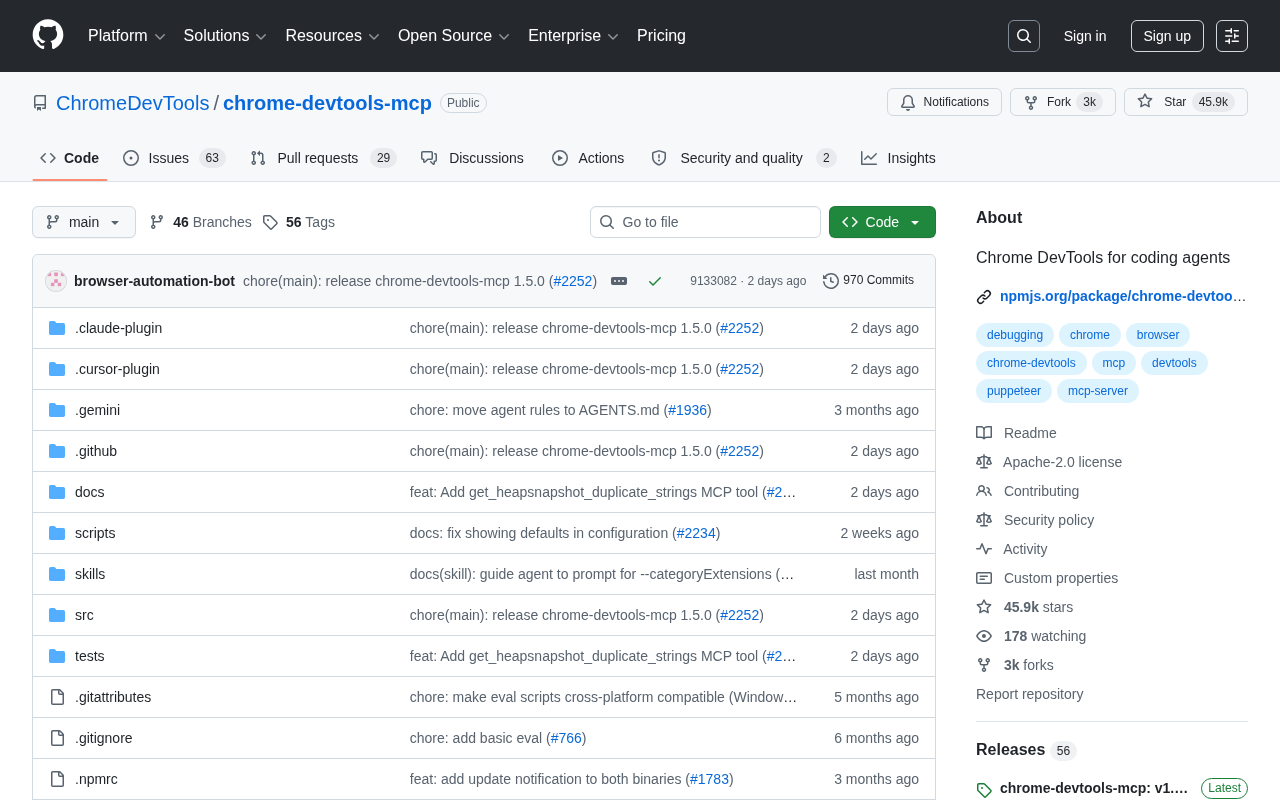
The project has rapidly accumulated over 45,000 stars on GitHub, with more than 100 new stars per day and nearly 3,000 forks — a clear testament to the developer community's strong demand for this capability.
What Is MCP, and Why Does It Matter
From Isolated Tools to a Unified Protocol
Model Context Protocol (MCP) is an open standard that has rapidly gained traction in the AI space. Officially released and open-sourced by Anthropic in late 2024, its design philosophy draws from the success of LSP (Language Server Protocol) — just as LSP solved the M×N integration complexity between editors and language tools through a unified protocol, MCP aims to establish a similar standardized communication layer between AI models and external tools. The protocol itself is based on JSON-RPC 2.0 and supports three core primitives: Tools (callable functions), Resources (accessible data sources), and Prompts (reusable prompt templates), corresponding to the dimensions of "what to do," "what to read," and "how to say it."
Its core philosophy is to provide large language models with a unified interface, enabling them to invoke external tools, access data sources, and perform real-world actions in a standardized manner.
Before MCP, enabling an AI assistant to control a browser required developers to manually wrap Puppeteer or Playwright scripts and find ways to pass results back to the model — an approach that was both cumbersome and difficult to reuse. MCP's arrival allows capabilities like "browser control" to be offered as standardized services, enabling any MCP-compatible client to plug in and play.
The Core Value of an Official Implementation
chrome-devtools-mcp is maintained by the official Chrome DevTools team, which is critically important. Under the hood, it interfaces directly with the Chrome DevTools Protocol (CDP) — the low-level debugging interface that browsers expose to external programs. Automation frameworks like Puppeteer and Playwright are essentially high-level wrappers around CDP. CDP divides browser functionality into multiple domains, including Network, Runtime (JS runtime), DOM, Performance, Security, and dozens of other modules, each providing fine-grained commands and event subscription mechanisms. Having the official team build directly on CDP means access to underlying capabilities that tools like Puppeteer might not expose — such as precise frame rendering timing, V8 engine memory snapshots, and experimental new DevTools features. This delivers the browser's most authentic, complete runtime information rather than relying on "secondhand data" from third-party wrappers. Official backing also ensures ongoing maintenance and synchronization with new Chrome features.
Core Capabilities: The "Browser Eyes" for AI Agents
Real Page Perception
With chrome-devtools-mcp, AI coding assistants can perform operations that were previously hard to imagine: opening specified web pages, capturing screenshots, reading DOM structure, and inspecting element styles. After an agent generates frontend code, it no longer needs to "guess" the rendering result — it can directly view the actual page presentation.
Debugging and Error Diagnosis
To understand the importance of this capability, one must recognize the fundamental limitation of traditional LLM code generation: it's essentially an open-loop system where the model cannot verify actual execution results after generating code. This deficiency is known in software engineering as the "hallucination amplification effect" — small model errors accumulate continuously in the absence of feedback. chrome-devtools-mcp provides a critical "perception" layer for the browser environment, enabling AI agents to read browser console logs and error messages. When a page encounters a JavaScript error, the AI can capture the specific error stack trace, locate the problem, and modify the code accordingly — truly forming a complete "write—run—verify—fix" closed loop. This transforms code correctness verification from "manual visual inspection" to "machine-readable structured feedback."
Performance and Network Request Analysis
As an extension of DevTools, the tool also provides access to network request information and performance data. AI assistants can analyze which resources a page loads, whether requests succeed, and how long responses take, thereby helping developers with performance optimization and network issue troubleshooting. This closely mirrors how developers typically open the DevTools Network panel to investigate problems, enabling AI to locate and resolve issues in a manner much closer to a "senior developer's debugging mindset."
Typical Use Cases
Automated Verification in Frontend Development
The most direct use case is frontend development. When you ask Cursor or Claude Code to modify a React component, chrome-devtools-mcp enables the AI to automatically launch a browser, load the page, take screenshots to confirm whether changes meet expectations, and even proactively intervene with corrections when it detects layout issues or console errors.
End-to-End Testing and Bug Reproduction
In testing scenarios, AI agents can simulate user actions based on natural language instructions to verify whether features work correctly. When a user reports a bug, the agent can attempt to reproduce the issue in the browser and provide targeted diagnostic suggestions based on console logs.
Web Automation Tasks
Beyond development and testing, the tool is also suitable for broader web automation tasks such as data collection, form filling, and automated execution of page interaction flows. It's worth noting that compared to existing community projects like playwright-mcp, chrome-devtools-mcp is positioned more toward "runtime insights from a developer's perspective" rather than pure "user behavior simulation" — the two are not substitutes but rather complementary tools with different strengths for different scenarios. Since it runs on a full Chrome browser underneath, it can handle the complex interaction scenarios of most modern websites.
Technical Positioning and Ecosystem Significance
chrome-devtools-mcp is written in TypeScript, maintaining good consistency with the broader MCP ecosystem. Its emergence signals that AI coding assistants are accelerating their evolution from "pure text generation" to "agents with real-world action capabilities" — an evolutionary path that essentially brings the "perception-action-feedback" closed-loop thinking from reinforcement learning into software engineering practice.
Past AI assistants were more like consultants who could only offer suggestions. Now, through MCP connections to various tools, they are gradually acquiring the ability to truly "get hands-on." Browser control is just one piece of the puzzle; as more tools become available in MCP format, the capability boundaries of AI agents will continue to expand.
Notably, Google's official involvement in driving MCP ecosystem development also confirms from the sidelines that this protocol is becoming the de facto standard for AI tool integration. For developers, getting familiar with MCP and its companion tools early will provide a competitive advantage in the wave of AI-assisted development.
Summary
chrome-devtools-mcp solves a seemingly simple yet critically important problem: enabling AI to truly "see" the web pages it writes. It opens up the full capabilities of Chrome DevTools to coding assistants in a standardized manner, automating the "write—verify—fix" development loop. Its core value lies in directly exposing the complete capabilities of the underlying CDP protocol to AI agents, rather than offering a simplified interface wrapped in multiple layers — this enables AI to examine and debug code from a perspective truly approaching that of a professional developer.
As AI agent capabilities continue to strengthen, official tools like this will become important bridges connecting large models to the real world. For every developer who cares about the future of AI-assisted programming, this project deserves a place in their toolbox.
Related articles

Comparing Ways for Users in China to Access ChatGPT: Are Mirror Platforms Reliable?
An in-depth analysis of the barriers Chinese users face accessing ChatGPT, an honest assessment of third-party mirror platforms' risks, and safer alternatives including official APIs and domestic LLMs.

How to Elegantly Access Top AI Models Like GPT and Claude from China
Chinese users face registration, payment, and network barriers when accessing GPT, Claude, and other top AI models. This guide covers AI aggregation platforms as a one-stop solution.

Loop Engineering Explained: The New Programming Paradigm Where AI Prompts Itself
Loop Engineering is a paradigm shift in AI usage. Learn how to build automated loops where agents explore, execute, and verify tasks autonomously, with a hands-on e-commerce case study.