Claude Account Ban Reasons & Anti-Ban Registration Guide (2025 Latest)

Claude bans stem from environment signal mismatches; align timezone, language, and browser fingerprint to stay safe.
The core reason for Claude account bans isn't IP issues, but rather inconsistencies between environment signals like system timezone, language, and browser fingerprint versus the IP address, which triggers multi-dimensional risk control detection. The anti-ban solution is to align your timezone, system language, and browser language with your IP's location, and register with Gmail. If banned, re-register with a properly aligned environment. For long-term use, avoid frequent node switching and multi-account logins, and test new accounts before subscribing.
The Core Reason for Bans: Inconsistent Network Environment Signals
Many people think that simply using a US IP is enough to use Claude normally, but the reality is far more complicated. Claude's risk control system doesn't just detect your IP address — it also reads your local timezone, system language, browser fingerprint, and other multi-dimensional information in the background, cross-referencing these signals against your IP address.
Deep Dive: Claude's Multi-Dimensional Risk Control Detection Mechanism
Anthropic, the company behind Claude, employs an industry-standard multi-dimensional risk control system. The core logic of this system originates from modern Anti-Fraud Technology. Unlike earlier crude approaches that relied solely on IP blacklists, modern risk control systems build a "Device Fingerprint" — aggregating dozens of signals including IP address, timezone offset, operating system language, browser User-Agent, screen resolution, font list, Canvas rendering characteristics, and more into a unique identifier. When statistically anomalous correlations appear between these signals, the system automatically raises the account's risk score. This technology was initially widely used in anti-money laundering and fraud prevention in financial payments, and was later adopted by major internet platforms to identify proxy users, bulk registration bots, and regional restriction bypass behavior.
Once a mismatch is detected, the system flags your network environment as anomalous. For example: your IP shows you're in New York, but your system timezone is set to Beijing Time (UTC+8). This obvious contradiction directly triggers risk control, typically resulting in two consequences:
- Sudden restrictions during use: Your conversation gets interrupted mid-way with a message saying usage has been restricted
- Direct account ban: Newly registered or recently subscribed accounts have a higher probability of being banned

In simple terms, the essence of Claude bans isn't an IP issue — it's an environment signal inconsistency issue.
Anti-Ban Solution: Align Your Environment Signals
The solution is straightforward — make all environment signals consistent. You need to align the following key dimensions:
Timezone Settings
Whatever city your IP is located in, set your operating system's timezone to match that city. For example, if your IP is in New York, adjust your system timezone to "Eastern Time (US & Canada)".
- Windows: Settings → Time & Language → Date & Time → Turn off automatic timezone → Manually select the corresponding timezone
- macOS: System Preferences → Date & Time → Uncheck automatic setting → Manually select timezone
System Language
Change your operating system's display language to English (United States) to match the primary language of your IP's region. Many people overlook this step, but it has a significant impact on risk control assessment.
Email Choice for Registration
Use a Google email (Gmail) to register for Claude — avoid using domestic email services. When registering Gmail, make sure your network environment is already properly configured, otherwise the email itself may carry anomaly markers.
Browser Environment
Use Chrome browser and set the browser language to English. If possible, use dedicated browser environment management tools to further reduce the probability of triggering risk control.
Deep Dive: How Browser Fingerprinting Technology Works
Browser Fingerprinting is a technology that can track user identity without cookies. It was first systematically studied publicly by the Electronic Frontier Foundation (EFF) in their 2010 Panopticlick project. It works by using JavaScript APIs to read numerous attributes exposed by the browser — including installed plugin lists, WebGL renderer information, audio processing characteristics, timezone and local time offsets, etc. — and combining these attributes into a hash to generate a highly unique identifier. Research shows that browser fingerprinting alone can identify the same device among millions of users with over 90% accuracy. For Claude's risk control system, if your browser fingerprint shows a system timezone of UTC+8 and a font library containing numerous Chinese fonts, while your IP address claims to be from the United States, this contradictory combination significantly raises the risk score, triggering restrictions or bans.
Once all the above settings are aligned, the probability of being banned or restricted drops dramatically.
Complete Process for Re-registering a Claude Account After Being Banned
If your Claude account has been banned, you'll need to register again. Prerequisite: Ensure your network environment has been aligned using the methods described above.
Step 1: Register a Google Email
- Open Chrome browser and click the profile icon in the top-right corner
- Select "Add account," then click "Create account"
- Fill in personal information: name, date of birth, and other basic details
- Choose a Gmail address — pick one that's easy to remember
- Set a password that includes a combination of numbers, letters, and symbols, enter it twice to confirm
- Click next — a phone verification QR code will appear; scan it with your phone to complete verification
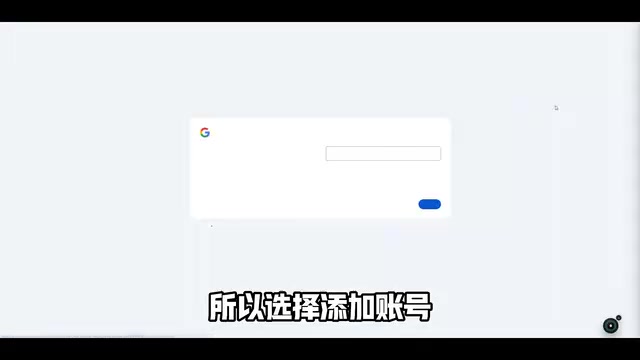
Once verification passes, your Google account is successfully registered.
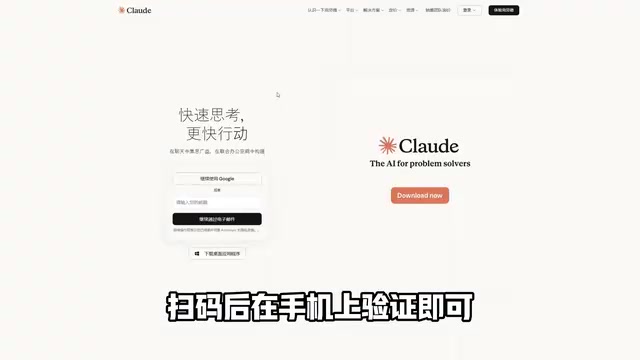
Step 2: Register a Claude Account
- Go to the Claude official website (claude.ai)
- Click the "Sign in" button
- Select "Continue with Google"
- Enter your newly registered Gmail address for one-click login
- After successful login, you can start using Claude normally
The entire process is very smooth — as long as your environment is properly configured, you can typically get through on the first try.
Practical Tips for Long-Term Stable Use of Claude
Successful registration is just the first step. To use Claude long-term without getting banned, keep the following points in mind:
- Check environment consistency before each use: Confirm that timezone, language, and IP all match — make it a habit
- Avoid frequently switching nodes: Don't use a New York IP today and a Los Angeles IP tomorrow — frequent changes increase risk control exposure
- Don't log into multiple Claude accounts in the same environment: This is a classic anomalous behavior pattern that easily triggers batch bans
- Test new accounts before subscribing: After registration, use the account normally for a few days. Only subscribe after confirming the account is stable — this avoids financial loss from getting banned immediately after payment
- Stay updated on Claude's official policy changes: Risk control strategies are continuously updated — staying informed about the latest developments helps you adapt
Deep Dive: Why New Accounts and Recently Subscribed Accounts Are More Likely to Be Banned
This phenomenon is closely related to the "trust accumulation" mechanism in risk control systems. In machine learning-driven risk control models, an account's historical behavior data is a crucial dimension for assessing trustworthiness — an account with months of normal usage history has a relatively stable risk score due to the "ballast effect" of historical data. Newly registered accounts have no historical credit backing, so the system assigns higher weight to every anomalous signal. The subscription payment itself triggers additional scrutiny from the payment risk control module, because if a paid account is abused (such as bulk API calls or content violations), the platform faces greater losses. The combination of these two high-risk factors makes "getting banned right after subscribing" a frequently complained-about scenario. This is exactly why the core recommendation is to try the free tier for a few days and confirm account stability before paying.
Deep Dive: Why Frequent Node Switching Increases Risk
From the risk control system's perspective, the same account switching from New York to Los Angeles to Tokyo in a short period represents a behavior pattern that constitutes an "Impossible Travel" in geographic terms — a classic anomaly feature in financial fraud detection. Major cloud security providers (such as Cloudflare and Akamai) and AI platforms all flag this as a high-risk signal. Additionally, frequent node switching causes persistent mismatches between browser cookies and the IP address's geographic attribution, further accumulating risk scores. Consistently using a node in the same region not only allows the system to build a geographic location "expectation model" for the account but also helps maintain long-term stability.
Related articles
 Tutorials
ChatGPT Plus Subscription Guide: Are GPT-5.5, image-2, and Codex Worth the Upgrade?
A detailed look at ChatGPT Plus features — GPT-5.5, image-2, and Codex — with a Plus vs Pro comparison and a complete step-by-step subscription guide for users outside the US.
 Tutorials
Harness AI Engineering in Practice: Using Claude Code to Master Enterprise-Level E-Commerce Development
Deep dive into Harness AI Engineering: master enterprise e-commerce development with Claude Code using the Rules, Skills, Wiki, and Changes framework.
 Tutorials
Cursor + Codex Dual-IDE Collaboration: A Practical Methodology for Open-Source Project Customization
A complete methodology for open-source project customization based on real-world experience, detailing the Cursor+Codex dual-IDE workflow, seven-stage process, MVP validation, and AI source code reading techniques.