Claude Batch Task Burns $2,500 Overnight: A Cautionary Tale of AI Automation Cost Overruns
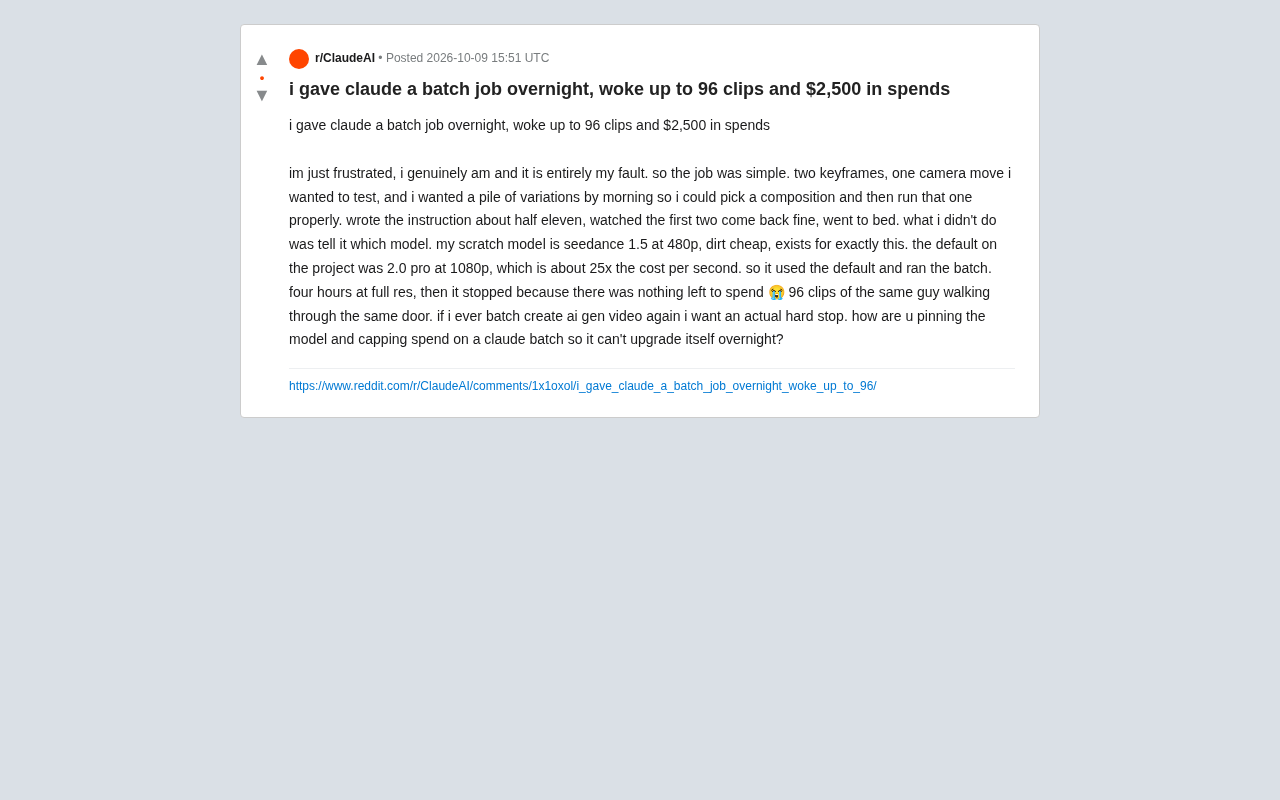
Forgetting to specify a model in an overnight Claude batch task cost one user $2,500 and 96 duplicate video clips.
A user running an overnight Claude batch video generation task failed to specify a model in the instructions. The system defaulted to a production-grade 1080p model costing 25x more than the intended draft tier, running for four hours until the account balance hit zero — producing 96 duplicate clips and a $2,500 bill. The incident exposes two core risks in AI automation workflows: hidden conflicts between default configurations and user intent, and the absence of task-level hard budget stops. The article distills four protective principles: explicitly lock the model, set task-level budget caps, validate in small batches before scaling, and always pre-configure hard limits for unattended runs.
An Expensive Overnight Experiment
A Reddit user shared a painful story: he set up an overnight batch task for Claude, and woke up to find it had generated 96 video clips — along with a $2,500 bill. The user admitted, "I'm really upset, and this is entirely my own fault."
The task itself wasn't complicated — two keyframes, a camera movement he wanted to test, hoping to wake up to a pile of variations to pick a composition he liked before doing a proper full run. He wrote the instructions around 11:30 PM, watched the first two clips come back normally, and went to sleep.
The problem came down to one seemingly minor detail: he never told Claude which model to use. His "draft model" was Seedance 1.5 at 480p — dirt cheap, designed exactly for this kind of quick testing. But the project's default setting was the 2.0 Pro at 1080p, which cost roughly 25 times more per second.
How Things Spiraled Out of Control
Claude ran the entire batch job using the default configuration. The system ran at full resolution for four hours straight, only stopping when the account balance hit zero — producing 96 high-definition clips of "the same person walking through the same door."
This case illustrates a classic failure pattern in AI automation workflows: the hidden conflict between default configuration and user intent. The user had the cheap draft model in mind, but the system had no way of knowing that — it simply followed the project's default settings faithfully. When the cost difference is 25x, compounded by batch generation and an unattended overnight run, a small configuration oversight quickly snowballs into thousands of dollars in losses.
More critically, there was no "hard stop" mechanism anywhere in the process. The task didn't automatically halt when it hit some budget threshold — it just kept running until the money ran out. That's precisely the core request the user made at the end of their post.
Seedance 1.5 is an AI video generation model from ByteDance, available in different resolution tiers including 480p and 1080p. The lower-resolution version is designed for rapid prototyping and is extremely cost-effective. By contrast, the higher-spec 2.0 Pro 1080p version is optimized for final output quality, billed per second, and suited for official deliverables rather than exploratory testing. This kind of "draft tier" vs. "production tier" billing structure within the same platform is becoming increasingly common across AI video and image generation services — platforms like Runway and Pika have similar tiered pricing. The problem is that users typically configure their defaults once early in a project and never revisit them, while platform defaults tend to favor high-quality options to showcase the best possible output. This creates a hidden trap: the user thinks they're on the cheap test tier, but the system is running the expensive production tier — and that cost gap scales linearly with batch size.
How to Put "Guardrails" on AI Batch Tasks
The user's question was practical: "If I do AI video batch generation again, I want a real hard stop. How do you lock down the model in Claude batch tasks, cap spending, and prevent it from quietly upgrading its configuration in the middle of the night?"
While the original post didn't get a definitive answer, this case points to several general protective principles:
Explicitly Lock the Model — Don't Rely on Defaults
The most direct lesson: never assume the system will use the model you have "in your head." Specify the model name and resolution parameters explicitly in your instructions rather than relying on project-level defaults. Default settings tend to favor quality (and therefore cost), which is exactly the opposite of what you need for quick testing.
Set a Budget Cap, Not a Balance Limit
The only "stop condition" in this case was running out of account balance — the worst possible brake. A better approach is to set a separate budget ceiling at the task level (say, $50) that forces a hard stop when triggered. Ideally, this limit should be independent of the total account balance, acting as a dedicated safeguard for individual tasks.
Limit Generation Count and Validate in Batches
The fact that 96 nearly identical clips were generated shows the task had no quantity constraints. For exploratory batch generation, start with a small batch (5–10 clips), confirm the direction manually, then scale up. Before any full run, do a complete dry run with the cheapest configuration to verify the workflow is correct.
Unattended Tasks Demand Extra Caution
Running overnight means zero human oversight for hours at a time. In these scenarios, upfront cost estimation and hard limits shift from "nice to have" to "essential." Any step that could automatically escalate resource consumption should be disabled by default or require explicit authorization.
In the AI workflow orchestration space, "hard stop" mechanisms typically have several technical implementations: setting request-level token or dollar limits at the API call layer (many cloud providers like AWS and GCP offer billing alerts and auto-pause features); configuring task-level budget variables in orchestration frameworks like LangChain or Prefect that check cumulative cost before each sub-task executes; or requesting "soft limits" from the platform that require manual confirmation before further spending, rather than waiting until the balance hits zero. Unlike "stop when balance is depleted," these mechanisms fundamentally shift cost control from passive post-facto billing to active mid-process intervention. For scenarios where hard limits can't be enforced at the platform level, a simple alternative is to use a dedicated sub-account or prepaid card loaded with only the maximum amount you're willing to spend on that task — physically isolating the financial risk.
Key Takeaways for AI Automation Users
This story resonates because it touches on an underappreciated risk in the current wave of AI tool adoption: the more powerful the automation, the higher the cost of a misconfiguration.
In the past, the inefficiency of manual work was itself a natural cost guardrail — you couldn't manually render 96 HD video clips in your sleep. Now, AI agents can execute tasks continuously without any human oversight. That efficiency guardrail is gone, and it must be replaced with explicit budget and permission guardrails.
For anyone integrating AI tools into billed services — especially pay-per-use video and image generation — this $2,500 lesson is worth remembering: before handing a task to AI, ask yourself three questions: Which model is being used? What's the spending limit? What happens when that limit is reached? Only once you've locked down all three safeguards can you truly rest easy letting AI work through the night.
Related articles

A Single Prompt Triggers a Global PHP Security Storm: Is AI a Savior or a Hidden Risk?
A single AI prompt triggered a global PHP security crisis affecting Wikipedia and the Internet Archive. This article reviews the incident, analyzes the OpenAI-Amazon controversy, and explores the security paradox of lowered vulnerability discovery barriers in the AI era and developer response strategies.

When AI Is Taken Away: How Reliance on Shortcuts Undermines Your Problem-Solving Resilience
A study of 1,222 people found that after using AI to answer questions, once AI was removed, people gave up on more problems than a control group that never used AI. The article analyzes the impact of AI reliance on learning resilience and metacognition, and explores design implications for AI learning tools.

Carta and NewView Partner to Let Startup Employees Cash Out Equity Early
Carta and NewView Capital partner to simplify startup tender offers, helping employees sell equity early. Analysis of the mechanism, liquidity pain points, and impact.