Claude Code Getting Started Guide: AI Coding Assistant Hands-On Review & Tool Comparison
A hands-on comparison of top AI coding assistants, highlighting why Claude Code's accuracy and full-project context set it apart.
This article traces the evolution of AI coding tools from GitHub Copilot through Cursor, Trae, and Codex to Claude Code. Unlike conversational AI that handles isolated snippets, Claude Code reads your entire local project as context and autonomously debugs and delivers working code. Based on real-world experience, the author concludes that all tools are ultimately bottlenecked by their underlying models — and Claude Code's Sonnet model edges out Trae and Cursor on accuracy. The guide closes with practical recommendations: Claude Code as the top pick, Trae for Chinese-language beginners, and Codex + GPT-5 for the OpenAI ecosystem.
What Is Claude Code: More Than Just Code Completion
Claude Code (sometimes casually referred to as "closecode") is an AI coding assistant developed by Anthropic that runs directly on your local machine. Unlike many cloud-based conversational coding tools, Claude Code requires no browser login — once installed, it can be invoked directly inside your development environment to work on real projects.
Many developers first encounter AI-assisted coding through copy-pasting requirements into a chat interface like DeepSeek or ChatGPT and receiving code snippets in return. The problem with this approach: the model only sees an isolated chunk of code. You have to take it back to your local project, run it, catch errors, and then loop back to the chat window repeatedly. More critically, conversational AI has no visibility into your entire project — if your codebase spans hundreds of files, the model simply can't see them. You have to manually describe everything.
This is exactly where Claude Code differs: it reads the full contents of your project and feeds them as context to the underlying model, generating code that genuinely fits your codebase. On top of that, it can automatically debug and fix errors, ultimately delivering a working, reasonably accurate result. This makes it an automation-oriented development tool, not a simple Q&A assistant.
Under the hood, Claude Code is built on the "Agentic AI" paradigm, which is fundamentally different from ordinary conversational AI. It accesses your local file system to gather complete project context, and it has tool-calling capabilities — it can execute terminal commands, modify files, run tests, and even install dependencies. This means it's not just "a model that writes code" — it's an automated agent that can actively operate your development environment. The entire directory structure, configuration files, and existing business logic all fall within the model's understanding, so the code it generates stays consistent with your existing codebase's style and interfaces, rather than producing isolated examples from scratch.
The Evolution of AI Coding Tools: From Copilot to Claude Code
To appreciate why Claude Code is generating so much attention, it helps to place it in the broader arc of AI coding tool development.
GitHub Copilot was one of the first products to reach mainstream audiences. As a plugin, it was the first tool to give developers the experience of AI-powered autocomplete — widely seen as revolutionary at the time.
Cursor came next and was considered smarter than Copilot. It supports automated coding workflows, putting it in the same league as Claude Code today. However, Cursor is a paid product.
Trae (sometimes written as "trae" or "tree") comes in an international version and a domestic (China) version. For users in China, the domestic version works well and is free. One standout feature is its strong Chinese language comprehension, which has earned it a good reputation among Chinese developers.
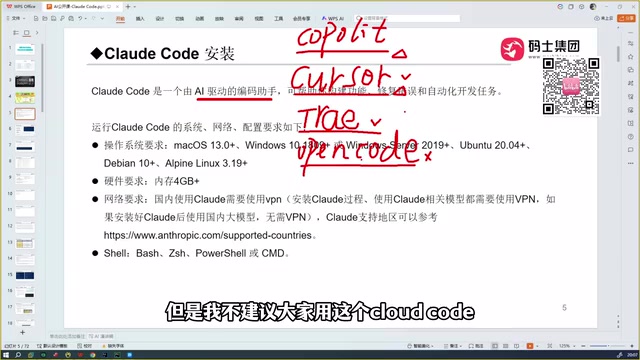
OpenCode is another coding tool, but it's been noted as the least user-friendly among the options covered here. While it appears in various tutorials, it's not recommended as a first choice.
Codex gets a strong endorsement and is considered genuinely excellent. Codex pairs well with OpenAI's models (like GPT-5) and is competitive with Claude Code in coding capability.
Head-to-Head: Which Tool Has Better Accuracy?
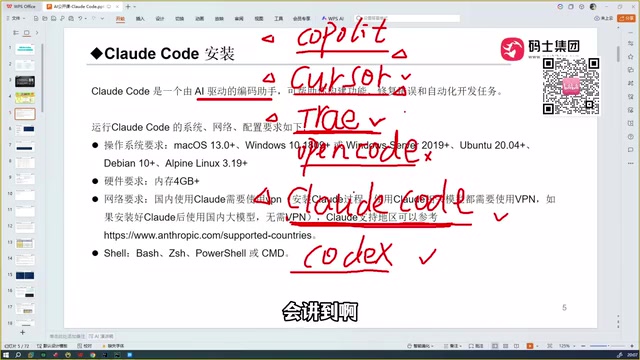
Based on real-world usage, the progression went something like this: starting with Copilot, then moving to Cursor and Trae. Before encountering Claude Code, Trae was considered the most complete coding tool — particularly for its precise understanding of Chinese-language intent. But after using Claude Code, the verdict changed: Claude Code is "a full level above" Trae.
The underlying logic is straightforward: the capability of any coding assistant ultimately comes down to the capability of the model powering it. Claude Code is backed by the Sonnet model, which performs exceptionally well, and Anthropic offers even more powerful models as options.
Here's an honest breakdown of each tool:
- Trae: Its biggest advantage is being free for Chinese users, but the generated code isn't reliably accurate across the board — performance noticeably drops with niche or uncommon tech stacks.
- Codex: Paired with GPT-5, its coding capability is on par with Claude Code and is recognized as a strong, capable choice.
- Chinese domestic models (e.g., Tongyi Qianwen, GLM series): Comparisons were made, but the overall experience still falls short of the top-tier tools.
Why Choose Claude Code: Accuracy Is Everything
The one word that keeps coming up as the core advantage: accuracy.
Claude Code, Cursor, and Trae can all perform automated coding tasks — they're all capable of completing coding assignments end to end. But what truly sets them apart is the accuracy of the generated code. In practice, Claude Code produces code that is more likely to "just run" without repeated back-and-forth rework. For developers, that accuracy translates into real, tangible productivity gains.
There's a flip side worth noting: because the capability is so strong, it's been said that "programmers who use this will feel a deep sense of existential crisis." That half-joking remark reflects a genuine shift — these tools are moving from "assistive completion" toward "automated delivery," with real implications for development workflows and career trajectories.
Wrapping Up: How to Start Your Vibe Coding Journey
For developers looking to embrace "Vibe Coding" — the practice of driving development through natural language rather than manual coding — here are some practical takeaways:
- Start with Claude Code — its accuracy stands out among comparable tools;
- If you prefer the OpenAI ecosystem, Codex + GPT-5 is a reliable alternative at the same tier;
- For Chinese-language workflows, Trae offers a friendly, free experience that's great for getting started — just set realistic expectations for complex or niche tech stacks;
- OpenCode is not recommended for beginners at this time.
Ultimately, a tool's ceiling is determined by the model behind it. Keeping that in mind will help you make more rational decisions as new AI coding assistants continue to emerge.
What is "Vibe Coding"? The term was coined by AI researcher Andrej Karpathy in early 2025. It refers to a development style where you rely entirely on natural language to describe what you want to build, rather than writing code by hand. Developers simply describe the desired behavior and "feel," and the AI handles generation, debugging, and iteration. This dramatically lowers the barrier to programming, enabling non-professional developers to build functional software — but it also raises new demands around code quality control, security review, and debugging judgment, since developers still need to evaluate whether the AI's output is trustworthy, not just whether it runs.
Related articles

AI Daily Briefing: Qwen3-Omni Full-Modality Model Launches, Huawei Ascend 960 and Grok's New Model Surface
AI Daily: Qwen3-Omni Flash launches with full-modality support and 93% cost cuts; Huawei unveils million-processor AI architecture; Ascend 960 rumored; Grok spotted on GCP; N8N hits CVSS 10 vulnerability.
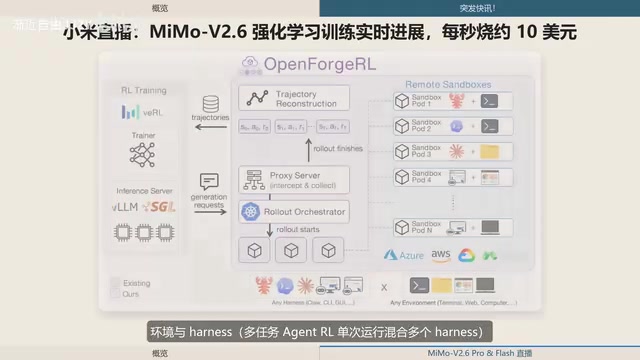
Xiaomi MiMo-V2.6 Live Training: ¥8.55M Spent in One and a Half Days, ~$10 per Second
Xiaomi's MiMo team live-streams MiMo V2.6 Pro/Flash RL training, spending ¥8.55M (~$1.28M) in 1.5 days — ~$10/sec. Covers compute scaling, open-source plans, and DeepSWE benchmarks.
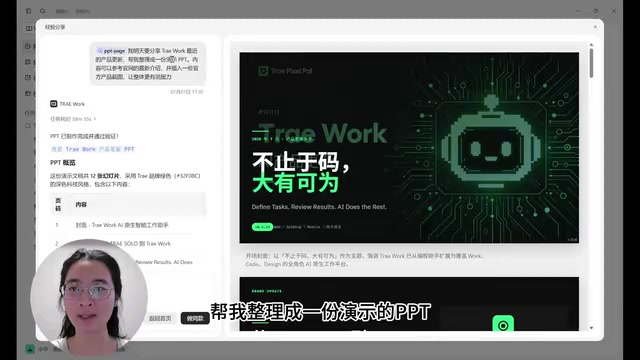
ByteDance Trae Work Getting Started Guide: 11 Use Cases Explained
A hands-on guide to ByteDance's Trae Work AI agent — covering Work, Code, and Design sections across 11 use cases including PPT generation, data analysis, coding, and more.