Claude Code + Obsidian: Building an AI Second Brain with Complete Workflow & Mobile Office Solution

Noah Breyer uses Claude Code to power his Obsidian vault, building an AI-driven "second brain" workflow.
Noah Breyer deeply integrates Claude Code with his Obsidian vault, leveraging Obsidian's local Markdown file architecture to let AI directly operate on 1,500+ notes. His core philosophy strictly separates "thinking mode" from "writing mode," using Claude Code's sub-agent feature to create a dedicated thinking partner that focuses on asking questions and exploration rather than rushing to generate content, with daily summaries enabling continuous knowledge accumulation and review.
Deep Dive into Noah Breyer's Claude Code + Obsidian Workflow
Noah Breyer probably has the coolest Claude Code workflow I've ever seen. He set up a server in his basement, hosts his Obsidian vault on it, and uses Claude Code to drive everything—thinking, research, writing, even pushing code—all from his phone. This interview goes deep into how he turned Claude Code into a true "second brain."
Why Obsidian + Claude Code
Noah is a serial entrepreneur who currently runs Alephic, an AI strategy consulting firm, and is also a serious note-taking enthusiast. His core reason for migrating from Evernote to Obsidian is simple: Obsidian's foundation is just a bunch of Markdown files and folders that can be synced with Git and directly manipulated by any command-line tool.
Obsidian is a knowledge management tool built on the local file system, with a core design philosophy of "your data always belongs to you." Unlike tools like Notion and Roam Research that store data in cloud databases, all Obsidian notes are saved as plain-text Markdown files in local folders. This architectural decision brings profound technical extensibility: any program that can read and write to the file system can "integrate" with Obsidian—no API needed, no OAuth authorization, no worrying about vendor policy changes. The Markdown format itself is also LLM's natural input format—models have seen massive amounts of Markdown in their training data and can perfectly understand its structural semantics, including folder hierarchies, front matter metadata, bidirectional link relationships, and even the evolution of notes through Git history.
This means Claude Code can sit directly on top of an Obsidian vault, manipulating all your notes just like a code repository. Noah's approach is to launch Claude Code from the Obsidian root directory, giving it access to all 1,500+ notes across subdirectories, rather than being confined to a single project.
He also added a package.json to the Obsidian vault, registering a series of custom commands that allow Claude Code to invoke a richer toolchain.
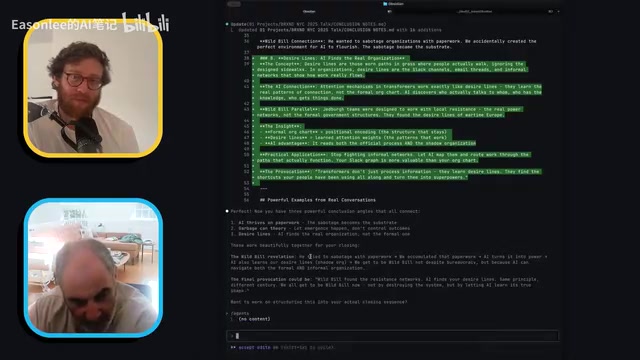
Thinking Mode vs. Writing Mode: A Critical Distinction
The most central concept in Noah's workflow is strictly separating "thinking mode" from "writing mode." He explicitly tells Claude Code in the note's front matter:
"I do not under any circumstances want you to try to write it. Take this literally. Do not create outlines, drafts, or any versions of talks. That's writing. Only gather and organize the requested materials."
This hits on a common problem with all current large models—they're too eager to produce "finished products." You barely mention an idea and they start writing outlines and drafts. But true deep thinking requires a questioner and conversation partner, not an assistant rushing to turn in homework.
Noah believes we've over-focused on AI's "generation" capabilities while overlooking its "reading" capabilities. AI's reading comprehension ability actually has more everyday value—we produce finished outputs far less frequently than we think.
Sub-agents: A Dedicated Thinking Partner
Claude Code is Anthropic's AI programming assistant designed for developers. Its core capability lies in its "Tool Use" architecture. Unlike conversational AI, Claude Code can directly execute bash commands, read and write files, and call external APIs, forming a "perceive-decide-act" loop. The sub-agent feature takes this further: it allows the main agent to dynamically create sub-agents with specific roles and constraints to handle subtasks during complex operations. Each sub-agent has its own independent system prompt, tool permissions, and context window, allowing it to focus on a single responsibility without being disturbed by other tasks. This architecture is similar to the "microservices" concept in software engineering—decomposing a complex system into multiple small services with single responsibilities that collaborate through well-defined interfaces.
Noah leverages this mechanism to create a dedicated "thinking partner" agent. The agent's prompt is roughly:
- You are a collaborative thinking partner focused on helping people explore complex problems
- Your role is to facilitate thinking, not to produce content
- During the questioning process, record the questions you ask and maintain a "discovery log"

This agent continuously asks follow-up questions, helping him clarify his thinking, while recording insights that emerge from the conversation into dedicated note files. At the end of each day, Noah has the AI review all newly created notes and write a "daily progress" summary.
When he comes back the next day, all he needs to ask is: "Can you review my research progress from the past three days?"
Related articles
 Tutorials
ChatGPT Plus Subscription Guide: Are GPT-5.5, image-2, and Codex Worth the Upgrade?
A detailed look at ChatGPT Plus features — GPT-5.5, image-2, and Codex — with a Plus vs Pro comparison and a complete step-by-step subscription guide for users outside the US.
 Tutorials
Harness AI Engineering in Practice: Using Claude Code to Master Enterprise-Level E-Commerce Development
Deep dive into Harness AI Engineering: master enterprise e-commerce development with Claude Code using the Rules, Skills, Wiki, and Changes framework.
 Tutorials
Cursor + Codex Dual-IDE Collaboration: A Practical Methodology for Open-Source Project Customization
A complete methodology for open-source project customization based on real-world experience, detailing the Cursor+Codex dual-IDE workflow, seven-stage process, MVP validation, and AI source code reading techniques.