Claude Code's "Don't Ask Again" Feature May Leak Passwords
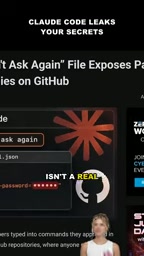
Claude Code's "Don't Ask Again" option may save commands containing passwords to local config, and accidental upload to GitHub can leak credentials.
Claude Code's "Don't Ask Again" option improves efficiency but saves complete commands containing passwords and keys to local configuration files (such as `settings.local.json`). Once the file is accidentally committed and pushed to a public GitHub repository, anyone with access can read the credentials. According to analysis, such leaked files already exist in public repositories, so the risk has moved from theory to reality. The root cause is that the tool does not redact sensitive information, while developers often overlook checking tool-generated configuration files. Protection recommendations include: adding local configuration files to `.gitignore`, avoiding plaintext passwords on the command line, using environment variables or secret management tools, regularly auditing repositories, and using GitHub secret scanning. Tool vendors should also add sensitive information detection and warning mechanisms.
Claude Code's "Don't Ask Again" option improves efficiency, but it may write complete commands containing passwords and keys into a local configuration file. Once that file is accidentally uploaded to a public GitHub repository, credentials are exposed. This article analyzes the causes of this risk, real-world examples, and protection recommendations.
How the Risk Arises: The Hidden Cost of a Convenient Option
When developers execute commands containing sensitive information in Claude Code, if they select "yes and don't ask again," Claude Code saves the complete command—including any passwords or keys—to a local configuration file, typically something like settings.local.json. The original intent of this design was to avoid repeated prompts and improve the automation experience, but it inadvertently persists confidential information to disk.
According to analysis by a YouTube channel, this behavior is not a theoretical assumption: after selecting "don't ask again," Claude Code may write the entire command into the local configuration. The problem is that developers often don't realize what is hidden in this file.
The Leak Path: From Local File to Public Repository
The real danger is the next step. If this local configuration file is accidentally committed and pushed to a public GitHub repository, anyone who can access that repository can read the credentials within. According to the YouTube channel, such files have indeed been found in some public repositories. This means the risk has moved from "possible" to "already happening."
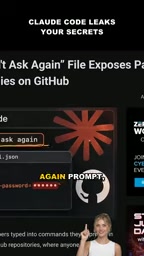
This leak path is insidious because developers typically focus on whether the code itself contains hardcoded secrets, but rarely check configuration files generated by tools. Files like settings.local.json are often left out of .gitignore, or mistakenly assumed to be "just local settings."
.gitignore is a configuration file for the Git version control system that specifies which files or directories should not be tracked. When developers run git add or git commit, Git ignores files matching patterns listed in .gitignore, preventing them from being pushed to remote repositories. Common ignored items include build artifacts, dependency directories, and local environment configurations. In the scenario described in this article, if settings.local.json is not added to .gitignore, it will be committed and pushed like ordinary code, causing sensitive information to be exposed along with the repository. Many project templates include a basic .gitignore by default, but often do not cover local configuration files generated by tools, which exacerbates the leak risk. Developers should proactively check and improve .gitignore to ensure that all local files that may contain secrets are excluded.
Why It's Easy to Fall Victim: The Mismatch Between Developer Habits and Tool Design
From a tool design perspective, Claude Code writes the original command into the configuration to ensure reproducible behavior, but it does not redact sensitive information. From the perspective of developer habits, "don't ask again" is a high-frequency action—when faced with repeated confirmations, most people tend to choose a permanent solution. The combination of the two creates a systemic oversight.
According to the channel's analysis, the problem is not any specific command, but that any command that may contain passwords or keys can be saved in full. This broadens the risk surface: database connection strings, API calls, and deployment scripts can all become sources of leaks.
Protection Recommendations: Treat Configuration Files as Sensitive Assets
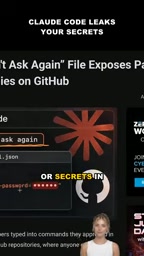
To address this risk, developers can take several direct measures. First, add settings.local.json and related local configuration files to .gitignore, and check before committing for accidental inclusion. Second, avoid passing plaintext passwords directly on the command line; use environment variables or secret management tools instead. Third, regularly audit configuration files in public repositories and use GitHub's secret scanning feature to detect potential leaks.
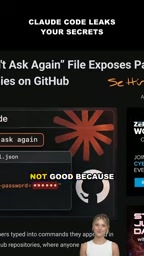
Tool vendors also have room for improvement: detect or redact sensitive information in commands written to configuration, or explicitly warn users before saving. A more refined balance between automation and security is needed.
Environment variables are key-value pairs provided by the operating system or runtime to pass configuration information to programs without hardcoding it in code or command lines. Compared with writing plaintext passwords directly in commands, using environment variables (such as DB_PASSWORD) separates sensitive data from command history and configuration files. Secret management tools (such as HashiCorp Vault and AWS Secrets Manager) provide centralized storage, access control, and rotation mechanisms, further reducing leak risk. On the command line, environment variables can be referenced in the form $ENV_VAR, preventing passwords from appearing in process lists or logs. Combined with .gitignore and secret scanning, these measures can significantly reduce the credential exposure surface.
GitHub Secret Scanning is a security feature provided by GitHub that automatically scans commit history in repositories, detects credentials in known formats (such as API keys, tokens, and passwords), and sends alerts to repository administrators when matches are found. This feature covers public repositories and some private repositories, and works with partner patterns to revoke leaked tokens. Developers can also enable Push Protection to block commits containing secrets before they are pushed. Regularly auditing public repositories and using these tools can help promptly detect and fix accidentally leaked configuration files.
Summary
Claude Code's "Don't Ask Again" feature is a double-edged sword. It reduces interaction friction, but it may leave passwords and keys in local configuration files, which can then leak through public repositories. According to the YouTube channel's observations, such files have already appeared in public repositories. Developers should treat local configuration files as sensitive assets, and tool design should also incorporate redaction and warning mechanisms.
Related articles

Gemini 4 Neon Leak: A Potential Strong Contender Against Opus 5.5
A Hacker News thread suggests Gemini 4 Neon looks like an Opus 5.5 competitor. This article unpacks the product positioning behind this community signal, shifts in the top-model competitive landscape, and what it means for developers' model selection strategy.

Claude Fable 5.2's Self-Authored Short Film 'Fable' Sparks Discussion
A short film 'Fable,' credited to Claude Fable 5.2 for script, visuals, and directing, appears on Hacker News. This article analyzes the significance of full-pipeline AI creation, community reactions, and what it means for content creators.

Anthropic IPO Pricing: A Signal of AI Giants Going Public
Anthropic's IPO pricing draws attention. This article analyzes its potential impact on AI industry valuation, commercialization paths, and the competitive landscape, and highlights public-market expectations and challenges for AI companies.