Claude Code Skill in Practice: Building a Standardized Code Explanation Workflow

Claude Code Skills turn unpredictable AI code explanations into a stable, standardized team workflow.
This article explains how Claude Code's Skill mechanism solves the problem of inconsistent AI code explanations. By using YAML metadata to define triggers and Markdown to define behavior, Skills codify code explanation into a four-step standard process — analogy, flowchart, step-by-step breakdown, and pitfall reminders — enabling automatic triggering, stable output, and team-wide reuse for test development engineers.
The Pain Point: Every Code Explanation Feels Like a Lottery
Test development engineers frequently need to quickly understand code written by others. Many have already turned to AI models for help — but that comes with its own frustrations. Ask a model to explain a piece of code, and the output quality is completely unpredictable: sometimes it rambles without getting to the point, other times it dumps a wall of jargon that leaves newcomers confused and senior engineers frustrated.
Worse, you have to write a lengthy prompt from scratch every time, the output structure is entirely inconsistent, and there's no way to establish a unified team standard. So is there a way to make AI code explanations as reliable and consistent as an assembly line? The answer is: Claude Code's Skill mechanism.
What Is a Claude Code Skill? The One-Sentence Explanation
A Skill is a structured capability definition in Claude Code — essentially a way to codify your best practices and methodology into a reusable template. Think of it as: packaging the methodology of your team's best code explainer into a one-click, standardized workflow.
To understand where Skills fit in, you first need to understand Claude Code itself. Claude Code is Anthropic's command-line AI programming assistant for developers. It runs directly in the terminal, reads project files, understands code context, and can execute operations. The Skill mechanism is an advanced feature within Claude Code, and its underlying principle resembles a structured encapsulation of a System Prompt — YAML metadata defines trigger conditions, while the Markdown body defines behavioral rules, causing the model to automatically load a preset instruction set in specific scenarios. This design draws on the "Configuration as Code" philosophy from software engineering, elevating what used to be ad-hoc instructions scattered across conversations into version-controlled, collaboratively maintainable engineering assets.
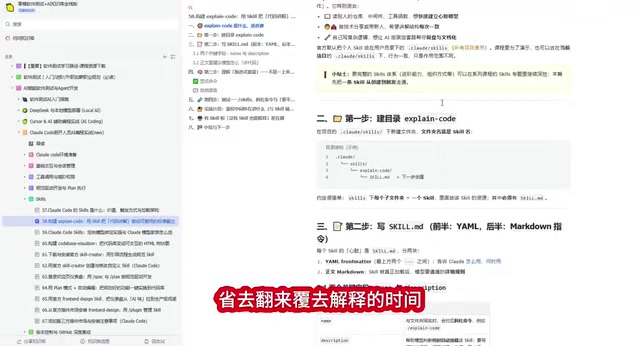
Unlike ordinary prompts, Claude Code Skills have the following characteristics:
- Automatic triggering: The model determines when to activate a Skill based on context — no manual specification needed
- Stable output: Every response follows the preset structure and standards, eliminating inconsistent answers
- Team sharing: Define once, reuse across the entire team, and unify code review standards
Building a Code Explanation Skill from Scratch: A Complete Hands-On Guide
Directory Structure and Core File
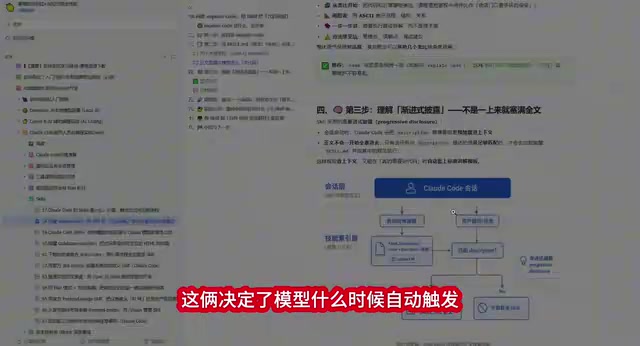
The entire Skill revolves around a single file with a straightforward structure, split into two parts:
- Top half (YAML header): Defines
NameandDescription— these two fields determine when the model automatically triggers this Skill - Bottom half (Markdown body): Your explanation standards written in Markdown, defining the standard process that all output must follow
The YAML header in a Skill file uses Front Matter format — a metadata definition approach widely used in static site generators (like Jekyll and Hugo) and documentation systems. It uses three dashes (---) as delimiters to embed structured key-value pairs at the top of a Markdown file. In Claude Code Skills, the Name field identifies the skill, while the Description field serves as the key basis for semantic matching — the model compares the user's input intent against the Description, and automatically activates the Skill when the match exceeds a threshold. This design makes the trigger logic both flexible and controllable, without requiring users to memorize specific command keywords.
The Four-Step Standard Explanation Process
This code explanation Skill defines a strict output standard. The model must execute the following steps in order:
Step 1: Open with an analogy. Use a real-world scenario to help readers quickly build an intuitive understanding. For example, when explaining a Bearer Token authentication snippet, the model might use the analogy of a "nightclub bouncer checking wristbands" — the bouncer (server) checks your wristband (Token), lets you in if it's valid, and turns you away if it's expired.
Step 2: Draw a flowchart. Use ASCII-style diagrams to map out the code's branching logic, clearly labeling key nodes like substrings and conditional checks so complex logic becomes immediately clear.
Step 3: Break it down step by step. Explain the implementation details line by line or block by block, ensuring every key operation has a clear description.
Step 4: List the common pitfalls. Proactively enumerate frequent mistakes and edge cases — this section is especially valuable for designing test cases.
Live Demo: Explaining Bearer Token Authentication Code
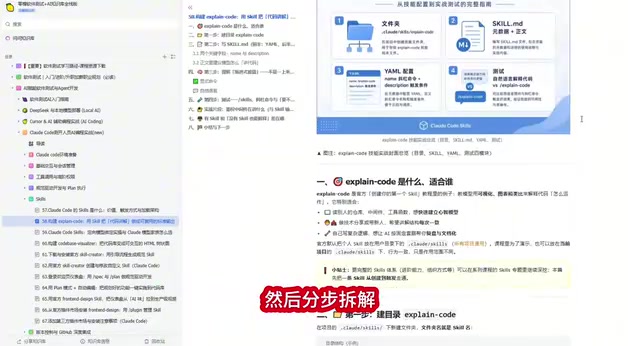
Take a Bearer Token authentication snippet as an example. With the Skill enabled, the model proactively warns: "There's a space after 'Bearer' — don't truncate to six characters" — the kind of detail that a standard prompt would never surface on its own.
A bit of technical background is worth adding here. Bearer Token is the most commonly used token type in the OAuth 2.0 authorization framework, defined in RFC 6750. The way it works: the client carries a string formatted as Bearer <token> in the HTTP request's Authorization header, and the server parses that header, extracts the Token, and validates it. There's an easily overlooked detail — there must be exactly one space between Bearer and the Token (i.e., the 7th character position). If you hardcode the wrong offset when using substring to extract the Token, parsing will fail. This kind of format-parsing issue is a high-frequency source of bugs in production environments and a boundary scenario that must be covered in security testing.
This is the core value of Claude Code Skills: they don't just answer the question you asked — they proactively surface critical information you might have missed, based on preset standards.
Three Real Benefits for Test Development Engineers
Rapidly Understand Unfamiliar Code
When facing unfamiliar business code, you no longer need to grind through the source. The model first uses an analogy to build your mental model, then uses a flowchart to map out the logic branches — dramatically reducing the cognitive load. For test developers, understanding code is a prerequisite for writing high-quality test cases, so efficiency gains at this step directly impact overall output.
Automatically Generate Boundary Test Ideas
The "common pitfalls" section in the Skill output is essentially a collection of boundary conditions. Each pitfall can be directly converted into a boundary test case, saving the time spent manually analyzing edge cases. For example, the "space after Bearer" reminder directly maps to a test scenario: does the system correctly reject requests when the Token prefix format is wrong?
This connects to the classic Boundary Value Analysis (BVA) technique in software testing. BVA is based on the empirical observation that a large proportion of defects cluster near the boundaries of the input domain rather than in the middle. For Bearer Token parsing, boundary conditions include: an empty Token string, a string containing only Bearer with nothing following it, multiple spaces after Bearer, and special characters within the Token. Traditionally, test engineers rely on experience to identify these boundaries one by one. The Skill's built-in "pitfall reminder" step lets the model systematically enumerate these scenarios — essentially automating the thought process of boundary value analysis.
Unify Team Code Review Standards
In code review scenarios, every team member using the same Skill gets completely consistent output format. New hires no longer need to repeatedly ask senior colleagues "what does this code do?", and senior engineers are spared the time cost of explaining the same thing over and over.
The Core Difference Between Skills and Ordinary Prompts
Some might say: you can ask AI to explain code without using a Skill. True — but the gap becomes clear over time:
| Dimension | Ordinary Prompt | Claude Code Skill |
|---|---|---|
| Trigger method | Manual input every time | Automatically recognized and triggered |
| Output structure | Unpredictable, uncontrolled | Fixed template, stable output |
| Reusability | One-time use | Team-shared, long-term reuse |
| Maintenance cost | Rewrite every time | Define once, iterate continuously |
The essence of a Skill is making tacit knowledge explicit and organizing individual experience into shared assets. It extracts best practices from individuals' heads and transforms them into standardized assets the whole team can share.
This idea traces back to the SECI knowledge conversion model proposed by Japanese scholar Ikujiro Nonaka. The model divides knowledge into tacit knowledge (residing in personal experience and intuition) and explicit knowledge (documentable and transmissible), and defines four conversion pathways: socialization, externalization, combination, and internalization. The Skill mechanism corresponds precisely to "externalization" — converting a senior engineer's methodology for "how to clearly explain a piece of code" into a structured template file. In software engineering teams, this kind of knowledge asset practice effectively reduces the risk of knowledge loss from staff turnover, and is an extension of the DevOps "everything as code" philosophy into the domain of knowledge management.
Conclusion: Taking AI Code Explanation from Random to Standardized
Claude Code's Skill mechanism gives test development engineers a way to standardize the code explanation process. By defining clear output standards — analogy, flowchart, step-by-step breakdown, pitfall reminders — you can transform AI code explanations from "random output" into "assembly-line production."
For test development teams, this is not just an efficiency tool — it's a knowledge management tool. Codifying your team's best code analysis methodology into a Skill, so every member can output at a consistently high standard, is the right way to unlock AI-assisted development.
Key Takeaways
- Claude Code's Skill mechanism standardizes the code explanation process, producing stable, assembly-line-quality output
- The code explanation Skill follows a four-step standard: analogy → flowchart → step-by-step breakdown → pitfall reminders
- The core difference from ordinary prompts: automatic triggering, stable output, and team reusability
- Three values for test development: rapidly understand code, automatically generate test ideas, and unify team standards
- Skills fundamentally convert team best practices from tacit knowledge into shareable, standardized assets
Related articles
 Tutorials
ChatGPT Plus Subscription Guide: Are GPT-5.5, image-2, and Codex Worth the Upgrade?
A detailed look at ChatGPT Plus features — GPT-5.5, image-2, and Codex — with a Plus vs Pro comparison and a complete step-by-step subscription guide for users outside the US.
 Tutorials
Harness AI Engineering in Practice: Using Claude Code to Master Enterprise-Level E-Commerce Development
Deep dive into Harness AI Engineering: master enterprise e-commerce development with Claude Code using the Rules, Skills, Wiki, and Changes framework.
 Tutorials
Cursor + Codex Dual-IDE Collaboration: A Practical Methodology for Open-Source Project Customization
A complete methodology for open-source project customization based on real-world experience, detailing the Cursor+Codex dual-IDE workflow, seven-stage process, MVP validation, and AI source code reading techniques.