Claude Code v2.1.248 Update: Restricted Mode, Enterprise Management, and Cross-Session Collaboration Explained

Claude Code v2.1.248 adds a restricted security mode, cross-session multi-agent collaboration, and fixes numerous stability and cache issues.
Claude Code v2.1.248 advances along three tracks: security, enterprise management, and multi-agent collaboration. The new `--restricted` mode provides a least-privilege sandbox for untrusted environments by removing executable tools, disabling network access, and rejecting privilege escalation — while fixes address accidental uploads of sensitive files like `prod.env` and `*.tfvars`. On the enterprise side, a new usage credits command, hosted settings diagnostics, and approval flow improvements accelerate adoption in team environments. The cross-session messaging mechanism (`SendMessage` / `ListAgents`) enables same-machine multi-session task orchestration for the first time. Dozens of bug fixes also address prompt cache invalidation in long sessions, unexpected session disappearance or resurrection, and Windows keyboard unresponsiveness.
Anthropic's official AI coding assistant, Claude Code, has released version v2.1.248. This update brings significant improvements in security isolation, enterprise-level management, cross-session collaboration, and a large number of stability fixes. As a tool that has already earned 144,000 stars and 23k forks on GitHub, every Claude Code iteration is worth developers' attention. This article breaks down the key highlights across three dimensions: core new features, enterprise enhancements, and critical bug fixes.
Security Isolation: The New Restricted Mode
The most notable new feature in this update is the --restricted flag (also enabled via the environment variable CLAUDE_CODE_RESTRICTED=1). This mode is designed for security-sensitive scenarios, providing a reliable layer of protection.
When restricted mode is enabled, Claude Code removes all built-in tools capable of executing commands or code, and disables WebFetch (unless explicitly specified via --tools). It retains only file operation tools within the working directory, rejects bypassPermissions privilege escalation, and ignores user, project, and local configuration files.

The significance of this design is clear: when developers need to run AI agents in environments they don't fully trust, or want to strictly limit the model's system-level permissions, restricted mode provides an out-of-the-box security boundary. This also reflects Anthropic's continued investment in AI agent safety — as AI coding tools become increasingly capable, preventing them from "overstepping" and executing dangerous operations has become a central concern for the industry.
In addition, this release fixes two important credential leak vulnerabilities: /ultrareview and local cloud sessions previously could upload uncommitted files like prod.env, *.tfvars, as well as editor temp files and backed-up credential files (e.g., key.pem.tmp, id_rsa.swo). These sensitive files will now always remain on the local machine and will no longer be uploaded, significantly reducing the risk of accidental key exposure.
Deepening Enterprise Capabilities
Many details in this update reveal that Claude Code is accelerating its push into enterprise scenarios.
Usage Credits Management
The new /usage-credits command targets organizations billed through AWS Marketplace, self-serve enterprise, and enterprise trial plans. Team members can use this command to directly request higher usage limits from administrators. This feature fills a gap in quota management for multi-user enterprise collaboration, making team usage allocation more transparent and controllable.
Server-Hosted Settings Diagnostics
The new version adds diagnostic capabilities for server-hosted settings: when settings fail to load, a warning is shown during startup, and /doctor and /status will display the corresponding failure reason — or explain why settings weren't pulled (e.g., when using Bedrock/Vertex/third-party providers, or a custom ANTHROPIC_BASE_URL). For enterprise teams that rely on centralized configuration management, this kind of diagnostic information can significantly reduce troubleshooting costs.
Hosted Settings Experience Improvements
The update also improves the approval experience for hosted settings: environment variables such as client timeout, MCP startup mode, and stream monitoring daemon no longer trigger settings approval prompts, reducing unnecessary interaction noise.
Cross-Session Messaging: Local Agent Collaboration
This update introduces a cross-session messaging mechanism (SendMessage / ListAgents), allowing different sessions on the same machine to communicate with each other. The feature supports Bedrock, Vertex, and Foundry, and works even when telemetry is disabled.
This means developers can run multiple Claude Code sessions in coordination — for example, one session handles code analysis while another handles test execution, with task orchestration achieved through message passing. When a sub-agent sends a message to another session, the reply is delivered to the parent session's conversation rather than the sub-agent itself, a design that clarifies message routing logic.
Additionally, cross-session messaging includes robustness safeguards: when the default directory is unavailable, it falls back to a private user-level /tmp directory, with notifications and /status indicating the specific directory location.
Extensive Stability Fixes
The most substantial part of this update is a list of dozens of bug fixes covering performance, session management, terminal interaction, and more.
Performance and Cache Optimizations
The development team fixed a prompt-cache miss issue that occurred approximately once per hour in long sessions (which also caused loss of extended thinking context). The root cause was that tool definitions were being re-rendered after OAuth token refresh. Additionally, changes to the ScheduleWakeup tool definition when an account enters usage overage were causing complete cache invalidation on the first turn of --resume session restores — this has also been fixed.
Notably, the token footprint of the Workflow tool prompt has been dramatically optimized: its description was reduced from approximately 5,700 tokens to around 1,000 tokens, with scripting references moved into a separate workflow-authoring skill pack. These kinds of optimizations effectively reduce context overhead, freeing up valuable token budget for actual tasks.
Session and Terminal Experience
Several fixes focus on session lifecycle management: the issue where Claude Desktop and Cowork sessions disappeared after 30 days has been resolved, with a new desktopSessionCleanupPeriodDays setting to control the exemption threshold; the behavior where background sessions were unexpectedly "resurrected" after machine shutdown has been corrected; and the issue where claude agents failed to respond to keyboard input on Windows after detaching sessions has been fixed.
In addition, claude logs previously left mouse tracking, bracketed paste, and alternate screen switches enabled after exit — this has been fixed to prevent terminal state corruption after running the command.
Summary
Clauде Code v2.1.248 is a minor version bump, but it's packed with meaningful changes. The --restricted mode and credential leak fixes highlight Anthropic's commitment to AI agent security; features like /usage-credits and hosted settings diagnostics demonstrate the product's resolve to deepen its presence in enterprise markets; and the cross-session messaging mechanism opens new possibilities for multi-agent collaboration.
For developers who use Claude Code daily, the extensive stability fixes and performance optimizations in this update will translate to a smoother, more reliable coding assistant experience. Upgrading to the latest version is recommended as soon as possible — especially for teams using the tool in enterprise environments or security-sensitive contexts.
Related articles
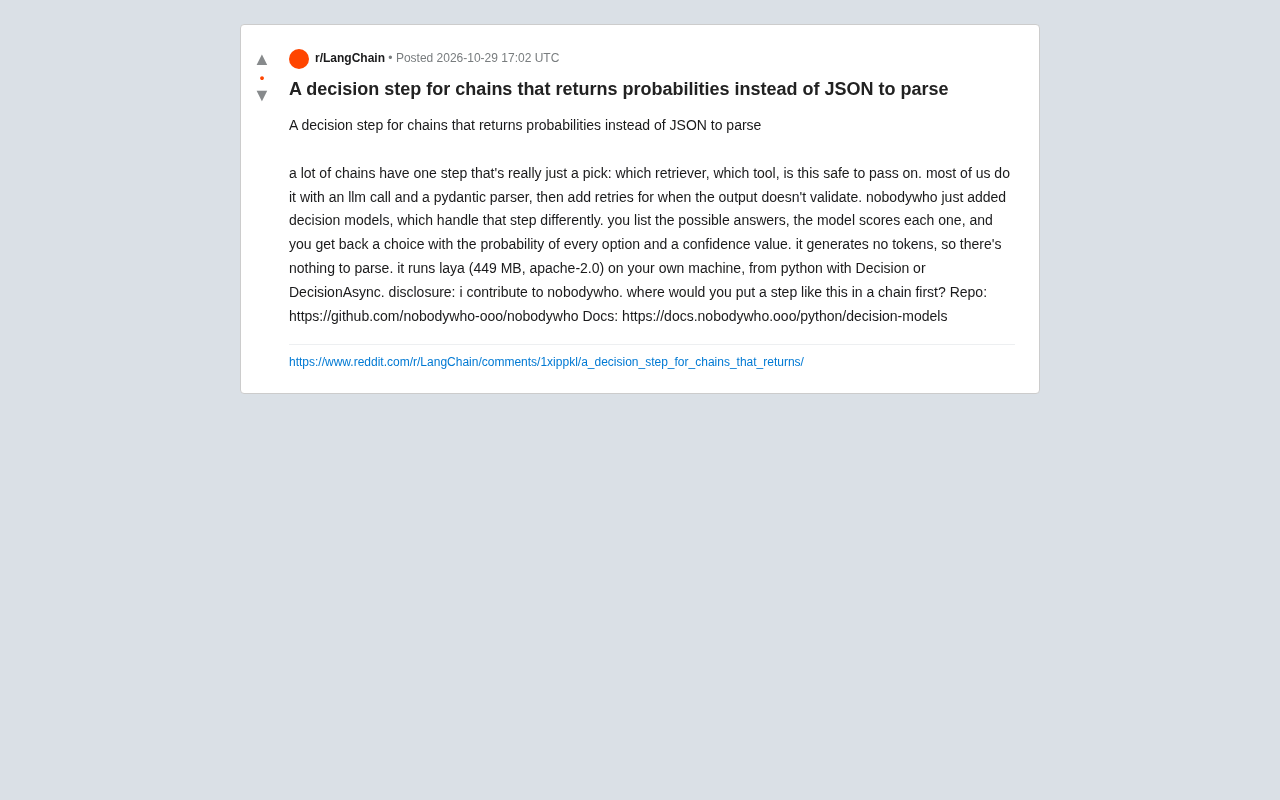
Goodbye JSON Parsing: nobodywho's Decision Models Output Probabilities Directly
nobodywho launches Decision Models that replace JSON parsing with probability scoring, simplifying the selection step in LLM chains. Runs the laya model locally, returning option probabilities and confidence, avoiding format errors and retries.

AI Expert Network SuperMe Raises $20M to Build AI Avatars from Real Human Expertise
SuperMe raises $20M to turn real expert knowledge into AI profiles that auto-match experts and form AI group chats. We analyze the product logic, multi-agent collaboration value, and industry signals.

U.S. Investigated Chinese Spy Plot Targeting Nvidia CEO
The New York Times reports the U.S. investigated a Chinese spy plot targeting Nvidia's CEO; a Singapore AI cloud executive is accused of illegally selling chips to China and possible espionage, highlighting escalating AI chip geopolitics.