Cline: A Deep Dive into the Autonomous AI Coding Agent Inside Your IDE
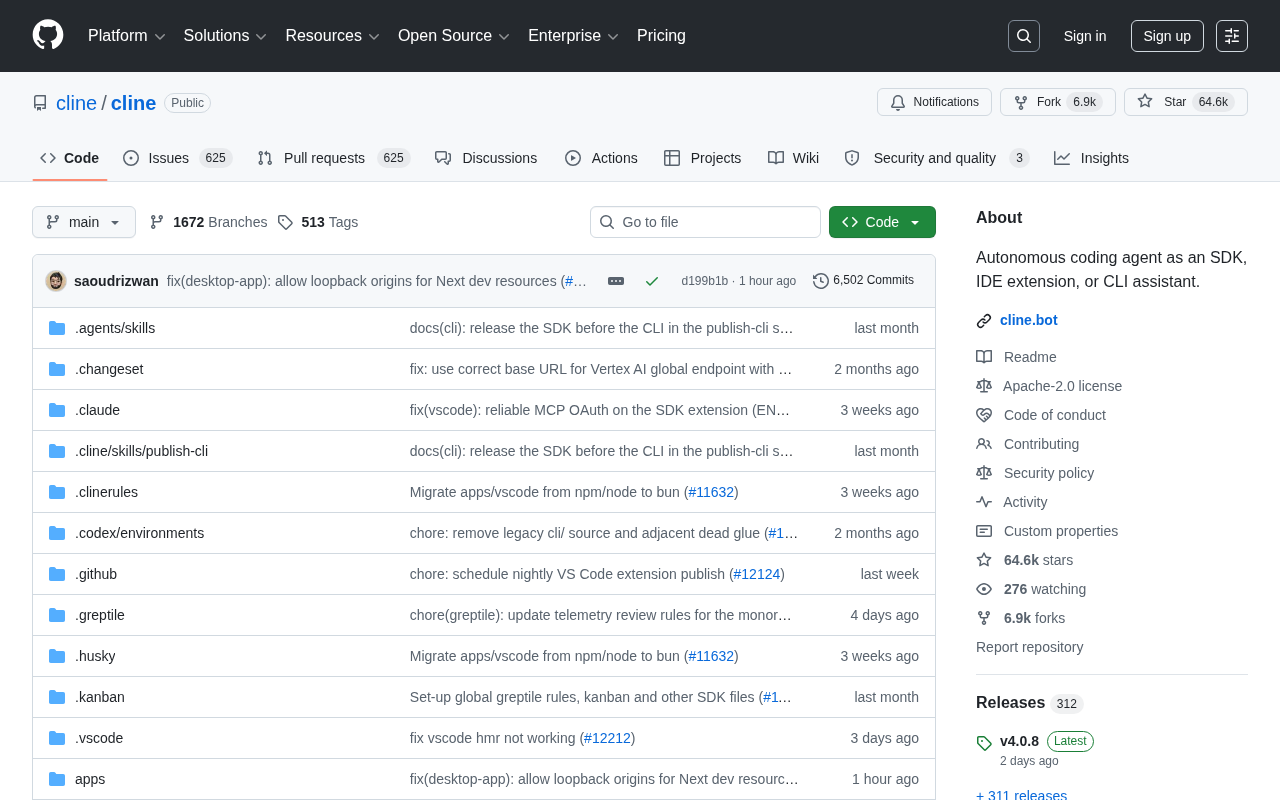
Cline is an open-source autonomous coding agent inside your IDE with human-in-the-loop safety controls.
Cline is an open-source autonomous coding agent distributed as a VS Code extension. Under step-by-step developer authorization, it independently handles file creation and editing, terminal command execution, and browser control — forming a closed "perceive–execute–verify–correct" loop. Unlike traditional code completion tools, Cline aims to genuinely participate in the development workflow rather than just generating snippets. Its core safety design is the human-in-the-loop model, requiring developer confirmation for each critical action. Built with TypeScript and deeply integrated with the VS Code ecosystem, the project has surpassed 61,000 GitHub stars and 6,000+ forks, representing a significant shift in AI coding assistance from "suggestion" to "autonomous execution."
What Is Cline
Cline is an autonomous coding agent that runs directly inside your IDE. Unlike traditional code completion plugins, Cline can — with developer authorization at every step — independently handle complex tasks such as creating and editing files, executing terminal commands, and controlling a browser. The project has accumulated over 61,000 GitHub stars and 6,375 forks, with TypeScript as its primary language, making it one of the most-watched open-source projects in the AI coding assistant space.
At its core, Cline addresses a fundamental question: how can AI move beyond merely "suggesting code" to genuinely "participating in the development workflow"? Traditional AI-assisted tools tend to stop at generating code snippets, leaving developers to manually copy, paste, and debug. Cline expands the agent's reach to cover the entire development environment — it can read project files, run build commands, inspect output, and adjust its strategy accordingly.
Breaking Down the Core Capabilities
Cline's value lies in chaining together multiple development actions that would otherwise be fragmented into a single, automatically executable loop. Its capabilities include the following:
File Creation and Editing
Cline can create new files or modify existing ones directly within your project based on the task at hand. This means it doesn't just understand code in isolation — it understands the project's directory structure and contextual relationships, writing the right code in the right place.
Command Execution
The agent can execute terminal commands such as installing dependencies, running tests, starting services, or triggering builds. This gives Cline the ability to "verify its own work" — it can run code, read error output, and self-correct, forming an iterative loop that mirrors how a human developer actually works.
Behind this capability is the classic "perceive–reason–act" loop architecture of autonomous agents. After executing a command, Cline reads stdout and stderr, feeds the results back to the underlying large language model as new context, and lets the model decide the next action. This closed-loop iteration enables it to handle dynamic situations like compilation errors and test failures, rather than simply producing a one-shot code output.
The limitations of this mechanism are also worth noting: each iteration of the loop consumes an API call to the underlying model, and costs can accumulate quickly for complex tasks. Additionally, the model's ability to interpret terminal output directly determines the quality of self-correction — when error messages are ambiguous or involve rare runtime environments, the agent's performance can degrade significantly.
Browser Control
With browser operation capabilities, Cline can open web pages, inspect front-end rendering, and even perform basic interaction testing. This is particularly useful for front-end development and debugging scenarios that require real-time visual feedback.
The "Authorization at Every Step" Safety Design
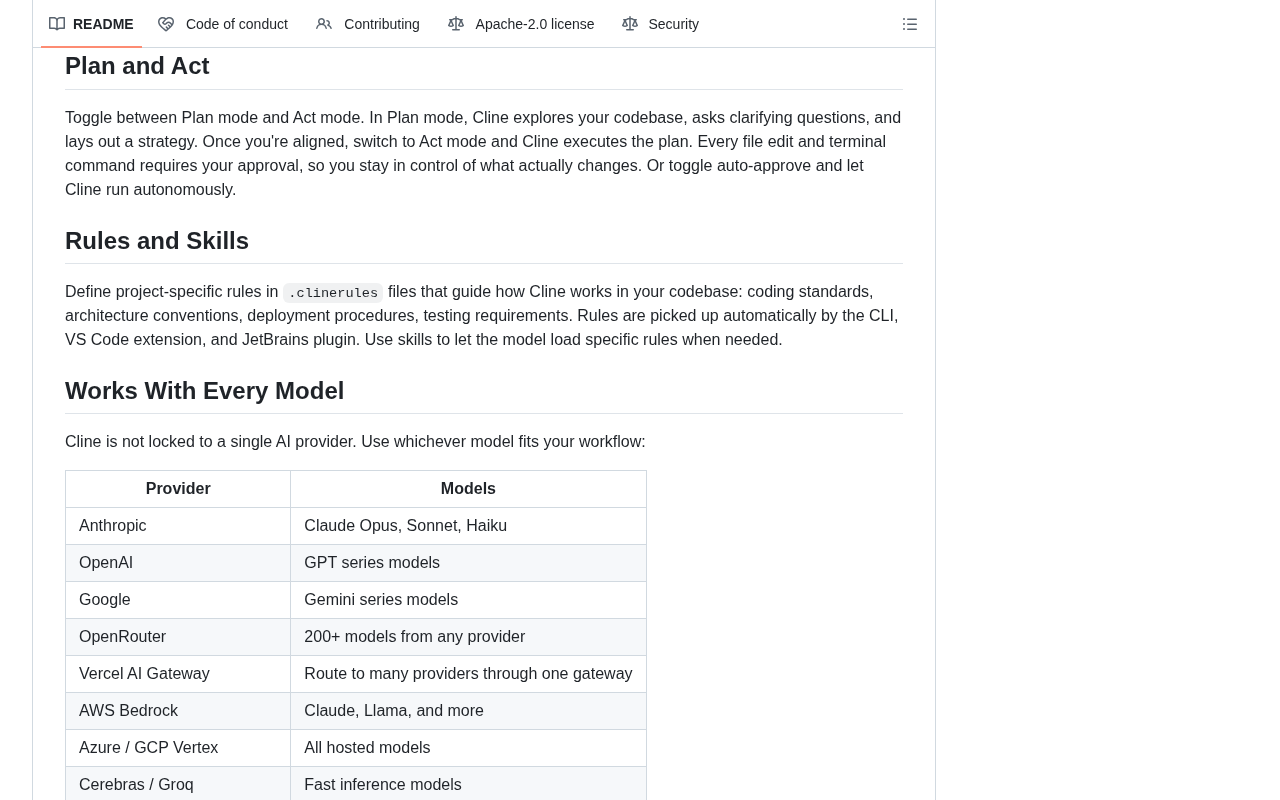
A defining design philosophy of Cline is "with your permission every step of the way" — every action requires explicit developer authorization. This principle carries real significance as autonomous agents grow increasingly powerful.
Fully hands-off automation may be efficient, but it introduces uncontrollable risks: AI could delete important files, execute dangerous commands, or produce unexpected side effects. Cline's human-in-the-loop (HITL) model ensures developers retain final say over every critical action the agent takes. This design strikes a balance between trusting AI capabilities and keeping code safe — and it aligns well with the control requirements of professional development environments.
Human-in-the-Loop (HITL) is a design paradigm in human-machine collaborative systems. Its core idea is to preserve human judgment and intervention at critical nodes within automated workflows. In contrast to fully automated "black box" execution, HITL requires the system to pause, inform the user, and await confirmation before performing high-risk or irreversible operations. This design is widely applied in fields such as ML data annotation, medical decision support, and autonomous driving.
In the context of AI coding agents, HITL is especially critical. Code execution and file changes are often irreversible — a rm -rf command or a botched database migration can cause damage that's hard to undo. By granularizing authorization to "every critical action" rather than a single one-time approval at the start of a task, Cline effectively addresses this risk. It also means developers need to remain engaged during use — Cline is not designed to be a fully unattended automation tool.
Open-Source Ecosystem and Technology Choices
Cline was released as open source and uses TypeScript as its primary language. The choice of TypeScript fits naturally with its role as an IDE plugin — it aligns closely with the ecosystem of mainstream editors like VS Code, while the type system improves code maintainability.
With over 6,000 forks, the community has demonstrated strong interest in customizing and extending the project. The advantage of open source here is transparency: developers can audit exactly which operations the agent is performing — which is crucial for a tool with file system and command execution permissions. Compared to closed-source commercial alternatives, an auditable codebase significantly lowers the barrier to trust.
Cline is distributed as a VS Code extension, and this technical choice is deliberate. VS Code provides a comprehensive Extension API that allows plugins to access the editor's file system, terminal, Language Server Protocol (LSP), and other low-level capabilities — giving Cline standardized entry points for file operations and command execution. TypeScript is also the language VS Code itself is built in, meaning both share the same ecosystem. Plugin developers can reuse VS Code's type definitions and toolchain directly, substantially reducing development and maintenance overhead.
For teams looking to deploy in private environments or integrate their own large language models, the open-source codebase makes deep customization possible. A significant portion of those 6,000+ forks come from engineering teams seeking to swap out the default model backend or add enterprise-level access controls.
Who Is It For, and What Does It Represent
Cline represents the broader evolution of AI coding tools — from "assisted completion" toward "autonomous execution." For developers looking to boost productivity and willing to experiment with new workflows, it offers a fundamentally different mode of collaboration: delegate repetitive, process-driven coding tasks to the agent, while humans focus on architecture and key decisions.
That said, autonomous agents are still in rapid development. Real-world performance depends heavily on the underlying model's capabilities, the complexity of the task, and the quality of the prompts. For critical production environments, careful authorization review remains indispensable. But regardless, the emergence of tools like Cline is actively redefining the boundary of collaboration between developers and AI.
Summary
Positioned as an "autonomous coding agent inside your IDE," Cline integrates file operations, command execution, and browser control into an authorizable, automated loop — building trust through open source and human-in-the-loop safety design. Over 61,000 GitHub stars attest to strong market demand for this type of tool. It's not here to replace developers — it's here to be a controllable, transparent, and genuinely capable partner in the development process.
Related articles
Director Master Tutorial: Full Workflow for AI Character Voice Design and Binding
Based on a Bilibili tutorial, this guide details how to design and bind AI character voices in Director Master: uploading voices, generating them via ComfyUI workflows, producing voice profiles alongside character design, and automatically inheriting voices in storyboard prompts.
3.5 Hours and $47: Building an AI Agent Village Step by Step
A Bilibili creator built an AI Agent village in 3.5 hours for about $47: Claude Code handles logic and behavior, Higgs Field generates art. Seven steps cover maps and buildings, chief of staff and director roles, walkable areas and behavior rules, connecting to real tools like email and calendars, proving ground meetings, and retaining final human approval—including a cost ledger and prompt design thinking.
WorkBuddy Complete Beginner's Guide: Master Your AI Digital Employee in 7 Days
A detailed breakdown of the WorkBuddy beginner's guide: how this domestic Codex alternative works, its four advantages over traditional AI, and a learning path for newcomers.