ClipsPal: An AI Talking-Head Video Editor with a One-Time Payment
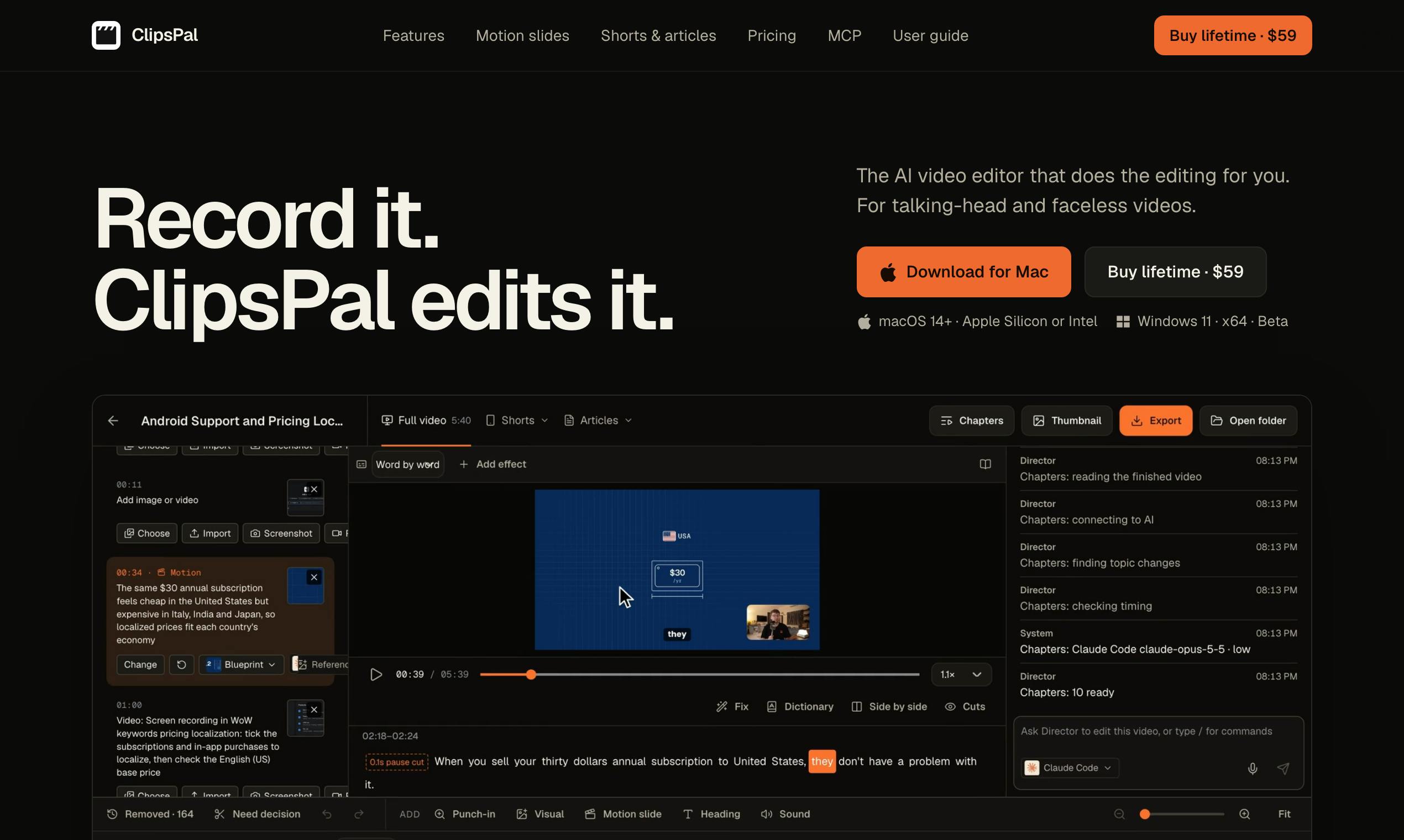
ClipsPal uses AI to fully automate talking-head video editing, clip splitting, and article generation with a buyout model.
ClipsPal is a desktop AI talking-head video editor for Mac and Windows, built by Dan Kulkov, ranking #13 on Product Hunt with 76 upvotes. It auto-removes slips and silence, adds zooms at key statements, generates subtitles, adds visual assets and sound effects, and converts long videos into shorts and articles—covering the full chain from rough cut to distribution. It runs on the user's Claude Code or Codex rather than fully relying on the cloud, and uses a one-time payment, no-subscription model that sets it apart in a subscription-dominated market. Still early-stage, its actual editing quality, stability, and long-term sustainability remain to be validated.
Talking-head videos are the most common format for knowledge-based and interview-style content creators, but the editing process is often tedious: cutting failed takes, removing silence, adding zooms, subtitles, visual assets, and sound effects, and finally splitting everything into short clips and articles. ClipsPal, which earned 76 upvotes and ranked #13 on Product Hunt, is trying to automate this entire pipeline with AI.
What Is ClipsPal?
ClipsPal is a desktop video editor for Mac and Windows, officially positioned as an "AI talking-head video editor." According to its Product Hunt page, its core capability is this: drag in raw video footage and it automatically performs a series of editing actions, ultimately turning long videos into short clips and articles.
Unlike many subscription-based AI tools, ClipsPal uses a one-time payment, no-subscription model. The product is built by developer Dan Kulkov and is currently categorized under Artificial Intelligence, YouTube, and Video.
Core Features: A Fully Automated Pipeline from Raw Footage to Finished Video
ClipsPal's feature design centers on the typical pain points of talking-head videos:
- Automatic removal of failed takes and silence: Common slips of the tongue, pauses, and long silences in talking-head recordings are automatically identified and cut out, saving the time of scrubbing through frame by frame.
- Smart zoom-ins: The frame automatically zooms in at key statements to enhance visual rhythm—a technique commonly used in many high-quality talking-head videos.
- Automatic subtitle generation: Adds subtitles to videos, improving accessibility and the viewing experience.
- Visual and sound enhancements: Automatically adds visual assets and sound effects to make the final video richer.
- Derivative asset generation: Converts long videos into short clips (shorts) and articles, enabling create-once, distribute-everywhere workflows.
Together, these features effectively cover the entire chain from rough cut to packaging to distribution. For solo creators or small teams, this automation can significantly lower the editing barrier and time cost.
Technical Highlight: Runs on Your Claude Code or Codex
ClipsPal has one notable technical characteristic: it runs on the user's Claude Code or Codex. This means it may rely on these AI coding assistant environments to perform certain intelligent processing tasks rather than depending entirely on cloud services.
This design approach is uncommon among AI tools. On one hand, it may offer better privacy and local control; on the other, it means users need some environment configuration skills. However, the original article does not detail the specific technical architecture, so whether the actual experience is smooth remains to be verified.
Claude Code is a command-line AI coding assistant from Anthropic that runs in the local terminal, reads project files, executes commands, and calls Claude models to complete code changes and automation tasks. Codex generally refers to OpenAI's series of code generation models (such as Codex and its later iterations), and is also often used to refer to coding agent tools based on those models. Both provide programmable local agent environments that allow third-party applications, through configuration and invocation, to leverage large model capabilities for file processing, script execution, and more. ClipsPal's claim that it runs on the user's existing Claude Code or Codex environment suggests it may delegate tasks such as video analysis and edit-command generation to these local agents, thereby avoiding uploading raw videos to its own cloud. This design—"piggybacking" on general-purpose AI agents—can lower developers' model and compute costs, but it also shifts the burden of environment configuration, API quotas, and runtime stability onto users.
Pricing Model: Pay Once, No Subscription
In the AI video editing space, most products use a monthly subscription SaaS model. ClipsPal goes the opposite direction with its "Pay once, no subscription" slogan.
For frequent creators, this is undoubtedly appealing—long-term costs are controllable, with no worries about subscription fees piling up. But it also raises a question: can a one-time payment model sustain ongoing product updates and long-term server operations? The developer's future operational strategy will need to be watched.
Market Positioning and Competitive Landscape
Talking-head video editing is a niche with clear demand but fierce competition. From Descript to Opus Clip to various AI editing tools, everyone is competing for creators' time. ClipsPal's differentiation lies in:
- Desktop-first: Native Mac and Windows apps rather than pure web tools, potentially offering better performance and local file processing.
- Full-pipeline coverage: From rough cut to short clips to articles, one tool handles multi-format content production.
- Buyout model: Lower long-term usage costs.
However, the data on Product Hunt—76 upvotes and 2 comments—also indicates that the product is still at an early stage, with limited community discussion. Whether its actual results can match the advertised level of automation requires more real-world user feedback.
Descript is an audio/video editing tool known for "document-style editing," where users can directly edit auto-generated transcripts and the corresponding audio and video are updated in sync. It also offers filler-word removal, AI voiceover, and other features, and is often regarded as the benchmark for talking-head and podcast editing. Opus Clip, meanwhile, focuses on automatically splitting long videos into short clips, using AI to identify highlight segments, reframe them, and add subtitles, specializing in batch-producing vertical shorts suitable for TikTok, Reels, and Shorts. The two represent two paths—"editing experience innovation" and "distribution efficiency improvement"—and both are primarily subscription-based. ClipsPal attempts to integrate rough cutting, packaging, clip splitting, and article generation into a single desktop buyout tool. Its feature scope overlaps with both types of products, but whether it can match them in editing quality and degree of automation is the key test it faces against established players.
Who Is It For?
ClipsPal's target user profile is fairly clear:
- YouTubers and knowledge bloggers who regularly produce talking-head videos
- Creators who need to break long content into short content for multiple platforms
- Small teams looking to reduce editing outsourcing costs
- Users who are tired of subscriptions and prefer buyout models
If you fit the above characteristics and use a Mac or Windows desktop environment, ClipsPal is worth watching. But given that the product is fairly new, it's advisable to first learn about its actual editing quality and stability before deciding whether to invest.
Summary
ClipsPal aims to use AI to compress the post-production workflow for talking-head videos into a "drag in and get a finished video" experience. Its combination of features—automatic removal of failed takes, adding zooms and subtitles, and generating short clips and articles—hits creators' core pain points. Its technical path of running on Claude Code or Codex and its one-time payment model constitute its differentiating selling points. But as an early-stage product, its actual performance and long-term sustainability still need to be tested by the market.
One-line Summary
ClipsPal uses AI to fully automate talking-head video editing, clip splitting, and article generation, with a buyout model.
Paragraph Summary
ClipsPal is a desktop AI talking-head video editor for Mac and Windows, built by developer Dan Kulkov, which earned 76 upvotes and ranked #13 on Product Hunt. After dragging in raw video, it can automatically remove slips of the tongue and silence, add zooms at key statements, generate subtitles, add visual assets and sound effects, and convert long videos into short clips and articles—covering the entire chain from rough cut to distribution. Its technical hallmark is that it runs on the user's Claude Code or Codex rather than relying entirely on the cloud; its pricing uses a one-time payment, no-subscription model, differentiating it in a subscription-dominated AI tool market. However, the product is still at an early stage, and its actual editing quality, stability, and long-term sustainability remain to be tested by the market.
Related articles
Open-Source AI Desktop Robot: Built with a Laptop + Android + Pico
Open-source AI desktop robot PAL9000: a MacBook runs MediaPipe vision and llama-cpp dialogue, an Android phone is the animated face, and a Raspberry Pi Pico W drives a 2-DOF pan-tilt head. Modular design, reproducible piece by piece, with a discussion of anthropomorphic design.
Why Did Your Backtest 'Beat' SOTA? The Weather Covariate Leakage Trap
A backtest showed Timestral's MASE dropping from 0.71 to 0.49, seemingly beating SOTA—but it was caused by weather covariate leakage. After correction, it was only 0.66. This article analyzes the leakage, the archived forecast dilemma, and provides a checklist for time series backtesting.
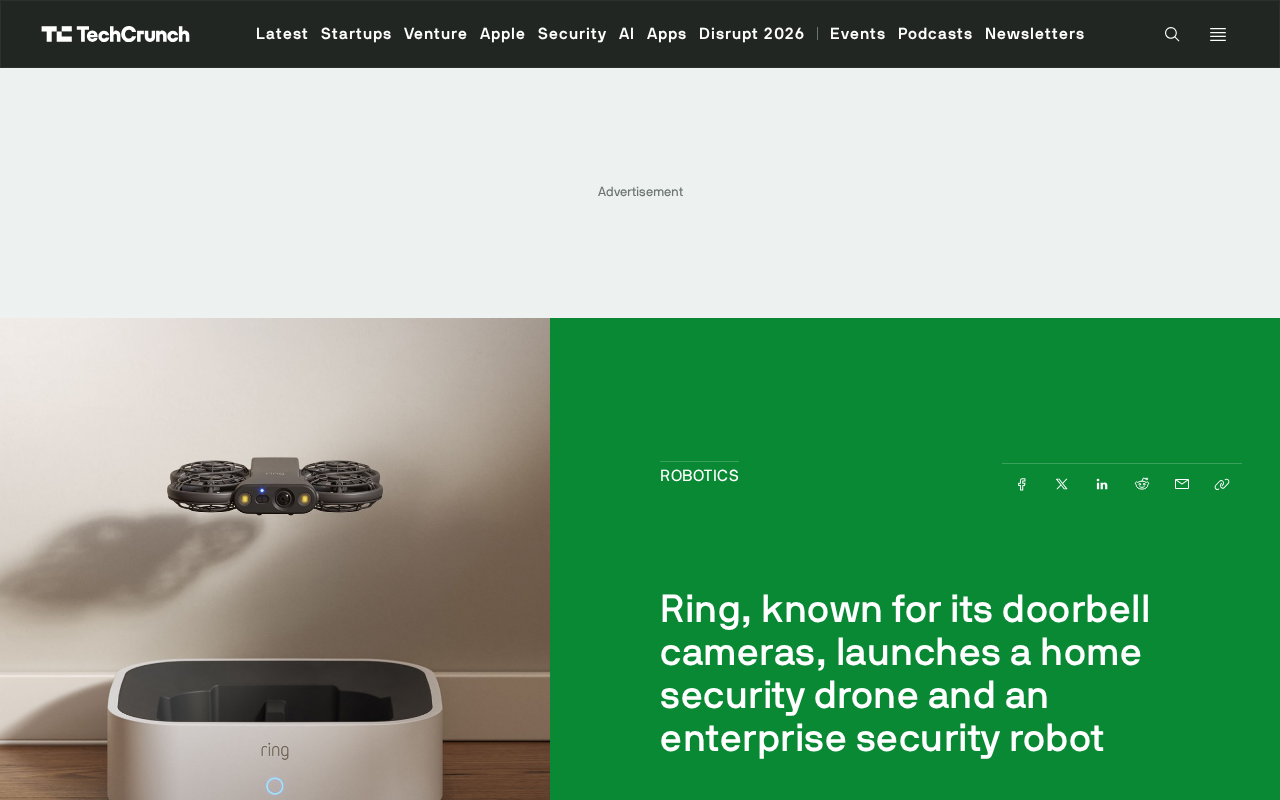
Ring Enters Robotics: Launching Home Security Drones and Enterprise Patrol Robots
Ring enters robotics with a home security drone and an enterprise rolling patrol robot. This article analyzes its product expansion logic, use cases, and practical challenges.