Cloud Backup for Under 1TB of Critical Data: Offsite Backup Solutions Compared
How to choose a cost-effective offsite cloud backup solution for under 1TB of critical data on Unraid/homelab servers.
Starting from a real Reddit user's backup challenge, this article systematically breaks down the logic for choosing an offsite cloud backup solution for self-hosted servers (NAS/homelab). The core premise: RAID redundancy is not a backup — it can't protect against ransomware, physical disasters, or accidental deletion. The 3-2-1 rule demands at least one offsite copy. For under 1TB on a budget, the recommendation is S3-compatible object storage (Backblaze B2 or Wasabi) paired with open-source tools like restic or Kopia for client-side encryption, incremental backups, and version control — all while keeping monthly costs in the single-digit dollar range.
A Real-World Backup Dilemma
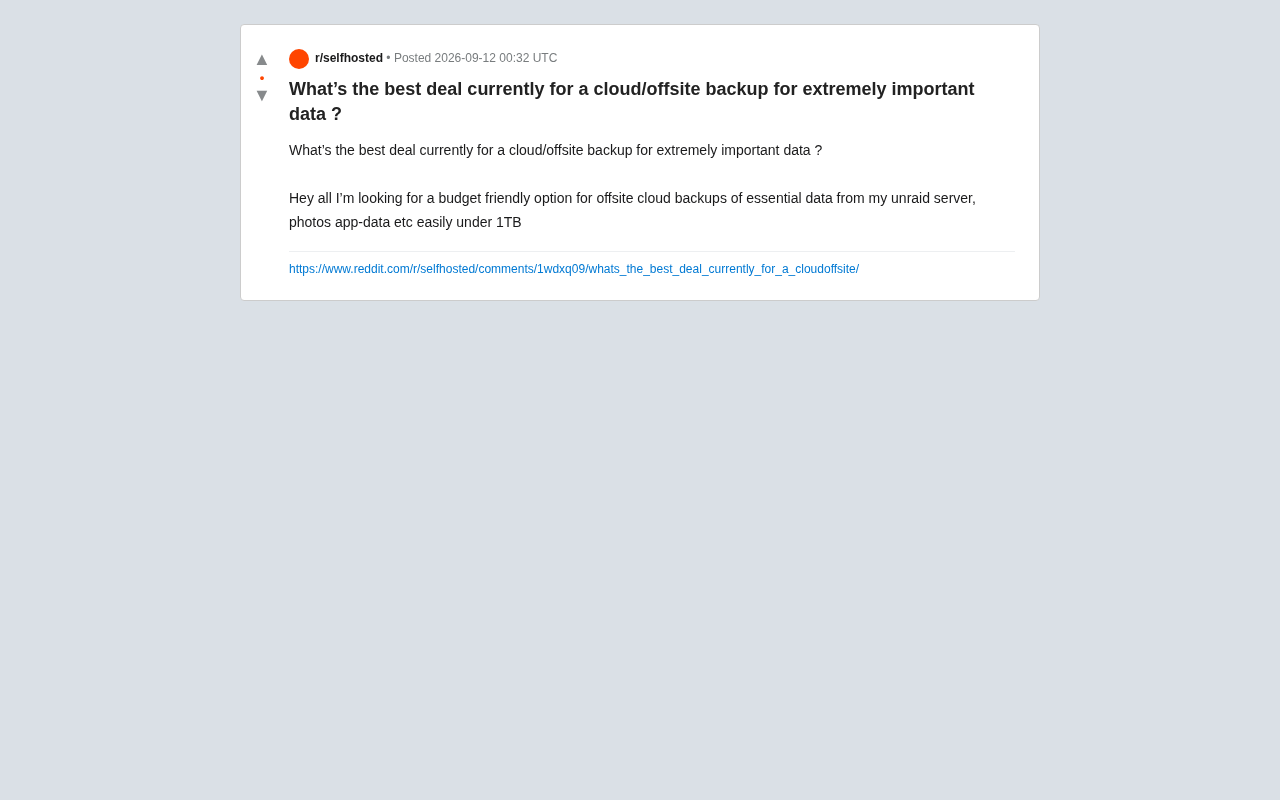
A Reddit user posed a question that many self-hosted server (NAS/homelab) users will recognize: how do you find a cost-effective offsite cloud backup solution for critically important data? Running an Unraid server, the user needed to back up core data including photos and app configurations (app-data), all comfortably under 1TB in total — with a limited budget.
The question seems simple on the surface, but it cuts to the heart of a classic trade-off in data storage: how do you balance cost, reliability, and recovery convenience? When it comes to "critically important data," price should never be the only consideration.
Note: The original post only raised the question and had not yet generated a community consensus answer. The following analysis is based on general best practices and industry knowledge for this type of scenario, provided for reference.
Why Offsite Backup Is Non-Negotiable
Many people treat RAID or Unraid's redundancy as a backup — this is a dangerous misconception. RAID only protects against data loss from a single drive failure; it offers no defense against:
- Ransomware or accidental deletion: Mistakes propagate to all redundant drives
- Physical disasters: Fire, flooding, or theft can destroy the entire device
- Controller or firmware failures: These can corrupt an entire array
This is precisely why the classic 3-2-1 backup rule exists: at least 3 copies of your data, stored on 2 different media types, with 1 copy kept offsite. The cloud backup the original poster was looking for is essentially filling that critical gap — the "1 offsite copy" in the 3-2-1 framework.
The 3-2-1 backup rule was introduced by photographer Peter Krogh in the early 2000s and has since been widely adopted across the IT industry as the gold standard for data protection. The three numbers represent: keeping at least 3 copies of your data (the original plus two backups); spread across 2 different storage media types (e.g., local hard drive + cloud storage, or internal drive + external drive); with 1 copy stored in a physically separate, offsite location. "Media diversity" and "geographic isolation" are the two core requirements of this principle — the former guards against batch failures of a single media type, while the latter protects against catastrophic local events (fire, theft) wiping out all copies simultaneously. In recent years, some have proposed an extended 3-2-1-1-0 variant that additionally requires one air-gapped offline copy and zero unverified backups, further emphasizing the importance of recovery testing.
Main Backup Options for Under 1TB
For sub-1TB, budget-conscious scenarios, the market currently offers several approaches worth considering.
Object Storage: Backblaze B2 and Competitors
For self-hosted server users, object storage (S3-compatible) is typically one of the best value options available. Backblaze B2 has consistently earned top marks in the homelab community, with usage-based pricing and storage costs far below AWS S3 standard storage. It also integrates seamlessly with open-source backup tools like rclone, restic, and Duplicati.
For 1TB of data, monthly costs typically land in the single-digit dollar range, with additional egress fees only when you actually download data to restore. Similar object storage services include Wasabi (which markets itself on flat-rate pricing with no egress fees) and iDrive e2. Which is more cost-effective depends on how frequently your data changes and how often you expect to restore.
Object storage is an architecture that stores data in discrete units called "objects," each containing the data itself, metadata, and a unique identifier — distinct from traditional file systems (directory tree structures) and block storage. S3-compatible means the service implements the same API specification as Amazon AWS S3. Since S3 has become the de facto industry standard, providers like Backblaze B2, Wasabi, and iDrive e2 all implement the same API, allowing tools like rclone and restic to switch between backends without separate integrations. For homelab users, understanding the "storage fee + egress fee" pricing model is especially important: Wasabi markets zero egress fees, making it ideal for frequent recovery testing; B2 has a slightly lower storage rate but charges for downloads, making it better suited for backups you rarely need to retrieve. Always estimate total cost of ownership based on your expected recovery frequency.
All-in-One Backup Services
If you'd rather avoid the command line, all-in-one services like Backblaze Personal (for personal computers, not servers) or iDrive offer graphical interfaces and dedicated clients. However, be aware that many consumer-grade unlimited plans don't support data on continuously mounted NAS or server storage. Always verify supported use cases before purchasing.
Open-Source Tool Combinations for Homelab
For Unraid users, a more flexible approach is combining an open-source backup tool with an object storage backend:
- restic / Kopia: Support incremental backups, encryption, and deduplication — ideal for regular snapshots
- rclone: A Swiss Army knife sync tool supporting dozens of cloud backends
- Duplicacy / Duplicati: Come with a UI, better for users less comfortable with the terminal
The biggest advantage of these solutions is client-side encryption — data is encrypted before upload, meaning the cloud provider cannot read your content. This is especially critical for "critically important data."
Both restic and Kopia are built on content-addressed storage (CAS): during backup, files are split into fixed or variable-size chunks, identified by their hash values. Identical content is stored only once, achieving deduplication. Incremental backups build on this by uploading only the data chunks that have changed since the last snapshot, dramatically reducing daily backup bandwidth and time. Both tools perform client-side encryption locally — the encryption key stays with the user, and only ciphertext is ever stored in the cloud. This is fundamentally different from "server-side encryption" offered by some providers, where the provider can still access your plaintext. rclone is a sync/mount tool rather than a backup tool — it doesn't natively support snapshots or deduplication, but it can serve as a storage backend for restic or be used standalone when you simply need to mirror a directory.
Three Factors That Are Easy to Overlook
Beyond price, when choosing a backup solution for important data, three factors matter more than saving a few dollars per month.
Recovery Cost and Speed
The ultimate purpose of a backup is restoration. Some low-cost cold storage options (such as certain archive tiers) charge high fees or require lengthy waits to retrieve data. For core data that needs to be restored quickly, avoid pure cold storage — or at minimum, understand the retrieval terms clearly.
Encryption and Privacy
Photos and app configurations often contain sensitive information. Client-side encryption should be a hard requirement, ensuring that even if the provider suffers a data breach, your data remains protected. Tools like restic and Kopia support this by default.
Data Integrity Verification
Long-term stored backups need regular validation to confirm they're readable. Choose solutions that support checksums and automatic integrity checks — the last thing you want is to discover your backup files are corrupted only when you actually need to restore them.
Practical Recommendations for Sub-1TB Users
All things considered, for Unraid users backing up under 1TB of important data, a reliable and cost-effective combination is:
- Backend: Object storage such as Backblaze B2 or Wasabi
- Tool: restic or Kopia, with client-side encryption and incremental backup enabled
- Strategy: Set up scheduled automatic backups, retain multiple historical versions, and perform a restore test periodically
This approach keeps monthly costs very low while meeting the core requirements for important data: encryption, incremental transfers, and version control. If your budget allows, adding a second copy with a different provider for your "critically important" photos would truly honor the spirit of the 3-2-1 rule.
Data is irreplaceable. Choosing a backup solution ultimately isn't about "which is cheapest" — it's about "which one can reliably return your data intact when you truly need it."
Related articles

A New Paradigm for Text Editing in Compose: TextFieldState Replaces the Old API
Jetpack Compose introduces the TextFieldState API to fix dropped characters and cursor jumps from async input. The old value/onValueChange callbacks will be deprecated in 1.13. This article covers InputTransformation, OutputTransformation, four state hoisting patterns, and new formatted text editing capabilities.

Remote Compose: A New Document-Driven Paradigm for Cross-Platform UI on Android
Remote Compose transmits compact binary documents instead of screen pixels, enabling efficient UI rendering on remote surfaces like Wear OS and widgets. This article covers its document creation API, expression animations, size optimization techniques, and Wear OS progress.

How Crashlytics Eliminates Android Memory and Responsiveness Issues
Through the Chroma Clip case study, this article explains how Firebase Crashlytics uses Application Exit Info, Profiling Manager, GWP ASAN, and ARM MTE to pinpoint ANRs, OOMs, memory limit terminations, and native memory corruption—solving the challenge of stack traces that don't point to the real culprit.