Cloudflare Worker Routes: A Complete Guide to Deploying Two Projects Under One Domain

Use Cloudflare Worker Routes to serve multiple projects under one domain without Nginx.
This article explains how to use Cloudflare Worker Routes to solve a common problem in frontend-backend separation architectures: serving multiple independent services under a single domain. Using a blog refactoring case, it demonstrates how to route RSS feed requests to a separate Worker project while keeping the main frontend intact — achieving a unified domain experience with zero server costs.
The Domain Dilemma in Frontend-Backend Separation Architecture
In modern frontend development, frontend-backend separation has become the dominant architecture. This approach splits the user interface (frontend) from the data processing logic (backend) into two independently deployed and developed systems. The frontend is typically compiled into pure static files (HTML, CSS, JavaScript) and hosted on CDNs or static site services, while the backend provides data through APIs. The advantage of this architecture is that frontend and backend teams can develop in parallel without affecting each other's deployments, and static resources can fully leverage CDN's global caching capabilities. However, it also introduces additional complexity such as cross-origin requests (CORS), domain management, and service orchestration — especially when a logically unified "website" is actually composed of multiple independent services, presenting a unified entry point becomes a problem that must be solved.
When a blog system is refactored into a separated architecture, it often gives rise to issues with domain management and user experience. This article starts from a real-world blog refactoring case and introduces how to use Cloudflare Worker Routes to serve two independent projects under a single domain.
The refactored blog adopted a pure static frontend plus data API separation model. By observing network requests through browser developer tools (F12), you can see that the blog's loading depends on APIs under a specific domain. If that request domain is blocked, the page cannot render properly, because the frontend needs to request data files like post.json — which contains the complete article list — and then constructs URLs to fetch detailed content based on each article's slug.

This architecture is clean and well-organized in its design, but in practice it exposes an easily overlooked problem: RSS subscription address management becomes chaotic.
The Real-World RSS Subscription Predicament
Many readers don't directly visit the blog domain to browse articles — instead, they subscribe to content through RSS readers (like Follow). Let's first understand what RSS actually is.
What is RSS
RSS (Really Simple Syndication) is essentially a feed that contains all the metadata of articles but carries no frontend rendering logic. You can think of RSS as "the essence of articles" — a pure content data stream. Aggregation tools like Follow gather multiple RSS sources together, allowing users to read updates from many blogs in a single interface.
From a technical perspective, RSS was first introduced by Netscape in 1999 and has evolved through versions 0.9, 1.0, and 2.0. It's essentially a document conforming to a specific XML Schema, containing a channel (channel information) and multiple items (entries), where each item typically includes fields like title, link, description, and pubDate. A similar protocol is Atom (RFC 4287), which offers comparable functionality but with a slightly different format. RSS readers detect new content by periodically polling RSS addresses, typically at intervals ranging from 15 minutes to several hours. If an RSS address is unstable or responds abnormally, readers may reduce polling frequency or even mark it as a dead source, directly impacting the subscription experience.

The Subscription Address Problem from Separated Architecture
The problem is that after refactoring, the RSS feed was hosted on a separate Cloudflare Worker project, using a different domain from the frontend project. This means users who want to subscribe have to enter a non-intuitive address. Such subscription addresses are neither elegant nor aligned with user expectations — most people expect to simply enter the main domain or a clean RSS path to complete their subscription.
Worse still, because the domains aren't unified, some aggregators may encounter errors during polling, causing subscriptions to fail and preventing normal update retrieval.
The Cloudflare Worker Routes Solution
For the issues described above, Cloudflare's Worker Routes feature provides an elegant answer. The core idea is: under a single domain, distribute traffic to different backend projects based on different request paths.
Cloudflare Workers run on V8 engine Isolates technology, with each Worker instance executing in a lightweight isolated environment. Startup time is just a few milliseconds, far less than traditional containers or virtual machines. Workers are deployed across Cloudflare's edge nodes in over 300 cities worldwide, and requests are routed to the nearest node for execution, providing inherent low latency and high availability. Worker Routes are Cloudflare's traffic matching mechanism: when a request URL matches a route rule, the request is intercepted and handled by the corresponding Worker rather than reaching the origin server directly. Route rules support wildcards (e.g., example.com/api/*), enabling fine-grained path-level traffic distribution. This mechanism essentially implements reverse proxy functionality at the edge layer without requiring any server infrastructure maintenance.

Configuration Steps in Detail
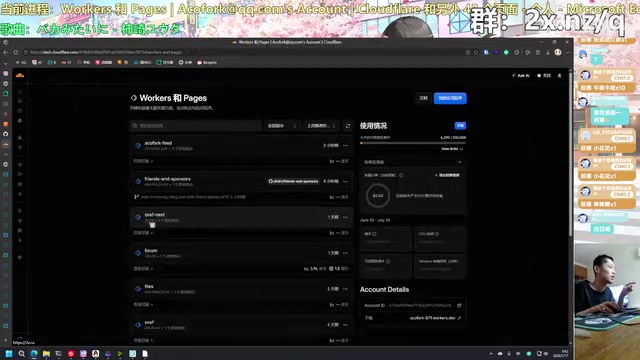
The actual setup is remarkably simple. In the Cloudflare dashboard:
- Find the target Worker project and navigate to "Custom Domains / Routes" settings
- Select "Add Route" to create a custom route rule
- Point a specific path (e.g.,
rss.xml) to the RSS feed Worker project
Once configured, the vast majority of requests to paths under the domain continue to be sent to the original frontend project, while only requests to the rss.xml path are routed to the RSS feed project.
Results and Practical Value
Through this configuration, the goal of "two independent projects sharing one domain" is achieved. Users simply enter domain/rss.xml in their reader to reliably subscribe to the blog, and aggregators like Follow no longer have polling issues.
The value of this approach lies in:
- Unified externally: Users always see a single domain, which is intuitive and reduces cognitive load
- Decoupled internally: The frontend project and RSS feed project remain completely independent codebases and deployments, maintained separately without interference
- Zero additional cost: Leverages Cloudflare's existing edge routing capabilities without needing to set up an additional Nginx reverse proxy server
Comparing with Traditional Approaches: Worker Routes vs Nginx Reverse Proxy
In traditional solutions, aggregating multiple services under a single domain typically requires Nginx reverse proxy or an API gateway. Nginx is currently the most widely used high-performance web server and reverse proxy software, serving approximately 34% of active websites globally. When acting as a reverse proxy, Nginx receives client requests, forwards them to different upstream services based on location block rules in its configuration file, and returns the responses to clients. This approach is flexible and powerful, supporting advanced features like load balancing, request rewriting, caching, and rate limiting. However, the trade-off is needing a continuously running server, handling SSL certificate renewal, configuration file management, log monitoring, security updates, and other operational tasks. For individual developers or small projects, this operational overhead is often disproportionate to the project's actual scale.
Cloudflare Worker Routes pushes this capability down to edge nodes. Here's a comparison of the core differences:
| Comparison | Nginx Reverse Proxy | Cloudflare Worker Routes |
|---|---|---|
| Requires a server | Yes | No |
| Operational cost | Medium | Nearly zero |
| Configuration method | Edit config files | Dashboard clicks or API |
| Global acceleration | Requires additional CDN | Built-in edge nodes |
| Use cases | Complex routing logic | Path-level distribution |
For personal blogs and independent developer projects, this "serverless + edge routing" combination is particularly friendly.
Extended Use Cases
The same approach isn't limited to RSS feeds. As your project scales, you can horizontally expand more sub-services by adding route rules:
/api/*routed to the backend API Worker/rss.xmlrouted to the RSS feed Worker/sitemap.xmlrouted to the sitemap generation Worker- All other paths serve the frontend static site normally
This pattern lets you continuously integrate new services under a single domain without modifying any existing projects, keeping the architecture clean and maintainable.
From a broader perspective, the Cloudflare Worker Routes approach is a microcosm of the Edge Computing trend. Edge computing pushes computational logic from centralized data centers to the network edge, closer to end users, thereby reducing latency and bandwidth consumption. The accompanying Serverless model frees developers from worrying about server provisioning, scaling, and operations — the platform allocates resources on demand and bills based on actual invocations. Beyond Cloudflare Workers, similar platforms include AWS Lambda@Edge, Vercel Edge Functions, and Deno Deploy. This model is particularly suited for scenarios with fluctuating request volumes, latency sensitivity, but relatively light per-request computation — such as route distribution, A/B testing, request authentication, and content personalization.
This is truly a practical paradigm of modern frontend architecture — using platform capabilities to smooth out architectural complexity, freeing your energy to focus on content and product itself.
Key Takeaways
Related articles

ChatGPT Loses 22 Points of Market Share in One Year: A Deep Dive into the AI Competitive Landscape
ChatGPT lost 22 percentage points of web market share in one year as Google Gemini, Claude, Perplexity, and others rise. A deep analysis of what's really behind the numbers.

How Mid-Career Programmers Can Break Through the AI Anxiety Trap
A 36-year-old career-switching programmer panics about AI. This article dissects the real impact of AI on software engineers and offers concrete strategies for mid-career developers to evolve from code executors to AI-era decision-makers.

Humanities to NLP: Is a Cross-Disciplinary Master's in Computational Linguistics Worth It?
Can an English major pursue a Master's in Computational Linguistics to enter NLP? This article analyzes feasibility, program selection strategies, and practical advice for humanities-to-NLP career changers.