cmux: The Open-Source macOS Terminal Built for AI Coding Agents

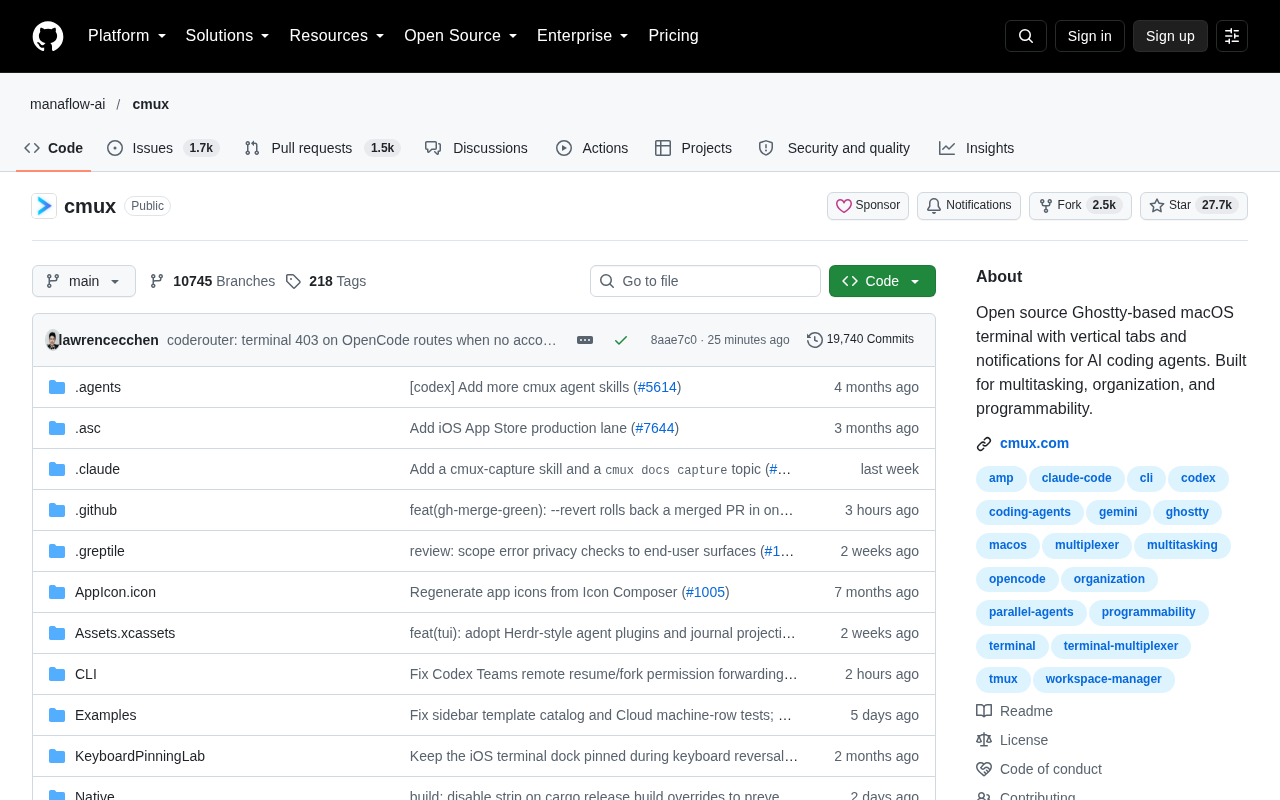
cmux is a native macOS terminal built on Ghostty, designed to manage multiple AI coding agents in parallel.
As AI coding agents like Claude Code and Codex become mainstream, developers face a new challenge: managing multiple agent tasks simultaneously. cmux (manaflow-ai/cmux) is an open-source macOS terminal written in Swift and built on the Ghostty rendering engine, featuring vertical tab layouts and task completion notifications to make multi-agent parallel workflows more manageable. It inherits Ghostty's GPU-accelerated rendering and focuses on session organization and programmable scheduling, aligning with the growing trend of agent orchestration. The project has 27K+ GitHub Stars but is currently macOS-only.
Why AI Programming Needs a Dedicated Terminal
As AI coding agents — like Claude Code, Codex, Aider, and others — become a regular part of developers' workflows, a new pain point has emerged: developers often need to run multiple AI agent tasks simultaneously, constantly switching between terminal sessions while monitoring the progress and output of each. Traditional terminals with horizontal tab bars quickly become unwieldy in these high-concurrency, multi-task scenarios.
cmux (manaflow-ai/cmux) is an open-source project built specifically for this use case. It's a macOS terminal application built on top of the Ghostty engine, designed for managing multiple AI coding agent tasks in parallel. The project has accumulated over 27,000 Stars and 2,400+ Forks on GitHub, with dozens of new Stars added daily — a clear signal that the developer community has a genuine need for tools like this.
Core Features: Vertical Tabs and Smart Notifications
Vertical Tab Management
The most immediately distinctive design choice in cmux is its vertical tabs layout. Traditional horizontal tabs get cramped and hard to read as the number of sessions grows, but a vertical sidebar can clearly list all active sessions at a glance. When you're running five or six AI agent tasks simultaneously, this layout makes the state of each session immediately obvious and dramatically reduces the cost of switching between them.
Task Completion Notifications
Another key feature is the notification system. AI coding agents often take a long time to complete their tasks, and developers naturally drift to other work while waiting. cmux sends a system notification when an agent finishes its task or needs human input, eliminating the need to constantly poll multiple terminal windows. This enables a true async workflow: kick off a task, go do something else, and come back when it's done.
Technical Foundation: Standing on Ghostty's Shoulders
cmux is written in Swift, the natural choice for a native macOS application, which means better system integration and performance out of the box.
Even more notable is that it's built on top of Ghostty. Ghostty is an open-source terminal project led by Mitchell Hashimoto, founder of HashiCorp, known for its GPU-accelerated rendering and exceptional performance. By building on Ghostty, cmux inherits a mature terminal rendering engine and can focus its own effort on higher-level concerns — multi-task organization, tab management, and AI workflow integration. It's a pragmatic engineering decision.
Ghostty was publicly released in late 2024. Unlike mainstream terminals such as iTerm2, Alacritty, or Warp, it's written in Zig and uses Metal (on macOS) and OpenGL (on Linux) directly for GPU-accelerated rendering, with a noticeable advantage in character rendering latency and smooth scrolling through high-volume output. Crucially, Ghostty provides a libghostty library for third-party integration, allowing projects like cmux to embed it as a rendering engine without having to implement VT100/VT220 terminal protocol parsing, font rasterization, and other low-level capabilities from scratch. This approach of "borrowing a mature terminal engine" is architecturally similar to how VS Code integrates xterm.js — letting the upper layer focus entirely on differentiated functionality.
A Design Philosophy Built Around Multitasking and Programmability
cmux's positioning can be summarized in three keywords: multitasking, organization, and programmability.
Multitasking and organization are already expressed through the vertical tabs and notifications. "Programmability" suggests that cmux doesn't want to be just a passive display container. For developers who rely heavily on AI agents, the real efficiency gains come from being able to automate session management and bulk-schedule agent tasks through scripts or configuration. This direction also aligns with the growing trend of agent orchestration — developers are no longer manually chatting with a single AI, but coordinating multiple agents like a team.
Agent Orchestration is one of the hottest topics in AI engineering today. The core idea is to break complex tasks into subtasks, assign them to different specialized agents for parallel processing, and have a "coordinator" integrate the results. OpenAI's Swarm, Anthropic's multi-agent framework, and Microsoft's AutoGen are all representatives of this direction. In a coding context, this means running one agent that writes code, another that reviews it, and a third that runs tests — all working independently but sharing the same codebase context. cmux's vertical tabs and notification mechanism map directly onto this usage pattern of "launch multiple agents, wait asynchronously for each to finish, intervene as needed" — turning the terminal itself into a lightweight orchestration interface.
What This Means for Developers
For engineers who have already incorporated AI agents into their daily development workflow, cmux fills a gap in the toolchain. It doesn't change which AI agent you use — it optimizes the experience of using multiple agents at the same time. As an open-source, native macOS tool, the barrier to adoption is extremely low.
That said, it's currently macOS-only, which is a clear limitation for Linux and Windows users. And as a relatively young project, the maturity of its programmable interface, the completeness of its documentation, and its compatibility with various AI agents all remain to be validated through real-world use.
Overall, cmux represents an interesting signal: as AI-assisted coding evolves from "help me write code" to "run multiple autonomous agents in parallel," the surrounding tooling for this new workflow is emerging rapidly. And the terminal, as developers' core interface, is naturally at the frontier of that innovation.
Related articles

Structuring Data for AI Agents: Five Approaches and a Selection Guide
There's no single best way to structure data for AI Agents. This article compares semantic models, knowledge graphs, RAG, Markdown+grep, and open formats, drawing on research from dbt, Microsoft, and Chroma to help you pick the right data architecture based on question type.

Fish Audio Drama 3 Open-Source Launch Sparks Debate: The 35B Speech Model's Selling Points and Licensing Controversy
Fish Audio Drama 3 sparks debate with 35B parameters and open weights, ranking first on pronunciation benchmarks with director-style control and word-level inpainting, but its community license restricts commercial resale, API prices are rising, and local runs need ~39GB VRAM.
LLM Gateway Selection Checklist: Evalu…
LLM Gateway Selection Checklist: Evaluate a Gateway in 10 Minutes
A 10-minute LLM gateway evaluation checklist: from protocol coverage, cache pricing, discount transparency, and credit terms to per-model SLAs and migration cost, filter out unreliable LLM gateways fast.